A complete gaming PC built from new parts costs roughly $750–$900 for a strong 1080p machine, $1,400–$1,700 for high-refresh 1440p, and $2,800–$3,500+ for 4K in early 2026 — and two components, the graphics card and the RAM, decide where in those ranges you land. The computer parts price list below shows current entry, mid-range, and enthusiast pricing for every component, flags the parts whose prices swing hardest, and works through three real build totals so a budget maps to an actual machine.
- Computer parts price list: every component by tier
- Computer parts full form list: decoding the abbreviations
- The two parts that move your total: GPU and RAM
- Computer price with all parts: three sample builds
- Map your budget to a resolution before you shop
- Two calculations worth doing before you buy
- Doing your own computer part price comparison
- FAQ
As an Amazon Associate we earn from qualifying purchases at no extra cost to you.




Computer parts price list: every component by tier
This is the core computer hardware price list, priced at the US market level. “Entry” means a sensible budget pick, “mid” means the price/performance sweet spot, and “enthusiast” means flagship-adjacent hardware where you pay heavily for the last 10–15% of performance.
| Component | Entry tier | Mid tier | Enthusiast tier | Price stability |
|---|---|---|---|---|
| CPU | $110–$180 (6-core: Core i5-12400F, Ryzen 5 7600) | $200–$360 (Ryzen 7 9700X, Ryzen 7 7800X3D, Core Ultra 5 245K) | $430–$700 (Ryzen 7 9800X3D, Ryzen 9 9950X3D, Core Ultra 9 285K) | Stable, drifts down over time |
| GPU | $230–$350 (RTX 5060, RX 9060 XT, Arc B580) | $550–$700 (RTX 5070, RX 9070 XT) | $1,000–$2,800 (RTX 5080, RTX 5090) | Volatile — biggest single line item |
| Motherboard | $105–$150 (B650, B760) | $160–$250 (B850, entry Z890) | $300–$550 (X870E, premium Z890) | Stable |
| RAM | $45–$90 (16GB DDR5) | $90–$190 (32GB DDR5-6000) | $200–$330 (64GB or low-latency kits) | Most volatile right now |
| SSD | $55–$75 (1TB PCIe 4.0 NVMe) | $105–$150 (2TB PCIe 4.0) | $200–$360 (2TB PCIe 5.0 or 4TB) | Cyclical, milder swings than RAM |
| PSU | $60–$85 (650W, Bronze/Gold) | $100–$150 (750–850W Gold, ATX 3.1) | $190–$300 (1,000–1,200W Platinum) | Stable |
| Case | $60–$90 | $100–$170 | $180–$350 | Stable |
| CPU cooler | $0–$35 (stock or budget tower air) | $35–$90 (dual-tower air or 240mm AIO) | $120–$220 (360mm AIO) | Stable |
Computer parts full form list: decoding the abbreviations
If you’re new to spec sheets, this computer parts full form list covers the acronyms you’ll hit on every product page:
| Abbreviation | Full form | What it does |
|---|---|---|
| CPU | Central Processing Unit | The processor — runs game logic and everything else |
| GPU | Graphics Processing Unit | Renders frames; the main driver of in-game FPS |
| RAM | Random Access Memory | Fast working memory; 32GB is the current sweet spot |
| SSD / NVMe | Solid State Drive / Non-Volatile Memory Express | Storage; NVMe is the fast protocol modern SSDs use |
| PSU | Power Supply Unit | Converts wall power for the components |
| PCIe | Peripheral Component Interconnect Express | The slot/interface GPUs and SSDs plug into |
| DDR5 | Double Data Rate 5 (memory) | Current RAM generation for both AMD and Intel |
| VRM | Voltage Regulator Module | Motherboard circuitry feeding clean power to the CPU |
| AIO | All-In-One liquid cooler | Pre-filled closed-loop water cooler |
| ATX | Advanced Technology eXtended | The standard full-size case/motherboard form factor |
| TDP / TBP | Thermal Design Power / Total Board Power | Power and heat figures used for PSU and cooler sizing |
The two parts that move your total: GPU and RAM
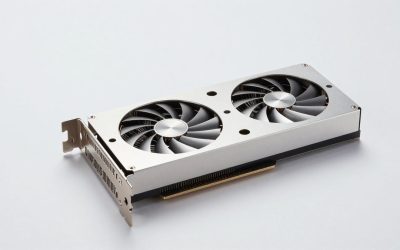
The GPU is 35–55% of any gaming build’s cost, and it’s also the part most likely to cost more than its official MSRP. High-demand cards like the RTX 5090 carry a $1,999 list price but have consistently sold in the $2,300–$2,800 band when stock is thin. Budget and mid-range cards track MSRP more closely, but a $50–$80 swing between a card’s MSRP and its street price is normal. Treat any GPU price you see quoted in a build guide as a range, not a point.
RAM is the sleeper volatility story of 2026. DRAM manufacturers have shifted fab capacity toward HBM memory for AI accelerators, tightening DDR5 supply for consumers. A 32GB DDR5-6000 kit that cost around $95 in mid-2025 has traded anywhere from $90 to $190 in the months since, sometimes moving within a single quarter. Practical advice: if you’re planning a build, buy RAM early in the process — it’s the component most likely to cost more next month than it does today. SSD prices follow a similar NAND supply cycle, but swings are smaller and slower.
Everything else is comparatively boring: CPUs depreciate gently, and cases, coolers, motherboards, and PSUs hold steady pricing for years.
Computer price with all parts: three sample builds
Here’s how the ranges above assemble into real totals. These are the full tower-only computer price with all parts — monitor and peripherals are covered further down.
| Part | 1080p build (~$810) | 1440p build (~$1,635) | 4K build (~$2,790) |
|---|---|---|---|
| CPU | Core i5-12400F — $130 | Ryzen 7 7800X3D — $320 | Ryzen 7 9800X3D — $460 |
| GPU | RTX 5060 — $300 | RX 9070 XT — $620 | RTX 5080 — $1,100 |
| Motherboard | B760 — $120 | B650/B850 — $170 | X870E — $300 |
| RAM | 16GB DDR5 — $60 | 32GB DDR5-6000 — $130 | 64GB DDR5-6000 — $230 |
| SSD | 1TB PCIe 4.0 — $60 | 2TB PCIe 4.0 — $120 | 2TB PCIe 5.0 — $200 |
| PSU | 650W Gold — $70 | 750W Gold ATX 3.1 — $110 | 1,000W Platinum — $200 |
| Case | $70 | $120 | $160 |
| Cooler | Stock cooler — $0 | Tower air — $45 | 360mm AIO — $140 |
| Total | ~$810 | ~$1,635 | ~$2,790 |
Note the pattern: as tiers rise, the GPU eats a bigger share of the budget — about 37% in the entry build, 38% in the mid build, and 39% at 4K. If you swap the RTX 5080 in the last column for an RTX 5090 at realistic street pricing, the total jumps to roughly $4,000–$4,500 and the GPU alone accounts for more than half the spend. That’s the trade you make at the top end.
Map your budget to a resolution before you shop
The fastest way to sanity-check a computer part price comparison is to work backward from the resolution and frame rate you actually want:
| Total budget | Realistic target | GPU budget (about 40%) | Card class |
|---|---|---|---|
| $750–$950 | 1080p ultra / 1440p medium | $280–$380 | RTX 5060, RX 9060 XT, Arc B580 |
| $1,300–$1,800 | 1440p high refresh (120fps+) | $550–$750 | RTX 5070, RX 9070 XT |
| $2,200–$3,000 | 4K high | $1,000–$1,400 | RTX 5080 |
| $3,500+ | 4K maxed with ray tracing | $2,000+ | RTX 5090 |
For VRAM — the GPU spec most likely to age badly — plan on 8–12GB for 1080p, 12–16GB for 1440p, and 16GB or more for 4K with modern texture packs and ray tracing enabled. An 8GB card is now a genuine compromise at 1440p in newer titles, which is why the 16GB versions of cards like the RX 9060 XT are worth the premium over their 8GB twins.
Two calculations worth doing before you buy
Power budget: add GPU board power + CPU power draw + roughly 80W for the motherboard, RAM, drives, and fans — then buy a PSU where that total lands at 50–70% of its rated wattage, which is where efficiency and fan noise are best. Worked example: an RX 9070 XT (304W TBP) plus a Ryzen 7 9800X3D (~120W under gaming load) plus 80W comes to about 500W, so a 750W ATX 3.1 unit runs at ~67% load in-game — ideal. An RTX 5090 build (575W + ~170W CPU + 80W ≈ 825W) needs a 1,000W unit at minimum, and 1,200W buys comfortable headroom for the transient power spikes modern cards produce.
Full setup cost: the prices above are tower-only. A complete computer price with all parts plus peripherals adds roughly $150–$350 for a monitor (1080p 144Hz to 1440p 165Hz), $60–$150 for keyboard and mouse, and an OS license if you need a retail copy. A realistic “everything included” figure is about $250–$500 on top of the tower.
Doing your own computer part price comparison
- Compare cost-per-frame, not sticker price. A $620 RX 9070 XT delivering similar 1440p performance to a $750 alternative is the better buy regardless of brand loyalty — check current benchmark roundups for the games you actually play.
- Check last-gen first. When a new card generation launches, the previous one often drops 15–30% and can undercut newer entry cards while beating them in raw rasterization.
- Buy the volatile parts early. Lock in RAM and the GPU when you see a fair price; cases, coolers, and PSUs can wait for a sale.
- Don’t cheap out on the PSU. Saving $30 on an unrated unit risks every other component. A reputable 80+ Gold unit from a known manufacturer is the floor.
- Overspending rarely pays on the motherboard. Past about $200 on mainstream platforms, you’re buying aesthetics and niche connectivity, not game performance.
- Consider the used market for GPUs only. Used graphics cards commonly sell 20–40% under new pricing; used PSUs and storage are rarely worth the risk.
FAQ
Is it cheaper to build a PC or buy a prebuilt?
At the entry level the gap is small — prebuilts benefit from bulk component pricing and often include Windows. From roughly $1,200 up, building it yourself typically saves $150–$300 and gets you better-balanced parts, since prebuilt vendors commonly pair strong GPUs with weak PSUs, single-channel RAM, or sparse cooling.
Why is RAM so expensive right now?
Memory makers are prioritizing HBM production for AI data-center accelerators, which tightens DDR5 supply for the consumer market. Retail kit prices have swung 50% or more within a few months — treat any quoted RAM price as a monthly figure, not a fixed one.
How much VRAM do I need for 1440p?
12GB is the comfortable floor for 1440p in 2026 titles, and 16GB gives you headroom for high-resolution texture packs and ray tracing. Cards with 8GB will work, but you’ll be lowering texture settings in the newest releases.
How often do computer part prices change?
GPUs can shift weekly based on stock, RAM monthly based on DRAM contract pricing, and everything else drifts slowly downward across a product’s lifecycle. The biggest broad discounts cluster around November sales events and January clearance.