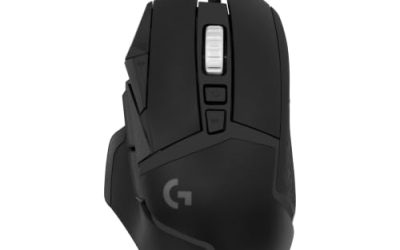
A gaming mouse lives or dies by how faithfully it turns hand movement into cursor movement. When tracking is inconsistent, aim feels unpredictable: crosshair placement drifts, flicks overshoot, and small corrections become guesswork. When tracking is consistent, the mouse disappears and your hand does the aiming.


This guide focuses on one thing only: tracking accuracy. Every mouse below was chosen for its optical sensor, its polling rate, and its ability to hold a steady tracking line at speed, with no acceleration and no smoothing in its listed specifications. If you play shooters, track fast-moving targets, or simply want a cursor that goes exactly where your hand goes, these are the five mice to compare.
Key Takeaways
- A modern optical sensor with no acceleration, no smoothing, and no angle snapping matters far more than a big maximum DPI number.
- Look for a sensor with at least 400 IPS of tracking speed so fast flicks do not break the tracking line.
- A 1,000 Hz polling rate reports position every millisecond and suits most players; 8,000 Hz polling gives a smoother cursor path on high-refresh displays.
- Light mice under 65 grams suit fast flicks, while heavier mice suit slow, controlled tracking, so shape and weight should match your grip and sensitivity.
- Low lift-off distance keeps your aim steady when you lift the mouse to reposition it mid-fight.
- All five picks below use optical sensors and are listed on Amazon US, with links to their Amazon listings.
Quick Picks
| Mouse | Sensor | Max DPI | Weight | Connection | Best For |
|---|---|---|---|---|---|
| Logitech G PRO X Superlight 2 | HERO 2 | 44,000 | 60 g | Wireless | Best overall tracking |
| Razer Viper V3 Pro | Focus Pro 35K Gen-2 | 35,000 | 54 g | Wireless | Best lightweight tracking |
| Razer DeathAdder V3 Pro | Focus Pro 30K | 30,000 | 63 g | Wireless | Best ergonomic tracking |
| Logitech G502 HERO | HERO 25K | 25,600 | 121 g | Wired | Best wired tracking |
| Logitech G305 LIGHTSPEED | HERO 12K | 12,000 | 99 g | Wireless | Best budget tracking |
How to Choose
Optical Sensors
Every serious gaming mouse in 2026 uses an optical sensor. Optical sensors read the surface beneath the mouse with light, and the best ones track with 1:1 movement, meaning the cursor moves exactly as far as your hand moves, at any speed within the sensor’s limits. Check the listing for three phrases: no acceleration, no smoothing, and no angle snapping. Acceleration means the cursor moves farther when you move the mouse faster, which breaks muscle memory. Smoothing averages your movement and adds lag. Angle snapping straightens diagonal lines. A sensor that lists none of these will track in a straight, predictable line.
DPI and IPS
DPI measures how many dots of cursor movement one inch of hand movement produces. A higher maximum DPI is a ceiling, not a quality score. Most competitive players use 400 to 1,600 DPI and adjust sensitivity inside the game instead, because sensors are most accurate in that middle range. IPS, or inches per second, is the more useful number for tracking: it tells you how fast you can move the mouse before the sensor loses the surface. A sensor with 400 IPS or more handles fast flicks without breaking tracking, while a low IPS sensor can spin out during a quick 180-degree turn.
Polling Rate
Polling rate is how often the mouse reports its position to the computer. A 1,000 Hz polling rate reports every millisecond, and that is enough for most players. An 8,000 Hz polling rate reports every 0.125 milliseconds, which produces a smoother cursor path and slightly fresher position data, and it pairs well with high-refresh displays. The trade-off is higher power use on wireless mice, so check battery life if you pick an 8,000 Hz model.
Lift-Off Distance
Lift-off distance is how high you can raise the mouse before the sensor stops tracking. Low lift-off distance matters for low-sensitivity players who lift and reposition the mouse often: a sensor that keeps tracking while lifted will drag the cursor during each reposition, while a sensor with low lift-off distance stops cleanly. Most flagship sensors now let you tune lift-off distance in software, so look for that setting if you play at low sensitivity.
Weight and Shape
Weight changes how tracking feels. A mouse under 65 grams changes direction with very little effort, which suits fast flicks and high-sensitivity play. A heavier mouse resists small accidental movements, which suits slow, deliberate tracking and sniping. Neither is better in the abstract; the right weight is the one that matches your sensitivity and your arm. Shape matters even more: a mouse that fits your palm, claw, or fingertip grip lets you move it in a straight line without fighting the shell. If possible, compare the length and width of a mouse with one you already like before buying.
Wired vs. Wireless
Modern wireless gaming mice at 1,000 Hz or higher report position just as fast as wired mice, and the difference in input lag is below what a human can perceive during play. Wireless removes cable drag, which itself helps tracking feel consistent. Wired removes batteries and charging from the equation entirely, and wired mice usually cost less for the same sensor. Pick wireless for freedom of movement, wired for simplicity and value.
Surface and Feet
A sensor can only track as well as the surface beneath it. A clean, consistent mousepad gives the sensor a uniform texture to read, while a worn, dirty, or glossy surface can cause jitter. Large PTFE feet help the mouse glide in a straight line with even friction. Keep the sensor lens clean and replace a worn pad before blaming the mouse for tracking problems.
The 5 Best Options
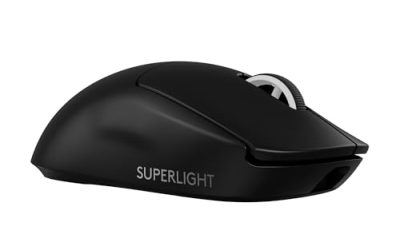
1. Logitech G PRO X Superlight 2 — Best Overall for Tracking
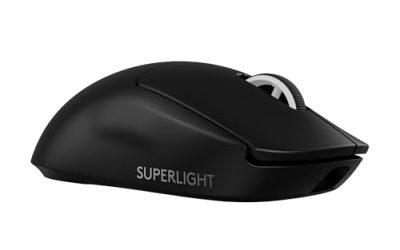
The Superlight 2 is the benchmark other tracking mice are measured against. Its HERO 2 sensor tracks up to 44,000 DPI with an 8,000 Hz wireless report rate, and the 60-gram body changes direction with almost no effort. LIGHTSPEED wireless keeps the connection steady, USB-C charging keeps the setup modern, and five programmable buttons cover the essentials without adding bulk. For players who want the most consistent tracking in a proven tournament shape, this is the safest pick on the list.
- Sensor: HERO 2 optical sensor, up to 44,000 DPI
- Polling rate: 8,000 Hz wireless report rate
- Weight: 60 grams
- Buttons: 5 programmable buttons
- Connection: LIGHTSPEED wireless, USB-C charging
- Check on Amazon
2. Razer Viper V3 Pro — Best Lightweight for Tracking
The Viper V3 Pro is the lightest mouse on this list at 54 grams, and its Focus Pro 35K Optical Sensor Gen-2 tracks up to 35,000 DPI with 8,000 Hz wireless polling. Razer lists the sensor as tracking accurately on a wide variety of surfaces, including glass, which is rare and useful if you play on a desk without a pad. Gen-3 optical switches and eight programmable buttons round out a mouse built for fast, symmetrical grip styles. If your aim style is built on quick flicks and fast target switching, the Viper V3 Pro is the lightest path to consistent tracking.
- Sensor: Focus Pro 35K Optical Sensor Gen-2, up to 35,000 DPI
- Polling rate: 8,000 Hz wireless polling
- Weight: 54 grams
- Buttons: 8 programmable buttons, Gen-3 optical switches
- Battery: up to 95 hours
- Check on Amazon
3. Razer DeathAdder V3 Pro — Best Ergonomic for Tracking
The DeathAdder V3 Pro keeps the classic right-handed ergonomic shape that palm-grip players have used for years, now with a Focus Pro 30K optical sensor tracking up to 30,000 DPI. At 63 grams it is light for an ergonomic mouse, and the sculpted shell supports the whole hand during long sessions, which keeps tracking steady when fatigue sets in. HyperSpeed wireless, Gen-3 optical switches, and a 90-hour battery complete a mouse that trades the symmetrical shapes above for comfort and control.
- Sensor: Focus Pro 30K optical sensor, up to 30,000 DPI
- Polling rate: 1,000 Hz
- Weight: 63 grams
- Buttons: 5 programmable buttons, Gen-3 optical switches
- Battery: up to 90 hours
- Check on Amazon
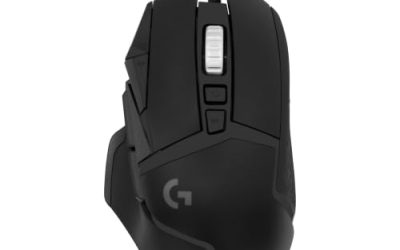
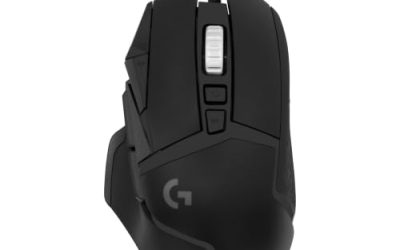
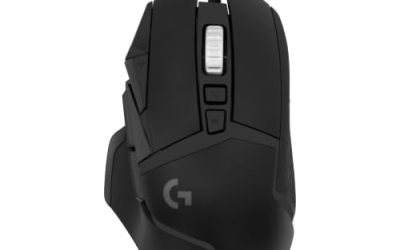
4. Logitech G502 HERO — Best Wired for Tracking

The G502 HERO is the wired anchor of this list. Its HERO 25K sensor tracks from 100 to 25,600 DPI with zero smoothing, filtering, or acceleration in its listed specifications, and it handles speeds above 400 IPS, so fast flicks stay on the tracking line. Eleven programmable buttons, a dual-mode hyper-fast scroll wheel, and onboard memory for five profiles make it the most versatile mouse here, while five removable 3.6-gram weights let you tune the balance from 121 grams up to 139 grams. If you want a wired mouse with a proven sensor and the most buttons for the money, the G502 HERO is the pick.
- Sensor: HERO 25K optical sensor, 100 to 25,600 DPI
- Tracking speed: 400+ IPS, zero smoothing, filtering, or acceleration
- Weight: 121 grams, plus five removable 3.6-gram weights
- Buttons: 11 programmable buttons, dual-mode hyper-fast scroll wheel
- Memory: Onboard memory for 5 profiles
- Connection: Wired USB
- Check on Amazon
5. Logitech G305 LIGHTSPEED — Best Budget for Tracking

The G305 proves that consistent tracking does not need a flagship budget. Its HERO sensor tracks from 200 to 12,000 DPI at 400 IPS with zero acceleration or smoothing, and LIGHTSPEED wireless delivers a 1-millisecond report rate. At 99 grams it sits between the ultralight flagships and the heavier G502 HERO, and a single AA battery runs it for up to 250 hours of play. Six programmable buttons and onboard memory cover the basics. If you want reliable sensor tracking for the least money, the G305 is the sensible place to begin.
- Sensor: HERO optical sensor, 200 to 12,000 DPI
- Tracking speed: 400 IPS, zero acceleration or smoothing
- Weight: 99 grams
- Buttons: 6 programmable buttons, onboard memory
- Battery: up to 250 hours on one AA battery
- Connection: LIGHTSPEED wireless, 1 ms report rate
- Check on Amazon
Which One Fits Your Situation
- Competitive FPS with fast flicks: Logitech G PRO X Superlight 2 or Razer Viper V3 Pro. Both combine a top-tier sensor with 8,000 Hz polling and a sub-65-gram body.
- Palm grip and long sessions: Razer DeathAdder V3 Pro. The ergonomic shell supports the full hand, and the Focus Pro 30K sensor keeps tracking consistent as sessions run long.
- Wired setup with many buttons: Logitech G502 HERO. The HERO 25K sensor, tunable weights, and 11 programmable buttons suit players who want one mouse for shooters and everything else.
- Tight budget, wireless freedom: Logitech G305 LIGHTSPEED. The HERO sensor tracks cleanly at 400 IPS, and the 250-hour battery means charging is rarely on your mind.
- Glass desk or no mousepad: Razer Viper V3 Pro. Its sensor is listed as tracking on a wide variety of surfaces, including glass.
- Low sensitivity with frequent repositioning: Any flagship above, with lift-off distance tuned low in software, and a clean, consistent mousepad underneath.
Common Mistakes
- Buying for maximum DPI alone. A 44,000 DPI ceiling does not make a mouse track better at the 800 DPI you actually use. Sensor consistency, IPS, and polling rate matter more.
- Changing DPI every session. Pick one DPI, set your in-game sensitivity to match, and leave both alone. Consistency builds muscle memory; constant changes reset it.
- Ignoring shape and grip. The best sensor in the world cannot fix a shell that fights your hand. Match the mouse to your grip style before you compare sensors.
- Forgetting lift-off distance. Low-sensitivity players lift the mouse constantly. A high lift-off distance drags the cursor during every reposition.
- Playing on a worn or dirty surface. A frayed pad or a dusty sensor lens causes jitter that looks like a sensor problem. Clean the lens and replace the pad first.
- Assuming wireless lags behind wired. Modern wireless at 1,000 Hz or higher is effectively equal to wired for play. Cable drag affects tracking feel more than wireless latency does.
- Picking weight by habit, not by sensitivity. Heavy mice suit slow, controlled tracking; light mice suit fast flicks. Match weight to how you actually move the mouse.
FAQ
What DPI should I use for tracking?
Most players land between 400 and 1,600 DPI and adjust sensitivity inside each game. The exact number matters less than consistency: pick one DPI, pair it with in-game sensitivity, and use the same combination everywhere so your hand learns one feel.
Does a higher maximum DPI mean better tracking?
No. Maximum DPI is a ceiling, not a measure of accuracy. What matters is whether the sensor tracks with 1:1 movement, no acceleration, and no smoothing at the DPI you actually use, and whether its IPS number covers the speed of your fastest flicks.
Is wireless tracking as consistent as wired tracking?
Yes, with a modern wireless mouse. LIGHTSPEED and HyperSpeed wireless at 1,000 Hz or higher report position every millisecond, which matches wired mice for practical play. Wireless also removes cable drag, which can make tracking feel smoother, not worse.
What is lift-off distance, and why does it matter?
Lift-off distance is how high you can raise the mouse before the sensor stops tracking. Low lift-off distance matters for low-sensitivity players who lift and reposition the mouse often, because the cursor stays put while the mouse is in the air. Many flagship sensors let you tune this setting in software.
Do I need 8,000 Hz polling?
Not necessarily. A 1,000 Hz polling rate reports every millisecond and suits most players. An 8,000 Hz polling rate gives a smoother cursor path and fresher position data, and it pairs well with high-refresh displays, but it uses more battery on wireless mice. If you play on a standard 60 Hz or 144 Hz display, 1,000 Hz is enough.
Can a gaming mouse sensor track on glass?
Most sensors need a mousepad, but some flagship sensors are listed as tracking on a wide variety of surfaces, including glass. The Razer Viper V3 Pro is one such mouse. For any other mouse, use a clean, consistent pad for the best tracking.
Final Thoughts
Tracking accuracy comes down to a short list: an optical sensor with no acceleration and no smoothing, enough IPS to cover your fastest flicks, a polling rate that matches your display, and a shape and weight that fit your hand. The Logitech G PRO X Superlight 2 is the most complete package on that list, the Razer Viper V3 Pro is the lightest, the Razer DeathAdder V3 Pro is the most comfortable, the Logitech G502 HERO is the best wired value, and the Logitech G305 LIGHTSPEED is the budget pick that still tracks cleanly. Pick the one that matches your grip, your sensitivity, and your setup, set one DPI, and give your hand time to learn it.
As an Amazon Associate, we earn from qualifying purchases.