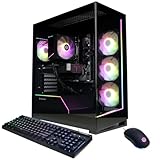
- Top Pick: CyberPowerPC Gaming PC, AMD Ryzen 7 8700F, GeForce RTX 5060 Ti 8GB | Gamer Master, 16GB DDR5, 1TB PCIe 4.0 SSD, WiFi Ready & Windows 11 Home (GMA2900A3)
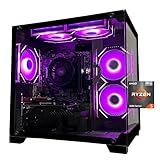
- Best Value: ZYNEEX Prebuilt Gaming Desktop PC, AMD Ryzen 5 5500, GeForce RTX 3050 6GB,16GB DDR4 3200MHz RAM, 1TB NVMe SSD, ARGB Air Cooling, Wi-Fi,Tower Computer for Gaming, Streaming, Editing
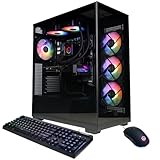
- Premium Choice: KOTIN Gaming PC, Ryzen 7 9700X, RX 9070 XT 16GB, 32GB DDR5, 1TB SSD | Prebuilt Gaming Computer, 11.3In Smart Display, 360mm Liquid Cooler, WiFi 7, 850W Gold PSU, Windows 11, ARGB, 1440p 4K
Shopping for an AMD prebuilt gaming PC begins with one choice that most spec sheets bury: which Ryzen generation sits inside the tower. In 2026 the shelf splits cleanly. Older chips such as the Ryzen 5 5500, Ryzen 5 5600 and Ryzen 7 5700X pair with DDR4 memory on the AM4 platform, while the Ryzen 7 8700F, 9700X, 7900X, 9900X and 9800X3D pair with DDR5 on the newer AM5 platform. That single line decides how far the machine can be upgraded later, so it matters more than the RGB lighting or the case window.
This guide is for buyers who want a Ryzen-powered system delivered ready to plug in, without sourcing parts or flashing a BIOS. It covers ten listings that run from entry-tier RTX 3050 builds to a Ryzen 7 9800X3D machine with a 360mm liquid cooler. Everything below is judged from the specs printed in each product title, so read it as a shortlist for comparing configurations, then confirm the final details on the product page before ordering.
Quick Picks
As an Amazon Associate we earn from qualifying purchases at no extra cost to you.





| Product | Best for | Key spec from the title |
|---|---|---|
| CyberPowerPC Gamer Master | Balanced 1080p gaming on DDR5 | Ryzen 7 8700F, RTX 5060 Ti 8GB, 16GB DDR5 |
| ZYNEEX Ryzen 5 5500 Tower | Entry-tier 1080p play | Ryzen 5 5500, RTX 3050 6GB, 16GB DDR4 |
| KOTIN Ryzen 7 9700X | 1440p and 4K ambitions | RX 9070 XT 16GB, 32GB DDR5, 360mm liquid cooler |
| iBUYPOWER Element | Gamers who need peripherals included | Ryzen 9 7900X, RTX 5070 12GB, keyboard and mouse |
| MSI Codex Z2 | Storage-heavy libraries and VR | R7-8700F, RTX 5070, 2TB SSD, VR-ready |
| SKYESEV Ryzen 5 5600 Tower | Entry-tier build with more memory | Ryzen 5 5600, RTX 3050 6GB, 32GB DDR4 |
| Olialia RTX 3060 Ti Tower | Older GPU with decent horsepower | RTX 3060 Ti, Ryzen 5 5500, 600W power supply |
| CyberPowerPC Gamer Xtreme | Gaming plus heavy multitasking | Ryzen 9 9900X, RTX 5070 12GB, 32GB DDR5 |
| YAWYORE Ryzen 7 5700X Tower | AM4 owners who want 32GB | Ryzen 7 5700X, RTX 5060, 32GB DDR4 |
| Skytech Blaze 5 | Maximum CPU headroom | Ryzen 7 9800X3D, RTX 5070, 2TB SSD, 360 AIO |
How to Choose
Match the Ryzen platform to your upgrade plans
Look at the memory type first. A listing that says DDR4 3200MHz is an AM4 machine, and AM4 is a finished platform: you can drop in a faster chip later, but there is no road to newer memory. DDR5 listings use AM5, which is where AMD is still releasing processors. If you plan to keep the tower for five or six years and swap the CPU once, favor AM5. If the goal is a low-friction 1080p rig for a teenager, AM4 is perfectly serviceable and the freed-up part allowance can go toward a better graphics card.
Let the graphics card set your resolution target
Frame rates come mostly from the GPU, not from the Ryzen badge. As a rough guide, 6GB of video memory suits 1080p esports titles, 8GB covers 1080p at high settings, 12GB is comfortable for 1440p, and 16GB is the entry point for 1440p ultra settings or 4K. Pairing a Ryzen 9 with an RTX 3050 wastes the processor, while a Ryzen 5 5500 beside a 16GB card would bottleneck it. Look for sensible pairings rather than a big number on one component.
Set minimums for memory and storage
Treat 16GB of RAM as the floor and 32GB as the comfortable setting if you stream, run a browser with many tabs, or install large open-world games. For storage, 1TB is the practical minimum because single titles now occupy well over 100GB; a 512GB drive fills after a handful of installs. Prefer NVMe over SATA, and PCIe 4.0 over 3.0 where the listing states it. Ignore marketing phrases like “ultra-fast” that carry no number.
Read the power supply and cooling lines
Prebuilts hide their compromises in the parts nobody advertises. A power supply labeled 650W Gold or 850W Gold with ATX 3 support is a good sign; a bare wattage with no efficiency tier is where corners get cut. For cooling, a Ryzen 5 runs fine on air, but a 9700X or 9800X3D benefits from a 360mm all-in-one radiator. Wi-Fi 6 is plenty for most homes, Wi-Fi 7 only helps if your router supports it, and a wired connection beats both.
The 10 Best Options
CyberPowerPC Gamer Master (GMA2900A3)
This build suits someone who wants an AM5 foundation and a current-generation graphics card without reaching for a flagship.
- Strength: The Ryzen 7 8700F and RTX 5060 Ti 8GB sit on DDR5, so memory can grow later.
- Strength: A 1TB PCIe 4.0 SSD and Windows 11 Home are included.
- Trade-off: 16GB of memory is the minimum; streamers will want more.
Skip it if you plan to game at 1440p ultra settings, where 8GB of video memory is the limit.
ZYNEEX Ryzen 5 5500 Tower
A plain entry-tier tower for casual 1080p play, entry streaming setups and light video editing, as the title itself suggests.
- Strength: The 1TB NVMe drive gives room for a real game library.
- Strength: Air cooling and Wi-Fi are included, so no extra parts are needed.
- Trade-off: The RTX 3050 6GB and DDR4 memory are older hardware with little upgrade room.
Skip it if you want modern titles at high settings or an AM5 upgrade path.
KOTIN Ryzen 7 9700X with RX 9070 XT
The only listing here with an AMD graphics card, aimed at gamers who want an all-Radeon-and-Ryzen system for 1440p and beyond.
- Strength: 16GB of video memory and 32GB of DDR5 leave real headroom.
- Strength: An 850W Gold power supply and 360mm liquid cooler suit a high-draw build.
- Trade-off: The 11.3-inch smart display is a novelty that adds nothing to frame rates.
Skip it if you prefer a plain, quiet case or want a well-known brand name behind the warranty.
iBUYPOWER Element (EWA9N5702)
For buyers moving from a console or laptop who need a keyboard and mouse in the box.
- Strength: Ryzen 9 7900X with an RTX 5070 12GB handles gaming and creative work together.
- Strength: 32GB of DDR5 and a 1TB NVMe drive come as standard.
- Trade-off: The title lists no Wi-Fi or cooler details, so check the page for them.
Skip it if you already own good peripherals and would rather have a larger SSD.
MSI Codex Z2 (A8NVP-436US)
A name-brand option for people with large game libraries or a VR headset.
- Strength: 2TB of SSD storage is the roomiest drive among the AM5 picks here.
- Strength: It is labeled VR-ready and offers a USB Type-C port.
- Trade-off: The Ryzen 7 8700F is a step below the 9000-series chips in other listings.
Skip it if you need the strongest processor available for competitive high-refresh play.
SKYESEV Ryzen 5 5600 Tower
Close cousin of the ZYNEEX, with a slightly newer Ryzen 5 and double the memory.
- Strength: 32GB of DDR4 3200MHz is generous for an entry-tier tower.
- Strength: The 1TB NVMe SSD and Wi-Fi cover everyday needs.
- Trade-off: The RTX 3050 6GB caps how demanding your games can be.
Skip it if graphics performance matters more to you than memory capacity.
Olialia RTX 3060 Ti Tower
A fit for buyers who want a stronger graphics card than the RTX 3050 builds without moving to AM5.
- Strength: The RTX 3060 Ti is a capable 1080p and light 1440p card.
- Strength: Wi-Fi 6, RGB lighting and a panoramic case give it a showcase look.
- Trade-off: Only 512GB of storage and a 600W power supply limit future expansion.
Skip it if you install many large games or plan to add a power-hungry GPU later.
CyberPowerPC Gamer Xtreme (GXiVR8080A41)
Built for people who game and also run heavy background work such as video exports or virtual machines.
- Strength: The 12-core class Ryzen 9 9900X pairs with 32GB of DDR5.
- Strength: An RTX 5070 12GB and 1TB PCIe 4.0 SSD round out a balanced spec.
- Trade-off: The title does not name the cooler or power supply, so confirm both.
Skip it if gaming is the only goal, since a lower-tier processor delivers similar frame rates.
YAWYORE Ryzen 7 5700X Tower
For buyers committed to the AM4 platform who still want a recent RTX 5060.
- Strength: The 5700X is an eight-core chip, with 32GB of DDR4 behind it.
- Strength: A 1TB M.2 NVMe drive, ARGB fans and Wi-Fi with Bluetooth are included.
- Trade-off: The platform is DDR4, so memory upgrades stay on the older standard.
Skip it if you want to move to DDR5 someday without replacing the motherboard.
Skytech Blaze 5 (Ryzen 7 9800X3D)
The enthusiast pick: an X3D processor, the cache-stacked design AMD aims at gaming, with serious supporting parts.
- Strength: DDR5 6000, a 2TB Gen4 NVMe drive and a 360 ARGB AIO are all listed.
- Strength: The 850W Gold ATX 3 power supply leaves room for a future GPU upgrade.
- Trade-off: Wi-Fi 5 is the weakest part of the spec, so use a cable if possible.
Skip it if you play at 1080p on a modest monitor; the processor would be underused.
Which One Fits Your Situation
You want the longest upgrade runway
Choose the Skytech Blaze 5 or the CyberPowerPC Gamer Master. Both use DDR5 on AM5, and the Blaze 5 adds an 850W Gold ATX 3 supply that can handle a bigger graphics card down the road.
You are building a first rig for a student
The SKYESEV Ryzen 5 5600 Tower gives 32GB of memory and a 1TB drive for schoolwork, streaming and esports games. The ZYNEEX is the nearest alternative if you prefer 16GB.
You aim for 1440p or 4K gaming
The KOTIN Ryzen 7 9700X with 16GB of video memory is the strongest match for high resolutions in this list. The iBUYPOWER Element and MSI Codex Z2 are narrower options for 1440p.
You game and work on the same machine
Pick the CyberPowerPC Gamer Xtreme. Its Ryzen 9 9900X handles rendering, compiling and multitasking, while the RTX 5070 keeps games smooth.
Common Mistakes
- Buying on the CPU name alone and ignoring the graphics card, which controls most of the frame rate.
- Assuming every Ryzen tower can accept DDR5 later; AM4 systems cannot.
- Accepting a 512GB drive and then running out of space within a few game installs.
- Overlooking the power supply line, especially when a listing shows only wattage and no efficiency tier.
- Chasing a smart display or RGB extras while skipping real upgrades such as more memory or storage.
Related guides
- Battery Operated Smoke And Carbon Monoxide Detectors
- Combination Smoke And Carbon Monoxide Detectors
- Aio Liquid Coolers For High Performance Gaming
Frequently Asked Questions
Is a Ryzen prebuilt better than an Intel one for gaming?
Neither brand wins outright. AMD’s X3D chips, like the 9800X3D, are built specifically for gaming, while Intel competes at several tiers. Choose by the whole configuration, especially the graphics card.
Can I upgrade a prebuilt later?
Usually yes, though proprietary cases or cramped power supplies can limit you. AM5 models offer the widest path for CPU and memory upgrades, while AM4 models allow a faster chip but stay on DDR4.
How much RAM do I need?
16GB handles most current games, and 32GB is safer if you stream or multitask. Every listing here has at least 16GB.
Does Windows come installed?
Most titles mention Windows 11, such as Home on the CyberPowerPC and iBUYPOWER models. Where the title is silent, confirm before ordering.