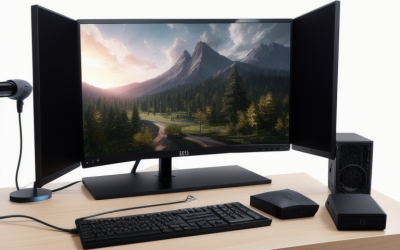
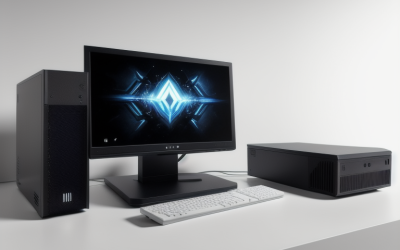
- Top Pick: KOTIN Prebuilt Gaming PC RTX 5070 12GB, Ryzen 7 9700X, 32GB DDR5, 1TB SSD | 11.3in Smart Display, 850W 80+ Gold PSU, 360mm Liquid Cooler, WiFi 7, 1440p 4K ARGB Windows 11 Gaming Desktop Computer
- Best Value: Skytech Gaming PC Desktop, Intel i5 14400F, RTX 5060, 16GB RAM, 1TB SSD | Windows 11, NVMe SSD, DDR5 6000, 750W GOLD PSU, Wi-Fi 5, Archangel 5 Series
- Premium Choice: Skytech Gaming PC Desktop, Ryzen 7 5700, RTX 5060, 32GB RAM, 1TB SSD | Windows 11, NVMe SSD, DDR4 3200, 650W GOLD PSU, Wi-Fi 5, Crystal Series
Mid-range is the tier where prebuilt gaming desktops stop being a gamble and become a genuine choice. Below it you find entry graphics cards that struggle with newer titles; above it, flagship parts that most players never fully use. In this guide the middle is defined by hardware, not by a figure: current-generation GeForce RTX 5060, 5060 Ti and 5070 graphics, 16 to 32GB of memory, a 1TB NVMe drive and a power supply with real headroom.
The lineup below is for someone who wants to plug in a finished machine in 2026 and play at 1080p or 1440p without assembling parts. Because most of the models share a GPU, the differences hide in the processor generation, the memory type, the power supply and the cooling, and those are the points compared here. Everything stated comes from the listing titles, so confirm case dimensions and ports on the product page. One entry that paired an older RTX 3050 6GB with a Ryzen 5 5500 was left out, as it sits in the entry tier.
Quick Picks
As an Amazon Associate we earn from qualifying purchases at no extra cost to you.

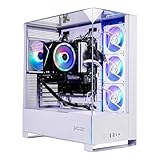


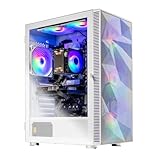
| Product | Best for | Key spec from the title |
|---|---|---|
| KOTIN Prebuilt (Ryzen 7 9700X) | Top of the mid-range with 1440p ambitions | RTX 5070 12GB, 32GB DDR5, 850W 80+ Gold, WiFi 7 |
| Skytech Archangel 5 (Core i5-14400F) | Intel build with fast DDR5 | RTX 5060, 16GB DDR5 6000, 750W Gold |
| Skytech Crystal (Ryzen 7 5700, 32GB) | Memory-heavy multitasking | RTX 5060, 32GB DDR4 3200, 650W Gold |
| Skytech Chronos Mini | Compact build with liquid cooling | Ultra 7 270K Plus, RTX 5060, 360 ARGB AIO, Wi-Fi 6 |
| Skytech Azure 3 | Plain 16GB configuration | Ryzen 7 5700, RTX 5060, 16GB DDR4 |
| Skytech Crystal (Ryzen 7 7700, RTX 5060 Ti) | Stronger GPU on a DDR5 platform | RTX 5060 Ti 8GB, 32GB DDR5 5600 |
| Skytech O11 Vision | Showcase build with a bigger GPU | Ryzen 7 7700X, RTX 5070 12GB, 850W Gold ATX 3 |
| Skytech Archangel 5 (Ryzen 7 7700) | Balanced AMD DDR5 tower | RTX 5060, 32GB DDR5 6000, 750W Gold |
| Skytech Storm | Ti-class graphics with 16GB of RAM | Ryzen 5 5500, RTX 5060 Ti 8GB, DDR4 3200 |
How to Choose
Begin with the graphics card
The GPU drives frame rates more than any other part. The RTX 5060 is the entry point of this list, the 5060 Ti sits one step up, and the RTX 5070 with 12GB is the strongest card here. Titles list the 5060 Ti with 8GB and the 5070 with 12GB, so if you play at 1440p or use high-resolution texture packs, the 12GB cards leave more headroom. A fast processor cannot rescue a graphics card that is too small for your target resolution.
Memory type and capacity
Sixteen gigabytes is the practical minimum for current games, and 32GB suits players who stream, run browsers and chat apps alongside a game, or edit video. Also note the generation: DDR5 listings (such as DDR5 5600 or 6000) are on newer platforms, while DDR4 3200 appears on the Ryzen 7 5700 and Ryzen 5 5500 machines. DDR4 systems work fine today but offer a less forward-looking upgrade path.
Power supply and cooling
Check the wattage and efficiency tier. Here they run from 650W Gold through 750W Gold to 850W Gold, and the O11 Vision adds an ATX 3 supply. A 650W unit is acceptable with an RTX 5060-class card, but if you plan to swap in a stronger GPU later, 750W or more gives breathing room. For cooling, a 360mm liquid cooler appears on the KOTIN, Chronos Mini and O11 Vision, while the rest do not name their coolers.
Ignore the sticker words, read the connectivity
Terms such as “gaming ready” tell you nothing. Instead look at storage (all list 1TB), Wi-Fi generation (Wi-Fi 5 on several Skytech models, Wi-Fi 6 on the Chronos Mini, WiFi 7 on the KOTIN) and the operating system. Where prebuilts cut corners is usually the motherboard, the power supply and the unnamed cooler, so favor listings that spell out those parts.
The 9 Best Options
KOTIN Prebuilt Gaming PC (Ryzen 7 9700X)
The highest-specified entry on the list: RTX 5070 12GB, Ryzen 7 9700X, 32GB DDR5, 1TB SSD, an 850W 80+ Gold supply, a 360mm liquid cooler and WiFi 7. The title also mentions an 11.3-inch smart display.
- Strength: a strong GPU, ample memory and a large power supply.
- Strength: WiFi 7 and a liquid cooler are both named.
- Trade-off: the title gives no background on the brand, so support terms need checking.
Skip it if you prefer a more familiar prebuilt brand or a plain case without a display. Players happy at 1080p will not need this much graphics hardware, and the smart display is a feature some buyers will never use.
Skytech Archangel 5 (Core i5-14400F)
An Intel-based Archangel with an RTX 5060, 16GB of DDR5 6000 memory, a 1TB NVMe drive and a 750W Gold supply. The F suffix on the i5-14400F means it has no integrated graphics, which is fine when a discrete card does the work.
- Strength: fast DDR5 6000 memory and a 750W supply.
- Strength: Windows 11 is preinstalled.
- Trade-off: only 16GB of RAM, and Wi-Fi 5.
Skip it if you want 32GB of memory out of the box. Anyone who edits video or streams while playing will hit that ceiling sooner than a pure gamer, and a 32GB sibling in this list is a more comfortable fit.
Skytech Crystal (Ryzen 7 5700, 32GB)
A Ryzen 7 5700 machine with an RTX 5060, 32GB of DDR4 3200 memory, a 1TB SSD and a 650W Gold power supply. It trades platform age for a generous memory count.
- Strength: 32GB suits streaming and multitasking.
- Strength: the Ryzen 7 5700 is a capable processor for 1080p play.
- Trade-off: DDR4 and a smaller 650W supply limit later upgrades.
Skip it if you want a DDR5 platform for long-term upgrades. The same memory capacity is available on newer platforms in this list, which matters if you keep a desktop for many years.
Skytech Chronos Mini
The compact entry, with an Ultra 7 270K Plus processor, an RTX 5060, 32GB of DDR5 5600 memory, a 1TB NVMe M.2 SSD, a 650W Gold supply and a 360 ARGB AIO. Wi-Fi 6 is listed.
- Strength: a liquid cooler and DDR5 in a smaller chassis.
- Strength: 32GB of memory and Wi-Fi 6.
- Trade-off: a 650W supply gives limited room for a larger GPU swap.
Skip it if you need a roomy case for future expansion. A small chassis limits cooler, drive and card upgrades, so it fits someone who wants a finished machine more than a project.
Skytech Azure 3
This Azure 3 pairs the Ryzen 7 5700 with an RTX 5060, 16GB of DDR4 3200 and a 650W Gold supply. It is the simplest configuration in the group.
- Strength: a straightforward spec sheet with Windows 11 installed.
- Strength: the same Ryzen 7 5700 and RTX 5060 pairing as the Crystal model.
- Trade-off: 16GB of DDR4 is the thinnest memory and platform combination here.
Skip it if you plan to run many apps next to games. Its sibling with the same processor and graphics card and 32GB of memory is the more relaxed choice for that kind of use.
Skytech Crystal (Ryzen 7 7700, RTX 5060 Ti)
The Crystal Series with a newer Ryzen 7 7700, an RTX 5060 Ti 8GB, 32GB of DDR5 5600 and a 650W Gold power supply. It is a step up from the RTX 5060 machines in both platform and GPU.
- Strength: Ti-class graphics on a DDR5 base with 32GB.
- Strength: a newer processor than the Ryzen 7 5700 models.
- Trade-off: the 8GB graphics memory may limit very high settings.
Skip it if you want 12GB of graphics memory. At very high texture settings or resolutions, a 12GB RTX 5070 system from this group is a safer pick than an 8GB card.
Skytech O11 Vision
The showpiece: a Ryzen 7 7700X at 4.5GHz, an RTX 5070 12GB, an X670 board, a 1TB Gen4 NVMe drive, 32GB of DDR5 5600 and an 850W Gold ATX 3 supply, with a 360 ARGB AIO.
- Strength: a named motherboard class, a Gen4 drive and a large ATX 3 supply.
- Strength: the 12GB RTX 5070 is the strongest graphics option alongside the KOTIN.
- Trade-off: it sits at the top of the group’s tier.
Skip it if an RTX 5060-class card is all you need. Its extra hardware is aimed at 1440p players and builders who like a feature-rich platform, so it is excessive for casual play.
Skytech Archangel 5 (Ryzen 7 7700)
The AMD version of the Archangel 5: a 3.8GHz Ryzen 7 7700, RTX 5060, 1TB NVMe drive, 32GB of DDR5 6000 and a 750W Gold power supply with Wi-Fi.
- Strength: DDR5 6000 with 32GB and a 750W supply.
- Strength: a balanced AMD platform with room to grow.
- Trade-off: the cooler is not named in the title.
Skip it if you want a named liquid cooler. The Chronos Mini and O11 Vision both state a 360 ARGB AIO, which is a clearer promise for hot, sustained sessions.
Skytech Storm
The Storm pairs a Ryzen 5 (listed as AMD 5500) with an RTX 5060 Ti 8GB, 16GB of DDR4 3200 and a 650W Gold power supply.
- Strength: Ti-class graphics in a more modest build.
- Strength: Windows 11 and a 1TB NVMe drive are included.
- Trade-off: a Ryzen 5 and 16GB of DDR4 could limit the larger GPU.
Skip it if you want a stronger processor to match the Ti card. The Ryzen 7 7700 Crystal pairs the same graphics tier with a newer chip and 32GB of DDR5, which balances the build better.
Which One Fits Your Situation
You want the strongest graphics in the group
Pick the KOTIN Ryzen 7 9700X system or the Skytech O11 Vision, both with an RTX 5070 12GB. The O11 Vision adds a named X670 board.
You stream or multitask while gaming
The Skytech Crystal with a Ryzen 7 7700 and 32GB of DDR5 is the sensible choice, while the Ryzen 7 5700 Crystal is the older-platform route to 32GB.
You have limited desk space
The Skytech Chronos Mini carries “Mini” in its name and a 360 ARGB AIO, so it is the natural candidate for a compact setup. Confirm the case dimensions on the product page before clearing a shelf.
You just want a dependable 1080p machine
The Skytech Azure 3 or Archangel 5 with the Core i5-14400F gives an RTX 5060 and a Gold supply in a simple configuration.
Common Mistakes
- Choosing by processor name while ignoring the graphics card, which matters most for frame rates.
- Overlooking DDR4 versus DDR5 and then being surprised by limited upgrade options.
- Ignoring the power supply wattage when planning a later GPU swap.
- Assuming every 8GB graphics card behaves like a 12GB one at high texture settings.
- Skipping the Wi-Fi generation and port list, then finding the desk setup needs a wired connection.
Related guides
- Battery Operated Smoke And Carbon Monoxide Detectors
- Combination Smoke And Carbon Monoxide Detectors
- Aio Liquid Coolers For High Performance Gaming
Frequently Asked Questions
Is an RTX 5060 enough for mid-range gaming?
It is a sound 1080p card and can handle 1440p with moderate settings. The 5060 Ti and 5070 provide more room for demanding titles.
Does 16GB of RAM still work in 2026?
Yes, for gaming alone. If you stream, edit or keep many tabs open, 32GB is more comfortable.
DDR4 or DDR5?
DDR5 platforms such as the Ryzen 7 7700 and Core Ultra systems are newer and offer more upgrade room. DDR4 machines still run current games but sit on an older platform.
What power supply do I need?
For an RTX 5060 class card, a 650W Gold unit is acceptable. For a 5070, the 850W supplies on the KOTIN and O11 Vision give far more headroom.