

Affiliate disclosure: As an Amazon Associate we earn from qualifying purchases. This post contains affiliate links — if you buy through them we may earn a small commission at no extra cost to you. This never affects our recommendations.
Building the best 4K gaming PC requires GPU-first thinking — 4K resolution demands significant rendering power, and the GPU budget should reflect this priority. A true 4K gaming PC runs demanding titles at 4K native resolution with maximum visual settings, consistently achieving 60+ FPS without upscaling as a requirement. At 4K, CPU bottlenecks effectively disappear — GPU limitation dominates, making GPU selection the defining choice of any 4K gaming build.
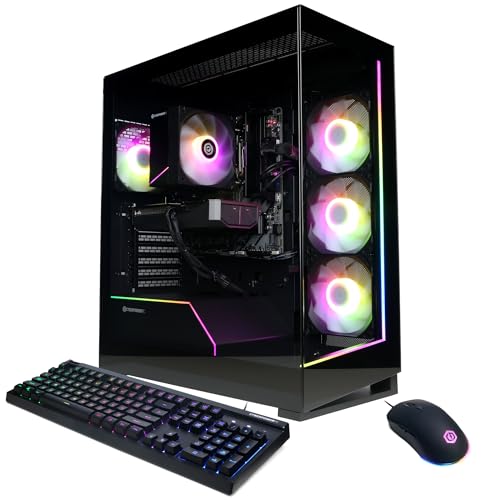
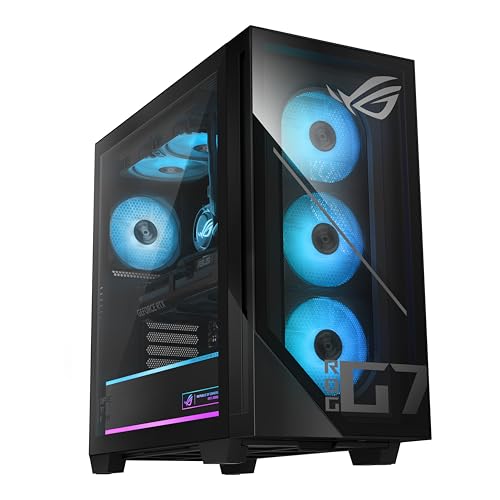

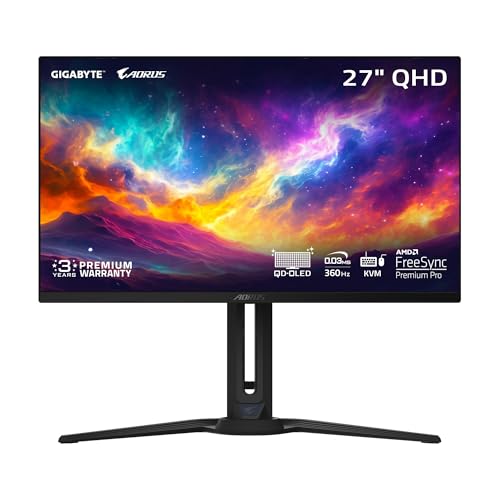
In a hurry? See the top-rated 4K Gaming PC Build deals available right now:
🛒 Check 4K Gaming Pc Build Prices on Amazon →🛒 Best Price Today on Amazon
Prime members get fast, free shipping on everything above, plus member-only deals. New members get a 30-day free trial — cancel anytime.
Start 30-Day Prime Free Trial →See Today’s Amazon DealsBest 4K 60Hz Build: RTX 4080 Super Configuration (~$2000)
GPU: RTX 4080 Super 16GB ($1000) — averages 85–110 FPS at 4K Ultra across modern titles; DLSS Quality elevates this to 130–160 FPS effective output. CPU: Ryzen 7 7700X ($220) — at 4K, CPU is not the bottleneck; 8 cores are more than sufficient. Motherboard: MSI MAG X670E Tomahawk WiFi ($200). RAM: 32GB DDR5-6000 CL30 ($90). Storage: 2TB Samsung 990 Pro ($150). PSU: Seasonic GX-1000 ($150). Case: Fractal Torrent ($150). Cooler: 360mm AIO ($120). Total: ~$2080. Delivers: genuine 4K 60+ FPS native in all titles; DLSS Quality consistently 100+ FPS.

Best 4K 120Hz Build: RTX 4090 Configuration (~$3000)
GPU: RTX 4090 24GB ($1600) — the only GPU sustaining 4K 120+ FPS native in moderate titles; DLSS 3 Frame Generation enables 120+ FPS in demanding titles. CPU: Ryzen 9 7900X ($280) — 12 cores for gaming + streaming + creation workflows alongside 4K gaming. Motherboard: ASUS ROG Crosshair X670E Hero ($400). RAM: 64GB DDR5-6000 ($180) — workstation headroom alongside gaming. Storage: 4TB Samsung 990 Pro across two slots ($280). PSU: Corsair HX1000 Platinum ($180). Case: Lian Li PC-O11 Dynamic EVO XL ($180). Total: ~$3100. Delivers: 4K 100+ FPS in most titles native; Frame Generation enables 120+ FPS with minimal quality reduction.

4K Gaming Reality Check
Native 4K vs DLSS 4K Quality
Native 4K renders every pixel from GPU computation — maximum visual quality, maximum GPU demand. DLSS Quality upscales from ~1440p internal resolution to 4K output using AI reconstruction — visual quality is nearly indistinguishable from native in motion (slightly softer on static high-frequency detail), with 40–60% less GPU load. For 4K 60Hz: native 4K is achievable with RTX 4080 Super. For 4K 120Hz: DLSS Quality is practical with RTX 4080 Super; native requires RTX 4090 in most titles.

Is 4K Gaming Worth It?
4K displays 4× more pixels than 1080p — the sharpness improvement is immediately visible on large (32-inch+) monitors at close range and substantial on 27-inch. In visually rich single-player titles (RDR2, Cyberpunk 2077, Microsoft Flight Simulator), 4K provides the definitive visual experience. In competitive titles where frame rate matters more than visual fidelity, 4K provides no competitive advantage over 1440p — pros universally game at 1080p or 1440p for maximum frame rates.
Frequently Asked Questions
What size monitor for 4K gaming?
27-inch at 4K: 163 PPI — exceptional sharpness. 32-inch at 4K: 138 PPI — excellent clarity. 27-inch 4K is widely considered the sweet spot — sharp enough to justify 4K resolution, large enough to appreciate it. 24-inch at 4K (184 PPI) is exceptionally sharp but the physical size limits immersion. 40-inch+ at 4K requires sitting further back to avoid pixelation-free viewing — more television territory than desk gaming.
Can any GPU run 4K at 60 FPS?
RTX 4070 Ti Super: 4K 60+ FPS at high-to-ultra settings in most titles; demanding titles may drop below 60 FPS. RTX 4080 Super: 4K 60+ FPS at ultra settings across virtually all titles; 4K 100+ FPS in many. RTX 4090: 4K 100+ FPS native across the board. With DLSS Quality: any RTX 4070 Super achieves 4K 60+ FPS effective output quality in supported games. The “minimum” for reliable 4K 60 FPS native is RTX 4080 class hardware in 2025.
Is 4K gaming CPU-intensive?
Less than 1080p — at 4K, the GPU is the overwhelming bottleneck. CPU performance differences between Core i5 and Core i9 narrow to 1–3% at 4K versus 10–15% at 1080p. A $200 Ryzen 5 7600 paired with RTX 4090 performs within 2% of a $400 Ryzen 9 7900X at 4K. Invest primarily in GPU for 4K gaming builds; CPU selection is secondary to GPU quality.
Related Articles
Looking for more on this topic? Browse the hand-picked guides below — each one applies the same scoring rubric used in this review.


