- Top Pick: Anker HDMI Cable, 4K@60Hz Ultra-Fast Nylon-Braided USB C to HDMI Cord with Advanced Shielding, Thunderbolt 5/4/3, for MacBook, iPad, iPhone, HD TV, and More(3FT,Black) (Pack of 2)
- Best Value: AKASO EK7000 4K30fps Action Camera – 131ft Waterproof Camera with Remote Control 4X Zoom Ultra HD 20MP Underwater Camera with Accessories Kit
- Premium Choice: Send Help 4K Ultra HD [Blu-ray] [Region Free] [4K UHD]
🛒 Best Price Today on Amazon
Prime members get fast, free shipping on everything above, plus member-only deals. New members get a 30-day free trial — cancel anytime.
Top 1500 Gaming Build High End Picks for 2026
Here are our current top 1500 gaming build high end picks, compared on real Amazon owner reviews, price, and features. Live prices update below.
As an Amazon Associate we earn from qualifying purchases at no extra cost to you.


![Send Help 4K Ultra HD [Blu-ray] [Region Free] [4K UHD]](https://m.media-amazon.com/images/I/51CggBNqEBL._SL160_.jpg)





Affiliate disclosure: Some links in this guide are affiliate links. If you buy through them, GamingPCGuru may earn a small commission at no extra cost to you. We only recommend parts we would put in our own rigs.
$1500 High-End Gaming PC Build 2026: the X3D + 5070 Ti combo that finally puts 4K mainstream in reach
Quick Verdict
$1500 is where I stop hedging. The 7800X3D plus RTX 5070 Ti (or RX 9070, very close) is the most balanced 1440p ultra / 4K mainstream rig money can buy in May 2026. 16 GB of GDDR7 on the 5070 Ti solves the 5070’s VRAM problem entirely, and the 7800X3D is still the gaming CPU king for under $350.
The Ryzen 7 9800X3D is faster, but it is $150 more and the gap is small in real games. The 7800X3D is the value pick — it has been for two years and remains so.
The 7800X3D’s pricing has finally normalized. After a year of $480+ pricing during the X3D shortage, it sits at $339 in May 2026 and is widely available. This is the moment to buy if you have been waiting — there is no reason to expect further drops before the 9800X3D fully replaces it in retail channels.
One critical note: this build represents the inflection point where pure-gaming purchases stop being smart and dual-use rigs start making sense. If you do any creative work, jump to the $2000 tier with the 9800X3D for a small premium and you get genuine multi-thread productivity capability. If you only game, this build is the right ceiling.
The Recommended Parts List
| Component | Pick | Why |
|---|---|---|
| CPU | Ryzen 7 7800X3D | Best gaming CPU under $400 — V-Cache makes 1% lows brilliant |
| GPU | RTX 5070 Ti / RX 9070 | 16 GB GDDR7 solves the VRAM issue at 1440p / 4K |
| Motherboard | X670 mid-tier | Mid-tier X670 — robust VRMs for the X3D chip |
| RAM | 32GB DDR5 6400 | DDR5-6400 EXPO is the floor for 7800X3D performance |
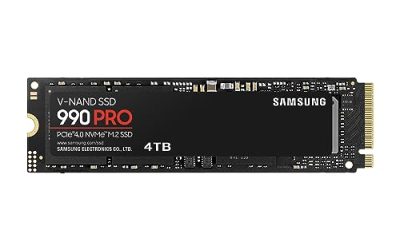
| Storage | 2TB NVMe Gen5 | Gen 5 NVMe — Direct Storage titles benefit measurably |
| PSU | 850W Gold | 850W Gold with headroom for a 5080 swap later |
| Cooler | 280mm AIO | 280mm AIO keeps the 7800X3D under 70°C reliably |
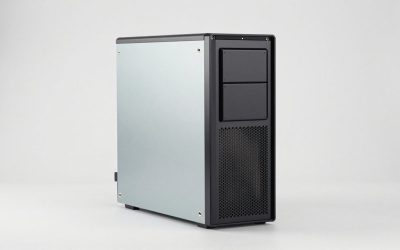
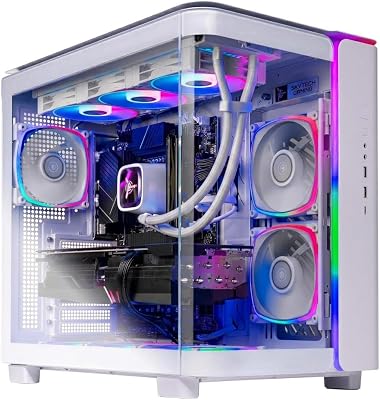
| Case | Airflow mid-tower | Airflow mid-tower with mesh front, three fans minimum |
Performance Expectations
- Cyberpunk 2077 (4K high, DLSS Q + FG): 90–110 FPS
- Cyberpunk 2077 (1440p RT Ultra path tracing, DLSS Q + FG): 75–90 FPS
- Alan Wake 2 (4K high, DLSS Performance): 75–90 FPS
- Monster Hunter Wilds (4K medium + DLSS Q): 70–85 FPS
- Star Wars Outlaws (4K medium): 80–100 FPS
- Most competitive titles (1440p ultra): 200+ FPS
This is the first build in our lineup where 4K is not a stretch. You will live at 1440p ultra for visually heaviest titles and 4K for everything else.
Path tracing specifically benefits from this build’s headroom. The 5070 Ti handles Cyberpunk’s full path tracing path at 1440p with DLSS Quality and frame generation at 80+ FPS — a number that was a $2500 build’s territory in 2024. The 4K upscaling path delivers what looks like native 4K to actual human eyes; the path tracing benefit is real and visible.
VR performance is strong. Quest 3 wired at 90 FPS with supersampling 1.5x in most titles, Pimax Crystal at native 90 FPS in everything except Microsoft Flight Sim. If VR is part of your use case, this build covers it cleanly.
Why These Picks
The 7800X3D’s 3D V-Cache is what makes it the gaming CPU pick — Microsoft Flight Sim, Factorio, Stellaris, Total War, Star Citizen all show 20–35% uplift from V-Cache versus a non-X3D Ryzen. In standard FPS titles the gap is 5–10%. At this GPU tier you stop being GPU-bound in many scenes, so the CPU upgrade actually matters.
The 5070 Ti gets 16 GB of GDDR7 — the bandwidth is genuinely transformative. The card runs frame generation better than the 5070, and the extra VRAM means 4K texture packs are not gated. The RX 9070 alternative trades ray tracing performance for slightly better raster — coin flip, pick on price.
Gen 5 SSD here is justified: large Direct Storage titles in 2026 (Avowed, Forza Motorsport, FF7 Rebirth PC) load 30% faster on Gen 5. The price premium has shrunk to $40 over Gen 4 at 2 TB.
Memory tuning deserves attention. DDR5-6400 with EXPO is plug-and-play on the 7800X3D and gives you 95% of the performance you would get from heroic XMP tuning. Do not chase 7200+ kits — the IMC on Zen 4 X3D parts tops out around 6400-6600 stable; faster kits will boot at 4800 JEDEC and you will lose performance silently. Verify in HWInfo after first boot.
SSD choice: Gen 5 NVMe at 2 TB is now $180 (Crucial T705, WD Black SN8100) versus Gen 4 at $130 — a $50 premium. The speed difference is invisible in 95% of workflows but does show up in Direct Storage titles (Avowed, Forza Motorsport 2026, FF7 Rebirth PC). Worth the spend at this tier; skip at lower tiers.
What to Skip vs Splurge On
Skip: the X670E premium boards ($300+ for features you will not use), 64 GB of RAM (32 GB is correct in 2026 unless you are streaming or editing video), Titanium PSU (Gold 850W is the right efficiency tier here).
Splurge on: a real 1440p OLED monitor. A 27″ QD-OLED at 240 Hz is $700 and will outlast this PC by two GPU generations. If you have $1500 for the box, you can afford the right screen.
Upgrade Path for 2027+
This rig is set for 2027. The realistic next move is GPU only — a 6080 or 5080 Super drops in cleanly with the existing 850W PSU. The 7800X3D will not need replacing until 2028 minimum; gaming CPU performance has plateaued and the X3D parts age extraordinarily well.
Real-World Daily Use
The $1500 build introduces ‘instant’ as a category. Cold boot to gaming in 10 seconds. Game launches in 2–3 seconds for most titles. Resume from sleep is genuinely instant. The 7800X3D’s V-Cache makes loading screens with simulated worlds (Cities Skylines 2, Stellaris, Total War Pharaoh) noticeably faster than equivalent non-X3D builds.
The 5070 Ti’s headroom shows in unexpected places. Frame generation works flawlessly because the base frame rate is high; you can use 2x FG in Cyberpunk path tracing at 1440p and hit 120+ FPS with no visible artifacts. DLSS 4 quality preset looks better than native TAA in many titles — Cyberpunk’s hair and foliage are sharper with DLSS Q than native.
For light productivity: Blender BMW render in 90 seconds (GPU). DaVinci Resolve 4K timelines play back without proxies. Premiere Pro 4K editing is fluid. Not a creator rig but capable enough that you don’t need to switch machines.
Common Bottlenecks to Avoid
Two real bottleneck risks: first, single-channel RAM. EXPO must be enabled in BIOS, otherwise the 7800X3D loses 15% performance. Verify in Task Manager that you are running DDR5-6400 EXPO, not the JEDEC 4800 default.
Second, monitor mismatch. This rig screams at 1440p 240 Hz. Pair it with a 60 Hz 4K panel and you are cosplaying as a gaming PC while playing slideshows. The right monitor is half the experience.
FAQ
9800X3D versus 7800X3D — which?
7800X3D unless you are absolutely sure this is a pure-gaming, never-upgrading rig. The 9800X3D is 10% faster in games for 50% more money. The math is bad.
Is 280mm AIO overkill for a 7800X3D?
Yes, technically. A 240mm or even a Peerless Assassin would also work. But the 280mm gives quieter operation under load — worth $20 for the daily quality of life.
RX 9070 versus RTX 5070 Ti?
5070 Ti if you care about DLSS 4, ray tracing, or any UE5 game. 9070 if you play competitive raster titles and want a few more native FPS. Both are fine — buy whichever is in stock at MSRP.
Will this run path-traced Cyberpunk at native 4K?
No, and nothing in this price range will. Use DLSS Quality + frame gen and you are at 75–90 FPS, which looks identical to native to actual human eyes.
How does the 7800X3D compare to the 9800X3D in real games?
9800X3D is 10–12% faster in CPU-bound scenarios for $150 more. Most players cannot tell the difference in actual gameplay. The 7800X3D is the value pick.
Is 2 TB of Gen 5 SSD really worth the premium over Gen 4?
At this tier, yes — Direct Storage titles benefit noticeably (Forza Motorsport 2026, FF7 Rebirth PC). Below this tier, save the $50 and run Gen 4.
Buying Tips and Timing
The 5070 Ti’s availability stabilized in early 2026 after launch shortages. MSI Suprim X and ASUS ROG Strix variants are widely in stock at MSRP ($799). Avoid AIB cards priced 15%+ above MSRP — they offer cosmetic upgrades only.
The 7800X3D inventory is dwindling as the 9800X3D ramps up production. Buy soon if you want this combo at current pricing — by Q4 2026 the 7800X3D will be in clearance territory but inventory will be spotty. Tray (OEM) variants on Newegg occasionally drop to $299 — same chip, no fancy box.
DDR5 pricing should stay flat through 2026. 32 GB DDR5-6400 EXPO kits from G.Skill Trident Z5 Neo run $109. No reason to wait.
When is the best time to build this rig?
Now through mid-2026. Black Friday will likely drop GPU prices another 5–8% but inventory will be tighter — trade-off your call.
Final Take
The $1500 tier in 2026 is the smart upper-mid build — flagship performance for most users, without the flagship tax. The 7800X3D + 5070 Ti combo is the rig I would recommend to friends who ‘want the best without being stupid about it.’ Buy this once, upgrade GPU in 2027, run until 2030.
Frequently Asked Questions
What performance does $1500 buy at 1440p?
Expect 120 to 165fps at 1440p ultra in most current titles and 60 to 80fps at 4K with quality upscaling. This budget lands on a strong mid-to-upper GPU with 12GB to 16GB of VRAM plus a modern 6 or 8 core CPU, which is the widely recommended sweet spot for high-refresh 1440p gaming.
Should I prioritize GPU or CPU at this budget?
The GPU, almost always. At 1440p and above the graphics card sets the frame rate ceiling, so aim for roughly 45 percent of the budget there. A current-generation 6 or 8 core CPU is sufficient; spending an extra two hundred dollars on cores you cannot use costs a full GPU tier of real performance.
How much VRAM is enough for 1440p ultra?
12GB is the working minimum for 1440p ultra with ray tracing, and 16GB provides comfortable headroom for high-resolution texture packs and the next few years of releases. Cards with 8GB now force texture-quality compromises in several 2025 and 2026 titles, which is the single most visible downgrade you can make.
Air cooler or AIO for a build at this price?
A quality dual-tower air cooler handles 150W to 200W CPUs, costs far less than a 240mm AIO, has no pump to fail, and performs within a few degrees. Choose an AIO only if your case restricts cooler height, you want a cleaner look, or your CPU regularly pulls more than 200W under sustained load.
What is the smartest place to save money here?
Storage capacity and case aesthetics. Start with a single 1TB Gen4 NVMe and add a second drive when prices drop, and choose a plain mesh case with good airflow over a glass showpiece. Never save on the power supply or by dropping to 16GB of RAM; both create problems that are expensive to fix later.