A working desktop PC needs nine internal parts — CPU, cooler, motherboard, RAM, storage, graphics card, power supply, case and fans — plus five external essentials: a monitor, keyboard, mouse, audio and a network connection. Below, every piece of computer hardware and accessories is grouped by function with typical 2026 prices, so you can tick off what you already own and see exactly what’s still missing.
The nine internal parts, in plain English
If you’re new to this — the “computer parts for dummies” version — everything inside the case does one of four jobs: thinking (CPU), remembering (RAM, storage), drawing (GPU), and keeping it all alive (motherboard, PSU, cooling, case).
| Part | What it does | Typical 2026 price | Skippable? |
|---|---|---|---|
| CPU | Runs game logic, apps, the OS | $100–$400 | No |
| CPU cooler | Stops the CPU thermal-throttling | $0 (stock)–$180 | Only if a stock cooler is included and adequate |
| Motherboard | The nervous system every part plugs into | $90–$250 | No |
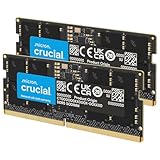
| RAM | Short-term memory for open programs | $45–$130 (16–32GB) | No |
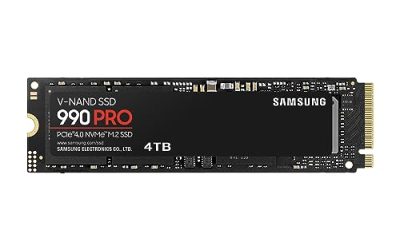
| Storage (SSD) | Long-term memory: OS, games, files | $60–$160 (1–2TB NVMe) | No |
| Graphics card | Renders every frame you see | $200–$700+ | Yes — if the CPU has integrated graphics and you don’t game |
| Power supply | Converts wall power into stable DC | $60–$150 | No — never cheap out here |
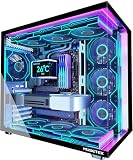
| Case | Housing plus the airflow path | $60–$150 | Practically no |
| Case fans | Move cool air in, hot air out | $15–$45 for 2–3 | If the case ships with decent ones |
CPU and motherboard: buy them as a matched pair
The socket decides everything. AMD’s AM5 platform takes Ryzen 7000/8000/9000 chips (the Ryzen 7 9800X3D is the 2026 gaming favourite; the Ryzen 5 8600G is the go-to for GPU-less builds). Intel’s LGA1851 takes the Core Ultra 200S series (e.g. the Ultra 5 245K). A CPU from one socket physically cannot fit the other, so pick the chip first, then a board to match — a $130–$200 B850 or B860 board covers most builds. Pair it with DDR5: 32GB (2×16GB) at 6000MT/s CL30 is the sweet spot for gaming, while 16GB still works for esports titles.
Graphics card: the part that decides your frame rate
Nothing else moves fps as much. Roughly: an RTX 5060 or Arc B580 class card (~$250–$350) handles 1080p; an RTX 5070 or RX 9070 XT ($550–$700) owns 1440p; RTX 5080/5090 territory ($1,000–$2,000) is for 4K. The spec most buyers undersize is VRAM — modern texture packs and ray-tracing buffers eat it:
| Target resolution | Minimum VRAM in 2026 | Comfortable VRAM |
|---|---|---|
| 1080p | 8GB | 10–12GB |
| 1440p | 12GB | 16GB |
| 4K + ray tracing | 16GB | 20–24GB |
An 8GB card still works at 1080p but already stutters at 1440p ultra textures in recent releases — factor that into “cheap now vs. replace soon.”
Storage: NVMe first, capacity second-guessed
A 1TB NVMe SSD ($60–$90) is the floor — Windows plus five big AAA installs at 130–180GB each fills it fast — so 2TB ($100–$160) is the practical pick for gamers. PCIe 5.0 drives exist, but game load times barely differ from PCIe 4.0 (a Samsung 990 Pro-class drive is plenty); spend the difference on capacity. Add a SATA SSD or HDD only for bulk media.
Power supply, case and airflow — with the math done for you
Size the PSU from peak draw, then add ~50% headroom for transient spikes, the 50–60%-load efficiency sweet spot, and future GPU upgrades:
| Component (1440p build example) | Typical peak draw |
|---|---|
| Ryzen 7 9800X3D | ~120W |
| RTX 5070 | ~250W |
| Motherboard + RAM + SSD + fans + USB devices | ~90W |
| Total peak | ~460W |
| × 1.5 headroom → buy | 750W |
Step up to a 1,000W unit for an RTX 5090-class card (575W alone). Look for the ATX 3.1 spec with a native 12V-2×6 cable on any GPU over ~400W, and 80+ Gold efficiency. For the case, a mesh-front mid-tower ($70–$130) with two front intakes and one rear exhaust is all the airflow most builds need — just check GPU length and CPU-cooler height against the spec sheet.
Match the parts list to what you actually do
| Your use case | CPU class | GPU tier | RAM | Tower budget |
|---|---|---|---|---|
| Office, browsing, homework | iGPU chip (Ryzen 5 8600G, Intel non-F) | None — integrated graphics | 16GB | $400–$550 |
| 1080p esports, high fps | 6–8 core (9600X, Ultra 5 245K) | RTX 5060 / Arc B580 | 16–32GB | $650–$850 |
| 1440p AAA, high settings | 9700X / 9800X3D | RTX 5070 / RX 9070 XT | 32GB | $1,200–$1,600 |
| 4K, heavy RT, content creation | 9800X3D / 9900X+ | RTX 5080 / 5090 | 32–64GB | $2,000–$3,500 |
The external accessories, grouped by function
Display: half the experience
Match the monitor to the GPU you just chose — a 4K OLED behind an RTX 5060 is wasted money. Expect $120–$180 for 1080p 144–180Hz, $200–$400 for 1440p 165–240Hz (the 2026 sweet spot), $450–$800 for 4K 144Hz+, and $650–$1,200 for OLED. Check the cable, too: 1440p at 240Hz needs DisplayPort 1.4 with DSC or HDMI 2.1, while 4K 240Hz OLED wants DP 2.1 or full 48Gbps HDMI 2.1 — a cheap old HDMI cable silently caps your refresh rate.
Input
A $30–$80 mechanical keyboard covers most gamers; hall-effect boards run $100–$180. Mice: $30–$60 buys a great wired or mid-tier wireless shape, while $60–$150 gets flagship wireless (Logitech G Pro X Superlight 2 class). Add a $15–$30 desk pad so the sensor tracks consistently.
Audio and communication
A $50–$120 gaming headset (HyperX Cloud III class) is the simplest path — headphones and mic in one. Better sound-per-dollar comes from $40–$150 speakers plus a $60–$130 standalone mic. Onboard motherboard audio is genuinely fine in 2026; a $80–$150 DAC/amp only makes sense for high-impedance audiophile headphones. Add a $40–$100 webcam if you stream or take calls.
Power protection, network and the finishing touches
The accessories people forget: a $60–$150 UPS (or at least a surge protector) guards the whole investment and buys you safe-shutdown time during outages. If the motherboard lacks Wi-Fi, a $25–$50 Wi-Fi 6E/7 card or dongle fixes it — though a $10 ethernet cable always wins on latency. A $50–$70 Xbox-style controller covers racing and platform games, and a $30–$80 monitor arm frees up desk space.
| Accessory | Function | Typical price |
|---|---|---|
| Monitor | Everything you see | $120–$1,200 by tier |
| Keyboard | Primary input | $30–$180 |
| Mouse | Aim and input | $30–$150 |
| Headset or speakers + mic | Audio out / voice in | $50–$200 |
| Webcam | Video | $40–$100 |
| Controller | Alternative input | $50–$70 |
| UPS / surge protector | Protects the whole setup | $60–$150 |
| Wi-Fi adapter / ethernet | Network | $10–$50 |
| Monitor arm / desk pad | Ergonomics | $15–$80 |
A useful budgeting rule: plan on accessories taking roughly 25–30% of your total spend. On a $1,200 tower, that’s about $350–$400 — usually a $250–$300 monitor plus solid basics.
Easy to forget — and what you can reuse
- Small things that stall builds: a Windows 11 license, a spare USB stick for the installer, thermal paste (usually pre-applied on coolers), and a DisplayPort/HDMI cable (usually in the monitor box). Case screws and standoffs come with the case.
- Safe to reuse from an old PC: the case, SATA SSDs/HDDs, peripherals and monitor — plus the PSU if it’s under ~5 years old, has enough wattage and is ATX 3.x for modern GPUs.
- Windows keys tie to the motherboard — swapping boards may force a reactivation or a new license.
- A drawer full of computer parts isn’t a PC. Before buying, verify four compatibilities: CPU↔socket, RAM↔board generation (DDR4 vs DDR5), GPU length↔case, and PSU wattage/connectors↔GPU.
Quick FAQ
Can I build a PC without a graphics card?
Yes — choose a CPU with integrated graphics (AMD’s G-suffix chips like the 8600G, or any Intel non-F model). It’s fine for office work and light esports, and you can slot a discrete GPU in later.
Do I need a sound card?
No. Modern onboard audio is clean and loud enough for headsets and speakers. A separate DAC/amp only pays off with demanding audiophile headphones.
What should I upgrade first on an existing PC?
In order of impact for gaming: move off a hard drive to an NVMe SSD, upgrade the GPU, go from 16GB to 32GB of RAM, then refresh the CPU/motherboard platform.