- Top Pick: Corsair Vengeance RGB RS DDR5 32GB (2 x 16GB) Up to 6000MHz AMD Intel RAM | Desktop Gaming Memory, AMD EXPO & Intel XMP 3.0 Compatible, CL36, Grey, CMG32GX5M2E6000Z36
- Best Value: CORSAIR Vengeance RS DDR5 32GB (2 x 16GB) Up to 6000MHz AMD Intel RAM | Desktop Gaming Memory, AMD EXPO & Intel XMP 3.0 Compatible, CL38, Gray, CML32GX5M2D6000Z38
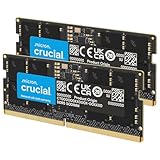
- Premium Choice: Crucial 32GB DDR5 RAM Kit (2x16GB), 5600MHz (or 5200MHz or 4800MHz) Laptop Memory 262-Pin SODIMM, Compatible with Intel Core and AMD Ryzen 7000, Black – CT2K16G56C46S5
Buying memory for a Ryzen desktop looks simple until you meet the actual choices: 16GB or 32GB, 6000 or something slower, CL30 or CL38, plain heat spreaders or a light bar you will never see inside a closed case. On AM5 boards, DDR5 is the only option, and the profile that matters most is AMD EXPO. A kit that lists EXPO support is meant to load its rated speed with one setting in the BIOS, while an Intel-only profile may need manual tuning or fall back to a slower default. This guide is built around that Ryzen-specific decision rather than a generic list of fast sticks.
The keyword also hides a trap that catches careful shoppers. Some DDR5 listings that mention Ryzen are laptop SODIMM modules, which cannot fit a desktop motherboard at all. Those get sorted out first, and the desktop UDIMM kits that remain are compared by capacity, rated speed, CAS latency and profile support. Everything below is based on the listed specs, so treat it as a shortlist for 2026 builds, not a measurement report.
Quick Picks
As an Amazon Associate we earn from qualifying purchases at no extra cost to you.




| Product | Best for | Key spec from the title |
|---|---|---|
| Corsair Vengeance RGB RS 32GB | Lit-up builds with a standard 32GB setup | 2 x 16GB, up to 6000MHz, CL36, EXPO and XMP 3.0 |
| Corsair Vengeance RS 32GB | Clean, unlit builds | 2 x 16GB, up to 6000MHz, CL38, EXPO and XMP 3.0 |
| G.SKILL Flare X5 32GB | Buyers who want the timings spelled out | 2x16GB, up to 6000MT/s, CL36-36-36-96, 1.35V |
| Corsair Vengeance 32GB CL30 | Tightest latency in the group | 2 x 16GB, up to 6000MHz, CL30, EXPO and XMP 3.0 |
| Patriot Viper Venom 16GB | Light workloads and smaller budgets | 2X8GB, 6000MT/s, CL36, 1.35V, XMP and EXPO |
| Lexar Thor Z RGB 32GB | Value-minded RGB builds | 2x16GB, 6000MHz, CL38, on-die ECC, PMIC, 1.35V |
| G.SKILL Trident Z5 Neo RGB 32GB | Ryzen-only builds that want a premium kit | 2x16GB, up to 6000MT/s, CL30-38-38-96, AMD EXPO |
The 7 Best Options
Three listings were left out on purpose. Two Crucial kits are 262-pin SODIMM laptop memory, which will not seat in a desktop board, and the 16GB Corsair Vengeance RGB RS kit is just a smaller capacity of the first pick below. That leaves the desktop kits that follow.
Corsair Vengeance RGB RS 32GB (CL36)
This is the kit for a Ryzen builder who wants the common recipe: two 16GB sticks, 6000MHz, a middle-of-the-road CL36 and a visible RGB strip. The listing states that it is compatible with both AMD EXPO and Intel XMP 3.0, which means a later platform switch will not strand the memory. The grey finish is a cosmetic point, but it matters if your case has a window and a white or silver color scheme.
A practical way to think about this kit is as the default answer that other kits have to beat. It asks nothing unusual of the board, it fits the capacity most Ryzen gamers settle on, and the listing makes its profile support obvious. Buyers who plan to keep the same memory through a processor upgrade within the AM5 generation will find this a sensible long-term fit, since nothing about the specification is tied to a narrow set of chips.
- Two 16GB modules give 32GB total, which is the comfortable capacity for modern games plus a browser and chat apps running behind them.
- A 6000MHz rating paired with EXPO support is the configuration most AM5 boards are happiest with.
- CL36 sits in the middle of the group, so you are not paying for the tightest timings but you also avoid the loosest.
- RGB lighting adds software, and some buyers find lighting control utilities more annoying than useful.
- Tall lit strips can be a poor fit under a large air cooler, so check clearance before ordering.
Skip it if your case is solid-sided or you dislike lighting software. Against the next pick, you are paying for the light bar and gaining slightly tighter CL36 timings than the CL38 non-RGB model.
Corsair Vengeance RS 32GB (CL38)
The non-RGB sibling keeps the same 2 x 16GB layout and the same up-to-6000MHz rating, but its title lists CL38, so the first-word latency is a little looser. For a Ryzen gaming build, the difference between CL36 and CL38 at 6000 is small compared with the jump from a slow default speed to a properly enabled EXPO profile. If the lighting does not appeal to you, this is a straightforward way to get a 32GB desktop kit with EXPO and XMP 3.0 on the label.
The more interesting question is whether the looser CL38 label should worry you. On paper it adds roughly two-thirds of a nanosecond over the CL36 kit at the same speed, which is a gap that shows up in synthetic arithmetic far more than in daily use. Think of this as the kit for someone who would rather spend the saved effort on a quiet case, a better cooler or a larger drive than chase the final fraction of latency.
- Clean gray styling suits workstation or quiet-office builds where lighting would look wrong.
- Both EXPO and XMP 3.0 compatibility are named in the title.
- No lighting means fewer background utilities competing for attention on your desktop.
- CL38 is the loosest timing among the 6000 kits that carry a plain Corsair label.
- Plain styling gives you no visible identity if you want a showpiece build.
Skip it if you want the tightest possible latency, because the CL30 Vengeance below is the stronger choice. Compared with the G.SKILL Flare X5 next in line, this Corsair gives up some timing detail in the title but is easier to read at a glance.
G.SKILL Flare X5 32GB (CL36-36-36-96)
Flare X5 is a kit designed with AMD platforms in mind, and its title is generous with detail. You get the full timing string, CL36-36-36-96, the 1.35V operating voltage, and the dual profile note covering AMD EXPO and Intel XMP 3.0. For buyers who want to confirm a motherboard’s memory support list entry by entry, having every number visible in the listing makes the check easier.
Another reason to shortlist it is the amount of documentation behind the name. G.SKILL publishes detailed compatibility information for its product lines, and a title that includes the full timing string makes it easy to match the kit against a board vendor’s list. For a builder who has been burned by an unstable memory setup before, that transparency can be worth more than a flashy heatspreader.
- The complete timing string and voltage appear in the title, which helps with compatibility checks.
- A low-profile, matte black look stays clear of large coolers.
- Two 16GB modules at up to 6000MT/s match the standard Ryzen target.
- CL36 is competitive but not class-leading when a CL30 kit exists in the same speed bracket.
- No lighting, so it will not add color to an open-frame build.
Skip it if you want the lowest latency number or a lit design. It sits close to the Corsair CL36 RGB kit on paper, so the choice between them often comes down to appearance and which brand’s support page you trust more. The next pick pushes timings tighter.
Corsair Vengeance 32GB (CL30)
If latency is your priority, this is the strongest number in the group. The title lists 2 x 16GB, up to 6000MHz and CL30, with both AMD EXPO and Intel XMP 3.0 compatibility. At 6000MT/s, CL30 works out to a first-word latency of 10 nanoseconds by simple arithmetic, compared with 12 nanoseconds for CL36. That is a calculation from the listed numbers, not a claim about frame rates, but it tells you which kit is tighter on paper.
Think of this as the performance pick for a build where the processor and graphics card are already strong. A fast chip and a fast graphics card expose memory latency more than a modest system does, so the buyer who paired a high-end Ryzen part with a capable graphics card is the person most likely to see this kit earn its keep. Everyone else is largely buying headroom and bragging rights, which is a fair reason but not a necessity.
- CL30 is the lowest CAS latency among the Corsair kits at the same 6000MHz rating.
- Same 32GB, two-module layout as the rest of the Vengeance family.
- EXPO is named alongside XMP 3.0, so Ryzen setup should be a single BIOS toggle.
- Tighter timings usually cost more than looser kits at the same speed.
- Not every board will hold CL30 at 6000 without a recent BIOS, so update first.
Skip it if your budget is tight and your workloads are mostly gaming at higher resolutions, where the memory is rarely the limit. Compared with the Patriot Viper Venom next, this kit offers double the capacity and much tighter timing.
Patriot Viper Venom 16GB (2x8GB)
This is the only 16GB kit among the finalists, and it earns its place as the value-focused option. The title lists 2X8GB, 6000MT/s, CL36, 1.35V, UDIMM form factor, and support for both Intel XMP and AMD EXPO. A pair of 8GB sticks still gets you dual-channel operation, which is the main reason to buy two modules instead of one.
It also suits a second system in the house, such as a media PC, a family computer or a compact build that will not see heavy workloads. Because the title is explicit about the UDIMM module type and the 6000MT/s rating, there is little chance of ordering the wrong kind of memory, which is a real advantage for first-time builders who are still learning the vocabulary.
- Dual-channel 6000MT/s speed at a lower capacity than the 32GB kits.
- The title spells out UDIMM, so there is no confusion with laptop memory.
- CL36 timing matches the more expensive Corsair and G.SKILL options.
- 16GB total is thin for heavy multitasking, creative work or large modded games.
- Filling all four slots later is awkward, since you would likely replace rather than add.
Skip it if you edit video, run virtual machines or keep many browser tabs open alongside games. It works well in an office or entry-level gaming build where cost matters more than headroom. The next kit moves back to 32GB with a flashier design.
Lexar Thor Z RGB 32GB (CL38)
Lexar’s kit comes with a feature list that reads like a spec sheet: 2x16GB, 6000MHz, CL38, 288-pin UDIMM, on-die ECC, a power management IC, and 1.35V. The title also confirms Intel XMP 3.0 and AMD EXPO support. It is a less familiar name than Corsair or G.SKILL, but the specifications line up with the mainstream 6000MHz kits.
The spec list also mentions a power management IC on the module, which is standard for DDR5 and a reminder that voltage regulation has moved from the motherboard onto the memory itself. Shoppers sometimes read that as a special extra, but it is simply part of how this generation works. The takeaway is that the kit meets the same baseline as its better-known rivals, with value as its main argument.
- RGB lighting and a 32GB capacity at the standard 6000MHz target.
- The on-die ECC mention is a DDR5 characteristic, but the listing highlights it clearly.
- Full EXPO support is named, which matters for Ryzen builds.
- CL38 is on the looser side of the group.
- A smaller brand may mean fewer community-shared settings if you run into trouble.
Skip it if you prefer a brand with a long track record on motherboard compatibility lists. Against the Trident Z5 Neo below, the Lexar is the simpler lit option, while the G.SKILL aims at a more Ryzen-focused buyer.
G.SKILL Trident Z5 Neo RGB 32GB (CL30-38-38-96)
The Trident Z5 Neo name signals a kit aimed at AMD builders, and the title confirms it by listing AMD EXPO only, without an Intel profile. It offers 2x16GB, up to 6000MT/s, CL30-38-38-96 timings and 1.35V. The tight CL30 primary timing is paired with looser secondary numbers, which is typical for high-speed DDR5 kits.
The secondary timings deserve a mention because they show how a CL30 label can be misleading if you read only the first number. Here the second, third and fourth values are noticeably looser than the first, so the overall behavior is closer to a balanced kit than to a pure low-latency specialist. Enthusiasts who like to adjust values by hand may enjoy the room to experiment, while everyone else can simply enable EXPO and move on.
- CL30 primary timing matches the tightest Corsair option.
- Built specifically around EXPO, so Ryzen owners get a profile designed for their platform.
- RGB lighting and a premium heatspreader design for visible builds.
- EXPO-only support means no Intel XMP profile, which limits reuse on an Intel board.
- The lit, taller design needs a clearance check under big air coolers.
Skip it if you may switch to Intel in the future, because the profile list is narrower. Among all seven picks, this one is the clearest Ryzen specialist, while the Corsair CL30 is the better cross-platform choice.
Who Needs a Dedicated Ryzen DDR5 Kit
Many buyers assume any DDR5 will do on AM5, and technically any compatible UDIMM boots. The difference shows up in how much work you do after installation. Ryzen platforms are sensitive to memory speed because the memory controller and the internal fabric are linked, so a kit that loads a sensible profile on its own saves time and troubleshooting.
Gamers building around a mid-range Ryzen chip
For a typical gaming rig, 32GB at 6000MHz with an EXPO profile is the sweet spot. It leaves room for the game, the launcher, voice chat and a browser, and it avoids the occasional stutter that appears when memory fills up. If you are tight on budget, the 16GB Patriot is a workable compromise, but plan to replace it rather than expand it.
Creators and multitaskers
Video editing, photo batches and virtual machines punish small memory pools. Anyone doing that work should treat 32GB as the floor and consider that 64GB may be warranted later. Choosing a two-module kit now leaves two slots free on a four-slot board, although mixing kits can reduce stability, so buying a bigger matched kit later is often cleaner.
Upgraders moving from DDR4
Moving from an older AM4 system means a new board, a new processor and new memory all at once. DDR4 and DDR5 are not interchangeable, so none of your old sticks carry over. Buy a single matched kit rather than mixing, and pick a capacity that matches the way you work today.
How to Choose DDR5 Memory for Ryzen
Capacity: 16GB, 32GB or more
Sixteen gigabytes still runs most titles, but background tasks quickly crowd it. Thirty-two gigabytes is the practical default for modern gaming builds and the minimum for creative work. If you run virtual machines, large datasets or heavy photo editing, look at 64GB across two or four modules. Always buy memory as a matched kit rather than as individual sticks, since kits are validated together.
A useful check is to open the task manager during a normal evening of use and watch how much memory is already in use before you launch anything demanding. If the number sits near half of your current capacity at idle, you will hit the ceiling quickly once a game and a streaming overlay join in. Also remember that a modest amount of memory is shared with integrated graphics on some Ryzen chips, so a system without a separate graphics card benefits from extra capacity.
Speed: why 6000 is the target
For Ryzen 7000 and newer chips on AM5, 6000MT/s is widely treated as the balance point between speed and stability. Faster kits exist, but the extra speed often needs manual tuning or does not run in the best internal mode of the memory controller. Slower kits near 5200 or 5600 leave performance on the table in memory-sensitive games. Aim for 6000 with a proper EXPO profile and spend remaining budget elsewhere.
One practical reason is the relationship between the memory clock and the internal fabric clock. At 6000MT/s the two can run in a one-to-one relationship on most chips, which keeps latency low. Past that point the fabric often drops to a different ratio, which cancels the benefit of the higher number. This is why a modestly rated kit that works at its label usually beats an ambitious kit that needs manual coaxing.
CAS latency and first-word latency
CAS latency is the number after CL. Divide twice the CL number by the data rate to get first-word latency in nanoseconds: CL30 at 6000 is 10.0, CL36 is 12.0 and CL38 is about 12.7. The gap between CL30 and CL38 is real on paper but modest in daily use, so do not pay a large premium for it unless you are chasing the last few percent in competitive titles.
Remember that the full timing string has four numbers, and the first is only a headline. Kits with a low first number and loose followers can behave more like a mid-tier kit than the label suggests. When two kits share a speed and capacity, compare the whole string and the voltage together, and let the support list for your board break the tie.
EXPO versus XMP
EXPO is AMD’s memory profile standard, and XMP is Intel’s. Many kits carry both. A kit with EXPO makes setup easier on Ryzen, while an XMP-only kit may still work through automatic conversion but is not guaranteed. Prefer EXPO-labeled kits, and use XMP-only memory only if the board’s support list names it.
Form factor, voltage and heat
Desktop memory is UDIMM with 288 pins, while laptop memory is SODIMM with 262 pins. They are physically different and cannot be swapped. Most 6000MT/s kits run at 1.35V, which is normal for these speeds. Heat spreaders help with stability, but they also add height, so measure the space beneath your CPU cooler before ordering tall RGB models.
Voltage is worth a second look because higher numbers raise operating temperature and can hint at a kit that is pushed hard to reach its rating. Staying at the common 1.35V mark keeps things predictable. If your case has weak airflow near the processor socket, a lit kit with a tall spreader can trap heat, so a plainer low-profile model may run steadier.
What to ignore and where budget kits cut corners
Ignore marketing about lighting effects and sharp-edged heatspreaders when comparing performance. Budget kits cut corners in three places: looser timings, fewer certified profiles and thinner support documentation. A cheap kit at 5600 or with no EXPO label may work but often needs more attention. Also be wary of kits sold as single sticks, which break dual-channel operation.
Also ignore claims that a kit will beat a previous-generation processor or memory type; the listing language is promotional and the numbers rarely line up with your own build. Concentrate on the checkable details: capacity, rated speed, timings, voltage, profile type, module format and warranty length. If any of those is missing from a listing, treat the omission as a reason to look elsewhere.
Timing Tiers Compared: CL30, CL36 and CL38
For Ryzen buyers, the most realistic comparison is not brand against brand but timing tier against timing tier, since all of the finalists share the same 6000 rating. The table below uses only the numbers from the listings.
| Tier | Kits in this guide | First-word latency at 6000 | Typical buyer |
|---|---|---|---|
| CL30 | Corsair Vengeance 32GB, G.SKILL Trident Z5 Neo RGB | 10.0 ns | Enthusiasts who tune |
| CL36 | Corsair Vengeance RGB RS, G.SKILL Flare X5, Patriot Viper Venom | 12.0 ns | Mainstream gamers |
| CL38 | Corsair Vengeance RS, Lexar Thor Z RGB | 12.7 ns | Value-minded builders |
When tighter timings are worth paying for
Competitive shooters and anyone running a high-end graphics card at lower resolutions are the people most likely to notice a latency improvement, because their frame rate depends more on the processor and memory than on the graphics card. If that describes you, a CL30 kit is a reasonable step up. If you play at 1440p or 4K, the graphics card tends to limit the result and the savings are better spent there.
When looser timings are the smart choice
For general use, office work and mixed gaming, CL36 or CL38 at 6000 delivers almost the same experience as CL30. The money saved can go toward more capacity, a better cooler or a faster drive, all of which have more visible impact. A looser kit that boots cleanly with EXPO also beats a tight kit that needs constant fiddling.
Setup, Compatibility and Upgrade Tips
What to check before buying
Look at your motherboard’s memory support list, usually on the manufacturer’s product page, and search for the exact kit name. Confirm that the board has DDR5 slots, that you know how many it has, and that it supports the speed you want. Also check cooler clearance, since lit kits can be tall. Finally, confirm that the kit is UDIMM, not SODIMM, which is the most common mismatch in Ryzen DDR5 searches.
What to upgrade first
If your system currently has 16GB and you notice slowdowns while multitasking, capacity comes first. Next, make sure the existing memory is running its rated speed rather than the slow default. Many systems ship with the profile disabled, and enabling EXPO in the BIOS costs nothing. Only after those two steps does a latency upgrade make sense.
A simple order of operations helps: confirm the BIOS is current, enable the profile, run a stability check that fits your patience, and only then judge whether the kit is doing its job. If the system crashes after enabling EXPO, raise it with the board vendor’s support list before returning the memory, since a BIOS update often fixes it.
Common compatibility traps
Mixing two different kits, even from the same brand, can force the whole set to a lower speed. Populating all four slots at 6000 is harder for the memory controller than using two, so many boards drop speeds or need extra voltage. Outdated BIOS versions can also prevent a new kit from loading its profile. Update the BIOS before swapping memory, and save your settings after enabling EXPO.
Which One Fits Your Situation
You want a no-fuss gaming build with a bit of color
The Corsair Vengeance RGB RS 32GB is the straightforward answer, with 32GB, CL36 and both major profiles listed.
You are chasing the lowest latency
The Corsair Vengeance 32GB at CL30 gives the tightest timing among the cross-platform kits, while the G.SKILL Trident Z5 Neo RGB matches that CL30 for Ryzen-only builds.
You are building on a tight budget for office work
The Patriot Viper Venom 16GB covers dual-channel 6000MT/s at a smaller capacity, which fits spreadsheets, browsing and light gaming.
You want a quiet, unlit workstation
The Corsair Vengeance RS 32GB or the G.SKILL Flare X5 32GB offer clean looks, 32GB capacity and visible EXPO support without any lighting software to manage.
Common Mistakes
- Buying SODIMM laptop memory for a desktop board because the listing mentions Ryzen.
- Ignoring the profile and leaving memory at its slow default speed after installation.
- Paying extra for the tightest timings while running a modest graphics card that limits frame rates anyway.
- Mixing a new kit with old sticks and forcing the whole system to a lower speed.
- Choosing a tall RGB kit without checking the clearance under a large air cooler.
- Skipping the BIOS update, which can leave a new kit unable to load its rated profile.
Related guides
- Aio Liquid Coolers For High Performance Gaming
- Wireless Gaming Headsets Under 100 For Pc
- Graphics Card For Esports 1080P 240Hz
Frequently Asked Questions
Is 6000MT/s really the best speed for Ryzen DDR5?
For Ryzen 7000 and newer chips on AM5, 6000MT/s is widely treated as the balanced target. Faster kits can work but often need manual tuning, and slower kits leave some performance unused. Most of the finalists here are rated for that sweet spot.
Do I need EXPO, or will XMP work?
EXPO is built for AMD platforms and is the safer choice. XMP-only kits may still run, yet there is no guarantee they will load cleanly on every board. Check the motherboard support list if a kit names only XMP.
Is 16GB enough for a new build?
It runs many games, but it leaves little room for background apps and creative tools. Thirty-two gigabytes is the safer pick for most new builds. Treat 16GB as a budget compromise rather than a long-term choice.
Can I use laptop DDR5 in a desktop?
No. SODIMM modules are physically shorter and have a different pin count than desktop UDIMM modules. They will not seat in a standard motherboard slot, so always confirm the form factor in the title.
Does CL30 make a big difference over CL36?
On paper the gap is 10 versus 12 nanoseconds of first-word latency at 6000MT/s. In real use the effect is modest and most visible in competitive titles on fast graphics cards. Most buyers will notice capacity and profile setup more than the timing tier.
Should I fill all four memory slots?
Two modules are usually easier for the memory controller to run at full speed. Four modules can force lower speeds or require extra tuning. If you need more capacity, buy two larger sticks rather than four smaller ones.
Final Words
The right Ryzen DDR5 kit is the one that fits your motherboard, loads an EXPO profile cleanly and gives you enough capacity for the next few years. For most builders that means 32GB at 6000MT/s with CL36 or better, from a brand whose support list includes your board. Pick CL30 only if you chase every last bit of responsiveness, and pick the 16GB kit only when cost forces it. Confirm UDIMM form factor, check cooler clearance and update the BIOS before you install, and the memory will quietly do its job.