- Top Pick: Thermalright 5 Pack TL-C12C-S CPU Fan 120mm ARGB Case Cooler Fan, 4pin PWM Silent Computer Fan with S-FDB Bearing Included, up to 1550RPM Cooling Fan(5 Quantities)
- Best Value: Thermalright TL-C12C X3 CPU Fan 120mm Case Cooler Fan, 4pin PWM Silent Computer with S-FDB Bearing Included, up to 1550RPM Cooling Fan(3 Quantities)
- Premium Choice: ARCTIC P12 (5 Pack) – PC Fans, 120mm Case Fan, Pressure-optimised, Quiet Motor, Computer, Fan Speed: 1800 RPM – Black
Open the side panel of a mid-range prebuilt and you will often find one fan pulling air in, one pushing it out, and a graphics card breathing its own exhaust. Case fans are the least glamorous part of a PC and, for the money, the cheapest way to change how a machine behaves: lower temperatures under a long gaming session, fewer fan-speed surges when a browser tab spikes the processor, and a noise floor you stop noticing. The best PC case fans for a given build depend on what you want the air to do, not on a single winner.
This guide covers seven distinct 120mm options from the listings, ranging from plain, quiet performance fans to multi-pack ARGB sets that fill an entire case. In 2026 the real choices come down to four questions: how many fans you need, whether you want lighting, how much noise you will tolerate at full speed, and how tidy you want the cabling. Every pick below is judged on what its listing title states. Where a title is silent, the write-up says so and tells you what to look up.
Quick Picks
As an Amazon Associate we earn from qualifying purchases at no extra cost to you.





| Product | Best for | Key spec from the title |
|---|---|---|
| Thermalright TL-C12C-S (5 pack) | Filling a case with lit fans cheaply | 120mm ARGB, 4-pin PWM, S-FDB bearing, up to 1550RPM |
| Thermalright TL-C12C X3 | Plain, quiet three-fan sets | 120mm, 4-pin PWM, S-FDB bearing, up to 1550RPM, 3 quantities |
| ARCTIC P12 (5 pack) | Pressure-focused airflow through filters | 120mm, pressure-optimised, 1800 RPM, quiet motor |
| Noctua NF-P12 redux-1700 PWM | Low-noise single-fan upgrades | 120mm, 25mm thick, 1700rpm, 4-pin PWM |
| Corsair RS120 ARGB (3 pack, black) | Tidy wiring with lighting | 120mm PWM, daisy-chain, magnetic dome bearing |
| UTLGAMENG 7 Pack 120mm ARGB | Full-case lighting with reverse-blade fans | 4 forward and 3 reverse, PWM, 1550 RPM, 28 LED |
| DARKROCK F120 3in1 | Mirror-style light effects | Infinite mirror design, 24 LED, PWM, hydraulic HDB bearing |
The 7 Best Options
Three listings were left out: the Thermalright TL-C12C-S in 5-pack and 3-pack forms that duplicate the first pick, and the white Corsair RS120 triple pack, a color variant of the black one below.
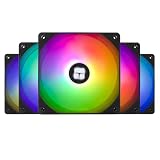
Thermalright TL-C12C-S 5 Pack
This is the value multi-pack. The title lists five 120mm ARGB fans with 4-pin PWM control, a silent-running claim, an S-FDB bearing and speeds up to 1550RPM. Five fans cover the typical front, top and rear positions of a mid-tower with a spare, which makes the listing attractive for first-time builders who want one purchase to solve the whole case. The title also calls the product a CPU fan, but the 120mm size and case-cooler wording show it is meant for either role.
Buyers who pick a pack like this are usually replacing a case full of weak stock fans in one sitting. The 4-pin PWM connector lets the motherboard slow the fans at idle, which is the setting that keeps a lit case from sounding like a server. Lighting is the other side of the deal: ARGB needs a compatible 5V header or a controller, and the title does not say how the lighting is wired.
One practical way to use a five-pack is to split it: three on the front as intake, one at the rear as exhaust, and one saved as a spare or placed at the top. Because every fan in the pack matches, the noise character is even, and you avoid the faint warble that comes from two different fan models running at slightly different speeds in the same case.
Strengths:
- Five fans in one pack suits a full-case refresh.
- PWM control and an S-FDB bearing are named in the title.
- ARGB lighting is included.
Trade-offs:
- The lighting header type is not described in the title.
- The 1550RPM ceiling is lower than the ARCTIC fan’s 1800 RPM.
Skip it if you want unlit fans or a brand with a long track record. Compared with the TL-C12C X3 next, you get two extra fans and lighting.
Thermalright TL-C12C X3
The X3 is the plain sibling. The title gives a 120mm case fan, 4-pin PWM, an S-FDB bearing, up to 1550RPM and a three-fan quantity, and it does not mention lighting. That makes it the unlit counterpart to the first pick, suited to a build where the side panel is solid or where the owner simply prefers a dark case. Three fans fit a common layout of two intakes and one exhaust, which is a sensible first arrangement for positive air pressure.
The silent wording in the title is a claim, not a measurement, so treat it as an intention and read user feedback about noise at full speed before ordering. What the title does confirm is the PWM connector, which gives you control from the BIOS or fan software.
A three-pack of unlit fans also suits a second purpose: a small radiator or a heatsink that needs a push-pull pair. Three identical fans give you a matched set to share between a front intake pair and a single rear unit, and the missing lighting means one fewer connector per fan to route behind the motherboard tray.
Strengths:
- Three unlit fans for a simple, quiet-leaning layout.
- PWM and S-FDB bearing are both named.
- Fewer cables than a lit multi-pack.
Trade-offs:
- No lighting for builds that want it.
- Three fans may not fill a larger case.
Skip it if you want RGB or a five-fan layout. Against the ARCTIC P12 5 pack next, it is a smaller set with the same plain spirit but a lower top speed.
ARCTIC P12 5 Pack
ARCTIC describes this as a pressure-optimised 120mm fan with a quiet motor, a top speed of 1800 RPM and a black finish, sold five to a pack. The pressure focus matters when air has to pass through dust filters, a mesh front panel or a radiator, because those obstacles reward a fan that holds its force against resistance. The title makes no mention of lighting or PWM, so check the full listing for the connector type before you plan a fan curve.
The five-fan count gives you the same full-case coverage as the Thermalright pack, minus the lighting. Many buyers choose this style when they want a clean, simple look and care more about airflow behavior than about effects.
Dust management is another quiet advantage of this style of fan. When a case uses filters on the front and bottom, a fan built to push through resistance keeps air moving even as the filter collects a little dust between cleanings. That does not remove the need to clean the filters, but it makes a build more forgiving of a missed month.
Strengths:
- Pressure-optimised design suits filters and mesh panels.
- Five fans cover a whole case.
- 1800 RPM leaves speed headroom.
Trade-offs:
- No lighting.
- The title does not state the connector type.
Skip it if you want RGB or you have a fan header shortage and need a hub. Compared with the Noctua next, it gives more fans for the money, while the Noctua leans toward noise control.
Noctua NF-P12 redux-1700 PWM
Noctua’s redux line is the streamlined, lower-cost packaging of a long-running design. The title lists a 120mm fan, high airflow with low noise, 25mm thickness, 1700rpm and a 4-pin PWM connector. The 25mm thickness is the standard depth for 120mm case fans, so it will fit ordinary mounts. This is a single fan, so it is the natural choice for replacing one failed unit or adding one more exhaust, not for refilling a whole case in one purchase.
A single-fan listing also lets you mix: you can pair one Noctua at the rear exhaust with a multi-pack up front. Because there is no lighting and the finish is plain, it suits a build that prizes quiet over style.
Noctua also tends to include rubber pads and fixing accessories with its fans, though the title does not list them, so treat that as a detail to confirm on the full page. The 1700rpm figure sits below the ARCTIC’s 1800 RPM, which is consistent with the quiet-first positioning rather than a maximum-airflow push.
Strengths:
- High airflow and low noise are both claimed in the title.
- 4-pin PWM control.
- Standard 25mm thickness.
Trade-offs:
- One fan per listing means a higher cost per fan.
- No lighting.
Skip it if you need several fans at once or want RGB. Next to the Corsair RS120, it is the quiet, simple option, whereas the Corsair adds lighting and chained wiring.
Corsair RS120 ARGB Triple Pack
The RS120 triple pack in black lists 120mm ARGB PWM fans with a daisy-chain connection, low noise and a magnetic dome bearing. The daisy-chain detail is the headline: instead of running three separate cables to a hub or board, you link fans end to end and send one cable back, which cleans up a case with a glass panel. The magnetic dome bearing is the maker’s own bearing design, and the title names it without giving a lifespan figure.
This is the pick for the builder who wants lighting but is tired of cable clutter. Because the cables chain, the first fan in a chain still needs a header or controller, so confirm what your case or board offers before you buy.
Magnetic dome bearings are described by the maker as a way to reduce friction and noise, and while the title offers no lifespan hours, the bearing is named, which is more than several listings in this group offer. If you plan to run a long chain of lit fans, check the maker’s guidance on how many fans one chained connection can drive, since that limit is a power question and not a wiring one.
Strengths:
- Daisy-chain wiring reduces cable clutter.
- ARGB and PWM are both named.
- Low-noise design claimed in the title.
Trade-offs:
- Chained fans depend on the first link in the chain.
- Three fans only, and no top speed in the title.
Skip it if you want unlit fans or a cheaper multi-pack. Compared with the UTLGAMENG set next, it has fewer fans but a stronger wiring story.
UTLGAMENG 7 Pack 120mm ARGB
Seven fans in one box is the standout number. The title lists 120mm ARGB fans with four forward and three reverse blades, PWM control, 1550 RPM and 28 LEDs, in black. Reverse-blade fans spin so that airflow direction matches the forward ones while the lit side faces the other way, which lets a builder place fans on both sides of a radiator or the case and keep the lighting consistent. The seven-fan count suits a large case with fan mounts to spare.
The trade for that value is that the title says nothing about the bearing type, so look it up. For a showpiece build with a glass case and many mounts, though, the numbers make it the most generous listing in the group.
Cable discipline decides whether a seven-fan setup looks good or chaotic. Plan the route before you mount anything: run PWM leads along the case edges, group the lighting leads into a hub or controller, and use ties on the back panel. The reward is a showpiece case at a cost per fan that is lower than any other listing in the group. Label each lighting lead as you go, so you can trace a misbehaving fan later without pulling the whole build apart.
Strengths:
- Seven fans cover a large case or a radiator plus case.
- Reverse-blade fans simplify mixed-direction mounting.
- PWM and ARGB are both listed.
Trade-offs:
- The bearing type is not stated.
- Seven fans mean seven cables to manage.
Skip it if you only need one to three fans. It is the volume choice, and the DARKROCK next is the style choice.
DARKROCK F120 3in1
The F120 is about the look. The title lists an infinite mirror design, 24 LEDs, PWM control, ARGB effects and a hydraulic HDB bearing for low-noise operation, in black and sold as a three-fan set. The mirror effect creates a tunnel-like light pattern that stands out through a glass panel. Hydraulic HDB is a named bearing type, and the low-noise wording shows the maker positioning it for quiet use.
Like any lit fan, it needs a compatible ARGB header or controller, which the title does not describe. Pick it when the visual effect is the goal and the fans are going to be seen.
The infinite mirror look comes from layered reflective surfaces, which is why it appears as depth rather than simple color. That look is best seen head-on, so the front intake position behind a glass or mesh front panel is where it pays off, while mounting the set on a top or rear panel hides most of the effect.
Strengths:
- Distinctive mirror lighting effect.
- PWM and a named hydraulic HDB bearing.
- Three-fan set in one purchase.
Trade-offs:
- No RPM figure appears in the title.
- Style-first design may matter less in a closed case.
Skip it if your side panel is solid or you want the quietest option. It closes the list as the pure style pick.
Who Needs New Case Fans
New fans help most when the stock ones are the weak link, and a few situations make that obvious.
Owners of prebuilt towers with one or two fans
Many factory systems ship with a minimum fan count and no room to add lighting or control. Adding two or three well-placed fans can lower temperatures and stop the graphics card from recycling its own heat. A set from this list drops into the same mounts. Before buying, count how many 120mm positions the case actually has, since some compact prebuilt cases have only one front mount and one rear mount, and a multi-pack then leaves spares in the box.
Builders whose fans are loud or failing
A fan that rattles, clicks or hums at idle has usually worn out its bearing. Replacing it with a PWM fan that the motherboard can slow down restores a quiet idle. Single-fan options such as the Noctua suit this repair. If more than one fan has gone noisy, replace them all in one session; mismatched old and new fans make the remaining noise easier to hear, and a full set lets you tune the whole case with a single fan curve.
Anyone adding a glass panel look
If you have moved to a glass or mesh case, visible fans are part of the design. Lit multi-packs tie the interior together, and chained wiring keeps the view clean. Matching the lighting across the front, top and rear is easier with one brand or one pack, because different makers use different effect modes and color calibration, and the mismatch becomes obvious through glass.
Owners of processors or graphics cards that run hot under sustained load are the fourth group. If temperatures climb steadily during a long session, fan placement is often the first thing to examine, and a few extra fans in the right positions can be cheaper than a larger cooler.
How to Choose
Size and thickness
Every fan here is 120mm, the most common case-fan size. Check your case for 120mm mounts and count how many you have: most mid-towers offer two or three at the front, one at the rear and two at the top. Standard thickness is 25mm; slimmer 15mm fans exist but cool less well. If your case also takes 140mm fans, they move more air at lower speed, but they are a separate shopping category. Also check the hole spacing: 120mm fans use screw holes 105mm apart, so any of the seven fit a standard 120mm mount, but a mount designed for 140mm fans has a different spacing and may need an adapter.
Airflow versus static pressure
Airflow fans move air in open space; pressure fans push against resistance. Dust filters, mesh fronts and radiators add resistance, so a pressure-focused fan such as the ARCTIC P12 suits those spots, while open exhaust positions benefit from airflow designs. If a listing does not say which type it is, treat it as general purpose and compare the RPM and thickness. A practical rule: put pressure-focused fans where air has to pass through something, such as the front panel, a filter or a radiator, and use airflow-focused or general-purpose fans where air leaves the case freely, such as the rear exhaust.
Speed, noise and PWM control
A 4-pin PWM fan can slow to a low speed on command, which is how you get a quiet idle. Fixed-speed 3-pin fans run constantly. Look for a top speed between roughly 1200 and 1800 RPM, and plan a fan curve that stays under about 1000 RPM during light work. Titles with a silent claim are marketing; verify with user feedback. Remember that noise rises quickly with speed: dropping a fan from full speed to about two-thirds usually removes most of the audible hum while cutting airflow by a smaller amount, which is why a PWM curve beats a fixed-speed fan for a quiet build.
Bearing type
Bearing design affects lifespan and noise over the years. Sleeve bearings are the cheapest and wear fastest, fluid dynamic bearings such as S-FDB and hydraulic HDB last longer and run quieter, and magnetic designs aim to cut friction. Treat any bearing named in the title as a positive sign and a missing one as a question to answer before purchase. Sellers rarely quote lifespan hours without caveats, so favor named designs from makers that publish a warranty period, and keep a spare fan if your build depends on one critical exhaust.
Lighting and wiring
ARGB fans use a 3-pin 5V connector on addressable headers, which is not the same as a 4-pin 12V RGB header. Plugging one into the other can damage lighting parts, so match the connector. Daisy-chain designs reduce cable count, and a hub or controller helps if your board has too few headers. Count the headers first: a motherboard typically offers a handful of fan connectors, with one reserved for the processor cooler and one for a pump, and a seven-fan pack can easily exceed what is left.
Pack size and layout
A standard layout uses two or three intakes at the front and one exhaust at the rear, with extra exhaust at the top for heat-heavy builds. Buying a pack sized to your layout is cheaper than buying single fans, but do not buy more fans than you have mounts. Budget fans most often cut corners on cable length, frame rigidity and anti-vibration pads, so inspect those features and ignore inflated LED counts. Also be wary of any listing that promises a dramatic temperature drop in numbers; real results depend on case design, filter density and the heat the components produce, and a title cannot know any of those.
Plain Fans Versus ARGB Fans
| Factor | Plain performance fans | ARGB fans |
|---|---|---|
| Examples here | Noctua NF-P12, ARCTIC P12, Thermalright X3 | Corsair RS120, UTLGAMENG, DARKROCK, Thermalright S |
| Cables per fan | One (fan header) | Two (fan plus lighting), or chained |
| Extra hardware | None | ARGB header or controller |
| Look | Subtle | Visible effects |
| Best case type | Solid or mesh panel | Glass panel |
When plain fans win
If the case has a solid panel, if you want fewer cables, or if you aim for the quietest possible build, unlit fans are the simpler choice. They do not need lighting headers or software, and the money goes into the fan itself. In a mixed build, it is perfectly sensible to use plain fans at the rear and top, where they are rarely seen, and lit fans only where the eye lands first.
When ARGB is worth it
If you built a case to be seen, lit fans complete the look. Chain wiring such as the Corsair design keeps the view tidy, and large packs like the UTLGAMENG seven-pack make coordinated effects affordable. Check that your board has a 3-pin 5V ARGB header, or plan for a controller. Lit fans also draw a little more power through the lighting circuit, but the amount is small enough that a normal power supply never notices it. The bigger cost of ARGB is time spent on cable routing and software, plus the occasional conflict when two lighting programs try to control the same header, so decide early which one will own your lighting.
One more difference is the sound of the build, not the lighting itself. Plain and lit fans can use the same motors and bearings, so the noise comes down to the fan design and the speed you set, not the LEDs. That means a lit pack with PWM can be quieter than an unlit pack that runs at a fixed speed, so judge by control and bearing instead of by looks.
Setup, Compatibility and Upgrade Tips
What to check before buying
Count your fan mounts, check your motherboard for fan headers and for a 5V ARGB header, and confirm the case clearance behind the front panel. Most boards have fewer fan headers than people expect, and a hub can add more. Also check the case for a front-panel fan controller or built-in hub, since some enclosures already include one that handles several fans from a single header.
What to upgrade first
Begin with the front intake fans, which feed the whole case, then add a rear exhaust. Leave the top mounts for later unless you run a hot processor. If you do add top exhaust, keep it matched to the intake so the case does not run at strong negative pressure, which pulls dusty air through every gap in the panels. Set a custom fan curve in the BIOS so the fans stay slow until the temperature rises. A simple curve holds the fans near the minimum speed up to roughly 50 degrees Celsius on the processor and ramps gradually above that, which keeps the machine quiet during browsing and office work and still reacts when a game loads.
Common compatibility traps
Do not plug 12V RGB into a 5V ARGB header. Match airflow direction using the arrows on the frame, usually pointing from the front of the fan to the back. Clean dust filters regularly, because a clogged filter cancels the benefit of new fans. Use the screws included, since long screws can crack a frame. If the fans arrive with rubber corners or pads, use them, because they cut the vibration that turns a quiet fan into a buzzing panel. Finally, hold the fan frame, not the blades, while mounting; bent or pressed blades can create a wobble that no software setting will fix.
Which One Fits Your Situation
You want a quiet single replacement
The Noctua NF-P12 redux-1700 PWM is the quiet, plain single-fan option. Picture a workstation under a desk where one failed exhaust fan has begun to rattle: one new fan with PWM control restores a calm idle without any extra wiring, lighting software or color decisions.
You want to refill a whole mid-tower cheaply
The ARCTIC P12 5 pack gives five pressure-focused fans, and the Thermalright TL-C12C-S 5 pack gives the same count with lighting. Choose between them on one question: does the side panel show the inside of the case? If the answer is no, the ARCTIC saves you the lighting cables.
You want lighting with tidy cables
The Corsair RS120 ARGB triple pack chains its fans so the case stays neat. This suits a small-form-factor glass build where every visible cable counts, and it is the set to pick if you have already spent time hiding cables behind the motherboard tray.
You own a large case with many mounts
The UTLGAMENG 7 pack covers every position and includes reverse-blade fans for mixed layouts. If you also use a radiator, the extra fans give you matched pairs for push-pull without buying a second pack, and the single box keeps the lighting colors consistent.
Common Mistakes
- Plugging 12V RGB cables into a 5V ARGB header.
- Installing fans backwards so that intake and exhaust fight each other, which wastes the airflow you paid for.
- Buying more fans than the case has mounts for.
- Ignoring dust filters until airflow drops, then assuming the new fans are weak.
- Choosing by LED count instead of bearing and PWM support.
- Running every fan at full speed all the time, then blaming the fans for being loud when a PWM curve would solve it.
Related guides
- Aio Liquid Coolers For High Performance Gaming
- Wireless Gaming Headsets Under 100 For Pc
- Graphics Card For Esports 1080P 240Hz
Frequently Asked Questions
How many case fans does a PC need?
Most mid-towers do well with two or three intakes and one exhaust. Hot builds benefit from a second exhaust at the top. Small cases may only have room for two fans, and that is fine if the airflow path is clear.
Should case fans be intake or exhaust?
Both. A slight excess of intake keeps dust out, while exhaust removes heat from the graphics card and processor area. Balance matters more than the exact count, so if you add intake, add exhaust to match.
Is PWM necessary?
It is not required, but it lets the motherboard slow the fans when the system is idle, which makes the machine quieter. Fans without PWM can still be used, but they run at one speed unless you add a separate controller.
Do ARGB fans hurt performance?
No. Lighting is separate from the fan motor and does not change airflow. It does add cables and sometimes software. If you do not want either, choose unlit fans.
Can I mix fan brands?
Yes, as long as they are the same size and you control them with PWM curves. Mixed brands can sound slightly different from each other, so many builders keep the same model in the same airflow position.
How long do case fans last?
It depends on the bearing. Fluid dynamic and similar designs generally outlast sleeve types, but maker claims vary. Replace a fan when it begins to rattle, click or slow down, and keep an eye on temperatures to notice a failing unit early. A fan that suddenly reports a very low speed in monitoring software is often the first warning sign.
Final Words
The best PC case fans are the ones that match your case and your tolerance for noise. A quiet single replacement points to the Noctua, a plain full-case refresh points to the ARCTIC P12, and lit builds point to the Corsair RS120 or the larger UTLGAMENG pack. Because titles omit details such as connector type and bearing, read the full listing before you commit, count your mounts and headers, and decide whether the inside of the case is on display. Those three checks narrow the field to one or two sets almost every time, and they matter more than any single number in a title.