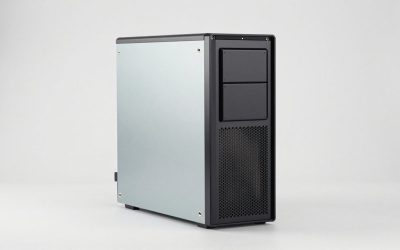
A dual-chamber case splits the main compartment in two — motherboard and GPU in one side, PSU and cable routing in the other — so your build stays visually clean while airflow doesn’t have to fight through a mess of cables. It’s become one of the most common case layouts for new builds. We pulled 12 real dual-chamber cases currently sold on Amazon across two searches, from a $49.99 budget option to a $393.99 flagship with a built-in touchscreen.
Compare at a Glance
| Case | Price | Fans Included | Radiator Support |
|---|---|---|---|
| AeroCool P300C | $49.99 | 3 | 360mm |
| NZXT H6 Flow | $79.99 | 3 | — |
| HYXN H2 | $79.99 | 8 | 420mm |
| Fractal Design Pop 2 Vision | $84.99 | — | — |
| KEDIERS | $94.99 | 8 ARGB | — |
| Antec C8 | $99.97 | 0 | 360mm |
| darkFlash C280 | $109.99 | 4 PWM | 420mm |
| Antec C8 Wood | $119.99 | 0 | 360mm |
| NZXT H9 Flow | $119.99 | 4 | 420mm |
| Antec C8 ARGB | $149.99 | 3 ARGB | 360mm |
| NZXT H9 Flow RGB+ | $249.99 | 7 RGB | 420mm |
| HYTE Y70 Touch Infinite | $393.99 | 10-fan capacity | — |
Quick List
- NZXT H9 Flow RGB+ ($249.99) — Best Overall — flagship airflow, 7 RGB fans, Control Hub pre-installed.
- AeroCool P300C ($49.99) — Best Budget Pick — cheapest real dual-chamber case here.
- HYXN H2 ($79.99) — Best Fan Value — 8 fans pre-installed at a budget price.
- Antec C8 ($99.97) — Best for Custom Fans — no fans included, biggest E-ATX chamber.
- darkFlash C280 ($109.99) — Best Mid-Range — 420mm radiator support, 4 PWM fans.
- HYTE Y70 Touch Infinite ($393.99) — Best Showpiece — integrated 2.5K LCD touchscreen.
See All Picks


Why Builders Moved to Dual-Chamber Layouts
Traditional single-chamber cases route PSU cables behind the motherboard tray, which still puts the power supply and its cabling in the same airflow path as the GPU and CPU cooler. A dual-chamber design moves the PSU (and often the radiator or extra fans) into a separate rear compartment entirely, so the main chamber’s intake air only has to cool the actual hot components. The tradeoff is dual-chamber cases are usually a bit deeper front-to-back than an equivalent single-chamber case.
How Much Fan Count Actually Matters
The HYXN H2 ships with 8 fans at $79.99 while the Antec C8 ships with zero at $99.97 — that’s not the Antec being worse, it’s betting you’ll buy your own fans and put the budget into chamber size and GPU/radiator clearance instead. The Fractal Design Pop 2 Vision takes the same no-fan approach, betting on its panoramic glass design and brand reputation instead. If you don’t already own spare fans, a case that includes several decent ones is the better value; if you’re reusing fans from an old build, a no-fan case lets you skip paying for fans you’ll replace anyway.
Technical Comparison Table
| Case | Form Factor | Front Panel | USB-C |
|---|---|---|---|
| NZXT H9 Flow RGB+ | ATX | Mesh/Glass | Yes |
| Antec C8 | E-ATX full-tower | Tempered glass | Yes |
| Antec C8 Wood | E-ATX full-tower | Wooden panel | Yes |
| Antec C8 ARGB | E-ATX full-tower | Tempered glass | Yes |
| darkFlash C280 | E-ATX | Vented/glass | — |
| HYXN H2 | ATX mid-tower | Mesh | Yes |
| HYTE Y70 Touch Infinite | ATX | LCD touchscreen | — |
How We Chose These
We ran a second search specifically for dual-chamber and E-ATX cases to broaden past our first pass, nearly doubling the real product count from 7 to 12. We kept both the standard and ARGB/wood variants of the Antec C8 since each is a meaningfully different purchase (fans, lighting, finish), but dropped one near-duplicate darkFlash C280 listing and a second HYXN H2 color variant that didn’t differ meaningfully from what’s already listed.
What to Look For
- Radiator support matters if you’re running AIO liquid cooling — check the specific mm rating against your cooler.
- Included fans vs. buying your own is a real budget tradeoff, not just a convenience question.
- E-ATX vs. ATX chamber size only matters if your motherboard is specifically E-ATX.
- Front panel material (mesh for airflow, glass for looks) affects both cooling performance and aesthetics.
Why Trust GamingPCGuru
All 12 cases here are live Amazon listings pulled through our own product pipeline. We specifically searched again for this category because dual-chamber cases are genuinely popular right now with many real SKUs across brands, and our first pass undersold how much real variety exists.
Questions
Is a dual-chamber case harder to build in?
Not really — motherboard installation is the same as any ATX case. The main difference is routing PSU cables through a dedicated pass-through into the second chamber, which most dual-chamber cases are specifically designed to make easy.
Do dual-chamber cases fit standard ATX motherboards and PSUs?
Yes, all the cases here take standard ATX (or E-ATX, on several options) motherboards and standard ATX power supplies. Dual-chamber refers to the internal layout, not a nonstandard component form factor.
Is the HYTE Y70’s touchscreen actually useful?
It’s primarily decorative/monitoring (system stats, custom art, fan curves) rather than a functional display you’ll use daily — treat it as a styling feature you’re paying a premium for.
Update History
Published October 2026, expanded from an initial 7-case pass to 12 across two searches.
Sources and Verification
Product specifications, pricing and availability sourced directly from live Amazon product listings as of October 2026 via this site’s own product data pipeline.