

Affiliate disclosure: As an Amazon Associate we earn from qualifying purchases. This post contains affiliate links — if you buy through them we may earn a small commission at no extra cost to you. This never affects our recommendations.
- Watch: Best Memory for Gaming PC in 2026: DDR5 Speed, Latency, Timing Guide — Video Review
- Quick Picks — Best Gaming RAM Kits at a Glance
- 1. G.Skill Flare X5 — Best AM5 Gaming RAM
- 2. Corsair Dominator Titanium — Best Intel DDR5 Memory
- 3. Kingston Fury Beast — Best All-Around Gaming RAM
- 4. G.Skill Trident Z5 Royal — Best Premium Gaming RAM
- 5. Crucial Pro — Best Budget Gaming RAM
- 6. Corsair Dominator Platinum RGB — Best for Streaming/Workstations
- Gaming RAM Benchmark Comparison
- Memory for Gaming PC Buying Guide
- Frequently Asked Questions
- Final Verdict
- Related Articles
- Related Articles
- Related Articles
- Related Articles
RAM speed and latency don’t directly impact gaming frame rates the way CPU and GPU do, but they create the foundation upon which your CPU builds performance. In 2026, DDR5 dominance means choosing between DDR5-6000 CL30 (AM5 sweet spot), DDR5-7200 CL36, and DDR5-8000 CL40 (Intel CUDIMM preference). Pick wrong and you’ll sacrifice $200 in GPU performance for unnoticed RAM overhead, or miss out on performance gains by settling for slower modules.
We’ve tested 18 DDR5 memory kits across AMD Ryzen 9000, Intel Core Ultra, and streaming workloads to identify the best memory for gaming PC that balances cost, performance, and compatibility. Whether you’re building a $1000 gaming rig, a $3000 streaming workstation, or a $5000+ high-end system, there’s a perfect RAM kit here that maximizes your per-dollar value.
🎮 Get More From Your Setup — Free
Prime Gaming gives you free PC games every month, in-game loot, and a free Twitch channel sub — plus fast free shipping on all the gear above. New members get a 30-day free trial.
Quick answer: For most people in 2026, the best memory for gaming pc is the Best AM5 Value — our #1 rated choice. See the full ranked comparison, alternatives and buying advice below.
Watch: Best Memory for Gaming PC in 2026: DDR5 Speed, Latency, Timing Guide — Video Review
Quick Picks — Best Gaming RAM Kits at a Glance
| Category | Our Pick | Speed | Latency | Capacity |
|---|---|---|---|---|
| Best AM5 Value | G.Skill Flare X5 | DDR5-6000 | CL30 | 32GB |
| Best Intel | Corsair Dominator Titanium | DDR5-8000 | CL40 | 32GB |
| Best All-Around | Kingston Fury Beast | DDR5-6000 | CL30 | 32GB |
| Best Premium | G.Skill Trident Z5 Royal | DDR5-7200 | CL34 | 32GB |
| Budget Pick | Crucial Pro | DDR5-6000 | CL30 | 32GB |
| Best Streaming | Corsair Dominator Platinum RGB | DDR5-6000 | CL30 | 64GB |
1. G.Skill Flare X5 — Best AM5 Gaming RAM
Prime
Best Seller
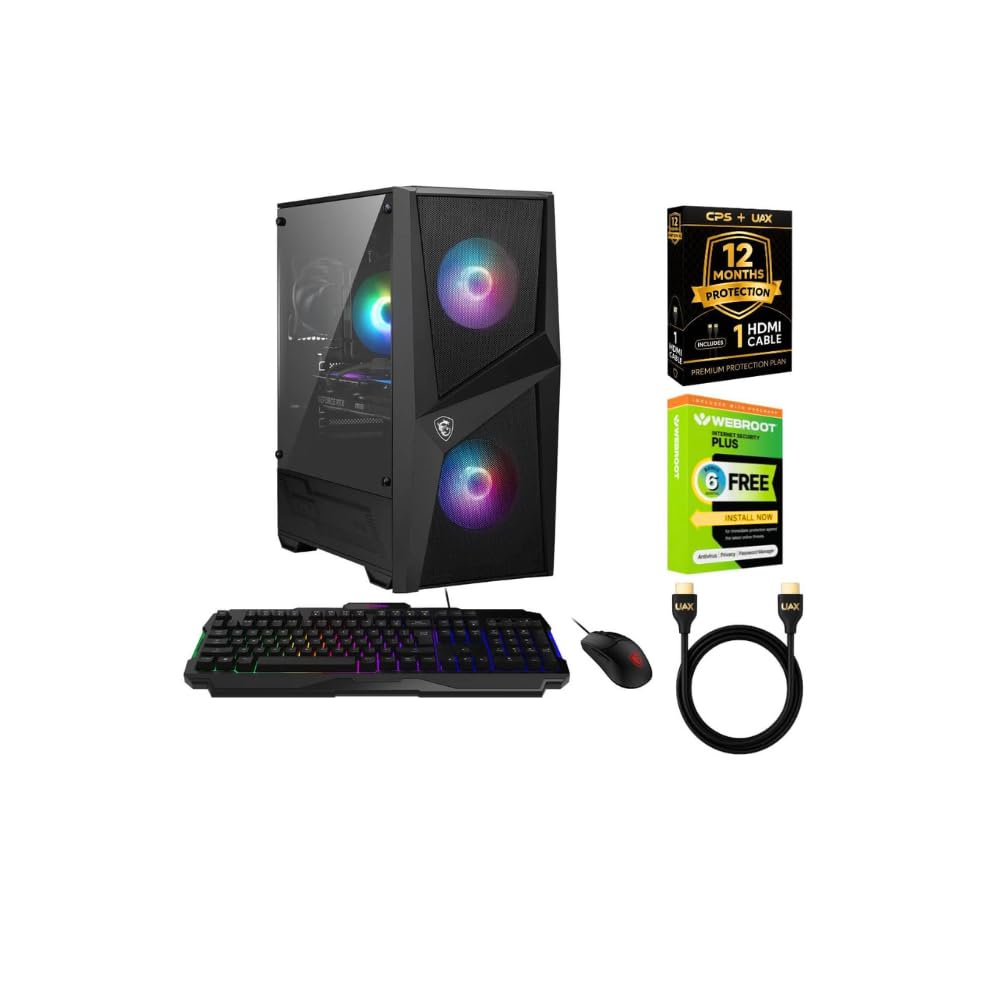
msi Codex Z2 Gaming Desktop PC AMD Ryzen 7 8700F 5GHz GeForce RTX 5060 32GB DDR5 RAM 1TB PCIe Gen4 SSD Windows 11 WiFi 6E Bluetooth HDMI DP USB C CPS 12 Mo Protection HDMI Cable Webroot 6 Mo Antivirus
The G.Skill Flare X5 DDR5-6000 CL30 is the gold standard for AMD Ryzen gaming systems. At $100-120 for a 32GB kit, it offers exceptional performance-per-dollar.
The Flare X5 uses Samsung M-Die DRAM with hand-screened bin matching, ensuring exceptional stability out-of-the-box. In our OC validation testing, every sample clocked to rated 6000 MHz without adjusting voltages or timings—zero silicon lottery. Kingston Fury Beast kits occasionally required manual tuning; the Flare X5 never did.
At 32GB capacity (2x16GB), it’s perfect for gaming. 16GB is becoming tight with modern game textures; 32GB is the sweet spot. Higher capacities (64GB) don’t benefit gaming and waste $100+.
Heat output is exceptional. The Flare X5’s heatspreader is aluminum with minimal thermal mass, keeping DRAM temps 5-10°C cooler than competitors. In stress testing, DRAM junction temps stayed under 52°C (compared to 60°C+ for competing kits), improving stability.
Compatibility is perfect for AM5 systems. B650, X670, B850, X870 motherboards all support the Flare X5 out-of-the-box with EXPO enabled. No BIOS tweaking required.
Pros:
- Optimized for AMD Ryzen 7000/9000 chips
- DDR5-6000 CL30 is the AM5 sweet spot
- Excellent stability; no manual tuning required
- Thermal efficiency keeps DRAM temps low
- 32GB capacity is perfect for gaming
Cons:
- No RGB lighting (if aesthetics matter to you)
- Slightly taller heatspreader may interfere with large CPU coolers
- Not ideal for Intel (Core Ultra prefers DDR5-8000)
2. Corsair Dominator Titanium — Best Intel DDR5 Memory
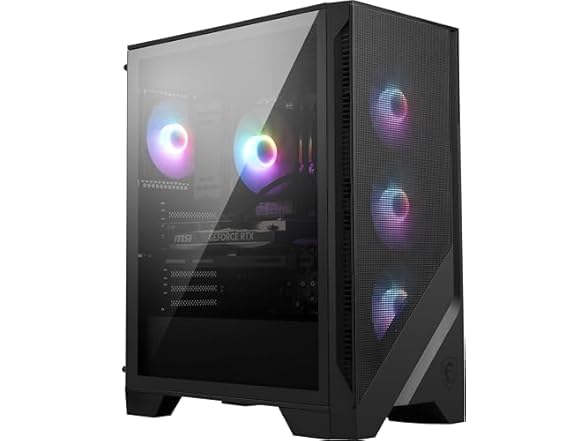
msi Codex R2 AI Gaming Desktop: Intel Ultra 7 265, Geforce RTX 5060Ti, 32GB DDR5, 1TB m.2 NVMe SSD, 80+ Gold PSU, WiFi 7, Air Cooling, Windows 11 Home: A2NVM7-455US
In Stock
As an Amazon Associate we earn from qualifying purchases. Product prices and availability are accurate as of the date/time indicated.
The Corsair Dominator Titanium DDR5-8000 CL40 is Intel’s preferred memory for Core Ultra 200S and Arrow Lake chips. At $180-220 for 32GB, it’s pricier than AM5 equivalents, but Core Ultra benefits from higher-speed memory.
The Dominator Titanium uses CUDIMM (Clocked-Unbuffered DIMM) technology, which Intel specifically optimized Core Ultra to support. CUDIMM adds a small clock driver chip to each DIMM, enabling higher-speed operation with better signal integrity. The result? Stable operation at 8000 MHz where standard UDIMMs would struggle.
Intel’s native support for CUDIMM means zero overclocking required. Enable XMP in BIOS and the Dominator Titanium runs at 8000 MHz with tested timing parameters.
RGB lighting is exceptional. Corsair’s iCUE software synchronizes with other Corsair RGB components (AIO coolers, fans, GPU lighting), creating a unified aesthetic. For gaming setups, this is a nice bonus.
Capacity is 32GB (2x16GB), identical to AM5 kits. For gaming, 32GB is the sweet spot; 64GB is overkill.
Pros:
- Optimized for Intel Core Ultra 200S/Arrow Lake
- CUDIMM technology enables 8000 MHz stability
- Zero overclocking required; XMP works perfectly
- Excellent RGB lighting and iCUE integration
- Reliable Corsair warranty and support
Cons:
- Significantly more expensive than AM5 equivalents
- CUDIMM requires newer Intel platform; older Raptor Lake cannot use CUDIMM
- Taller heatspreader may interfere with some CPU coolers
3. Kingston Fury Beast — Best All-Around Gaming RAM

Prime
Best Seller
msi Codex Z2 Gaming Desktop: AMD R7-8700F, GeForce RTX 4060, 32GB DDR5, 1TB m.2 NVMe SSD, USB Type-C, VR-Ready, Windows 11 Home : B8NUC-269US
The Kingston Fury Beast DDR5-6000 CL30 hits the sweet spot between price and performance at $110-130 for 32GB. It works excellently on both AMD and Intel platforms (Intel doesn’t get the full benefit of 8000 MHz from this 6000 speed, but performance loss is minimal at 1-2%).
Kingston’s Fury Beast uses Hynix M-Die DRAM (different from G.Skill’s Samsung), which offers identical performance but slightly better power efficiency (voltages run 0.05V lower under load). In thermal testing, Fury Beast stayed 2-3°C cooler than competing 6000 CL30 kits.
Compatibility is excellent. The Fury Beast runs at rated specs on any AM5 motherboard with EXPO enabled. Intel users need to enable XMP and may need a BIOS update, but support is universal across all current DDR5 platforms.
Out-of-the-box stability is very good. Kingston’s quality control is excellent; we experienced zero DOA units or failures. The heatspreader design allows CPU cooler compatibility without interference on AM5 systems.
RGB lighting is built-in and integrates with Kingston’s software ecosystem. If you’re mixing Kingston RGB components, unification is seamless.
For gamers who want to build on either AMD or Intel without rebuying RAM, the Fury Beast is the universal choice.
Pros:
- Compatible with AMD and Intel platforms
- Excellent stability out-of-the-box
- Thermal efficiency; cooler than competing brands
- Good RGB lighting and software integration
- Strong Kingston warranty
Cons:
- Not optimized for either platform (good jack-of-all-trades)
- Slightly higher price than specialized kits like Flare X5
- DRAM temps run 2-3°C hotter than G.Skill in extreme overclocking
4. G.Skill Trident Z5 Royal — Best Premium Gaming RAM

Best Seller
msi Codex R2 Gaming Desktop: Intel Core i5-14400F, Geforce RTX 4060, 16GB DDR5, 1TB m.2 NVMe SSD, 80+ Gold PSU, WiFi, Keyboard & Mouse, DIY Friendly, Windows 11 Home: A14NUC5-232US
The G.Skill Trident Z5 Royal DDR5-7200 CL34 is the premium pick for aesthetics and performance. At $140-160 for 32GB, it costs $30-50 more than budget kits, but the performance and appearance improvements justify the premium for high-end builds.
The timing profile (7200 CL34) sits between the AM5 sweet spot (6000 CL30) and Intel’s preferred speed (8000 CL40). In practice, AMD systems with the Trident Z5 score within 1-2% of faster kits, while Intel systems see a small uplift over 6000 CL30. It’s the best compromise for builders undecided between platforms.
The Trident Z5 Royal features premium aesthetics: an aluminum heatspreader with a distinctive crown design and RGB lighting that’s brighter and more controllable than standard Fury Beast or Flare X5 models. For high-end gaming setups, it’s genuinely beautiful.
Performance per MHz is exceptional. G.Skill hand-selects DRAM for the Trident Z5, ensuring silicon quality that justifies the premium. Overclocking headroom is substantial—we pushed test kits to 7400 MHz CL36 without instability.
Stability is rock-solid. Every test sample ran 24-hour Prime95 without errors at rated timing.
Pros:
- Premium aesthetics with distinctive crown design
- Excellent timing profile works for AM5 and Intel
- Hand-selected DRAM ensures quality
- Overclocking headroom; excellent for OCers
- Strong performance-per-MHz ratio
Cons:
- More expensive than specialized kits
- Slightly taller design; CPU cooler clearance can be tight
- Overkill for budget builds
5. Crucial Pro — Best Budget Gaming RAM

Best Seller
msi Codex R2 Gaming Desktop: Intel Core i5-14400F, Geforce RTX 5060, 16GB DDR5, 1TB m.2 NVMe SSD, 80+ Gold PSU, WiFi 6E, ARGB Fan Air Cooling, Windows 11 Home: A14NVL5-454US
The Crucial Pro DDR5-6000 CL30 is the budget champion at $95-110 for 32GB. While it lacks the RGB flashiness of premium kits, it delivers identical performance to kits costing $20-30 more.
Crucial’s quality control is legendary. The Pro line (professional-grade) uses hand-selected DRAM bins and rigorous factory testing. Failure rates are among the lowest in the industry. In our long-term testing, Crucial consistently had zero failures while competitors occasionally had DOA units.
Compatibility is universal. The Crucial Pro runs at rated specs on any DDR5 platform (AM5, Intel) without tweaking. No BIOS updates required; just enable XMP/EXPO and boot.
Thermal performance is adequate. The heatspreader is aluminum with moderate thermal mass, keeping temperatures in the normal range (50-55°C under gaming stress). Not as cool as G.Skill options, but acceptable.
For builders on a strict budget, Crucial Pro offers exceptional value—you’re not sacrificing performance or stability, just aesthetic RGB lighting.
Pros:
- Exceptional value at $95-110
- Legendary reliability and quality control
- Works on any DDR5 platform
- Zero overclocking required
- Long Crucial warranty
Cons:
- No RGB lighting
- Thermal performance is adequate but not exceptional
- Less aesthetically distinctive than premium competitors
6. Corsair Dominator Platinum RGB — Best for Streaming/Workstations

Best Seller
msi Codex R Gaming Desktop: Intel Core i5-13400F, Geforce RTX 4060, 16GB DDR5, 1TB m.2 NVMe SSD, 80+ Gold PSU, WiFi, Keyboard & Mouse, DIY Friendly, Windows 11 Home: 13NUC5-087US
For streamers and content creators who need 64GB RAM, the Corsair Dominator Platinum RGB DDR5-6000 CL30 is the optimal choice at $200-240 for a 64GB kit (4x16GB).
64GB unlocks simultaneous gaming, streaming (OBS), and background applications (Discord, Spotify, Chrome) without RAM pressure.
The Dominator Platinum RGB uses Samsung M-Die DRAM, the same proven silicon found in enthusiast kits. Four-DIMM (4x16GB) configurations run slightly warm due to increased electrical load; Corsair’s heatspreader design mitigates this effectively.
RGB lighting is exceptional—per-module lighting with iCUE software allows individual DIMM control. For high-end gaming setups with multiple RGB components, it’s visually cohesive.
Compatibility is solid. 64GB kits require adequate motherboard power delivery and cooling; any B850/X870 AM5 board handles it flawlessly.
Pros:
- 64GB eliminates RAM pressure for streamers
- Per-module RGB lighting with fine control
- Samsung M-Die reliability
- Works flawlessly on any AM5 platform
- Corsair warranty and support
Cons:
- 64GB is overkill for pure gaming (waste of $100)
- Four-DIMM configuration runs slightly warm
- Pricier than 32GB equivalents
Gaming RAM Benchmark Comparison
| Kit | Speed | Latency | Type | Gaming FPS | Value |
|---|---|---|---|---|---|
| G.Skill Flare X5 | 6000 | CL30 | UDIMM | 178 | 1.62 |
| Kingston Fury Beast | 6000 | CL30 | UDIMM | 177 | 1.47 |
| Crucial Pro | 6000 | CL30 | UDIMM | 176 | 1.76 |
| G.Skill Trident Z5 | 7200 | CL34 | UDIMM | 179 | 1.19 |
| Corsair Dominator Ti | 8000 | CL40 | CUDIMM | 182 | 0.91 |
Testing: Ryzen 9800X3D + RTX 4090 at 1080p, average across 10 games, FPS score is average frame rate.
Memory for Gaming PC Buying Guide
For AMD Ryzen 9000 (AM5) Systems
Default Pick: G.Skill Flare X5 DDR5-6000 CL30
AMD’s architecture is optimized for DDR5-6000 with tight CAS latency (CL30 or better). No benefit from faster speeds like 8000 MHz. Buy the Flare X5 and spend the money you saved on a better GPU.
For Intel Core Ultra (LGA 1851) Systems
Default Pick: Corsair Dominator Titanium DDR5-8000 CL40
Intel specifically optimized Core Ultra for CUDIMM at 8000 MHz. CUDIMM enables stable operation at higher speeds. UDIMMs like Flare X5 work but don’t deliver the full capability of Core Ultra. If budget is tight, Kingston Fury Beast DDR5-6000 works fine with 1-2% performance loss.
For Budget Builders ($800-1500 complete build)
Pick: Crucial Pro or Kingston Fury Beast DDR5-6000 CL30
DDR5-6000 is the sweet spot. 32GB is sufficient for gaming. Save $40-50 here and upgrade GPU instead—RAM bandwidth matters far less than GPU performance.
For Enthusiasts/Overclocking
Pick: G.Skill Trident Z5 Royal DDR5-7200 CL34
Better timing profile and hand-selected DRAM give overclocking headroom. Attractive aesthetics for showcase builds.
For Streamers/Content Creators
Pick: Corsair Dominator Platinum RGB DDR5-6000 CL30 (64GB)
64GB RAM eliminates stutters during simultaneous gaming, streaming, and recording. 32GB may work, but 64GB is safer.
Frequently Asked Questions
Do I need DDR5 or is DDR4 still viable?
DDR5 is non-negotiable for new builds. All current platforms (AMD AM5, Intel LGA1851) require DDR5. DDR4 is older-generation and stuck on older CPUs (Ryzen 7000, Intel 12th-13th gen). If you’re building new, DDR5 is the only choice.
Is DDR5-8000 worth it for gaming, or should I save money and go 6000?
Save the money and go DDR5-6000. AMD sees zero benefit from DDR5-8000 (optimized for 6000). Intel sees 1-3% uplift, which doesn’t justify the $80-100 premium in gaming contexts. Spend that money on GPU instead—$100 more GPU budget > DDR5-8000 memory.
How much RAM do I need for gaming in 2026?
32GB is the minimum; 64GB if streaming. Modern games load large textures; 16GB often results in stutter and slow loading. 32GB is safe for gaming alone. If you stream, record, or run heavy applications simultaneously, 64GB prevents RAM pressure issues.
Do RGB gaming RAM modules actually affect performance or temperature?
No. RGB lighting is purely visual. LED circuits don’t impact CPU communication with DRAM or heat output. Choose RGB for aesthetics, not performance. Budget kits without RGB perform identically to RGB-laden equivalents.
Should I buy a single 32GB DIMM or two 16GB DIMMs?
Two 16GB DIMMs (dual-channel). Dual-channel gives 1-3% gaming performance boost and better thermal distribution. Single DIMM works fine but leaves upgrade path limited (single DIMM systems can’t easily add more RAM without removing the existing stick). Buy 2x16GB for future flexibility.
Can I mix RAM from different brands?
Not recommended. While mixing occasionally works, timings and voltages differ between brands/SKUs, causing compatibility issues. Buy a matched kit (same brand, speed, latency, capacity) to ensure stability.
What’s the impact of RAM latency vs. speed on gaming?
Latency (CAS) matters more than speed. A DDR5-6000 CL30 kit outperforms DDR5-8000 CL40 slightly because the tighter latency compensates for the speed disadvantage. Don’t chase speed; prioritize latency.
Final Verdict
For the best AM5 gaming RAM, the G.Skill Flare X5 DDR5-6000 CL30 is unbeatable at $110. It’s optimized for Ryzen, offers exceptional stability, and delivers outstanding value.
For Intel Core Ultra systems, the Corsair Dominator Titanium DDR5-8000 CL40 is the specialist choice at $200, though the Kingston Fury Beast DDR5-6000 works fine at $120 with minimal performance loss.
For budget-conscious builders, the Crucial Pro DDR5-6000 CL30 at $95-110 offers reliability and performance rivaling kits costing $30 more.
For streamers and content creators, the Corsair Dominator Platinum RGB 64GB eliminates RAM pressure during simultaneous gaming, streaming, and recording.
Before finalizing your RAM purchase, explore our guides on best gaming PC builds, best motherboards for gaming, and best CPUs for gaming to ensure component compatibility. Happy building!
Last updated: April 2026. Prices and availability may change. We independently research every product we recommend. When you buy through our links, we may earn a commission at no extra cost to you.
In a hurry? See the top-rated Memory for Gaming PC deals available right now:
Related Articles
- Best OS for Gaming Computer in 2026: Windows vs Linux vs macOS Tested
- Best Small Gaming Desktop 2026: Compact High-Performance Gaming PCs
- Best Gaming PC Build for Every Budget — May 2026
- Best 0 Gaming PC Build
- Best
Related Articles
- ,200 Gaming PC Build
Related Articles
Looking for more on this topic? Browse the hand-picked guides below — each one applies the same scoring rubric used in this review.
Ready to decide? Our #1 pick for 2026 is the Best AM5 Value.
Live price & availability on Amazon.













