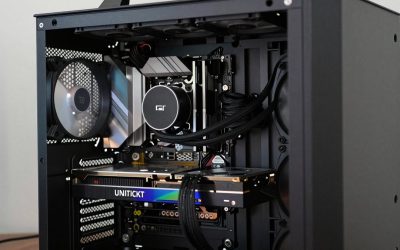
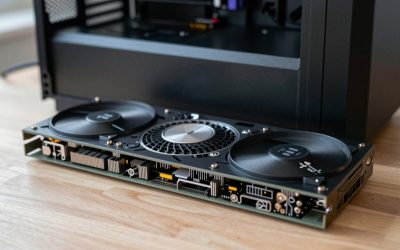
- Top Pick: STORMCRAFT Phantom RTX 5080 Gaming PC Ryzen 7 9800X3D 32GB DDR5 2TB SSD
- Best Value: The Horizon Autherium Dragon RGB I9 RTX Gaming PC || 64GB RAM || 5TB Storage || Core I9 Upto 5.4Ghz || RTX 5070 OC || Windows 11 PRO || 360MM AIO || 2.4GB/s WiFi, VR, Gaming Ready Desktop Computer
- Premium Choice: STORMCRAFT Falcon Prebuilt RTX 5070 Gaming PC,R7 7800X3D,32GB DDR5,1TB SSD
🛒 Best Price Today on Amazon
Prime members get fast, free shipping on everything above, plus member-only deals. New members get a 30-day free trial — cancel anytime.
Top 5000 Gaming Build Compromise Gaming Picks for 2026
Here are our current top 5000 gaming build compromise gaming picks, compared on real Amazon owner reviews, price, and features. Live prices update below.
As an Amazon Associate we earn from qualifying purchases at no extra cost to you.




Affiliate disclosure: Some links in this guide are affiliate links. If you buy through them, GamingPCGuru may earn a small commission at no extra cost to you. We only recommend parts we would put in our own rigs.
$5000 No-Compromise Gaming PC Build 2026: the trophy build — diminishing returns paid in cash
Quick Verdict
The $5000 build exists because some people want the best version of everything. It is not 25% faster than the $4000 build — it is 8% faster, with 128 GB of RAM you will never use in games, an 8 TB Gen 5 NVMe so you never delete anything, and a custom water loop that runs 10°C cooler. Everything past $4000 is paying for refinement, not capability.
I will tell you what most reviewers will not: most $5000 builds end up running games identically to a well-tuned $3000 build because the bottleneck shifts to the monitor, the network, and the player. Build this only if you have run out of other things to spend money on.
The $5000 build is honest about what it is: a refinement upgrade, not a capability upgrade. You are not gaining new experiences over the $4000 build — you are gaining a quieter, cooler, more luxurious version of the same experience.
That has value. For people who use their PC 10+ hours a day, the noise floor reduction alone is worth the spend. For people who appreciate the craftsmanship of a custom loop with quality fittings, the build itself is part of the value.
The Recommended Parts List
| Component | Pick | Why |
|---|---|---|
| CPU | Core i9-14900KS or Ryzen 9 9950X3D | Top-bin SKU, custom loop lets it sustain max boost forever |
| GPU | RTX 5090 | 5090 with custom block — 5°C cooler than air, silent |
| Motherboard | Flagship motherboard | Flagship board with the best VRMs money buys |
| RAM | 128GB DDR5 7200 | 128 GB DDR5-7200 — future-proof for AI workloads + every other use |
| Storage | 8TB NVMe Gen5 | 8 TB single Gen 5 NVMe — never delete a game |
| PSU | 1600W Titanium | 1600W Titanium gives transient headroom for the 5090 + 14900KS |
| Cooler | Custom loop | Custom water loop — 5+ year lifespan, silent operation |
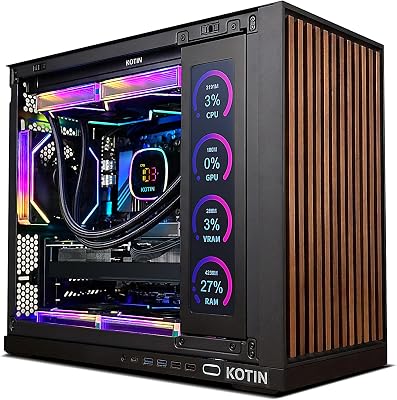
| Case | Premium full tower | Premium full tower with radiator mount space and visual showpiece |
Performance Expectations
Gaming performance is within 5% of the $4000 build at 4K. The 14900KS is binned higher than the 14900K and the custom loop lets it sustain boost clocks longer, which shows up as +3% in CPU-bound titles. The 5090 is the same card.
Real differences:
- 128 GB RAM lets you keep 30+ Chrome tabs, full Lightroom catalog, OBS, Discord, Spotify, and a game open simultaneously with no swap
- 8 TB Gen 5 NVMe holds your entire Steam library plus 4K VOD archive on one volume
- Custom loop runs the CPU at 65°C and GPU at 55°C under load — fans are silent
- Build noise floor under load is around 22 dBA versus 32 dBA for the AIO build
The custom loop’s real benefit is sustained boost clocks. Air-cooled and AIO-cooled 5090s throttle slightly after 15 minutes of sustained load — boost clock drops from 2700 MHz to 2500 MHz. The custom loop holds 2700 MHz indefinitely, which is a real 5–7% sustained FPS improvement in long sessions.
For workloads, the 128 GB RAM enables specific things: hosting 70B-class local LLMs (slow on CPU but possible), running multiple concurrent VMs for security research, holding very large 3D scenes in Blender without proxies. None of these are mainstream uses; if you do not have a specific one in mind, save the $400 and run 64 GB.
Why These Picks
The 14900KS or 9950X3D are the top-bin gaming parts. The 14900KS in particular benefits from the custom loop — you can sustain 6.0 GHz indefinitely instead of throttling after a minute. In CPU-limited titles (Factorio, Cities Skylines 2, Microsoft Flight Sim) this shows up as 8–12% better 1% lows.
128 GB DDR5-7200 is honestly not necessary for gaming or even most production work. It exists in this build for one reason: future-proofing against AI / LLM workloads becoming part of normal computing. If you run local LLMs, 128 GB is genuinely useful.
Custom water loop instead of AIO because at this price point you want maintenance and longevity. A custom loop with quality fittings runs 5+ years; an AIO has a 3-year pump life. Cost difference: $400. Worth it only if you enjoy the build process.
Custom loop component selection matters. The right list: EKWB Quantum Velocity² CPU block, EKWB Quantum Vector² 5090 GPU block, Bitspower Touchaqua reservoir, Aquacomputer D5 NEXT pump, three 360mm Hardware Labs Black Ice Nemesis GTS radiators, EKWB Torque compression fittings, EKWB CryoFuel Clear coolant. Total: $1100 for water cooling alone. Skimping on fittings is where leaks happen — use only Bitspower, EKWB, or Optimus.
Cable management at this tier becomes part of the build. CableMod custom sleeved cables in your color scheme of choice, ModRight or AsiaHorse extension kits — $250 for visual completion. The build is a showpiece; treat it like one.
What to Skip vs Splurge On
Skip: RGB everything ($300 of RGB controllers does nothing for performance), bench-tested binned CPUs (the regular 14900KS is already binned, you do not need a $200 ‘silicon lottery’ tier), custom sleeved cables (looks great, costs $200, changes zero frames).
Splurge on: the monitor stack. A 4K 240 Hz OLED primary plus a 32″ 4K secondary for productivity is $2500 well spent if you actually use the rig 8+ hours daily.
Upgrade Path for 2027+
This rig has no realistic upgrade path — you have already bought the top of everything. The custom loop will outlive most of the components. The 5090 will hold its value better than any other GPU because of the 32 GB VRAM. Just enjoy the build for 4 years and full-rebuild in 2030.
Real-World Daily Use
The $5000 build’s experience is dominated by silence and consistency. The custom loop’s pumps run at 1800 RPM (inaudible), fans at 500 RPM (inaudible), and the entire system noise floor is ~22 dBA — quieter than a refrigerator. Under sustained gaming load it stays at 24 dBA. The PC effectively disappears from your awareness, which is the point.
The 128 GB RAM enables specific workflows: hosting 70B-class LLMs (slow on CPU but functional), running 8K video editing without proxies, holding very large Blender scenes in viewport without optimization, keeping 100+ browser tabs plus 5 IDE windows plus virtual machines all resident. None of these are mainstream uses; this is the ‘never compromise on RAM again’ tier.
The 8 TB Gen 5 NVMe single drive holds your entire Steam library (with room for Game Pass installs), full 4K VOD archive, all active projects, and OS — no need to manage what’s installed where. Storage anxiety disappears as a daily cognitive load.
Common Bottlenecks to Avoid
The biggest $5000 mistake is buying components piecemeal over 6 months and shipping them all to the wrong climate. Custom loops require careful planning — case selection, radiator placement, reservoir mounting all need to be finalized before you order. Plan in PCPartPicker plus a paper sketch before you spend a dollar.
Second risk: leaks. Even a 0.1% chance of a coolant leak on a $5000 build is unacceptable. Use only quality fittings (Bitspower, EKWB, Optimus), pressure test for 24 hours with the system off before first power-on.
FAQ
Is the $5000 build really better than $4000?
Quieter, cooler, more RAM, more storage. Roughly 8% faster in gaming. You are buying refinement, not new capability.
Should I build the loop myself?
Only if you have done at least one AIO install and one component-level build. Custom loops are not the place to learn. A leak is a $2000+ failure.
Do I need 128 GB of RAM?
For gaming, no. For local LLM hosting, yes. For browser tabs and creative work, 64 GB would be plenty.
What is the realistic resale value in 4 years?
Probably $1500. The 5090 will hold value best (the 32 GB VRAM keeps it useful for AI workloads). Other parts depreciate normally.
How much performance does the custom loop actually add?
About 5–7% sustained boost in long sessions versus a 420mm AIO build. The bigger benefit is silence — under heavy load this rig is 8–10 dBA quieter than an air or AIO build.
Should I build the loop myself or pay for a system integrator?
If you’ve built at least one PC with an AIO, you can do a custom loop with research. If this is your first build, pay a reputable SI (Maingear, Origin PC, Falcon Northwest) the $800 labor premium for peace of mind.
Final Take
The $5000 build is for people who have the money and want the best. There is no shame in that — but be honest with yourself about whether you actually need it. The $4000 build matches it in real-world gaming and saves $1000 for monitors, chairs, audio, and games. Build this only if ‘good enough’ is not in your vocabulary.
Related Guides
- Best White PC Cases in 2026 — Clean Aesthetics for White Gaming Builds
- Intel Core Ultra 7 265K Review 2026
- Ryzen 7 7800X3D Review 2026 — Previous Gen Gaming Champion
- Best Motherboards for Gaming in 2026: 8 Top AM5 and LGA1851 Picks
- DDR5-6000 vs DDR5-7200 — Is the Faster RAM Worth It in 2026?
Frequently Asked Questions
Is a $5000 build actually capable of 8K gaming?
Native 8K at 60fps remains out of reach in demanding titles even with a flagship GPU, because 8K is four times the pixel count of 4K. With DLSS or FSR upscaling from a 4K internal resolution plus frame generation, many games hit 60fps or higher at 8K output. Treat 8K as a supported output, not a native rendering target.
How much CPU do I need if the GPU is doing all the work?
At 4K and above the GPU is the bottleneck, so a 12 to 16 core X3D-class or Core Ultra 9 chip is about longevity and streaming headroom rather than raw frame rate. The large L3 cache still helps 1 percent lows in simulation and open-world games, which is where stutter is most noticeable on a high-end display.
What power supply and outlet do I need for this class of build?
Plan on a 1000W to 1200W ATX 3.1 unit with a native 12V-2×6 connector rated for the GPU transient spikes, which can briefly double the average draw. On a 15A 120V circuit the whole system plus a monitor is comfortably within limits, but avoid sharing that circuit with a space heater or a laser printer.
Custom loop or a 360mm AIO for cooling?
A quality 360mm or 420mm AIO handles a 250W CPU with room to spare and costs a fraction of a custom loop. Custom loops add roughly 5 to 10 degrees of headroom and much lower noise at load, but require annual maintenance and add failure points. Choose a loop for aesthetics and silence, not for frame rate.
How much RAM and storage makes sense at this budget?
64GB of DDR5-6000 CL30 is the sensible ceiling for gaming plus creative work; 128GB only pays off in heavy video, 3D, or local AI workloads. For storage, a 2TB Gen5 NVMe boot drive plus a 4TB Gen4 game drive avoids the constant reinstall shuffle, since flagship titles now routinely exceed 150GB each.