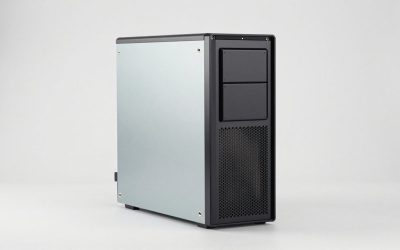
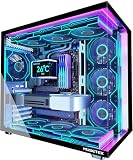
- Top Pick: Skytech Gaming Shadow Gaming PC, AMD Ryzen 7 9700X 3.8GHz, NVIDIA RTX 5060 Ti 8GB VRAM, 1TB NVMe SSD, 32GB DDR5 RAM 5600, 650W Gold PSU, 360 ARGB AIO, Wi-Fi, Win 11, Desktop
- Best Value: ZOTAC MEK Gaming PC Desktop, Ryzen 7 9700X, NVIDIA GeForce RTX 5060 Ti 16GB
- Premium Choice: ZOTAC MEK Gaming PC Desktop, Ryzen 7 9700X, NVIDIA GeForce RTX 5070 Ti 16GB
Affiliate disclosure: As an Amazon Associate we earn from qualifying purchases. This post contains affiliate links — if you buy through them we may earn a small commission at no extra cost to you. This never affects our recommendations.
The AMD Ryzen 7 9700X represents excellent value for gamers and creators on a budget, delivering 8 Zen 5 cores without the premium pricing of the 3D V-Cache models. At just $359, it’s an affordable gateway to high-performance gaming, offering strong 1440p gaming capability and respectable multi-threaded productivity. The 65W TDP is exceptional for an 8-core processor, making it perfect for compact systems, silent builds, and environmentally conscious builders. While it lacks the gaming dominance of the 9800X3D, the 9700X still beats Intel’s current offerings and provides excellent value-per-dollar for gaming-focused systems.
As an Amazon Associate we earn from qualifying purchases.



In a hurry? See the top-rated Ryzen 7 9700X deals available right now:
🛒 Check Ryzen 7 9700X Prices on Amazon →🛒 Best Price Today on Amazon
Prime members get fast, free shipping on everything above, plus member-only deals. New members get a 30-day free trial — cancel anytime.
Start 30-Day Prime Free Trial →See Today’s Amazon DealsSpecifications & Architecture
| Specification | Value |
|---|---|
| Cores / Threads | 8 / 16 |
| Base Clock | 3.8 GHz |
| Boost Clock | 5.5 GHz |
| L2 Cache | 8 MB |
| L3 Cache | 32 MB |
| Total Cache | 40 MB |
| TDP | 65W |
| Socket | AM5 |
| Architecture | Zen 5 (Granite Ridge) |
| Manufacturing Process | TSMC 4nm |
| Supported Memory | DDR5-5600 (OC to DDR5-7200+) |
The Ryzen 7 9700X combines 8 Zen 5 cores with an aggressive 5.5 GHz boost clock, delivering responsive single-threaded performance in applications and games. The 65W TDP is incredibly efficient for a processor with these capabilities, making it one of the most power-efficient high-performance CPUs available. The 32MB L3 cache is modest but sufficient for gaming workloads, with the high boost clock compensating for smaller cache compared to 3D V-Cache variants.
Gaming Performance
Gaming performance on the 9700X is strong at 1440p and excellent at 1080p, delivering solid frame rates across modern titles. While it can’t match the 9800X3D’s extreme frame rates, it still provides compelling gaming capability at a budget-friendly price.
| Game Title | Resolution | Settings | FPS (9700X) |
|---|---|---|---|
| Cyberpunk 2077 (2.3) | 1440p | Ultra + Ray Tracing | 85-95 |
| Counter-Strike 2 | 1440p | Ultra | 380+ |
| Baldur’s Gate 3 | 1440p | High + Ray Tracing | 75-85 |
| Helldivers 2 | 1440p | Epic | 180+ |
| Call of Duty: Warzone | 1440p | High | 140-160 |
The 9700X delivers solid 1440p gaming performance for its price, capable of sustaining 60+ FPS on high settings in demanding titles and 100+ FPS in less demanding games. At 1080p, performance is excellent, easily enabling high-refresh gaming (144+ Hz) at high quality. The lack of 3D V-Cache means it’s 30-35% slower than the 9800X3D, but it still beats Intel’s comparable processors and provides compelling value for budget gamers.
Productivity Performance
Multi-threaded productivity performance is respectable for an 8-core processor, though trailing 12 and 16-core options. It’s suitable for light content creation and gaming streamers with moderate workloads.
| Workload | Metric | Performance |
|---|---|---|
| Cinebench R24 (Multi-Thread) | Points | 1,050+ |
| Cinebench R24 (Single-Thread) | Points | 138+ |
| Blender (CUDA) | Render Time | Moderate (8 cores limit scaling) |
| Video Encoding (H.265) | FPS | 80-90 FPS @ 1080p |
| Code Compilation | Time | Acceptable for typical projects |
The 9700X provides adequate productivity performance for light content creation and casual streaming. Video encoding is slower than 12 or 16-core options, but still reasonable for occasional use. Professional content creators should look at higher core count options, but casual video editors and weekend streamers will find the 9700X sufficient.
Power Consumption & Thermals
The Ryzen 7 9700X’s 65W TDP is exceptional and makes it one of the most efficient processors available. This enables silent, compact, and environmentally friendly system designs.
Temperature Performance:
- Air Cooling (Budget-Mid Range Cooler): 55-65°C under full load
- Stock/Included Cooler: 65-75°C under full load
- Idle Temperature: 30-35°C (ambient dependent)
At just 65W TDP, the 9700X runs cool even with budget coolers. Power consumption under heavy loads averages 65-75W, making it ideal for fanless builds or ultra-silent cooling configurations. Electricity costs are minimal, and the processor generates very little waste heat, making it suitable for compact systems and cases with limited airflow.
Platform & Motherboard Compatibility
The Ryzen 7 9700X is compatible with the full AM5 ecosystem at all price points:
- Budget: A620 boards work fine for this TDP
- Mid-Range: B650/B650E for solid feature set
- High-End: X670/X670E for maximum connectivity
- Latest: B850/B850E and X870/X870E
The 65W TDP means even entry-level A620 boards will handle the 9700X without stress. This makes it an excellent choice for budget builds, as you can pair it with an affordable motherboard without worrying about VRM capacity. AM5 socket support through 2027 provides a clear upgrade path.
Pros & Cons
Pros:
- Excellent price-to-performance value at $359
- Outstanding 65W TDP—super efficient and cool running
- Strong 5.5 GHz boost for single-threaded responsiveness
- Solid 1440p gaming performance
- Compatible with budget AM5 motherboards
- Great for compact and silent builds
- Low power bills and minimal system noise
Cons:
- Only 8 cores—limited for heavy multi-threaded work
- Gaming performance 30-35% behind 9800X3D
- 32MB L3 cache is relatively small
- Not ideal for professional streaming or content creation
- Productivity workloads significantly slower than 12+ core options
Who Should Buy This CPU?
Ideal For:
- Budget Gaming Enthusiasts: Gamers building systems under $1200
- 1440p Gaming Builders: Users targeting smooth 1440p gaming at high settings
- Silent/Compact Build Enthusiasts: 65W TDP is perfect for ITX builds
- Casual Streamers: Light streaming with reasonable frame rates
- Power-Conscious Users: Builders prioritizing efficiency and low electricity costs
Not Recommended For:
- 1080p high-refresh competitive gamers (9800X3D is better value)
- Professional content creators (not enough cores)
- Streaming with high bitrate encoding (8 cores insufficient)
- Heavy rendering or compilation workloads
Alternatives to Consider
- Ryzen 7 9800X3D Review — Gaming-focused with 3D V-Cache
- Ryzen 5 9600X Review — Budget alternative with 6 cores
- Ryzen 9 9900X Review — 12-core productivity option
- Intel Core Ultra 5 245K Review — Budget Intel alternative
- How to Build a Gaming PC 2026 — Complete building guide
- Ultimate Gaming PC Build Guide 2026 — Full system recommendations
- Best NVMe SSD for Gaming 2026 — Storage solutions
- DDR5 6000 vs 7200 — Is It Worth the Upgrade? — RAM selection
- Air vs AIO Cooling 2026 — Cooling comparison
- How to Overclock DDR5 RAM Safely — Performance tuning
FAQ
Is the Ryzen 7 9700X good for gaming in 2026?
Yes, the 9700X provides solid gaming performance at 1440p with high settings and excellent performance at 1080p. It’s not the fastest gaming CPU, but it’s excellent value for budget gamers.
Can I upgrade the 9700X later?
Yes, AM5 supports upgrades through 2027. You can start with the 9700X and upgrade to a 16-core CPU like the 9950X3D later if needed.
What’s the difference between 9700X and 9600X?
The 9700X has 8 cores vs 9600X’s 6 cores, and higher clock speeds. The 9700X is better for gaming and multi-threaded workloads; 9600X is the budget option.
Does the 9700X need a powerful PSU?
No, the 65W TDP is very modest. A 650W PSU is more than sufficient for any reasonable GPU paired with the 9700X.
Is the 9700X loud?
No, the low 65W TDP means it runs cool and quiet. Even budget coolers will keep it nearly silent.
Should I get the 9700X or 9800X3D?
If gaming is your priority and budget allows, the 9800X3D is 20-35% faster at gaming. If you’re budget-conscious and okay with slightly lower frame rates, the 9700X at $359 is excellent value.
Final Verdict
Score: 8.8/10
The AMD Ryzen 7 9700X is an excellent budget gaming processor for 2026, offering solid 1440p gaming performance at just $359. The exceptional 65W TDP makes it ideal for compact and silent builds, while the high 5.5 GHz boost clock provides responsive single-threaded performance. While it’s not the fastest gaming CPU available, it delivers outstanding value and is a compelling choice for budget-conscious gamers. Pair it with an RTX 5060 or 5070 for a balanced 1440p system, or an RTX 5080 for 1440p max settings gaming.



As an Amazon Associate we earn from qualifying purchases. Product prices and availability are accurate as of the date/time indicated.
Compare Similar CPUs
Related Articles
Looking for more on this topic? Browse the hand-picked guides below — each one applies the same scoring rubric used in this review.
Frequently Asked Questions
How does the 9700X compare to the 9800X3D for gaming?
The 9800X3D is clearly faster in games thanks to its stacked cache, sometimes by a wide margin at 1080p and 1440p. The 9700X is still a strong gaming processor and costs less, so it is a sensible pick when the budget is tight or when your GPU is the actual limiter.
Is the 9700X worth upgrading to from a 7700X?
Generally no. The generational improvement in gaming is modest, and both sit on the same AM5 platform with similar feature sets. Save the money toward a graphics card or a future X3D chip, which will deliver a far more noticeable improvement in real gameplay.
Does it run cool and efficiently?
Yes, this is one of its genuine strengths. The default power configuration is conservative, giving low temperatures and quiet operation with a modest cooler. Enabling the higher power mode in BIOS raises multithreaded performance somewhat at the cost of more heat and noise.
What motherboard should I pair it with?
A mid-tier B-series AM5 board is a good match, offering enough power delivery for an eight-core part without paying for high-end features you will not use. Ensure the BIOS is updated to a version supporting the chip before installation to avoid a boot failure on older stock.
Is eight cores enough for streaming while gaming?
It works, particularly if you use GPU-based hardware encoding rather than CPU encoding. If you intend to stream at high quality using processor encoding while playing demanding titles, a twelve-core chip gives more comfortable headroom and avoids frame drops during heavy scenes.