

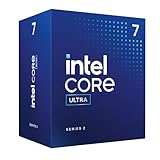
- Top Pick: Intel Core Ultra 7 Desktop Processor 265K – 20 cores (8 P-cores + 12 E-cores) up to 5.5 GHz
- Best Value: Intel Core Ultra 7 Desktop Processor 265KF – 20 cores (8 P-cores + 12 E-cores) up to 5.5 GHz
- Premium Choice: Intel® Core™ Ultra 7 Processor 270K Plus 24 cores (8 P-cores + 16 E-cores) up to 5.5 GHz
Affiliate disclosure: As an Amazon Associate we earn from qualifying purchases. This post contains affiliate links — if you buy through them we may earn a small commission at no extra cost to you. This never affects our recommendations.
Intel’s Core Ultra 7 265K provides a mid-range option on the Arrow Lake platform with 20 cores (8P + 12E) at a more accessible $394 price point. While it can’t match the 285K’s productivity performance, the 265K still offers solid multi-threaded capability alongside competitive gaming performance. The 265K sits between budget gaming CPUs and flagship productivity options, appealing to users who want balanced performance without paying flagship prices. With the same LGA1851 socket requirement and new motherboard expense, the 265K is best suited for creators who want mid-level productivity and respectable gaming capability without the 285K’s premium pricing.
In a hurry? See the top-rated Cpu deals available right now:
🛒 Check Cpu Prices on Amazon →🛒 Best Price Today on Amazon
Prime members get fast, free shipping on everything above, plus member-only deals. New members get a 30-day free trial — cancel anytime.
Start 30-Day Prime Free Trial →See Today’s Amazon DealsSpecifications & Architecture
| Specification | Value |
|---|---|
| Cores / Threads | 20 (8P + 12E) |
| P-Core Base Clock | 3.9 GHz |
| P-Core Boost Clock | 5.5 GHz |
| E-Core Base Clock | 2.6 GHz |
| E-Core Boost Clock | 4.6 GHz |
| L3 Cache | 30 MB |
| Total Cache | 30 MB L3 |
| TDP | 125W (base) / 250W (max turbo) |
| Socket | LGA1851 |
| Architecture | Arrow Lake (Intel 7 / 3nm hybrid) |
| Supported Memory | DDR5-6400 native |
The 265K uses the same hybrid architecture as the 285K but with 4 fewer E-cores (12 vs. 16) and slightly lower clock speeds. The 20-core configuration provides solid multi-threaded performance while maintaining better thermal and power efficiency than the 285K. The 125W base TDP matches the 285K, but lower core count means more predictable power delivery under sustained loads.
Gaming Performance
Gaming performance on the 265K is competitive at mid-range levels, with solid 1440p capability but still trailing AMD’s 3D V-Cache solutions.
| Game Title | Resolution | Settings | FPS (265K) |
|---|---|---|---|
| Cyberpunk 2077 (2.3) | 1440p | Medium + Ray Tracing | 70-80 |
| Counter-Strike 2 | 1440p | High | 380+ |
| Baldur’s Gate 3 | 1440p | Medium + Ray Tracing | 65-75 |
| Helldivers 2 | 1440p | High | 170+ |
| Call of Duty: Warzone | 1440p | High | 135-150 |
The 265K delivers respectable gaming at 1440p medium-high settings and excellent performance at 1080p. It trails the 285K slightly and AMD options by larger margins, making it suitable for mid-range gamers who don’t demand ultra-high frame rates. For esports titles, performance is strong. This is a gaming-capable CPU, not a gaming-focused one.
Productivity Performance
The 265K’s 20 cores provide solid multi-threaded performance, making it capable for light-to-moderate content creation and streaming applications.
| Workload | Metric | Performance |
|---|---|---|
| Cinebench R24 (Multi-Thread) | Points | 1,900+ |
| Cinebench R24 (Single-Thread) | Points | 148+ |
| Blender (CUDA) | Render Time | Good multi-core scaling |
| Video Encoding (H.265) | FPS | 170-190 FPS @ 1080p |
| Code Compilation | Time | Good parallel performance |
The 265K is capable for moderate content creation workloads. Video encoding performance is good though slower than the 285K or high-core-count AMD options. It’s suitable for streamers who want more cores than a gaming CPU but less expense than flagship options. Professional full-time content creators should consider the 285K instead.
Power Consumption & Thermals
The 265K operates at 125W base TDP with peak turbo reaching 250W. With 4 fewer cores than the 285K, thermal management is slightly easier.
Temperature Performance:
- Air Cooling (Good Tower Cooler): 68-75°C under full load
- AIO Liquid Cooling (240mm/280mm): 52-62°C under full load
- Idle Temperature: 34-40°C (ambient dependent)
The 265K runs slightly cooler than the 285K due to fewer cores, but thermal management still requires quality cooling. Peak power can reach 200-220W sustained, requiring an 850W+ PSU for safe operation with high-end GPUs.
Platform & Motherboard Compatibility
Like the 285K, the 265K requires LGA1851 socket and new motherboard investment:
- Z890: Premium boards ($300-400+)
- H890: Mid-range boards ($200-300)
- B890: Budget boards ($150-250)
The 265K is compatible with all LGA1851 boards. H890 boards are the sweet spot for the 265K’s price tier, providing solid features at reasonable cost. B890 budget boards are also suitable given the lower power consumption.
Pros & Cons
Pros:
- Good 20-core count for multi-threaded workloads
- Reasonable $394 price point for 20 cores
- Solid gaming performance at 1440p
- Acceptable video encoding for light streaming
- Lower price than 285K while maintaining solid performance
Cons:
- Still requires expensive new LGA1851 motherboard
- Gaming 25-30% behind AMD 9800X3D
- Fewer cores than 285K limits top-tier productivity
- Peak power reaches 250W (needs robust PSU)
- Productivity slower than AMD 9950X3D
- Requires quality cooling despite base TDP
Who Should Buy This CPU?
Ideal For:
- Light Content Creators: Casual streamers and video editors
- Enthusiasts on Budget: Want more cores than gaming CPU but less expense
- Balanced Users: Need both gaming and some productivity capability
- Intel Platform Loyalists: Upgrading from 12th/13th gen Intel
Not Recommended For:
- Professional content creators (285K or AMD 9950X3D better)
- Gaming-focused builders (AMD 9800X3D faster)
- Budget builders (AM5 platform cheaper)
- High-refresh competitive gamers
Alternatives to Consider
- Intel Core Ultra 9 285K Review — Flagship option with more cores
- Ryzen 9 9900X Review — 12-core Ryzen option at similar performance
- Intel Core Ultra 5 245K Review — Budget Intel option
- Ryzen 7 9700X Review — Budget AM5 alternative
- How to Build a Gaming PC 2026 — Building guide
- Ultimate Gaming PC Build Guide 2026 — System recommendations
- Best AIO Coolers for High-End CPUs — Cooling solutions
- DDR5 6000 vs 7200 — Is It Worth the Upgrade? — RAM selection
- Air vs AIO Cooling 2026 — Cooling comparison
- How to Overclock DDR5 RAM Safely — Performance tuning
FAQ
Is the 265K better than 9900X?
They’re very close. The 9900X has fewer cores (12) but better single-threaded performance and gaming speed. The 265K has more cores (20) for better scaling but inferior gaming. Choose 9900X for gaming + streaming, 265K for productivity focus.
Should I get 265K or 9700X?
265K: 20 cores for productivity, requires new expensive motherboard. 9700X: 8 cores for gaming, uses affordable AM5 boards. Choose 9700X unless you need 20 cores specifically.
Do I need a new motherboard for 265K?
Yes, LGA1851 is required. Budget $150-300+ for a quality board.
Is 265K good for streaming?
Yes, capable for light-moderate streaming. For intensive streaming with high bitrate, the 285K or AMD 9900X/9950X3D is better.
What GPU should I pair with the 265K?
RTX 5070 for 1440p balanced gaming, RTX 5080 for high-refresh 1440p. Avoid RTX 5090 as the CPU will bottleneck it in many games.
Is 265K worth the new platform cost?
Only if you specifically need 20 cores. The AM5 platform offers better value for gamers and streamers.
Final Verdict
Score: 8.4/10
The Cpu is a competent mid-range processor offering 20 cores at a reasonable $394 price. However, the requirement for a new expensive LGA1851 motherboard and platform makes it less appealing than AM5 alternatives like the Ryzen 9 9900X. For Intel platform loyalists upgrading from 12th/13th gen, the 265K is worth considering. For others, the AM5 ecosystem offers better value. The 265K is solid but not exceptional—it’s sandwiched between better options in nearly every scenario.

Intel® Core™ Ultra 5 Desktop Processor 225 10 cores (6 P-cores + 4 E-cores) up to 4.9 GHz
As an Amazon Associate we earn from qualifying purchases. Product prices and availability are accurate as of the date/time indicated.
Compare Similar CPUs
As an Amazon Associate we earn from qualifying purchases at no extra cost to you.




Related Articles
Looking for more on this topic? Browse the hand-picked guides below — each one applies the same scoring rubric used in this review.
Frequently Asked Questions
How does the Core Ultra 7 265K compare to AMD for gaming?
In gaming it generally trails the 3D V-Cache Ryzen chips, sometimes noticeably at 1080p and 1440p with a fast graphics card. Its strengths are elsewhere: strong multithreaded productivity performance, better power efficiency than the previous Intel generation, and a modern platform with capable integrated graphics and accelerator hardware.
Do I need a new motherboard for it?
Yes. This generation uses the LGA 1851 socket, which is not compatible with older Intel boards. You will need a new motherboard and, if coming from an older system, DDR5 memory, so factor the full platform cost into any comparison against alternatives.
Is it more power efficient than the previous generation?
Considerably, particularly under mixed and lightly threaded loads where the previous generation drew high power for modest gains. Peak multithreaded consumption is still meaningful, but the overall efficiency picture is much healthier, which also makes cooling and case airflow requirements easier to satisfy.
Does memory speed matter a lot on this platform?
More than usual. The disaggregated tile design makes the chip somewhat sensitive to memory latency and bandwidth, so a good DDR5 kit with tuned timings delivers measurably better gaming results than baseline speed memory. Enabling the memory profile in BIOS is essential rather than optional.
Who should buy this CPU?
Content creators and mixed-workload users who value strong multithreaded throughput, quick video encoding via the integrated media engine, and modern platform connectivity. Buyers whose priority is the highest possible frame rate in games will generally get more for their money from an X3D Ryzen part.
Ready to decide? Our #1 pick for 2026 is the Cores / Threads.
Live price & availability on Amazon.













