Heat is the silent enemy of every gaming PC. When temperatures climb, your CPU and GPU quietly slow themselves down to protect the silicon, a process called thermal throttling that steals frame rates right when a game gets demanding. Over the long term, sustained high temperatures shorten component life and turn a quiet rig into a jet engine. Good cooling is not just about chasing the lowest number on a sensor; it is about keeping performance consistent and your system pleasant to sit next to.
This guide covers how to cool a gaming PC properly in 2026: choosing between air and liquid cooling, arranging case airflow, managing your CPU and GPU together, and keeping everything running quietly. Whether you are building fresh or fixing a rig that runs hot, the fundamentals are the same. Our recommended coolers below include both high-end air towers and 360mm liquid AIOs so you can match one to your case and processor.
As an Amazon Associate we earn from qualifying purchases.






Air Cooling Versus Liquid Cooling
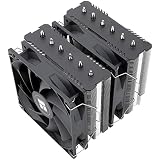
The first big decision is air or liquid, and for most builds air cooling is smarter than people assume. A large dual-tower air cooler like the Thermalright Peerless Assassin 120 SE handles even hot mainstream CPUs with no pump to fail and no risk of leaks, all at a fraction of the price of liquid. Liquid AIO coolers such as the ARCTIC Liquid Freezer III Pro 360 or the CORSAIR Nautilus 360 RS shine when you have a high-wattage chip, a compact case where a tall tower will not fit, or you simply want the cleanest look. Both approaches work; match the cooler’s rated capacity to your CPU’s heat output rather than following hype.
Getting Case Airflow Right
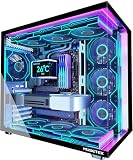
- Aim for a slight positive pressure by having a little more intake fan airflow than exhaust, which keeps dust from being sucked through every gap.
- Set front and bottom fans as intake and rear and top fans as exhaust, creating a clear front-to-back and bottom-to-top path.
- Keep cables routed behind the motherboard tray so they do not block the air moving across your components.
- Leave space around intake vents; a case pressed against a wall or shelf starves the whole system of fresh air.
Cooling the CPU
Your processor is usually the component your cooler is chosen around. Match the cooler’s capacity to the chip: a budget or mid-range CPU is happy under an efficient tower like the Thermalright Assassin X120 Refined SE or the Cooler Master Hyper 212 PRO ARGB, while a high-core-count or heavily overclocked chip benefits from a beefier dual-fan tower or a 360mm liquid cooler. Always apply a thin, even layer of thermal paste and make sure the cooler is seated evenly with balanced mounting pressure. Confirm socket compatibility too, since modern coolers support both the latest Intel LGA 1851 and AMD AM5 platforms.
Do Not Forget the GPU and Case Temps
The CPU gets the attention, but your graphics card often produces the most heat in a gaming session. Ensure it has clear space to breathe and that intake fans feed it cool air rather than the exhaust from your CPU cooler. In cramped cases, a dumped-heat cycle where the GPU reheats air the CPU already warmed can push both components higher. A well-ventilated case with a strong intake path, paired with a capable cooler like the ARCTIC Liquid Freezer III Pro 360, keeps ambient internal temperatures low so every part throttles less. Monitor GPU temps with software, not just your CPU.
Keeping It Quiet
Cooling and noise pull in opposite directions, but you can have both with a little tuning. Larger fans moving air slowly are far quieter than small fans spinning fast for the same airflow, which is why 120mm and 140mm fans dominate good builds. Set a fan curve in your BIOS or software so fans stay calm during light tasks and ramp only under load. Coolers marketed as low-noise, like the CORSAIR Nautilus 360 RS, use optimized fan blades and PWM control to stay whisper quiet at idle. A rig that runs cool and silent is one you will actually enjoy using every day.
Tips
- Match your cooler’s rated wattage to your CPU; overbuying wastes money and underbuying causes throttling.
- Build for slight positive pressure so your case pulls dust through filters, not every crack.
- Apply a thin, even layer of thermal paste; more is not better and can actually insulate heat.
- Tune a fan curve so the system stays silent at idle and only ramps when temperatures rise.
Frequently Asked Questions
Is liquid cooling better than air cooling?
Not universally. A top air cooler matches many liquid coolers in performance with no pump to fail and lower cost. Liquid wins for very high-wattage CPUs, tight cases where a tall tower will not fit, or when you want a cleaner look. Choose based on your chip and case, not prestige.
What temperature is too hot for a gaming PC?
Modern CPUs and GPUs are designed to run warm, often into the 70s and 80s Celsius under load without harm. Sustained temperatures near the throttling limit, typically the mid-90s for CPUs, signal inadequate cooling. If you see throttling or fans screaming constantly, improve airflow or upgrade the cooler.
How often should I clean my PC to keep it cool?
Every three to six months for most homes, more often with pets or in dusty rooms. Dust clogs fans and heatsink fins, choking airflow and raising temperatures gradually. A quick blast of compressed air on filters, fans, and the cooler restores lost performance.
Do I need to replace thermal paste?
Only every few years or when you remove the cooler. Quality paste lasts a long time. If temperatures creep up over years despite a clean system, a fresh, thin reapplication can lower CPU temps by several degrees and is a cheap tune-up.
Conclusion
Cooling a gaming PC well is about consistency: keeping your CPU and GPU below their throttling limits so performance never sags mid-game, while staying quiet enough to enjoy. Pick a cooler sized to your processor, arrange your case for clean front-to-back airflow with slight positive pressure, mind the GPU as much as the CPU, and tune a fan curve for silence at idle. Do that and your rig will hold its frame rates, run whisper quiet, and last for years without a thermal worry.