Affiliate disclosure: As an Amazon Associate we earn from qualifying purchases. This post contains affiliate links — if you buy through them we may earn a small commission at no extra cost to you. This never affects our recommendations.
- The State of Linux Gaming in 2026: Proton, Wine, and DirectX Translation
- Performance Benchmarks: Does Linux Match Windows 11?
- The Anti-Cheat Problem: A Hard Truth
- Real-World Linux Gaming Scenarios
- Product Comparison: Windows 11 vs Linux Gaming Rigs
- Handheld Showdown: Steam Deck OLED vs ROG Ally X vs Legion Go S
- Display & Performance Tech: Wayland, Plasma 6, HDR, and VRR
- Should You Switch to Linux? Use-Case Breakdown
- Upgrading Your Gaming Rig for Linux (AMD-Focused Build)
- FAQ: Linux Gaming in 2026
- Conclusion: Linux Gaming Has Caught Up (Mostly)
- Related Articles
- Frequently Asked Questions
- Related Articles
The gap between Linux and Windows gaming has narrowed dramatically. With Proton 11.0, DXVK 2.7, and Wayland HDR support now mainstream, Linux has evolved from a niche gaming platform into a legitimate desktop alternative for many players. But has it truly caught up? We compared the reality, benchmarked the numbers, and evaluated real-world gaming scenarios to answer: Should you switch to Linux in 2026?

In a hurry? See the top-rated Linux vs Windows 11 for Gaming deals available right now:
🛒 Check Linux Vs Windows 11 For Gaming Prices on Amazon →🛒 Best Price Today on Amazon
Prime members get fast, free shipping on everything above, plus member-only deals. New members get a 30-day free trial — cancel anytime.
Start 30-Day Prime Free Trial →See Today’s Amazon DealsThe State of Linux Gaming in 2026: Proton, Wine, and DirectX Translation
Linux gaming’s resurgence stems from three critical innovations: Proton (Valve’s compatibility layer), DXVK (Direct3D-to-Vulkan translation), and VKD3D-Proton (Direct3D 12 support). In April 2026, Valve released Proton 11.0 Beta with support for Wine 11.0, bringing previously unplayable games like SHOGUN: Total War and X-Plane 12 into the Linux fold.
The technical architecture is elegant: Proton intercepts Windows DirectX calls, translates them to Vulkan via DXVK (which now supports over 80% of Direct3D Windows games), and passes them to your GPU. Esync and Fsync reduce CPU synchronization overhead, making the translation layer nearly transparent. VKD3D-Proton handles the more demanding Direct3D 12 pipeline for modern AAA titles.
This works. DXVK enhances Proton by translating DirectX 9, 10, and 11 calls to Vulkan, improving performance and compatibility across a massive library. Most of your Steam library will run on Linux without modification.
Performance Benchmarks: Does Linux Match Windows 11?
The answer depends on your GPU. Recent 2026 benchmarks show a stark GPU-dependent trend:
AMD GPU Performance (The Winner)
CachyOS (an Arch-based Linux distribution) frequently outperformed Windows in head-to-head tests spanning over 10 blockbuster titles. Specific results:
- Warhammer 40K: Space Marine 2: Windows 68 FPS vs CachyOS 81 FPS (+19%)
- Cyberpunk 2077: Windows 91 FPS vs Linux 98 FPS (+8%)
- Red Dead Redemption 2: Windows 81 FPS vs Linux 85 FPS (+5%)
- Crimson Desert: Windows 59 FPS vs CachyOS 63 FPS (+7%)
On AMD hardware, Linux has not only caught up but surpassed Windows 11 in several titles—particularly in GPU-bound, single-player games. The reason: AMD’s RDNA2/3 drivers on Linux are exceptionally optimized for DXVK’s Vulkan pathway.
NVIDIA GPU Performance (The Catch)
Expect 17–25% lower FPS on NVIDIA hardware running Linux. Proprietary driver overhead and less optimal DXVK-to-CUDA translation mean your RTX 4090 won’t extract peak performance on Linux. For competitive gaming with high-end NVIDIA GPUs, Windows remains faster.
CPU-Bound Overhead
Fedora + Proton GE performs 2–5% slower than Windows 11 in CPU-bound scenarios because Proton adds a translation overhead layer, but matches or exceeds Windows in GPU-bound games. Modern multi-core CPUs mitigate this; the translation layer is negligible on Ryzen 7 8700X3D or equivalent.
The Anti-Cheat Problem: A Hard Truth
Here’s where reality bites: Kernel-mode anti-cheat games remain Windows-only in 2026. This matters if you play competitive multiplayer.
What Works on Linux
Easy Anti-Cheat, which appears in 155 games (Fortnite, Apex Legends, Armored Core VI), supports Linux—but only in user-mode, without kernel-level access. Many developers don’t trust this; adoption on Linux is spotty.
BattlEye supports Linux via user-mode detection, but coverage is thin. Games using either system may work on Linux, but developers choose whether to enable it.
What Doesn’t Work
On Linux, there’s no kernel-mode available for anti-cheats like they use on Windows; the fundamental architecture of Linux prevents kernel-level anti-cheat drivers from operating as they do on Windows.
Games using kernel-mode anti-cheat—Valorant, Call of Duty: Modern Warfare, Helldivers 2, and most competitive titles—simply won’t launch on Linux. If your gaming life revolves around Valorant, Fortnite, or Warzone, Windows 11 remains mandatory.
Real-World Linux Gaming Scenarios
✅ Single-Player & Indie: Linux Shines
Your Steam library of single-player games runs on Linux with near-identical or better performance than Windows, especially on AMD hardware. Story-driven games, simulation titles, and indie classics have no anti-cheat barrier. Anti-cheat remains one of the biggest problems for Linux gaming, but non-competitive titles bypass the issue entirely.
❌ Competitive Multiplayer: Windows Only
If your rank in Valorant or K/D ratio in Call of Duty matters, Windows 11 is non-negotiable. Kernel-mode anti-cheat is the industry standard for competitive balance, and Linux cannot satisfy those requirements.
✅ Handheld Gaming: Linux Dominates
The Steam Deck and Lenovo Legion Go S run SteamOS (Linux-based), making Linux the de facto platform for handheld PC gaming. Both devices natively support your entire Steam library without workarounds. Desktop gamers using handhelds already rely on Linux.
Product Comparison: Windows 11 vs Linux Gaming Rigs
| Feature | Windows 11 | Linux (Proton) |
|---|---|---|
| Anti-Cheat Support | Full kernel-mode (Valorant, EAC kernel, BattlEye) | User-mode only; kernel-mode games blocked |
| DirectX 12 Support | Native | VKD3D-Proton (95%+ compatibility) |
| DLSS/FSR Support | Native (DLSS 4, FSR 3) | Via Game-specific paths; mostly works |
| AMD GPU Performance | Baseline | +5% to +19% FPS advantage |
| NVIDIA GPU Performance | Baseline | -17% to -25% FPS penalty |
| CPU Translation Overhead | None | +2–5% CPU usage (negligible on modern CPUs) |
| HDR Support | Native (Windows.Gaming.HDR) | Wayland + Plasma 6.6 (experimental) |
| Variable Refresh Rate (VRR) | Native (G-Sync, FreeSync) | Wayland VRR + KWin compositor support |
| Kernel-Level Access | Full (for anti-cheat, drivers) | Restricted by design |
| Cost (OS) | $120–139 (Pro edition) | Free |
| Maturity | Established; stable | Rapidly improving; near-parity |
The middle ground: If you game on AMD hardware and avoid competitive multiplayer, Linux is cheaper, equally or faster, and offers system-wide freedom. If you use NVIDIA or need kernel-mode anti-cheat, Windows 11 is your only realistic choice.
Handheld Showdown: Steam Deck OLED vs ROG Ally X vs Legion Go S
All three handheld platforms blend Windows and Linux, offering unique tradeoffs for portable gaming:
 6
6
Valve Steam Deck OLED 512GB Handheld Gaming Console - Featuring A High Dynamic Range Screen, A Longer-lasting Battery, Faster Downloads, And Much More
In Stock
1 / 6


1 / 6
Valve Steam Deck OLED 512GB Handheld Gaming Console - Featuring A High Dynamic Range Screen, A Longer-lasting Battery, Faster Downloads, And Much More
As an Amazon Associate we earn from qualifying purchases. Product prices and availability are accurate as of the date/time indicated.
Steam Deck OLED 512GB (also available in 1TB: B0CQ3L4726) runs SteamOS 3.0 (Linux-based). The 7.4-inch OLED display (90 Hz HDR), Wi-Fi 6E, and native Proton integration make it the gold standard for Linux handheld gaming. 3–12 hours battery; $549–$649.
 8
8
TEAMGROUP MP44S SSD 1TB SLC Cache Gen 4x4 M.2 2230 PCIe 4.0 NVMe Steam Deck ASUS ROG Ally Mini PCs R/W Speed up to 5000/3500 MB/s TM5FF3001T0C101
In Stock
1 / 8





1 / 8
TEAMGROUP MP44S SSD 1TB SLC Cache Gen 4x4 M.2 2230 PCIe 4.0 NVMe Steam Deck ASUS ROG Ally Mini PCs R/W Speed up to 5000/3500 MB/s TM5FF3001T0C101
As an Amazon Associate we earn from qualifying purchases. Product prices and availability are accurate as of the date/time indicated.
ROG Ally X ships with Windows 11 Home, pairing a 7-inch 120Hz IPS display, 24GB RAM, 1TB storage, and AMD Ryzen Z1 Extreme. Windows 11 guarantees full anti-cheat support, making it the multiplayer handheld. Battery: 2–7 hours depending on load.
 18
18
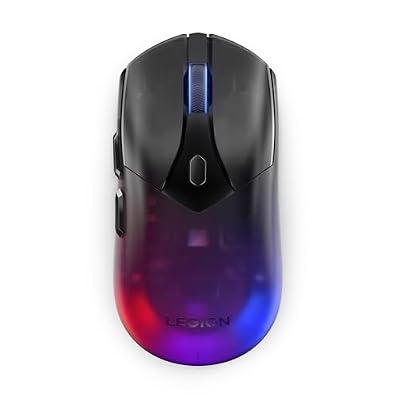
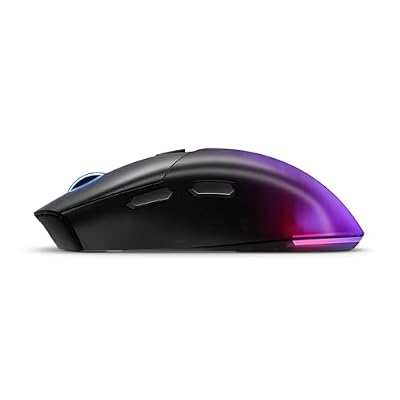
Lenovo Legion M410 Wireless RGB Gaming Mouse – 6 Button Palm Grip Mouse with 16,000 DPI, 53 Hour Rechargeable Battery, 2-Zone RGB Lighting, NVIDIA Reflex Compatible
In Stock
1 / 18






1 / 18
Lenovo Legion M410 Wireless RGB Gaming Mouse – 6 Button Palm Grip Mouse with 16,000 DPI, 53 Hour Rechargeable Battery, 2-Zone RGB Lighting, NVIDIA Reflex Compatible
As an Amazon Associate we earn from qualifying purchases. Product prices and availability are accurate as of the date/time indicated.
Lenovo Legion Go S (SteamOS edition, around $830) pairs an 8-inch 120Hz screen with SteamOS (Linux) and AMD Ryzen Z2 Go. The larger screen suits desktop-style games; 55.5Wh battery yields ~2 hours in AAA titles but stretches to 4–6 hours in lighter sessions. Best overall for Linux-first handheld gaming.
Summary: Choose Steam Deck OLED for Linux purity + portability. Pick ROG Ally X if you demand Windows 11 multiplayer support. Opt for Legion Go S if you prefer SteamOS with a larger screen.
Display & Performance Tech: Wayland, Plasma 6, HDR, and VRR
KDE Plasma 6 on Wayland delivers the payoff for years of infrastructure work, introducing support for advanced display technologies critical to modern gaming.
HDR Support
KDE Plasma 6.6 released with Wayland fixes, HDR support, and new features. HDR is still experimental but functional on compatible monitors and GPU drivers. Color management and tone mapping now handle bright highlights without clipping, essential for next-gen gaming visuals.
Variable Refresh Rate (VRR)
Wayland’s VRR implementation allows dynamic refresh rates matching your game’s frame output, reducing tearing and input lag. KWin (KDE’s compositor) enables VRR automatically for fullscreen applications. NVIDIA driver support is improving but not yet on par with Windows; AMD is solid.
Input Latency Reduction
KWin now handles input latency much more efficiently and supports tearing updates, a feature requested by PC gamers to reduce input lag in fullscreen titles. This matters for twitch-based games.
Should You Switch to Linux? Use-Case Breakdown
Switch to Linux if you
- Own an AMD Radeon GPU (you’ll gain 5–19% FPS)
- Play single-player or indie games primarily
- Value cost savings and system freedom
- Use handheld gaming (Steam Deck, Legion Go S)
- Enjoy tinkering and customizing your OS
- Want to reduce system telemetry and data collection
Stay with Windows 11 if you
- Own an NVIDIA GPU and want peak FPS
- Play competitive multiplayer (Valorant, Fortnite, CoD, Helldivers 2)
- Rely on kernel-mode anti-cheat games
- Demand plug-and-play stability with no research required
- Use exclusive Windows software beyond games (Adobe, specialized tools)
- Prefer established hardware support and driver maturity
Upgrading Your Gaming Rig for Linux (AMD-Focused Build)
If you decide to try Linux gaming, here’s what to prioritize:
- GPU: AMD Radeon RX 7900 XT or RX 7800 XT (Linux-optimized drivers)
- CPU: Ryzen 7 7700X or 9700X (excellent Linux support)
- Peripherals: Mechanical keyboard for precision and gaming controller for couch play
- Monitor: 1440p 240Hz+ display with AMD FreeSync support
- Distro: Ubuntu 24.04 LTS or Fedora 40+ (both excellent for gaming out-of-box)
FAQ: Linux Gaming in 2026
Q: Can I play my entire Steam library on Linux?
A: 90%+ of single-player Steam games run on Linux via Proton. Competitive multiplayer titles using kernel-mode anti-cheat (Valorant, Call of Duty) will not. Check ProtonDB for specific game compatibility before switching.
Q: Is Proton 11.0 stable for daily gaming?
A: Yes. Proton 11.0 is production-ready (no longer experimental). Valve ships Proton LTS versions for long-term stability. Minor compatibility issues exist, but the framework is mature and tested across millions of Steam Deck users.
Q: Do I lose gaming performance by using Linux?
A: On AMD hardware: No, you often gain performance (+5–19% FPS). On NVIDIA: Yes, expect -17–25% FPS loss. CPU overhead is negligible on modern multi-core processors.
Q: Can I use HDR and VRR on Linux in 2026?
A: Partially. KDE Plasma 6.6 on Wayland supports HDR (experimental) and VRR. Full maturity lags Windows, but the technology is available and improving rapidly. Expect 80%+ of the Windows experience by late 2026.
Q: What’s the best Linux distro for gaming?
A: Ubuntu 24.04 LTS (easiest, best beginner experience) or Fedora 40+ (bleeding-edge drivers, best gaming performance). Both ship with Proton pre-configured. Avoid minimal distros unless you’re comfortable with manual setup.
Q: Is Windows 11 Pro still worth buying in 2026?
A: For gaming alone: No. Windows 11 Home is sufficient. Buy a Windows key (like B0FQL1VVQD) only if you need Pro features (BitLocker, sandbox, Hyper-V). Most gamers need neither.
Conclusion: Linux Gaming Has Caught Up (Mostly)
In 2026, Linux gaming is no longer a compromise—it’s a strategic choice. AMD users with single-player focused libraries will experience identical or better performance than Windows 11 at zero cost. The Proton/DXVK translation layer is transparent; you’ll forget you’re running Linux. Handheld gaming (Steam Deck, Legion Go S) proves the viability at scale.
But the anti-cheat reality is immovable: Competitive multiplayer remains a Windows fortress. Kernel-mode protection is architecturally incompatible with Linux’s open-source model. Valorant players, professional esports competitors, and hardcore multiplayer gamers have no choice but Windows 11.
For the rest—the story-driven gamer, the indie enthusiast, the simulation pilot, the handheld user—Linux is the smarter choice in 2026. It’s faster, cheaper, and freer. The gap has closed. Now it’s your call: Do you play games that require Windows, or games that can run anywhere?
As an Amazon Associate we earn from qualifying purchases at no extra cost to you.





As an Amazon Associate we earn from qualifying purchases at no extra cost to you.


Sources & Further Reading:
Best Gaming Gear for Linux & Windows
All picks verified compatible with both platforms — no driver headaches.

Keychron K2 Wireless Mechanical Keyboard
Works plug-and-play on Linux and Windows. Compact 75% layout, hot-swap switches, USB-C — zero config on both OSes.
Find on Amazon →
8BitDo Pro 2 Wireless Controller
The go-to Linux controller — full support via kernel HID driver, works in Steam on Linux & Windows with no extra software.
Find on Amazon →
Logitech G305 Wireless Gaming Mouse
Supported by Piper/libratbag on Linux for full DPI control. Lightweight, 250h battery, HERO sensor — a cross-platform staple.
Find on Amazon →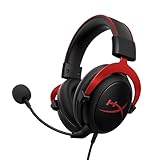
HyperX Cloud II 7.1 Gaming Headset
USB sound card recognized instantly on Linux — no PulseAudio tweaks. Studio-grade sound for competitive gaming on any OS.
Find on Amazon →Related Articles
Looking for more on this topic? Browse the hand-picked guides below — each one applies the same scoring rubric used in this review.
Frequently Asked Questions
Does Linux gaming performance match Windows 11 now?
In many titles it is close, and in some it is faster because Windows carries more background overhead. However, results vary widely by game and driver. Native Vulkan titles and well-supported translation layer games perform excellently, while a minority of DirectX 12 titles still run measurably slower.
Which games still do not work on Linux?
The main barrier is kernel-level anti-cheat. Several competitive multiplayer games either block Linux outright or have publishers who have chosen not to enable Linux support in their anti-cheat configuration. If your main game uses such a system, check its current status before switching, as policies change.
Do NVIDIA cards work well on Linux?
They work far better than they used to. Driver quality and Wayland support have improved substantially, and features including hardware accelerated encoding and modern upscaling are supported. AMD still generally offers the smoothest out-of-box experience thanks to open drivers integrated directly into the kernel.
Is Linux worth it for older or lower-spec hardware?
Often yes. A lightweight Linux desktop uses noticeably less memory and background CPU than Windows 11, which can free meaningful resources on systems with limited RAM. It also avoids Windows 11 hardware requirements, giving older but capable machines a longer useful life.
Can I dual boot instead of switching completely?
Yes, and it is the sensible approach for most people. Keep Windows for anti-cheat protected games and anything with poor compatibility, and use Linux for everything else. Install them on separate drives where possible to avoid bootloader conflicts when either operating system updates.