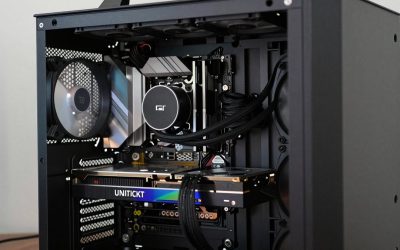
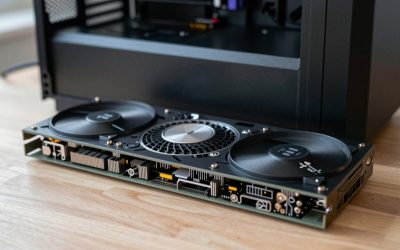
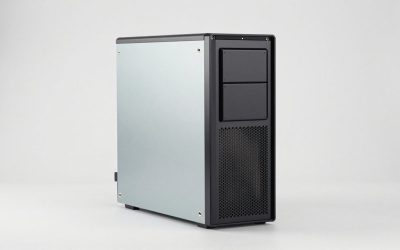
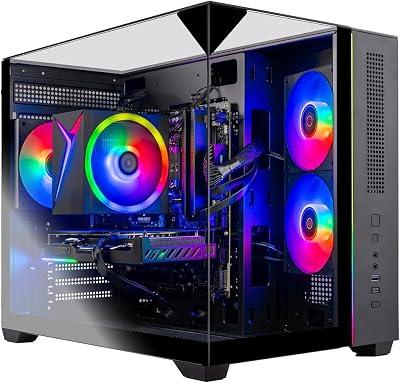
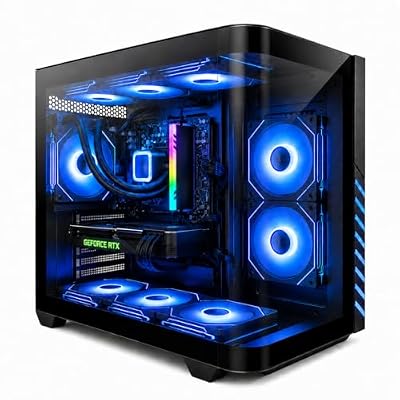
- Top Pick: Skytech Gaming O11 Vision Gaming PC, AMD Ryzen 7 7700X 4.5GHz, NVIDIA RTX 5070 12GB, X670 Board, 1TB Gen4 NVMe SSD, 32GB DDR5 RAM 5600, 850W Gold ATX 3 PSU, 360 ARGB AIO, Wi-Fi, Win 11, Desktop
- Best Value: Skytech Gaming Archangel 5 Gaming PC, AMD Ryzen 7 7700 3.8GHz, NVIDIA RTX 5060, 1TB NVMe SSD, 32GB DDR5 RAM 6000, 750W Gold PSU, Wi-Fi, Win 11, Desktop
- Premium Choice: Skytech Gaming Archangel 5 Gaming PC, AMD Ryzen 7 7700X 4.5GHz, NVIDIA RTX 5070 12GB, 1TB Gen4 NVMe SSD, 32GB DDR5 RAM 6000, 750W Gold PSU, 360 ARGB AIO, Wi-Fi, Win 11, Desktop
🛒 Best Price Today on Amazon
Prime members get fast, free shipping on everything above, plus member-only deals. New members get a 30-day free trial — cancel anytime.
Top 1000 Gaming Build Mid Range Picks for 2026
Here are our current top 1000 gaming build mid range picks, compared on real Amazon owner reviews, price, and features. Live prices update below.
As an Amazon Associate we earn from qualifying purchases at no extra cost to you.




Check Price on Amazon →




Affiliate disclosure: Some links in this guide are affiliate links. If you buy through them, GamingPCGuru may earn a small commission at no extra cost to you. We only recommend parts we would put in our own rigs.
$1000 Mid-Range Gaming PC Build 2026: the 1440p sweet spot that no longer requires a payment plan
Quick Verdict
$1000 in 2026 finally buys real 1440p gaming. The 7600X plus RTX 5060 Ti 16GB combo hits 90+ FPS at 1440p high in every modern title, and the 16 GB of GPU memory means you can crank textures without thinking. This is the build I would put in my own living room if I were starting over today.
Compared to a $1000 build two years ago, you are getting roughly 40% more performance for the same money. PC gaming actually got cheaper, which is a sentence I did not expect to type.
$1000 in 2026 also unlocks ray tracing as a real option. The 5060 Ti handles RT medium in most titles at 1440p with DLSS Quality at 60+ FPS. Two years ago that was a $1500 conversation. Inflation-adjusted, the value here is genuinely unprecedented.
The build also crosses the threshold where the rig outlasts a console generation. PS5 Pro launched at $700; this PC at $1000 outperforms it today and will keep doing so until at least 2028 with a single GPU upgrade. The total cost of ownership math favors PC clearly at this tier.
The Recommended Parts List
| Component | Pick | Why |
|---|---|---|
| CPU | Ryzen 5 7600X | 200 MHz clock bump over 7500F matters at this GPU tier |
| GPU | RTX 5060 Ti / RX 7700 XT | 16 GB GDDR7 is the right VRAM for 1440p ultra in 2026 |
| Motherboard | B650 enthusiast | B650 plus EXPO covers everything; skip the X670 tax |
| RAM | 32GB DDR5 6000 | 32 GB is the new default; 6000 EXPO is the sweet spot |
| Storage | 1TB NVMe Gen4 | Gen 4 NVMe — Gen 5 is invisible outside benchmarks |
| PSU | 750W Gold | 750W Gold gives headroom for a 5070 Ti upgrade later |
| Cooler | Mid tower air | 240mm AIO is silent and looks clean |
| Case | ATX mid-tower | ATX mid-tower with mesh front and 3+ fans |
Performance Expectations
- Cyberpunk 2077 (1440p high, DLSS Quality): 75–90 FPS
- Cyberpunk 2077 (1440p RT medium + frame gen): 80–95 FPS
- Call of Duty Warzone 2026 (1440p high): 110–130 FPS
- Monster Hunter Wilds (1440p high): 70–85 FPS
- Black Myth Wukong (1440p Cinematic, DLSS Q): 65–80 FPS
- Star Wars Outlaws (1440p high): 75–90 FPS
1440p 144 Hz is firmly in reach. 4K is not — do not buy this build for a 4K monitor unless you are willing to play at upscaled 1440p anyway.
The 5060 Ti’s 16 GB VRAM specifically enables modded gaming. Skyrim Special Edition with 200+ mods, Fallout 4 with high-res textures, Stalker Anomaly with Enhanced Graphics — all work without VRAM bottlenecks that strangle the 12 GB cards. Modded gaming is an underappreciated argument for the 16 GB SKU.
Streaming via NVENC AV1 (1080p60 at 6 Mbps) costs about 4–6% of game FPS — this rig can stream comfortably without a separate setup. Push hard at this tier and you are in solo-streamer territory.
Why These Picks
The 7600X is the right pick over the 7500F here because the higher GPU tier exposes the CPU more often. The 200 MHz clock bump is worth $50 when it actually shows up in 1% lows during heavy combat scenes. I considered the 7700, but it is a $90 jump for 8% gaming uplift — not worth it under $1200.
The 5060 Ti 16GB is the standout 2026 card. Nvidia clearly listened to the 4060 Ti complaints — 16 GB VRAM, full Gen 4 x16 lanes, and decent power efficiency. The RX 7700 XT alternative wins in some raster scenarios and ties in price; pick it if you do not care about ray tracing.
32 GB DDR5-6000 is the new default at this tier. Games are starting to use 16 GB on their own (Hogwarts Legacy, Cyberpunk with RT), so spending the extra $40 over 16 GB is mandatory in 2026.
The X670 vs B650 debate is mostly marketing. Real-world: a $130 B650 board (MSI B650 Tomahawk, ASUS Prime B650-Plus) gives you USB 3.2 Gen 2×2, dual M.2 with heatsinks, robust 12-phase VRMs, and PCIe 4.0 throughout. The 5060 Ti uses PCIe 4.0 x16 fully. There is no real-world feature on a $220 X670 board that you will use unless you run multiple GPUs (you will not) or chain four Gen 5 NVMe drives (you will not).
Cooler choice: a 240mm AIO at this tier is right for noise (sub-30 dBA under load), but the Peerless Assassin 120 SE at $35 cools the 7600X to the same temps if budget is tight. Either is correct; the AIO wins on aesthetics, the air cooler on simplicity.
What to Skip vs Splurge On
Skip: the 5070 in a $1000 build (you cannot feed it with the other parts and stay on budget), white-themed everything (you pay a $50 ‘aesthetic tax’ for white cases and white PSUs), Gen 5 SSDs (the speed difference is invisible outside synthetic benchmarks).
Splurge on: the monitor, if you are buying one. A 27″ 1440p 165Hz IPS at $250 is the difference between this build feeling good and feeling wasted. Do not pair this rig with a 1080p panel — you literally throw away half its capability.
Upgrade Path for 2027+
AM5 platform means a clean upgrade to a 9800X3D or successor in 2027 — you swap the chip, flash the BIOS, and you have a flagship gaming CPU on the same motherboard. The 5060 Ti will last until late 2027, then a 6070-class card drops in cleanly. PSU and case carry forward indefinitely.
Real-World Daily Use
The $1000 tier feels like a real desktop PC, not a budget compromise. Modern AAA shader compile in 2–3 minutes. Boot to gaming in 18 seconds total. Background workloads (Spotify, Discord, OBS preview, browser, work apps) cost negligible game FPS — the 7600X has the thread headroom and DDR5-6000 has the bandwidth.
The 5060 Ti 16GB specifically opens modded gaming as a real category. Skyrim Special Edition with 250+ mods runs smoothly at 1440p, Fallout 4 with the 4K texture pack works at 1440p ultra, Stalker Anomaly with Enhanced Graphics 5.0 runs at 70+ FPS. Modded games eat VRAM aggressively; this is where the 16 GB choice pays off concretely.
For content creation as a side activity: DaVinci Resolve handles 1440p timelines without proxies, Premiere Pro 4K editing requires proxies but is workable, OBS streaming at 1080p60 8 Mbps costs about 4% game FPS. Not a creator-first rig, but capable.
Common Bottlenecks to Avoid
The classic $1000 mistake is buying a 750W PSU and then upgrading to a 5080 in two years — that GPU wants 850W minimum. If you have even a vague suspicion you will upgrade the GPU later, buy 850W now. The price difference is $20 and saves a future panic purchase.
The other mistake: B650E motherboards are mostly a tax. Standard B650 boards have PCIe 4.0, which the 5060 Ti uses fully. Save the $40.
FAQ
Why not the 7800X3D for $200 more?
Because that is a $1200 build, and at that point you should also upgrade the GPU. See the $1200 tier — it is the cleaner buy.
Should I get the 7700 XT or 5060 Ti 16GB?
5060 Ti if you play modern AAA titles with RT or upscaling — DLSS 4 is genuinely better than FSR 3.1. 7700 XT if you play mostly competitive shooters and esports — you get a few more raw frames.
Is 1 TB of SSD enough?
Modern games are massive — Call of Duty alone takes 180 GB. Plan to add a 2 TB SSD within a year, or go straight to 2 TB now for $30 more.
Will this rig handle Microsoft Flight Simulator 2024?
Yes, at 1440p high around 60 FPS in dense scenery. It is not a flagship experience, but it is genuinely playable.
Should I get the white or black version of the case?
Black is $40 cheaper on average — manufacturers charge an ‘aesthetic tax’ for white. If you don’t have a specific build theme, save the money. White cases also show dust more visibly.
Does this build benefit from PCIe 5.0?
No — the 5060 Ti uses PCIe 4.0 x16, and Gen 5 SSDs offer invisible benefits outside synthetic benchmarks. Skip Gen 5 at this tier.
Build Process Tips
A few non-obvious tips from building dozens of these rigs. Install the CPU before mounting the motherboard — it is dramatically easier outside the case. Apply thermal paste as a pea-sized dot in the center; modern coolers spread it perfectly without elaborate patterns. Connect the front panel headers last and use the motherboard’s bundled adapter if it includes one. Mount the M.2 SSD before the GPU — the GPU blocks access to the primary M.2 slot on most B650 boards. Update the BIOS via USB BIOS Flashback before installing the CPU if your board supports it (most $130+ boards do); this guarantees compatibility with Ryzen 7600X without needing an older CPU on hand. Enable EXPO in the first BIOS boot to unlock DDR5-6000 speeds. Install Windows on a clean 1 TB partition with the rest as overflow; resist the temptation to dual-partition the OS drive. Lastly, run MemTest86 for one full pass before declaring the build stable — DDR5 errors at high speeds are not always obvious in normal use.
How long should the build take?
First-time builders: 4–6 hours including OS install. Experienced builders: 90 minutes. Don’t rush — most build failures come from cable management mistakes that look fine until you boot.
Final Take
If you only read one of these guides, read this one. The $1000 build in 2026 is the platonic ideal of a gaming PC — it plays everything well, has clear upgrade paths, and does not require sacrificing other parts of your life to afford. Build it, enjoy it, and revisit the GPU only in 2028.
Frequently Asked Questions
Can $1000 handle 1440p gaming in 2026?
Yes, at high rather than ultra settings. A mid-range card with 12GB of VRAM plus a 6-core current-generation CPU delivers 80 to 110fps at 1440p high in most modern titles and comfortably exceeds 200fps in esports games. Turning off heavy ray tracing and using quality upscaling keeps frame times smooth.
AMD or Nvidia at this price?
AMD usually offers more VRAM and raw raster performance per dollar in this tier, while Nvidia leads in ray tracing, DLSS image quality, and video encoding for streaming. If you play mostly competitive and open-world titles, take the extra VRAM; if you stream or want the best upscaling, the Nvidia option is worth the premium.
Is 16GB of RAM still acceptable at this budget?
It works but is no longer comfortable. Several 2026 titles use over 12GB alone, so 32GB avoids the traversal stutter that appears when Windows starts paging. If 16GB is the only way to fit the budget, buy a 2x8GB dual-channel kit and leave the upgrade to a second matched kit later.
How much storage do I need to start?
A single 1TB Gen4 NVMe is the right starting point. Modern AAA installs run 80GB to 150GB each, so 500GB fills after four or five games plus Windows. Adding a second drive later is trivial on any board with two M.2 slots, so do not overspend on capacity at purchase time.
What is the best upgrade path from a $1000 build?
Add memory and a second SSD first because they are cheap and immediately noticeable, then replace the GPU in roughly three years. Choosing a 650W or larger quality power supply and a case with 330mm of card clearance now makes that GPU upgrade a drop-in job rather than a partial rebuild.