- Top Pick: Skytech Gaming King 95 Gaming PC, Ryzen 7 9800X3D, RTX 5070 Ti
- Best Value: Skytech Gaming Archangel 5 Gaming PC, AMD Ryzen 7 7700 3.8GHz, NVIDIA RTX 5060, 1TB NVMe SSD, 32GB DDR5 RAM 6000, 750W Gold PSU, Wi-Fi, Win 11, Desktop
- Premium Choice: Skytech Gaming King 95 Gaming PC, Ryzen 7 7800X3D, RX 9070 XT
Affiliate disclosure: Some links in this guide are affiliate links. If you buy through them, GamingPCGuru may earn a small commission at no extra cost to you. We only recommend parts we would put in our own rigs.
By Alex Rivera — PC builder and gaming hardware editor at GamingPCGuru. Updated May 2026.
As an Amazon Associate we earn from qualifying purchases at no extra cost to you.





🛒 Best Price Today on Amazon
Prime members get fast, free shipping on everything above, plus member-only deals. New members get a 30-day free trial — cancel anytime.
$2500 Premium Gaming PC Build 2026: the dual-purpose rig that games at 4K and edits 4K
Quick Verdict
The $2500 build flips the script: this is not a bigger gaming rig, it is a productivity-capable rig that happens to game brilliantly. The Ryzen 9 9900X has 12 cores that the 9800X3D simply cannot match in DaVinci Resolve, Premiere, Blender, or any modern code build, and 64 GB of RAM is the right move for anyone who alt-tabs into Lightroom or runs VMs.
For pure gaming, the 9800X3D is still slightly faster — about 7% in CPU-bound scenes. If you do not edit or compile, the $2000 build is the more honest pick.
The split between this build and the $2000 build is purely about workload. If you do not edit video, render 3D, run VMs, or compile code, the $2000 build is the correct choice and saves you $500 for monitors / chair / audio / games. The 9900X is purchased specifically for multi-thread capability, not gaming.
One often-missed point: the 9900X has 12 cores but the same maximum single-thread clock as the 9700X. Gaming performance is essentially identical to the 9700X within margin of error. You are paying for parallel workload capability only.
The Recommended Parts List
| Component | Pick | Why |
|---|---|---|
| CPU | Ryzen 9 9900X | 12 cores for productivity, still 95% of gaming performance |
| GPU | RTX 5080 | 4K ultra in games, GPU compute headroom for Resolve/Blender |
| Motherboard | X670E premium | Premium X670E for multiple M.2 + PCIe 5.0 expansion |
| RAM | 64GB DDR5 6400 | 64 GB for content work; 32 GB is enough for pure gaming |
| Storage | 2TB NVMe Gen5 + 4TB SATA | Fast Gen 5 for scratch + bulk SATA for media archive |
| PSU | 1000W Platinum | 1000W Platinum — higher efficiency means cooler running |
| Cooler | 360mm AIO | 360mm AIO handles the 9900X under render loads |
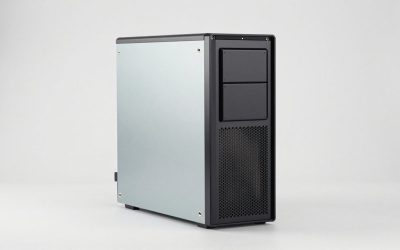
| Case | Premium airflow | Premium airflow case with cable management for the cleaner build |
Performance Expectations
Gaming (4K ultra):
- Cyberpunk 2077 ultra + DLSS Q + FG: 95–115 FPS
- Alan Wake 2 ultra + path tracing + DLSS Q + FG: 70–85 FPS
- Monster Hunter Wilds ultra: 80–95 FPS
- Star Citizen 4K high: 70–85 FPS
Productivity:
- DaVinci Resolve 4K H.265 export: 8 minutes for a 30-minute timeline
- Blender BMW render (CPU): 25 seconds
- Compile Chromium from scratch: 38 minutes (versus 55 on 9800X3D)
- Premiere multicam 4K editing: smooth without proxies
DaVinci Resolve specifically benefits — 4K H.265 timelines play back smoothly without proxies, and grade panels respond instantly. Premiere Pro’s multi-cam editing is similarly fluid. For Blender, the 9900X handles 200K-poly scenes in real-time viewport without lag.
For local LLM hosting, this rig runs 7B-class models at 25 tokens/sec on CPU, or 60+ tokens/sec with GPU offload to the 5080. Not flagship territory, but genuinely useful for daily LLM work without cloud bills.
Why These Picks
The 9900X is the unsung Zen 5 part — 12 cores at 4.4 GHz base, 5.6 GHz boost, no V-Cache trickery. It demolishes the 9800X3D in any thread-scaling workload while losing only 7% in games. The 9950X is faster but $200 more for diminishing returns unless you are rendering 8K daily.
The 5080 here over the 5090 is deliberate. At 4K with most monitors capping at 240 Hz, the 5090’s extra horsepower goes to waste. The $1000 saved goes into more storage, more RAM, and a better PSU.
64 GB DDR5-6400 is the right configuration for content work. 32 GB is enough for games and one creative app open; 64 GB lets you keep everything resident and never swap. Once you have lived with 64 GB you cannot go back.
2 TB Gen 5 NVMe for the OS and active projects, 4 TB SATA SSD for media bulk storage — separates fast scratch from cheap capacity. This is the right tier to start tiering storage.
The 64 GB RAM decision deserves its own paragraph. For pure gaming, 32 GB is correct and saves $80. For dual-app workflows (game + Resolve, game + LLM, game + VM), 64 GB is the floor where ‘no swap, no thinking’ is achievable. The kit choice: 2×32 GB DDR5-6400 from G.Skill Trident Z5 Neo (AMD EXPO certified) is the right pick — 4×16 GB kits push the IMC harder and require manual tuning.
Storage tiering matters: the 2 TB Gen 5 NVMe holds OS + active projects + frequently played games (Steam can pin specific games to specific drives). The 4 TB SATA SSD holds the back catalog, media archive, and downloads folder. Total: $260 for 6 TB of usable fast storage. Hard drives are obsolete at this build tier.
What to Skip vs Splurge On
Skip: Threadripper (the 9900X covers anything short of professional VFX and saves $1500 in platform cost), ECC RAM (overkill for a gaming/creator hybrid), 1600W PSUs (1000W Platinum is correct here, the 5080 + 9900X system peaks around 600W).
Splurge on: color-accurate monitor. Any 4K 144 Hz IPS at Delta-E under 2 from BenQ, ASUS ProArt, or LG Ultragear is justified at this build cost. The $700 spend turns this into an actual production rig.
Upgrade Path for 2027+
Storage is the only realistic upgrade — add another 4 TB SATA SSD or a 4 TB Gen 5 NVMe when you run out of room. Otherwise this rig is set for 3+ years. The 9900X is current-gen Zen 5; the 5080 has enough VRAM for 4K through 2027 minimum.
Real-World Daily Use
The dual-purpose build justifies itself in specific workflows. Working full-day in DaVinci Resolve on 4K timelines: no proxies needed, scrubbing is real-time, color grading panels respond instantly. Photoshop with 30+ layers and high-res masks: zero brush lag. Lightroom Classic with 5000+ photo catalogs: import and culling at 2x speed of a 32 GB system because everything stays in RAM.
Gaming side: 4K ultra in most titles natively, DLSS Quality for the heaviest. The 9900X gives up about 7% in gaming versus the 9800X3D — measurable but not perceivable in normal play. Where you do notice: very large open worlds (Star Citizen, Microsoft Flight Sim populated airports) feel slightly less smooth in 1% lows than the X3D parts.
For local LLM workflows: 7B-class models at 60+ tokens/sec with GPU offload, 13B-class at 30 tokens/sec, 30B-class at 10 tokens/sec (slow but functional). The 64 GB RAM ceiling means 70B-class is impractical here — that needs the $5000 build’s 128 GB.
Common Bottlenecks to Avoid
The dual-role build has one classic trap: people pick X670E premium boards for ‘productivity features’ they never enable. Unless you actually run dual NICs, multiple Gen 5 SSDs, or capture cards, a $250 X670E is fine — you do not need the $500 board.
Second bottleneck: thermal. The 9900X under sustained Blender renders pulls 200W+ and a 360mm AIO is the absolute minimum. Front-mount as intake for the CPU, top-mount fans as exhaust for the GPU heat plume.
FAQ
Why not 9950X for $200 more?
If you render daily or compile for a living, the 9950X. If you edit weekly and game daily, the 9900X is the better balance — gaming performance is closer to the 9800X3D at $200 less.
Is 64 GB really necessary?
For pure gaming, no. For DaVinci with 4K timelines, Photoshop with 30+ layers, or VM work, absolutely yes. If you do not do any of these, save $80 and run 32 GB.
Can I add a capture card for streaming?
Yes — the X670E board has the PCIe lanes. But Nvidia’s NVENC on the 5080 is so good now that you really do not need a separate capture card for solo streaming.
Will this build benefit from the 5090?
In rendering, yes — Blender Cycles loves the 5090. In gaming, marginally. If you render with GPU compute regularly, consider the swap; if you only game, keep the 5080.
Should I get the 9900X or 9950X for $200 more?
9950X if you render daily or compile professionally. 9900X if you edit weekly and game daily — the gaming gap is small, the productivity gap is real but task-dependent.
Is the 1000W PSU enough headroom?
Yes for this build — total sustained load tops out around 600W, transient peaks around 750W. 1000W Platinum runs in its efficient curve and stays cool.
Tool Recommendations for Creators
Specific software that this rig accelerates dramatically: DaVinci Resolve Studio ($295 one-time) for color grading with GPU acceleration on the 5080. Blender (free) for 3D rendering — the 9900X’s 12 cores rip through CPU renders, and OptiX on the 5080 handles Cycles.
For photo work: Lightroom Classic with 64 GB RAM never hits cache thrashing on 5000+ photo catalogs. Capture One Pro 23 for tethered shooting with instant preview generation.
For audio: Reaper or Logic Pro (Mac side, but Reaper on Windows is comparable) handles 64-track sessions with virtual instruments without buffer underruns.
For coding: VS Code or JetBrains IDEs with multiple Docker containers running concurrently — the 9900X handles development environments that would crawl on 8-core chips.
Is the 5080 enough for Stable Diffusion XL workflows?
Yes — SDXL renders 1024×1024 in 4 seconds, 2048×2048 in 16 seconds. Flux models work at high resolution without VRAM constraints up to 16 GB usage.
Final Take
The $2500 build is the right answer for the freelance editor or developer who also games. You are not buying more gaming performance than the $2000 build — you are buying capability in workloads the $2000 build cannot touch. Buy this if you have a real second use case; do not buy it just because the budget exists.
Top-Rated Picks



Frequently Asked Questions
Is $2500 enough for genuine 4K gaming?
Yes, comfortably. At this budget you can pair an upper-mid or high-end GPU with 16GB of VRAM and an 8 to 12 core CPU, which delivers 70 to 110fps at 4K high settings with quality upscaling in most 2026 titles. Path-traced games will need performance-mode upscaling or frame generation to stay above 60fps.
How much should I allocate to the GPU versus the rest?
For a 4K and content-creation build, roughly 40 to 45 percent of the total should go to the graphics card, 15 percent to the CPU, and the rest to memory, storage, power, and cooling. Underspending on the PSU or case airflow to buy a slightly faster GPU is the most common and most costly mistake.
What matters more for video editing, cores or VRAM?
Timeline scrubbing and effects rendering lean on GPU compute and VRAM, while export and encode benefit from both cores and the hardware encoder. For 4K editing, 16GB of VRAM and 32GB of system RAM cover most workflows. Add cores only if you regularly work with multicam, heavy color grading, or 8K source footage.
Do I need a Gen5 SSD at this budget?
Not for gaming. Game load times differ by only a fraction of a second between Gen4 and Gen5 drives because the bottleneck is decompression, not raw sequential speed. Gen5 helps with large file transfers and video scratch disks, but it also runs hotter and needs a substantial heatsink. Gen4 remains the value pick.
What monitor pairs best with this build?
A 27 or 32 inch 4K panel at 144Hz or higher with adaptive sync, or a 34 inch ultrawide at 3440×1440 if you prefer immersion and slightly lower GPU load. Make sure the display supports DisplayPort 2.1 or HDMI 2.1 so you are not capped at a lower refresh rate at full resolution.