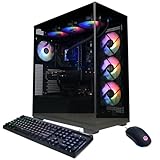
- Top Pick: KOTIN Prebuilt Gaming PC RTX 5070 12GB, Ryzen 7 9700X, 32GB DDR5, 1TB SSD
- Best Value: CyberPowerPC Gamer Xtreme VR Gaming PC, Intel Core i9-14900KF 3.2GHz, GeForce RTX 5070 12GB, 32GB DDR5, 2TB PCIe 4.0 SSD, WiFi Ready & Windows 11 Home (GXiVR8080A39)
- Premium Choice: KOTIN Gaming PC Desktop, Ryzen 7 8700F, RTX 5060 Ti 8GB, 16GB DDR5, 1TB SSD
Affiliate disclosure: As an Amazon Associate we earn from qualifying purchases. This post contains affiliate links — if you buy through them we may earn a small commission at no extra cost to you. This never affects our recommendations.
As an Amazon Associate we earn from qualifying purchases at no extra cost to you.





In a hurry? See the top-rated $2000 Gaming PC Build deals available right now:
🛒 Check $2000 Gaming Pc Build Prices on Amazon →🛒 Best Price Today on Amazon
Prime members get fast, free shipping on everything above, plus member-only deals. New members get a 30-day free trial — cancel anytime.
Start 30-Day Prime Free Trial →See Today’s Amazon DealsIntroduction
The $2,000 price point has always been a special place in the PC building world, but in 2026 it carries more weight than ever. This is the budget where compromise disappears. You stop asking “will it run?” and start asking “how many frames will I get?” — and the answer is almost always a lot.
At $2,000, you land a build that handles 1440p gaming without a second thought, and genuinely competes at 4K. That shift from “1440p capable” to “4K capable” is what separates the $1,500 tier from this one, and it changes everything about how you shop for a monitor.
The centerpiece of this build is the AMD Ryzen 7 9800X3D, and it’s not a close call. AMD’s second-generation 3D V-Cache implementation on the Zen 5 architecture has produced the fastest gaming CPU available at any price. Intel’s competing chips win in threaded workloads, but in games — where raw single-thread speed and large cache matter most — the 9800X3D sits alone at the top.
Paired with the NVIDIA RTX 5070 Ti and its DLSS 4 Multi Frame Generation technology, this build pushes native 4K at high settings and, with DLSS enabled, sustains 144+ fps at 4K in supported titles. The X870E platform underneath it all ensures the build stays relevant through 2027 and beyond. This is no-compromise gaming, built right.
The $2,000 Gaming PC Parts List (2026)
| Component | Part |
|---|---|
| CPU | AMD Ryzen 7 9800X3D |
| GPU | NVIDIA RTX 5070 Ti 16GB |
| Motherboard | ASRock X870E Taichi |
| RAM | G.Skill Trident Z5 Neo RGB DDR5-6000 CL30 32GB |
| Storage | Samsung 990 Pro 2TB |
| PSU | Corsair RM850x 850W 80+ Gold |
| Case | Lian Li O11 Dynamic EVO |
| Cooling | NZXT Kraken 240 AIO |
| Total |
- CPU: AMD Ryzen 7 9800X3D (~$449) — The undisputed gaming CPU champion. AMD’s 3D V-Cache stacking on the Zen 5 die delivers massive L3 cache that feeds the GPU exactly what it needs, eliminating CPU bottlenecks in virtually every game. Eight cores, 16 threads, and a boost clock that holds steady under a good cooler.
- GPU: NVIDIA RTX 5070 Ti 16GB (~$749) — NVIDIA’s sweet spot in the Blackwell lineup. Positioned between the RTX 5070 and 5080, the 5070 Ti delivers 4K gaming performance at a price that doesn’t require a second mortgage. DLSS 4 Multi Frame Generation can multiply effective frame output in supported titles, making 144+ fps at 4K a realistic target.
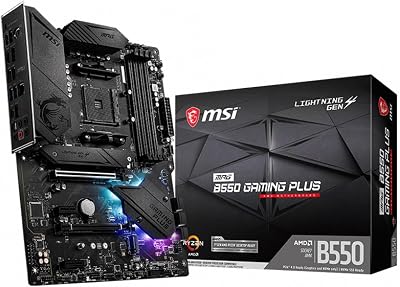
- Motherboard: ASRock X870E Taichi (~$299) — A premium X870E board that doesn’t cut corners. PCIe 5.0 slots for both the GPU and primary M.2 drive, USB4, robust VRM for 9800X3D overclocking headroom, and full AMD EXPO support for DDR5 memory tuning. The Taichi line has a reputation for reliability that justifies its price.
- RAM: G.Skill Trident Z5 Neo RGB DDR5-6000 CL30 32GB (~$119) — DDR5-6000 CL30 is the AMD AM5 sweet spot, validated extensively by the community and AMD’s own documentation. It runs at the EXPO profile with one click in BIOS. The Trident Z5 Neo line is specifically tuned for AM5 platforms and represents the best price-to-performance memory option at this tier.
- Storage: Samsung 990 Pro 2TB (~$149) — Samsung’s flagship PCIe 4.0 NVMe drive. Sequential reads top 7,400 MB/s, which covers everything from Windows boot to game load times. Two terabytes holds a large library — roughly 25–40 modern AAA titles — without requiring constant management. Samsung’s reliability track record in the enthusiast space remains unmatched.
- PSU: Corsair RM850x 850W 80+ Gold (~$129) — 850W is the right capacity for an RTX 5070 Ti and Ryzen 9800X3D system. The RM850x is fully modular, making cable management in the O11 Dynamic EVO straightforward, and it carries a 10-year warranty — longer than most builds stay together. Gold efficiency at typical loads keeps heat and noise minimal.
- Case: Lian Li O11 Dynamic EVO (~$149) — The O11 Dynamic EVO is the standard recommendation for builds combining performance hardware with aesthetics. Its dual-chamber design separates the PSU and cable clutter from the motherboard compartment, the tempered glass panel shows off the components, and its support for both 240mm and 360mm radiators in multiple positions makes it watercooling-ready from the start.
- Cooling: NZXT Kraken 240 (~$119) — A 240mm AIO is the minimum recommendation for the 9800X3D, which is a warm chip when pushing boost clocks. The Kraken 240 keeps thermals in check while adding a distinctive Infinity Mirror LCD display to the pump head. NZXT’s NZXT CAM software integrates pump, fan, and lighting control in one interface.
Performance Expectations
1440p Gaming
At 1440p, this build is effectively uncapped. “Will it run?” is the wrong question — the right question is “which frame rate limiter do I set?”
- AAA titles at max settings: 144–200+ fps in most titles (Cyberpunk 2077, Alan Wake 2, Black Myth: Wukong)
- Competitive shooters (Valorant, CS2, Apex Legends): 300–500+ fps — well above any current display’s refresh rate
- Open-world titles: Consistently above 100 fps even in GPU-heavy scenes
- With DLSS 4 Quality: Frame rates climb further in supported titles, with near-native visual quality retained
For a 1440p/240Hz display, this build keeps the GPU fed at high refresh rates in almost every scenario. You are not wasting hardware at 1440p — you are banking headroom.
4K Gaming
4K is where this build’s purpose becomes clear. Most $1,500 builds can reach 4K but struggle to sustain it. This one doesn’t struggle.
- Native 4K Ultra settings: 60–90+ fps in graphically demanding titles; 90–120+ fps in well-optimized games
- DLSS 4 Quality mode at 4K: 90–130+ fps across the RTX title library — visually indistinguishable from native at typical viewing distances
- DLSS 4 Multi Frame Generation (MFG): 144+ fps effective output in supported titles, making 4K/144Hz a genuinely usable target
- Raytracing at 4K: Viable with DLSS 4 enabled — an experience previously reserved for the RTX 5080/5090 tier
A 4K/144Hz monitor is the right pairing here. At that resolution and refresh rate, you will use every bit of performance this build provides.

Future Proofing
Both the CPU and GPU platform choices here were made with longevity in mind.
The AM5 socket continues to receive support through 2027 and likely beyond, meaning a future Ryzen 9000 or 10000 series upgrade is a drop-in swap. The X870E chipset’s PCIe 5.0 lanes mean the motherboard will not bottleneck a PCIe 5.0 GPU if you upgrade in 3–4 years.
The RTX 5070 Ti has 16GB of GDDR7 VRAM — more than enough for 4K textures and raytracing through the mid-2020s. NVIDIA’s continued DLSS improvements via software updates mean the GPU’s effective performance can increase without any hardware change. Realistically, the RTX 5070 Ti handles 4K at high settings through 2028–2029.
Component Deep Dives
AMD Ryzen 7 9800X3D — Why This CPU, Why Now
The gaming CPU conversation in 2026 starts and ends with the 9800X3D. AMD’s 3D V-Cache technology stacks additional L3 cache directly onto the compute die using advanced packaging — the 9800X3D carries 96MB of L3 in total (32MB native + 64MB stacked). Modern games repeatedly access the same data sets, and having more of that data available at L3 speeds rather than RAM speeds reduces latency on every single frame.
The Zen 5 IPC improvements compound this. AMD rebuilt the front-end, widened the execution engine, and improved branch prediction — individually, each change is incremental, but together they produce meaningfully higher instructions-per-clock across all workloads. The 9800X3D is not just the best gaming CPU; it is also a strong productivity chip, capable in video encoding, compiling, and multitasking tasks where previous X3D chips fell behind.
Alternatives considered: The Intel Core Ultra 9 285K is an excellent productivity chip and competitive in gaming, but it does not match the 9800X3D in game-specific workloads. The Ryzen 9 9950X16 adds more cores but no gaming benefit, at significantly higher cost. The 9800X3D is the correct choice here without qualification.
NVIDIA RTX 5070 Ti — The 4K Value Argument
NVIDIA’s Blackwell architecture (RTX 5000 series) brought substantial improvements in shader throughput and memory bandwidth, but the headline feature is DLSS 4 with Multi Frame Generation. Where DLSS 3’s Frame Generation could insert one AI-generated frame between rendered frames, MFG in DLSS 4 can insert up to three, multiplying effective frame output at relatively low latency cost.
The RTX 5070 Ti sits in a specific position in the lineup: meaningfully faster than the 5070 in rasterization and VRAM, while costing $250 less than the 5080. At 4K Ultra settings, it is the first sub-$800 GPU that does not require DLSS to sustain playable frame rates in demanding titles. With DLSS 4 enabled, it approaches 5080 performance in supported games.
The 16GB GDDR7 VRAM is not just a spec sheet number — at 4K with high-resolution textures, several 2026 titles already push past 10GB of VRAM usage. 16GB provides meaningful headroom for the next 2–3 years.

Alternatives considered: RTX 5080 (+$250) delivers a significant 4K performance jump and is worth it if budget allows. RTX 5070 (-$150) is capable at 4K with DLSS but native performance takes a step back. AMD RX 9070 XT (-$100 vs 5070 Ti) matches rasterization performance closely but lacks DLSS, which is a meaningful disadvantage on a build targeting 4K high-refresh gaming.
ASRock X870E Taichi — Platform Longevity
The X870E chipset is AMD’s highest-end consumer platform for AM5. Compared to X670E, it adds additional PCIe 5.0 bandwidth and USB4 connectivity, and it represents the best-supported AM5 platform for the foreseeable future. The ASRock Taichi line is known for robust VRMs, comprehensive BIOS feature sets, and reliable memory overclocking support — critical for getting DDR5-6000 EXPO profiles to run correctly.
A quality motherboard is not the place to cut costs in this build. A weak VRM throttles the 9800X3D under sustained load; poor memory tuning leaves performance on the table. The X870E Taichi costs more than a mid-range X870 board, but it pays back in stability and headroom.
G.Skill Trident Z5 Neo DDR5-6000 CL30 — The AM5 Memory Sweet Spot
DDR5 memory scaling on AMD AM5 follows a curve, and DDR5-6000 sits at the top of it. Running at DDR5-6000 with CL30 timings, the CPU’s memory controller operates in a 1:1 ratio with the Infinity Fabric — the interconnect AMD uses between the CPU, cache, and memory controller — which minimizes latency and maximizes bandwidth. Pushing beyond 6000 MHz forces a 1:2 ratio, which adds latency and can negate the bandwidth gains.
G.Skill’s Trident Z5 Neo line uses Samsung or Hynix A-die chips depending on the batch, both of which perform reliably at EXPO-rated speeds. One-click EXPO activation in the ASRock BIOS is all it takes to hit full-rated performance.
Samsung 990 Pro 2TB — Reliability as a Feature
NVMe SSD performance has plateaued in ways that matter for gaming — beyond a certain read speed threshold, load time differences between drives become imperceptible. The Samsung 990 Pro’s value lies in Samsung’s proven reliability, consistent sustained write performance, and well-optimized firmware that does not throttle under extended workloads. The 2TB capacity is a practical choice: modern AAA titles regularly exceed 100GB, and a 2TB drive maintains meaningful free space through a healthy game library.
Alternatives and Optimizations
Intel Alternative: Core Ultra 9 285K + Z890 MEG ACE
If your workflow skews toward video editing, 3D rendering, or heavily threaded software development, the Intel platform becomes more competitive. The Core Ultra 9 285K pairs Lion Cove P-cores with Skymont E-cores for strong multi-threaded throughput that AMD’s 9800X3D does not match in sustained all-core workloads. Pair it with an MSI MEG Z890 ACE and the same DDR5-6000 RAM, and you have a capable productivity-first build that also games well. The trade-off is real though: in gaming benchmarks, the 9800X3D consistently wins, often by 10–20% in CPU-limited scenarios. For gaming-first builds, AMD remains the right call.
GPU Alternatives
RTX 5080 (~+$250): If 4K/144Hz is your primary display and you want maximum headroom for ray tracing without leaning on DLSS, the 5080 is worth the premium. The performance jump from 5070 Ti to 5080 is larger than most GPU tier-to-tier gaps. Pair it with a 32GB DDR5 kit, drop to a mid-range X870 board, and you can stay near the $2,000 mark.
RTX 5070 (~-$150): Saves meaningful money and remains capable at 4K with DLSS Quality enabled. Native 4K performance takes a step back in demanding titles — expect 50–70 fps native where the 5070 Ti manages 70–90 — but with DLSS 4, effective frame rates stay competitive. A strong choice for a tighter budget.
AMD RX 9070 XT (~-$100 vs 5070 Ti): AMD’s RDNA 4 flagship trades blows with the RTX 5070 Ti in pure rasterization and is a compelling value. The primary disadvantage is the absence of DLSS, which is particularly impactful at 4K high-refresh targets. AMD’s FSR 4 is a solid upscaler but trails DLSS 4 in quality and compatibility breadth. If you play primarily in titles where FSR 4 is implemented, the RX 9070 XT is an excellent alternative.
Budget Optimization
If you need to trim $100–$150 without compromising gaming performance: drop to the Samsung 990 Pro 1TB (~$80, save $70) and add a 2TB secondary SATA SSD (~$60) for game storage. Step down to a mid-range X870 board like the MSI MAG X870 Tomahawk (~$199, save $100). The gaming experience remains identical — the savings come from storage and feature set, not performance.
Final Verdict
The best gaming PC build at $2,000 in 2026 is built for a specific type of builder: someone who owns or intends to buy a 4K or 1440p/240Hz display and wants a system that handles it without compromise. It is the right build for content creators who game heavily — the 9800X3D handles video encoding and streaming with headroom to spare, and the RTX 5070 Ti accelerates GPU-based rendering in DaVinci Resolve and similar tools. It is the right build for enthusiasts who want a system they can run for 4–5 years without feeling left behind.
At 4K Ultra settings, this build delivers 4–5 years of high-settings gaming before a GPU upgrade becomes necessary. At 1440p, it is effectively future-proofed beyond that. The AM5 socket upgrade path means a future CPU swap is a simple BIOS update and component swap — no platform migration required.
If the $2,000 budget is firm, this parts list represents the most balanced allocation of that money for a gaming-first build. The Ryzen 7 9800X3D and RTX 5070 Ti earn their position at the top because nothing at this price point touches them for gaming performance. Everything else in the build — the X870E Taichi, the DDR5-6000 RAM, the Corsair PSU, the O11 Dynamic EVO — was chosen to support those two components without introducing weak links.
Build it, set everything to Ultra, and do not look back for a long time.
Related Articles
Looking for more on this topic? Browse the hand-picked guides below — each one applies the same scoring rubric used in this review.
Frequently Asked Questions
What is the best gaming pc build 2000 in 2026?
The best gaming pc build 2000 depends on your budget and how you plan to use it. The options compared above are our top-rated picks based on real customer ratings, build quality, and overall value — start with the highest-rated model that fits your budget.
How much should I expect to spend on a gaming pc build 2000?
Prices vary by brand and features. Budget options cover the essentials, while mid-range and premium models add durability, performance, and extra features. Compare the prices in the list above to find the best value for your needs.
What should I look for when buying a gaming pc build 2000?
Focus on what matters most for your use case — build quality, compatibility, performance, warranty, and verified customer reviews. Every pick above is selected to balance these factors.
Are budget gaming pc build 2000 options worth it?
Yes. For most people a well-reviewed budget or mid-range gaming pc build 2000 delivers excellent value. You only need to spend more if you specifically require premium materials or top-tier performance.
How did we choose these gaming pc build 2000 picks?
We compare current Amazon ratings, review counts, key features, and price to surface the options with the best real-world value. The list is refreshed as ratings and availability change.
Ready to decide? Our #1 pick for 2026 is the Component.
Live price & availability on Amazon.