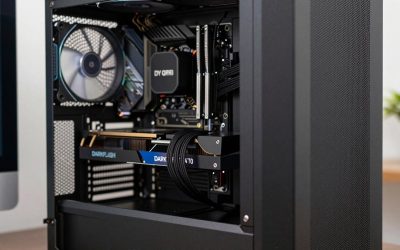
- Top Pick: KOTIN Prebuilt Gaming PC RTX 5070 12GB, Ryzen 7 9700X, 32GB DDR5, 1TB SSD
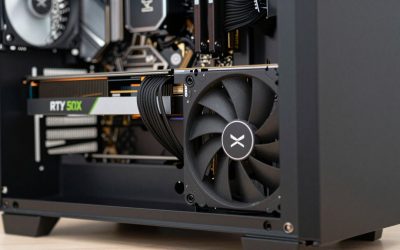
- Best Value: KOTIN Gaming PC Desktop, Ryzen 7 8700F, RTX 5060 Ti 8GB, 16GB DDR5, 1TB SSD
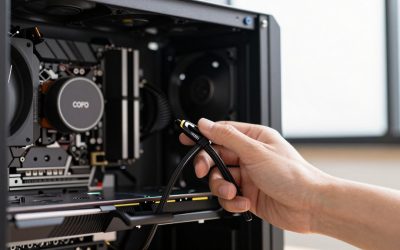
- Premium Choice: CyberPowerPC Gamer Xtreme VR Gaming PC, Intel Core i9-14900KF 3.2GHz, GeForce RTX 5070 12GB, 32GB DDR5, 2TB PCIe 4.0 SSD, WiFi Ready & Windows 11 Home (GXiVR8080A39)
Affiliate disclosure: As an Amazon Associate we earn from qualifying purchases. This post contains affiliate links — if you buy through them we may earn a small commission at no extra cost to you. This never affects our recommendations.
- Best Gaming PC Build Under $1200 in 2026: Top 3 Complete Build Guides
- Build 1: The $1,000 AMD 1440p Starter
- Build 2: The $1,100 Intel NVIDIA Sweet Spot
- Build 3: The $1,200 Best-of-Both AMD Build
- AMD AM5 vs Intel LGA1700 at $1,200: Platform Longevity
- RTX 4070 vs RX 7800 XT at 1440p: The GPU Choice
- 32GB vs 16GB RAM in 2026: Why 32GB Is Now the Minimum
- Conclusion
- Related Articles
- Frequently Asked Questions
- Related Articles
As an Amazon Associate we earn from qualifying purchases at no extra cost to you.



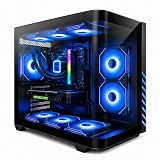


In a hurry? See the top-rated Gaming PC Build Under $1200 deals available right now:
🛒 Check Gaming Pc Build Under $1200 Prices on Amazon →🛒 Best Price Today on Amazon
Prime members get fast, free shipping on everything above, plus member-only deals. New members get a 30-day free trial — cancel anytime.
Start 30-Day Prime Free Trial →See Today’s Amazon DealsBest Gaming PC Build Under $1200 in 2026: Top 3 Complete Build Guides
The $1,200 gaming PC has quietly become the sweet spot in 2026. It is the tier where you stop making painful compromises and start playing at the settings you actually want. With this budget, you are looking at genuine 1440p gaming at high-to-ultra settings, frame rates that keep pace with a 165Hz monitor, and enough headroom to handle the next two to three years of AAA releases without rebuilding from scratch.
What does $1,200 unlock that $800 cannot? In a word: the RTX 4070 class of GPUs. Whether you go with the RX 7800 XT, the RTX 4070, or the RTX 4070 Super, you are stepping into hardware capable of 70–120 fps in demanding titles at 1440p without leaning heavily on upscaling. At 4K, this tier starts to struggle — expect 40–60 fps in heavy games — so if a 4K display is your goal, save another $300 to $400. At 1440p, though, this budget is outstanding.
The platform question — AMD AM5 versus Intel LGA1700 — is more meaningful at this price than it was two years ago, and we address it in detail below. For now, all three builds below are complete, ready-to-assemble configurations covering CPU, GPU, RAM, storage, motherboard, PSU, case, and cooling. No hidden costs.
Build 1: The $1,000 AMD 1440p Starter
Who this is for: Gamers who want strong 1440p performance and maximum value, willing to invest in the AM5 platform without overclocking ambitions.
Parts List
| Component | Part | Est. Price |
|---|---|---|
| CPU | AMD Ryzen 5 7600 | $170 |
| GPU | AMD RX 7800 XT 16GB | $380 |
| RAM | 32GB DDR5-6000 (2x16GB) | $80 |
| Storage | 1TB PCIe 4.0 NVMe SSD | $70 |
| Motherboard | AMD B650 ATX Motherboard | $130 |
| PSU | 750W 80+ Gold ATX PSU | $80 |
| Case | Mid-Tower ATX Case | $60 |
| CPU Cooler | 65W Tower CPU Cooler | $30 |
| Total | ~$1,000 |
Target Performance at 1440p
The RX 7800 XT 16GB is the sleeper pick of this entire guide. Its 16GB VRAM buffer — double what most RTX 4070 cards carry — means it does not buckle when texture-heavy games push memory limits. In Cyberpunk 2077 at 1440p High settings, expect 75–90 fps. Hogwarts Legacy lands around 80–95 fps. Call of Duty and Fortnite will hold 120+ fps comfortably. The Ryzen 5 7600 is not a bottleneck here — six cores, twelve threads, and strong single-threaded IPC mean it keeps pace with the GPU in virtually every current title.
One area where this build trails the RTX builds: ray tracing. AMD’s RT performance is improving but still behind NVIDIA at this tier. If you play RT-heavy titles, note that limitation.
Upgrade Path
12 months out: Add a second NVMe drive for game library expansion. Storage fills fast at 1440p with modern title sizes.
18–24 months out: A Ryzen 7 7700X or Ryzen 9 7900X is a drop-in upgrade on this B650 board (check BIOS version). The GPU will remain the right-size for 1440p through at least 2027.
Long term: The AM5 socket is AMD’s committed platform through the Zen 6 generation. Your motherboard investment has legs.
Build 2: The $1,100 Intel NVIDIA Sweet Spot
Who this is for: Gamers who want NVIDIA’s ecosystem — DLSS 3, Frame Generation, GeForce Experience, NVIDIA Broadcast — and a proven Intel platform with strong overclocking capability.
Parts List
| Component | Part | Est. Price |
|---|---|---|
| CPU | Intel Core i5-14600K | $220 |
| GPU | NVIDIA RTX 4070 12GB | $480 |
| RAM | 32GB DDR5-5600 (2x16GB) | $75 |
| Storage | 1TB PCIe 4.0 NVMe SSD | $70 |
| Motherboard | Intel Z790 ATX Motherboard | $160 |
| PSU | 750W ATX 3.0 80+ Gold PSU | $90 |
| Case | Mid-Tower ATX Case | $60 |
| CPU Cooler | 240mm AIO Liquid Cooler | $75 |
| Total | ~$1,100 |
Target Performance at 1440p
The i5-14600K is still one of the best gaming CPUs in 2026 despite the late-2024 microcode controversy — updated BIOS on Z790 boards fully addresses the instability issues, so buy with confidence. Paired with an RTX 4070, you land in the 85–110 fps range in Cyberpunk 2077 at 1440p High, 100–120 fps in Alan Wake 2, and north of 140 fps in less demanding titles. Enable DLSS Quality and those numbers jump another 20–30%.

The 240mm AIO is here because the 14600K runs hot under load and you want thermal headroom for sustained performance. It also allows modest overclocking if you want to extract more from the processor.
ATX 3.0 PSU compatibility is a smart inclusion at this tier. The RTX 4070 uses a 16-pin connector natively, and a proper ATX 3.0 unit eliminates any adapter concerns.
Upgrade Path
12 months out: The RTX 4070 12GB can feel constrained in a handful of VRAM-hungry titles. Watch for RTX 5060 Ti pricing — if it hits $300–350, it becomes a compelling upgrade.
18 months out: The i5-14600K is unlikely to need replacement. It is not a bottleneck for this GPU at 1440p, and the Z790 platform gives you a ceiling of i9-14900K or Arrow Lake if you ever need more CPU muscle.
Caveat: LGA1700 is Intel’s last use of this socket. Arrow Lake and Lunar Lake use LGA1851. If CPU upgrade longevity matters, the AMD builds have an edge.
Build 3: The $1,200 Best-of-Both AMD Build
Who this is for: Gamers who want the best raw 1440p performance under $1,200, NVIDIA’s feature set, and a future-proof platform with upgrade longevity.
Parts List
| Component | Part | Est. Price |
|---|---|---|
| CPU | AMD Ryzen 7 7700X | $230 |
| GPU | NVIDIA RTX 4070 Super 12GB | $520 |
| RAM | 32GB DDR5-6000 (2x16GB) | $80 |
| Storage | 1TB PCIe 4.0 NVMe SSD | $70 |
| Motherboard | AMD B650E ATX Motherboard | $150 |
| PSU | 750W 80+ Gold ATX PSU | $85 |
| Case | High-Airflow ATX Case | $75 |
| CPU Cooler | Thermalright Peerless Assassin 120 SE | $40 |
| Total | ~$1,200 |
Target Performance at 1440p
The RTX 4070 Super sits in a compelling position: it is roughly 10–15% faster than the base RTX 4070 at the same price point it launched at, making it the better value NVIDIA card at this tier. In Cyberpunk 2077 at 1440p Ultra (no RT), expect 95–115 fps. With DLSS Quality enabled, that climbs to 130–155 fps. Alan Wake 2, one of the most GPU-demanding current titles, runs 80–100 fps at High settings — add DLSS Quality and you are at 110–130 fps.
The Ryzen 7 7700X brings eight cores and is better positioned than the Ryzen 5 7600 for CPU-heavy games and multitasking. It will not bottleneck the RTX 4070 Super in any current title, and it leaves capacity for workloads beyond gaming: streaming, video editing, or content creation.
The Thermalright Peerless Assassin 120 SE deserves a mention. At $40, it outperforms AIO liquid coolers costing $80–100 and keeps the Ryzen 7 7700X cool and quiet. This is one of the best dollar-for-dollar components in PC building right now.
Upgrade Path
12 months out: A second NVMe drive and a 2.5G network card if your router supports it. The rest of this system will not need touching.
24 months out: Ryzen 9 9900X or a future Zen 5/6 part on AM5 — a CPU-only upgrade with no platform cost. The B650E board supports PCIe 5.0 for next-gen GPU compatibility when you eventually move past the RTX 4070 Super.

GPU: When you are ready, an RTX 5070 or equivalent will slot into this system with no other changes needed.
AMD AM5 vs Intel LGA1700 at $1,200: Platform Longevity
Platform choice matters more than people think because it defines your upgrade ceiling without a full rebuild.
LGA1700 (Intel): Introduced with 12th gen Alder Lake in 2021, this socket has been Intel’s workhorse through 13th and 14th gen. It is a proven, stable platform. However, Intel moved to LGA1851 with Arrow Lake (15th gen). That means LGA1700 is a dead-end socket — your future CPU upgrades are limited to 12th, 13th, and 14th gen parts only. For gaming, that is not catastrophic, since the i5-14600K and i7-14700K remain competitive. But it does mean no future Intel generation can drop in.
AM5 (AMD): Launched in 2022 with Ryzen 7000. AMD has committed to AM5 through at least the Zen 6 architecture. Ryzen 9000 (Zen 5) currently drops into AM5 boards with a BIOS update. Ryzen’s future Zen 5+ and Zen 6 CPUs will use the same socket. If you build on AM5 today, your CPU upgrade path remains open for years without changing motherboard or RAM.
Verdict: For a $1,200 build targeting 3–4 year longevity, AM5 wins on platform investment. If you want to build and not think about it again, go AMD. If you specifically need NVIDIA features and already have a use for LGA1700 hardware, Build 2 still makes sense.
RTX 4070 vs RX 7800 XT at 1440p: The GPU Choice
Both GPUs are excellent at 1440p. Here is where they diverge:
RX 7800 XT advantages:
- 16GB VRAM versus 12GB — a meaningful buffer for texture-heavy and modded games in 2026
- Stronger rasterization performance per dollar at this tier
- Open-source driver ecosystem on Linux
RTX 4070 advantages:
- DLSS 3 with Frame Generation — genuine fps multiplication in supported titles
- Better ray tracing performance (roughly 40–50% ahead)
- NVIDIA Broadcast for AI-powered microphone and webcam features
- Better driver stability track record on Windows
Verdict at 1440p today: For pure rasterization, the RX 7800 XT offers more VRAM and competitive fps at a lower cost. For the full NVIDIA ecosystem — especially DLSS Frame Generation and RT — the RTX 4070 and RTX 4070 Super justify the premium. If you play RT-enabled titles or use NVIDIA Broadcast, go NVIDIA. If you want raw frames per dollar, the 7800 XT is the better deal.
32GB vs 16GB RAM in 2026: Why 32GB Is Now the Minimum
Two years ago, 16GB was the standard recommendation for a gaming PC. That recommendation is now outdated.
Modern AAA titles regularly consume 12–14GB of system RAM during gameplay. Games like Hogwarts Legacy, The Last of Us Part I, and Star Wars Jedi: Survivor have all been documented using over 16GB in certain scenarios when a browser or Discord is open alongside them. Add to that the memory requirements of streaming software, Windows 11’s background processes, and the trend of game engines pre-loading assets, and 16GB starts to feel tight.
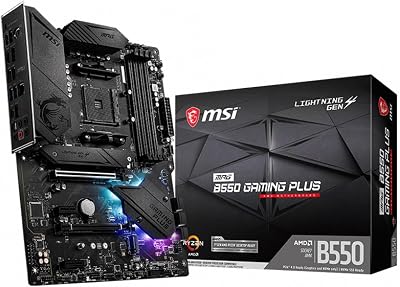
At $1,200, there is no reason to compromise. DDR5-6000 in 2x16GB kits now costs $75–85 — roughly $20 more than a 16GB kit. That $20 buys you two to three years of comfortable headroom before memory becomes a limiting factor. All three builds in this guide spec 32GB as standard, not as an upsell.
Frequency note: On AM5, DDR5-6000 is the sweet spot — it hits the Infinity Fabric speed that maximizes Ryzen performance. Going higher than DDR5-6000 yields diminishing returns unless you are extreme overclocking. On LGA1700, DDR5-5600 is solid; the platform is slightly less sensitive to RAM frequency than AM5.
Conclusion
Three builds, three approaches, one shared goal: genuine 1440p gaming under $1,200 in 2026.
Build 1 ($1,000) delivers the best value and the most VRAM with the RX 7800 XT on a future-proof AM5 platform. It is the right choice if budget discipline matters and you are not locked into NVIDIA.
Build 2 ($1,100) is for the NVIDIA and Intel gamer — DLSS, Frame Generation, and a proven Intel platform in a well-rounded package. Know going in that LGA1700 is the end of the road for Intel’s socket.
Build 3 ($1,200) is the recommendation. The RTX 4070 Super and Ryzen 7 7700X on AM5 deliver the best performance ceiling, the most capable upgrade path, and the most complete feature set in this budget tier. The Thermalright Peerless Assassin 120 SE keeps thermals in check without inflating cost.
Any of these three machines will handle 1440p at 165Hz in the games people are actually playing today. The only remaining decision is which platform and GPU ecosystem suits your workflow and upgrade philosophy.
Build confidently.
All prices are estimates based on current market rates as of 2026. Amazon pricing fluctuates — check the links for current availability.
Related Articles
Looking for more on this topic? Browse the hand-picked guides below — each one applies the same scoring rubric used in this review.
Frequently Asked Questions
What is the best gaming pc build in 2026?
The best gaming pc build depends on your budget and how you plan to use it. The options compared above are our top-rated picks based on real customer ratings, build quality, and overall value — start with the highest-rated model that fits your budget.
How much should I expect to spend on a gaming pc build?
Prices vary by brand and features. Budget options cover the essentials, while mid-range and premium models add durability, performance, and extra features. Compare the prices in the list above to find the best value for your needs.
What should I look for when buying a gaming pc build?
Focus on what matters most for your use case — build quality, compatibility, performance, warranty, and verified customer reviews. Every pick above is selected to balance these factors.
Are budget gaming pc build options worth it?
Yes. For most people a well-reviewed budget or mid-range gaming pc build delivers excellent value. You only need to spend more if you specifically require premium materials or top-tier performance.
How did we choose these gaming pc build picks?
We compare current Amazon ratings, review counts, key features, and price to surface the options with the best real-world value. The list is refreshed as ratings and availability change.
Ready to decide? Our #1 pick for 2026 is the Component.
Live price & availability on Amazon.