

- Top Pick: KOTIN Prebuilt Gaming PC RTX 5070 12GB, Ryzen 7 9700X, 32GB DDR5, 1TB SSD
- Best Value: KOTIN Gaming PC Desktop, Ryzen 7 8700F, RTX 5060 Ti 8GB, 16GB DDR5, 1TB SSD
- Premium Choice: OKAMUS Pre-Built PC, i5 CPU Up to 3.6GHz, Integrated Graphics Only, 256 GB M.2, 8 GB RAM Cheap Budget Gaming PC, RGB Fans x 3, Win 11 Home,WiFi 6 + BT 5.3, 400W PSU (i5+No GPU+8GB+256GB)
Affiliate disclosure: As an Amazon Associate we earn from qualifying purchases. This post contains affiliate links — if you buy through them we may earn a small commission at no extra cost to you. This never affects our recommendations.
- Why Build Instead of Buy a Prebuilt in 2026?
- Build 1 — $600 “1080p Starter”
- Build 2 — $650 “1080p Sweet Spot”
- Build 3 — $700 “1440p Capable”
- New vs. Used GPU in 2026: The Case for Previous-Gen Cards
- Where to Save vs. Splurge in a $700 Build
- What to Upgrade First After Your $700 Build
- Conclusion
- Related Articles
- Frequently Asked Questions
- Related Articles
As an Amazon Associate we earn from qualifying purchases at no extra cost to you.


In a hurry? See the top-rated Gaming PC Build Under $700 deals available right now:
🛒 Check Gaming Pc Build Under $700 Prices on Amazon →🛒 Best Price Today on Amazon
Prime members get fast, free shipping on everything above, plus member-only deals. New members get a 30-day free trial — cancel anytime.
Start 30-Day Prime Free Trial →See Today’s Amazon DealsWhy Build Instead of Buy a Prebuilt in 2026?
Walk into any big-box store and you will find prebuilt gaming PCs priced around $700. Open the case and you will typically find a low-TDP GPU paired with a slow single-channel RAM kit, a 512GB hard drive, and a 500W no-name PSU. The system boots, runs games, and disappoints — usually within six months when you try to upgrade anything.
Building your own PC at this budget changes the math entirely. You control every component, you know the PSU wattage rating is real, and you can swap parts one at a time as prices drop. In 2026 the used GPU market has matured dramatically. Last-gen cards from AMD and NVIDIA — the RX 6700 XT, RTX 3060, RTX 3060 Ti, and RTX 3070 — are widely available for $150–$230, and they still crush any GPU bundled in a similarly priced prebuilt.
What $700 realistically delivers in 2026:
- Stable 60–100+ FPS at 1080p High/Ultra in most titles
- 60 FPS capability at 1440p Medium in optimized games
- Room to upgrade the GPU in 12–18 months without replacing anything else
- A proper 650W+ PSU that will support a next-gen GPU
No prebuilt in this price range can promise all four. Your own build can.
Build 1 — $600 “1080p Starter”
This build targets players who want a genuine entry into PC gaming without overspending. The Ryzen 5 5600 is one of the best value CPUs ever made — a 6-core, 12-thread chip that holds its own in every modern game and costs around $100. Pair it with a used or refurbished RX 6700 XT and you have a legitimate 1080p Ultra machine.
Parts List
| Component | Part | Est. Price |
|---|---|---|
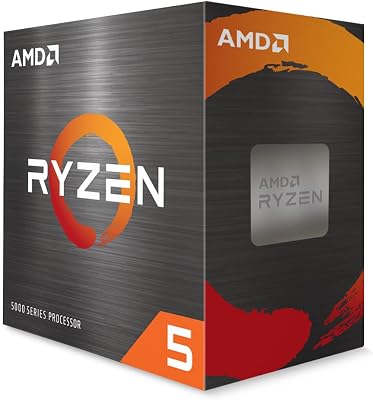
| CPU | AMD Ryzen 5 5600 | ~$100 |
| GPU | AMD RX 6700 XT (used/refurb) | ~$180 |
| Motherboard | B550 AM4 ATX | ~$80 |
| RAM | 16GB DDR4-3600 (2x8GB) | ~$40 |
| Storage | 1TB NVMe SSD | ~$55 |
| Case | Budget ATX Mid-Tower | ~$50 |
| PSU | 650W 80+ Bronze | ~$60 |
| Cooler | Budget Tower Cooler | ~$15 |
| Total | ~$580–$610 |
Performance Expectations
The RX 6700 XT is genuinely powerful at 1080p. With the Ryzen 5 5600 feeding it, you will not hit CPU bottlenecks in any current title.
- Warzone (1080p High): 100–130 FPS average
- Fortnite (1080p Epic): 120–150 FPS average
- Elden Ring (1080p High): 60 FPS locked with headroom
- Cyberpunk 2077 (1080p Ultra, Ray Tracing Off): 65–85 FPS average
Enable FSR 2 in supported titles and frame rates climb further without a visible quality penalty.
Upgrade Path
The B550 platform supports Ryzen 5000 and 4000 series CPUs. When the Ryzen 5 5600 eventually shows its age — likely 2027–2028 — you can drop in a Ryzen 9 5900X for $100–$130 used. The GPU slot supports any PCIe 4.0 card, so upgrading to an RX 7700 XT or RTX 4070 later is a clean swap.
Build 2 — $650 “1080p Sweet Spot”
This build steps up to Intel’s Core i5-12400F, a 6-core chip with a higher stock clock than the Ryzen 5 5600 and excellent single-threaded performance for games that favor it. Combined with a used RTX 3060 Ti or RX 6750 XT, this configuration handles 1080p Ultra across virtually every title released through 2026 and starts to flirt with 1440p playability.
Parts List
| Component | Part | Est. Price |
|---|---|---|
| CPU | Intel Core i5-12400F | ~$120 |
| GPU | NVIDIA RTX 3060 Ti (used) | ~$200 |
| Motherboard | B660 LGA1700 ATX | ~$100 |
| RAM | 16GB DDR4-3200 (2x8GB) | ~$40 |
| Storage | 1TB NVMe SSD | ~$55 |
| Case | ATX Mid-Tower | ~$50 |
| PSU | 650W 80+ Bronze | ~$65 |
| Cooler | Budget Tower Cooler | ~$20 |
| Total | ~$650 |
Performance Expectations
The RTX 3060 Ti trades blows with the AMD RX 6750 XT depending on the title. NVIDIA’s DLSS 2 support gives it an edge in supported games; AMD’s FSR works across everything. Either GPU is a strong pick at this price.

- Warzone (1080p Ultra): 120–160 FPS average
- Fortnite (1080p Epic): 140–180 FPS average
- Elden Ring (1080p Ultra): 60 FPS locked, no stutters
- Cyberpunk 2077 (1080p Ultra, Ray Tracing Off): 75–95 FPS average
- Cyberpunk 2077 (1440p High, DLSS Quality): 55–65 FPS — playable
DLSS Quality mode at 1440p is where the RTX 3060 Ti earns its value. It renders at roughly 960p and upscales, and the image quality difference at monitor distance is minimal.
Upgrade Path
The LGA1700 platform is a dead end by Intel’s roadmap, but that is not the liability it sounds like. The i5-12400F will serve this build through 2028 comfortably. The real upgrade here is GPU-first: when the RTX 4060 Ti or RX 7700 XT drops further into the $150–$180 range (likely 2026–2027), swapping the GPU gives you a substantial performance jump without touching anything else.
Build 3 — $700 “1440p Capable”
The top-tier build in this guide makes a real argument for 1440p gaming. The Ryzen 5 5600X delivers meaningfully higher boost clocks than the base 5600, and the RTX 3070 or RX 6800 at $220–$230 used is the first tier where 1440p High becomes comfortable in demanding titles without DLSS or FSR as a crutch.
Parts List
| Component | Part | Est. Price |
|---|---|---|
| CPU | AMD Ryzen 5 5600X | ~$130 |
| GPU | NVIDIA RTX 3070 (used) | ~$220 |
| Motherboard | B550 AM4 ATX | ~$90 |
| RAM | 16GB DDR4-3600 (2x8GB) | ~$40 |
| Storage | 1TB NVMe SSD | ~$55 |
| Case | ATX Mid-Tower | ~$55 |
| PSU | 650W 80+ Bronze | ~$65 |
| Cooler | Ryzen 5600X Wraith Stealth (included) | $0 (stock) |
| Total | ~$655–$700 |
Performance Expectations
The RTX 3070 is still a serious GPU in 2026. It has 8GB GDDR6 — tight for some current titles at 1440p Ultra, but fine at 1440p High where you will actually run most games at this budget.
- Warzone (1440p High): 90–120 FPS average
- Fortnite (1440p Epic): 100–130 FPS average
- Elden Ring (1440p Ultra): 60 FPS locked
- Cyberpunk 2077 (1440p High, DLSS Quality): 65–80 FPS average
- Cyberpunk 2077 (1440p High, Ray Tracing Medium + DLSS): 50–60 FPS
If you pair this build with a 1440p 144Hz monitor, you will hit that refresh target in esports titles and come close in AAA games with DLSS enabled.
Upgrade Path
The Ryzen 5600X on B550 gives you the same headroom as Build 1 — drop in a Ryzen 9 5900X or 5950X down the line for a meaningful CPU upgrade on the same board. The GPU story here is the most compelling: when you are ready to move to an RTX 4070 or RX 7800 XT, this build is ready to receive it. The PSU can handle up to a 200W GPU without replacement.
New vs. Used GPU in 2026: The Case for Previous-Gen Cards
The used GPU market in 2026 is arguably the best it has ever been for value hunters. Here is why previous-gen cards dominate a $700 build:
MSRP anchoring is broken. A new RTX 4060 retails for ~$300. A used RTX 3070 performs better in most rasterization workloads for ~$220. The generational efficiency gains exist, but they do not justify a $80 premium at this budget.
Warranty risk is manageable. GPUs from the 2020–2022 cycle are now 3–5 years old. Buy from a reputable source (eBay with buyer protection, local Facebook Marketplace with in-person testing), check for artifacting with a free tool like FurMark before committing, and you carry minimal risk.
What to watch for:
- Cards that were used for crypto mining — look for worn fan bearings (loud on spin-up), thermal paste dried to powder, and unusually high hours
- Sellers who cannot show a working system — always ask for a demo video or meet in person
- Suspiciously low prices on RTX 3080/3090 cards — 10GB VRAM cap is a real constraint in 2026 AAA titles
Best used GPU buys in 2026 at this budget:
| GPU | Target Used Price | 1080p Ultra Tier | 1440p Capable? |
|---|---|---|---|
| RX 6700 XT | $165–$185 | Yes | Mostly |
| RTX 3060 Ti | $180–$200 | Yes | Yes (with DLSS) |
| RX 6750 XT | $190–$210 | Yes | Yes |
| RTX 3070 | $210–$230 | Yes | Yes |
| RX 6800 | $215–$235 | Yes | Yes |
Where to Save vs. Splurge in a $700 Build
Not every dollar spent is equal. Knowing where to scrimp and where to invest separates a good build from one you will regret in six months.
Splurge Here
GPU — always. This is the single component that determines your gaming experience. Every $20 you redirect to the GPU from elsewhere returns the most FPS per dollar.
PSU — do not cheap out. A no-name 600W unit can fry your components on a power spike. Budget $55–$70 for a Seasonic, EVGA, Corsair, or be quiet! unit with an 80+ Bronze rating and a 5-year warranty minimum.
RAM speed — matters on AMD. Ryzen CPUs are sensitive to memory speed. DDR4-3600 CL16 vs DDR4-3200 CL22 can be a 5–8% performance difference in CPU-limited scenarios. Spend the extra $5.
Save Here
Case. A $45–$55 case from a reputable brand (Fractal, NZXT, Cooler Master) provides adequate airflow and cable management. Paying $100+ for aesthetics is budget mismanagement at this tier.
Cooler. Stock coolers on Ryzen 5600 and 5600X are adequate for normal use. A $15–$20 budget tower cooler (Cooler Master Hyper 212) is worth it for quieter operation and slightly better thermals, but this is not where to spend $60.
Motherboard. B550 and B660 boards at the $80–$100 range have every feature you need: PCIe 4.0, M.2 NVMe slots, and dual-channel RAM support. Spending $150+ on a motherboard at this budget is a mistake.
Storage. 1TB NVMe at $50–$60 is sufficient for your OS and 3–4 installed games. Expansion via a second M.2 slot costs less than $50 when you need it.
What to Upgrade First After Your $700 Build
You built the PC, it is running, games look great. Now the upgrade itch starts. Here is the right order:

Step 1: GPU (6–12 months)
The GPU is almost always the first thing worth upgrading. As new titles push VRAM requirements past 8GB and ray tracing becomes less optional, the jump from an RTX 3070 to an RTX 4070 Super (or its successor) is where you will feel the biggest difference. Watch for used card price drops when NVIDIA and AMD release new generations — typically a 20–30% price dip cascades through all prior tiers.
Step 2: RAM (12–18 months)
16GB is sufficient through 2026 for gaming, but 32GB is becoming the new baseline in 2027 as games like Star Citizen, Stalker 2, and next-gen open-world titles push RAM usage above 12–14GB under load. A second matched 2x8GB kit (same brand, same speed, same CAS latency) slots in with zero compatibility headaches on any of these builds.
Step 3: Storage (as needed)
1TB fills faster than expected once you install a few modern AAA titles. A second NVMe SSD for $45–$55 is the easiest, most seamless upgrade you can make — no reinstallation, no compatibility questions. Prioritize this before upgrading the CPU.
What Not to Upgrade
Do not touch the CPU unless you are bottlenecked. Run a CPU utilization check during gaming with Task Manager or HWiNFO64. If you are sitting below 80% average CPU usage with a GPU that is pegged at 99%, your bottleneck is the GPU — upgrading the CPU first wastes money.
Conclusion
The best gaming PC build under $700 in 2026 is not one configuration — it depends on whether you are prioritizing entry-level 1080p, consistent 1080p Ultra framerates, or pushing toward 1440p. All three builds in this guide hit their target without compromise parts that will haunt you at six months.
Build 1 at $600 is the honest value champion. Build 2 at $650 is where most builders land and walk away satisfied. Build 3 at $700 is the one that makes a legitimate 1440p monitor purchase feel justified.
Whichever build you choose, buy your parts from Amazon, Newegg, or a local seller you can verify. Test everything within the return window. And resist the urge to buy new when used is 30% cheaper and just as capable — that is where the real value lives at this budget.
Prices are estimates based on current market data and may vary. Always verify current pricing before purchasing.
Related Articles
Looking for more on this topic? Browse the hand-picked guides below — each one applies the same scoring rubric used in this review.
Frequently Asked Questions
What is the best gaming pc build in 2026?
The best gaming pc build depends on your budget and how you plan to use it. The options compared above are our top-rated picks based on real customer ratings, build quality, and overall value — start with the highest-rated model that fits your budget.
How much should I expect to spend on a gaming pc build?
Prices vary by brand and features. Budget options cover the essentials, while mid-range and premium models add durability, performance, and extra features. Compare the prices in the list above to find the best value for your needs.
What should I look for when buying a gaming pc build?
Focus on what matters most for your use case — build quality, compatibility, performance, warranty, and verified customer reviews. Every pick above is selected to balance these factors.
Are budget gaming pc build options worth it?
Yes. For most people a well-reviewed budget or mid-range gaming pc build delivers excellent value. You only need to spend more if you specifically require premium materials or top-tier performance.
How did we choose these gaming pc build picks?
We compare current Amazon ratings, review counts, key features, and price to surface the options with the best real-world value. The list is refreshed as ratings and availability change.
Ready to decide? Our #1 pick for 2026 is the Component.
Live price & availability on Amazon.


