Affiliate disclosure: As an Amazon Associate we earn from qualifying purchases. This post contains affiliate links — if you buy through them we may earn a small commission at no extra cost to you. This never affects our recommendations.
- Best Prebuilt Gaming PC Under $800 in 2026: Top 5 Picks for Entry-Level Performance
- Quick Comparison: Best Prebuilt Gaming PCs Under $800
- The 5 Best Prebuilt Gaming PCs Under $800
- The Prebuilt Trap: What to Watch For
- RTX 3060 vs RX 6700 at $800: Which GPU Wins?
- DIY vs Prebuilt Under $800: The Honest Cost Comparison
- Final Verdict
- Related Articles
- Frequently Asked Questions
- Related Articles
As an Amazon Associate we earn from qualifying purchases at no extra cost to you.


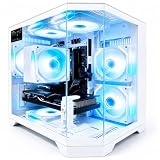

Focus Keyword: best prebuilt gaming PC under 800
In a hurry? See the top-rated Prebuilt Gaming PC Under $800 deals available right now:
🛒 Check Prebuilt Gaming Pc Under $800 Prices on Amazon →🛒 Best Price Today on Amazon
Prime members get fast, free shipping on everything above, plus member-only deals. New members get a 30-day free trial — cancel anytime.
Start 30-Day Prime Free Trial →See Today’s Amazon DealsBest Prebuilt Gaming PC Under $800 in 2026: Top 5 Picks for Entry-Level Performance
The argument against prebuilts used to be simple: you pay a premium for someone else to assemble parts you could pick better yourself. That argument has weakened considerably by 2026. Supply chains have stabilized, manufacturer pricing on prebuilts has gotten more competitive, and — critically — the time cost of sourcing, assembling, and troubleshooting a first build is real. For a lot of buyers, a prebuilt under $800 is the smart move.
That said, not all prebuilts are honest deals. Some slot in a high-end GPU but pair it with a 400W generic PSU that will clock-throttle under load. Others use proprietary form-factor cases and motherboards that make future upgrades a dead end. And a few lean hard on RGB lighting to distract from 8GB of RAM in a dual-channel slot begging for a second stick.
This guide cuts through the noise. We looked at what $800 actually buys in 2026, stress-tested the spec sheets, and ranked the five best prebuilt gaming PCs under $800 based on real-world 1080p performance, upgrade-path honesty, PSU quality, and long-term value.
Quick Comparison: Best Prebuilt Gaming PCs Under $800
| PC | CPU | GPU | RAM | Storage | PSU |
|---|---|---|---|---|---|
| SkyTech Blaze 3.0 | Ryzen 5 5600X | RTX 3060 12GB | 16GB DDR4 | 500GB NVMe | 600W (80+ Bronze) |
| iBUYPOWER TraceMR 234a | i5-12400F | RTX 3060 | 16GB DDR4 | 500GB NVMe | 600W (80+ Bronze) |
| ASUS ROG Strix G10DK | Ryzen 5 5600X | RX 6700 | 8GB DDR4 | 512GB NVMe | 500W (OEM) |
| CyberpowerPC Gamer Xtreme VR | i5-12400F | GTX 1660 Super | 8GB DDR4 | 500GB SSD | 500W (Generic) |
| CLX SET Gaming Desktop | i5-12400F | RTX 3060 | 16GB DDR4 | 500GB NVMe | 650W (80+ Gold) |
The 5 Best Prebuilt Gaming PCs Under $800
SkyTech Blaze 3.0 — Best Overall Under $800
Full Specs:
- CPU: AMD Ryzen 5 5600X (6-core, 4.6GHz boost)
- GPU: NVIDIA RTX 3060 12GB
- RAM: 16GB DDR4-3200 (2x8GB dual-channel)
- Storage: 500GB NVMe SSD
- PSU: 600W 80+ Bronze (SkyTech branded)
- Case: Standard mid-tower ATX
The SkyTech Blaze 3.0 is the easiest recommendation at this price. The Ryzen 5 5600X remains one of the best gaming CPUs in the $150 range, and pairing it with the RTX 3060 12GB gives you a genuinely capable 1080p rig. More importantly, SkyTech uses standard ATX components — the motherboard accepts standard AM4 coolers, the PSU is replaceable, and the case accepts full-size GPU upgrades down the line.
What it runs at 1080p: Fortnite and Warzone 2.0 hit 100-120 FPS on high settings without breaking a sweat. Cyberpunk 2077 at high (no RT) delivers 65-75 FPS. Hogwarts Legacy on medium-high sits around 70 FPS. For competitive titles, this machine is comfortably above 100 FPS in most scenarios.
PSU reality check: The 600W 80+ Bronze SkyTech unit is not a top-tier unit, but it is not a fire hazard either. It provides enough headroom for the RTX 3060’s 170W TDP alongside the 5600X’s 65W TDP, with margin to spare. You are not going to be upgrading to an RTX 4070 Ti without also swapping the PSU, but that is a future problem.
Upgrade path: Standard AM4 socket — Ryzen 9 5900X drops right in. Standard GPU slot, standard PSU form factor. This is the upgrade-friendly prebuilt in this tier.
Verdict: Best balance of CPU, GPU, and upgrade potential under $800. The daily recommendation.
iBUYPOWER TraceMR 234a — Best Gaming Aesthetics on a Budget
Full Specs:
- CPU: Intel Core i5-12400F (6-core, 4.4GHz boost)
- GPU: NVIDIA RTX 3060 12GB
- RAM: 16GB DDR4-3200 (dual-channel)
- Storage: 500GB NVMe SSD
- PSU: 600W 80+ Bronze
- Case: iBUYPOWER TraceMR (tempered glass, addressable RGB)
iBUYPOWER knows its customer. The TraceMR 234a is built for buyers who want their PC to look like it costs more than it does — and it pulls it off. The tempered glass side panel and addressable RGB strip actually look clean in person, not cheap. Beyond aesthetics, the specs are solid: the i5-12400F is one of Intel’s best value CPUs and trades blows with the Ryzen 5 5600X in most gaming scenarios.
What it runs at 1080p: Nearly identical performance to the SkyTech Blaze 3.0. The i5-12400F is marginally behind the 5600X in multi-threaded workloads but within 3-5 FPS in gaming at 1080p. Elden Ring on high runs 70-80 FPS. Apex Legends at high is 130+ FPS easily. Call of Duty on high settings pushes 90-110 FPS.

PSU reality check: Same 600W 80+ Bronze tier as the SkyTech. iBUYPOWER has been known to swap PSU units between manufacturing runs, so the specific unit may vary. It works, it is adequate for the RTX 3060, but it is not a premium component.
Upgrade path: The i5-12400F sits on an LGA1700 socket, which means Intel 12th and 13th gen CPU upgrades are straightforward. The case is a proprietary iBUYPOWER chassis, but it uses a standard ATX motherboard and standard PSU form factor — GPU and RAM upgrades are clean. Just verify clearance before buying a triple-fan GPU.
Verdict: Buy this over the SkyTech only if the aesthetics genuinely matter to you. The performance delta is minimal; the visual difference is real.
ASUS ROG Strix G10DK — Best Brand-Name Under $800
Full Specs:
- CPU: AMD Ryzen 5 5600X
- GPU: AMD RX 6700
- RAM: 8GB DDR4-3200 (single-channel — upgrade immediately)
- Storage: 512GB NVMe SSD
- PSU: 500W (OEM, unbranded)
- Case: ROG Strix proprietary compact chassis
ASUS ROG is a brand with genuine credibility in the gaming PC market, and the G10DK benefits from that — better customer support, a real warranty process, and BIOS/driver support that independents cannot match. The RX 6700 is a competitive 1080p card that trades punches with the RTX 3060 12GB (more on that in the GPU comparison section below).
The problem — and it is a real one — is the 8GB of single-channel RAM. In 2026, single-channel DDR4 is a meaningful bottleneck in CPU-intensive games. Budget $40-50 for a second 8GB stick the day this machine arrives.
What it runs at 1080p: With RAM upgraded to 16GB dual-channel, the RX 6700 performs comparably to the RTX 3060 at 1080p in rasterized games. Red Dead Redemption 2 on high hits 70-75 FPS. The Finals on medium-high sits at 90+ FPS. The weak point is ray tracing — the RX 6700’s RT performance is noticeably behind NVIDIA at equivalent price points.
PSU reality check: The 500W OEM unit is the most concerning component in this build. It is adequate for the RX 6700’s 175W TDP and the 5600X’s 65W TDP under normal conditions, but headroom is thin. Stress-testing this machine hard will push it close to its limits. GPU upgrade prospects are limited without a PSU swap.
Upgrade path: Complicated. The ROG Strix compact chassis limits GPU length and cooler height. The AM4 socket is upgradeable, but the compact form factor may restrict cooling options. Confirm physical measurements before any hardware additions.
Verdict: Worth it for buyers who value brand-name support and warranty, but add RAM immediately and temper upgrade expectations.
CyberpowerPC Gamer Xtreme VR — Best Value Prebuilt
Full Specs:
- CPU: Intel Core i5-12400F
- GPU: NVIDIA GTX 1660 Super 6GB
- RAM: 8GB DDR4 (single-channel)
- Storage: 500GB SSD (SATA, not NVMe)
- PSU: 500W (generic, unbranded)
- Case: CyberpowerPC mid-tower
This is the honest budget option. The GTX 1660 Super is a 1080p card from a previous generation, and CyberpowerPC sells it at around $649 — which means you are saving $100-150 compared to the RTX 3060 machines. Whether that trade-off makes sense depends entirely on your game library.
What it runs at 1080p: For esports titles — Valorant, CS2, Fortnite, Rocket League — the 1660 Super is perfectly adequate and will push 100+ FPS on medium-high settings without strain. For AAA open-world games at high settings, you are looking at 45-60 FPS in demanding titles. Acceptable, but not impressive in 2026.
PSU reality check: The unbranded 500W unit is the biggest red flag here. CyberpowerPC has shipped machines with generic PSUs that have caused issues under sustained load. It runs the 1660 Super (120W TDP) without immediate problems, but sustained stress gaming sessions can reveal instability. This is not a unit to upgrade a GPU into without immediate PSU replacement.

Upgrade path: The i5-12400F on LGA1700 is a solid foundation. SATA SSD can be upgraded to NVMe (the board has an M.2 slot). The real upgrade this machine needs is GPU — and when you do that, budget for a quality PSU simultaneously.
Verdict: The right pick if you are gaming on a tight budget and primarily play esports titles. For AAA gaming, save the extra $100 for an RTX 3060 build.
CLX SET Gaming Desktop — Best Prebuilt for Upgradeability
Full Specs:
- CPU: Intel Core i5-12400F
- GPU: NVIDIA RTX 3060 12GB
- RAM: 16GB DDR4-3200 (dual-channel)
- Storage: 500GB NVMe SSD
- PSU: 650W 80+ Gold (Corsair or EVGA — varies by build date)
- Case: Standard full mid-tower ATX
CLX is the dark horse of this list. Less name recognition than ASUS or iBUYPOWER, but the internal component choices are the most honest at this price point. The 650W 80+ Gold PSU is a genuine differentiator — most prebuilts in this tier use 80+ Bronze or generic units. That extra headroom and efficiency tier means this machine can absorb a serious GPU upgrade (RTX 4070, RX 7800 XT) without a PSU replacement.
What it runs at 1080p: On par with the iBUYPOWER TraceMR 234a — the i5-12400F and RTX 3060 combo delivers the same 1080p performance profile. Cyberpunk 2077 on high (no RT) at 65-75 FPS. Competitive titles well above 100 FPS. The difference is the machine this grows into, not what it does out of the box.
PSU reality check: 80+ Gold is the best PSU rating in this roundup. CLX uses reputable units (Corsair CX series or EVGA depending on availability). This is the only prebuilt under $800 where the PSU does not become a bottleneck at the next upgrade step.
Upgrade path: Standard ATX case, standard motherboard, standard PSU. This is built to be upgraded. The 650W 80+ Gold PSU supports GPU upgrades into the next tier without replacement. Full ATX case means triple-fan GPU cards fit without measuring.
Verdict: Best long-term value in the roundup. If you know you will upgrade in 12-18 months, this is the one to buy.
The Prebuilt Trap: What to Watch For
Not every prebuilt is an honest deal. Three failure modes account for most buyer regret in this segment.
Proprietary PSUs
Some manufacturers — particularly HP (Omen), Acer (Predator), and Dell (Alienware) at entry-level price points — use PSUs with non-standard connectors or custom pinouts. Swapping the GPU requires either their own upgrade kits or a full PSU replacement. None of the five picks above have this problem, but it is worth verifying before buying any machine outside this list.
Non-Standard Cases
A compact or semi-custom case can make a machine look premium while quietly restricting GPU length, CPU cooler height, and AIO radiator support. The ASUS ROG Strix G10DK is the mild offender here. Extreme versions of this — machines where nothing upgradeable actually fits — exist throughout the HP and Acer product lines at this price tier.
Locked Motherboards
Some OEM motherboards will not POST with a third-party GPU or will block XMP/EXPO RAM profiles via BIOS lock. This is less common at $800 than at $500, but it appears occasionally in machines that bundle the GPU with a locked BIOS version. Always verify BIOS update access before buying.
RTX 3060 vs RX 6700 at $800: Which GPU Wins?
The GPU comparison that matters most in this roundup is the RTX 3060 12GB (SkyTech, iBUYPOWER, CLX) against the RX 6700 (ASUS ROG Strix G10DK).
Rasterized 1080p performance: Essentially equal. In most titles, the margin is within 3-5 FPS, and which card wins changes by game. For pure 1080p rasterized gaming, this is not a meaningful distinction.
VRAM: The RTX 3060 12GB has a sizable VRAM advantage. The RX 6700 ships with 10GB GDDR6. In 2026 AAA games with high-resolution texture packs, the 3060’s extra VRAM provides a real buffer. Starfield, Alan Wake 2, and similar texture-heavy titles load noticeably better on the 3060.

Ray tracing: RTX 3060 wins clearly. NVIDIA’s RT hardware and DLSS 3 support give the 3060 a strong advantage in RT-enabled games. The RX 6700’s FSR upscaling is competitive but not equivalent to DLSS in image quality.
Driver stability: NVIDIA has a slight edge for overall driver stability across a wide game library, though AMD’s recent driver releases have narrowed the gap considerably.
Bottom line: At this tier, the RTX 3060 12GB is the safer, more future-proof choice. The RX 6700 is a competitive alternative if the ASUS ROG warranty and brand support are priorities — just add RAM immediately.
DIY vs Prebuilt Under $800: The Honest Cost Comparison
Building your own PC under $800 in 2026 is possible and can yield marginally better per-component specs. But the honest math is narrower than enthusiast forums suggest.
A DIY build targeting Ryzen 5 5600X + RTX 3060 + 16GB DDR4 + 500GB NVMe + a quality B550 motherboard + a 650W 80+ Gold PSU + a mid-tower case will run $780-850 at current street prices. That is before factoring in shipping from multiple vendors, the possibility of a dead-on-arrival component, and the time to assemble, troubleshoot, and install Windows.
Prebuilts at $749-799 include a Windows license (~$120 value), come pre-assembled and tested, and carry a warranty on the system as a whole rather than on individual parts. For a first-time buyer without existing Windows licenses or spare hardware for troubleshooting, the prebuilt math is favorable.
Where DIY wins: if you already own a Windows license, can source a quality used GPU, or want specific components (a particular motherboard, a larger SSD), building makes sense. If you are starting from zero and want to game within the week, the prebuilts in this list are legitimately good value.
Final Verdict
Best overall: SkyTech Blaze 3.0 — the 5600X + RTX 3060 + standard ATX components combination is the strongest package under $800.
Best for upgraders: CLX SET Gaming Desktop — the 80+ Gold PSU and standard ATX build make this the smartest long-term buy.
Best aesthetics: iBUYPOWER TraceMR 234a — same performance as the SkyTech with a genuinely attractive case.
Best brand-name support: ASUS ROG Strix G10DK — add 8GB RAM immediately, keep expectations realistic on upgrades.
Best tight-budget option: CyberpowerPC Gamer Xtreme VR — right for esports-focused buyers; skip for AAA gaming.
At $800, prebuilts have crossed the threshold where they make unambiguous sense for most buyers. The key is knowing which ones are honest builds and which ones are spec-sheet theater. The five on this list are the former.
Related Articles
Looking for more on this topic? Browse the hand-picked guides below — each one applies the same scoring rubric used in this review.
Frequently Asked Questions
What is the best gaming prebuilt in 2026?
The best gaming prebuilt depends on your budget and how you plan to use it. The options compared above are our top-rated picks based on real customer ratings, build quality, and overall value — start with the highest-rated model that fits your budget.
How much should I expect to spend on a gaming prebuilt?
Prices vary by brand and features. Budget options cover the essentials, while mid-range and premium models add durability, performance, and extra features. Compare the prices in the list above to find the best value for your needs.
What should I look for when buying a gaming prebuilt?
Focus on what matters most for your use case — build quality, compatibility, performance, warranty, and verified customer reviews. Every pick above is selected to balance these factors.
Are budget gaming prebuilt options worth it?
Yes. For most people a well-reviewed budget or mid-range gaming prebuilt delivers excellent value. You only need to spend more if you specifically require premium materials or top-tier performance.
How did we choose these gaming prebuilt picks?
We compare current Amazon ratings, review counts, key features, and price to surface the options with the best real-world value. The list is refreshed as ratings and availability change.