- Top Pick: Samsung microSD Express Card – 256GB for Nintendo Switch™ 2
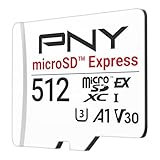
- Best Value: Lexar 512GB Play PRO Micro SD Express Card, 900MB/s Read, 4K, V30, UHS-I
- Premium Choice: SANDISK 512GB microSD Express Card – Works with Nintendo-Switch 2, Up to 880MB/s Read, Up to 650MB/s Write, 220MB/s Sustained Write, U3, C10 – SDSQXFN-512G-GN4N
The arrival of microSD Express as the storage standard for the latest handhelds and the Nintendo Switch 2 has changed the memory-card conversation entirely. These cards are not just incrementally faster than the UHS-I cards you may have used before, they operate on a completely different interface that borrows NVMe and PCIe technology to deliver speeds that make older cards feel prehistoric. If your device demands Express, a regular microSD simply will not cut it.
With read speeds pushing 800 to 900 MB/s, microSD Express cards let games load quickly and run smoothly straight from the card, closing much of the gap with internal storage. The catch is that they are pricier per gigabyte and only worth buying if your device actually supports the standard. Below we explain what to look for and review the fastest, most reliable cards available right now.
As an Amazon Associate we earn from qualifying purchases at no extra cost to you.


⚡ Save on Your Next PC — Amazon Prime
Prime members get fast free shipping on the systems above, plus early access to Prime Day & Black Friday PC deals. New members get a 30-day free trial.
Watch: Best MICROSD Express Card 2026 — Video Review
How to Choose a microSD Express Card
- Confirm Express compatibility: Only buy an Express card if your device explicitly supports the standard, since a standard microSD slot cannot unlock these speeds.
- Read and write speeds: Look for rated reads around 800 to 900 MB/s and healthy write figures so game installs and captures finish quickly.
- Capacity that fits your library: 256GB suits a modest collection, 512GB is the balanced choice, and 1TB is for players who install everything and never delete.
- Brand reliability and warranty: Stick with established memory makers offering solid warranties, because a failing card can take your saves and downloads with it.
- Sustained vs peak performance: Headline speeds are peaks, so favor cards with a reputation for holding performance during long transfers rather than the biggest number on the box.
The Best microSD Express Cards Reviewed
Samsung microSD Express 256GB
Designed with the Switch 2 in mind, Samsung’s Express card blends the brand’s trusted reliability with the blistering speeds the new standard promises. It is a superb starting point for players who want a dependable name and enough room for a curated library, and Samsung’s track record on endurance gives real long-term peace of mind.
Lexar Play PRO 1TB
For collectors who refuse to compromise on capacity, Lexar’s 1TB Play PRO offers a full terabyte of Express storage rated at up to 900 MB/s. It is the go-to for anyone who wants to install a massive library once and stop juggling downloads, delivering flagship speed alongside class-leading room to grow.
SanDisk 512GB microSD Express
SanDisk’s 512GB card strikes the balance most players are looking for, pairing a generous middle-ground capacity with reads up to 880 MB/s. Explicitly validated for the Switch 2, it is a safe, fast, and sensibly sized pick that handles modern game files and quick loading without forcing you into the priciest tier.
Lexar Play PRO 512GB
The 512GB Play PRO brings the same 900 MB/s rating as its larger sibling in a more affordable package. With 4K, V30, and UHS-I compatibility baked in alongside the Express interface, it is a versatile performer that suits handheld gaming and doubles as fast, capacious storage for other devices you own.
GIGASTONE 1TB microSD Express
Purpose-built for the Switch 2, GIGASTONE’s 1TB card advertises read and write speeds of 800 and 650 MB/s, making it a strong value play for buyers who want maximum capacity without paying the very top price. It is a practical choice for filling out a large collection while keeping loading times snappy.
Frequently Asked Questions
Will a microSD Express card work in my older device?
Express cards are backward compatible and will physically fit and function in standard slots, but they will only run at the slower legacy UHS-I speeds. You only unlock full Express performance in a device that supports the standard.
Why are Express cards so much more expensive?
They use a more advanced NVMe and PCIe-based interface with additional hardware to reach their speeds, which raises manufacturing costs. You are paying for a genuine leap in performance, not just a marketing label.
How much capacity do I need for the Switch 2?
256GB works for a focused library, 512GB is comfortable for most players, and 1TB is ideal if you download large titles frequently and prefer to keep everything installed at once.
Can I use these cards for game loading or just storage?
On supported devices, games run and load directly from the Express card at high speed, so it functions as fast working storage rather than a slow archive you have to copy from first.
Final Thoughts
If your handheld or Switch 2 supports microSD Express, upgrading to one of these cards transforms load times and lets you carry a far bigger library. Samsung and SanDisk offer trusted mid-capacity picks, while Lexar and GIGASTONE lead the way for 1TB collectors. Match the capacity to your habits, buy from a reputable brand, and you will not look back at older cards.