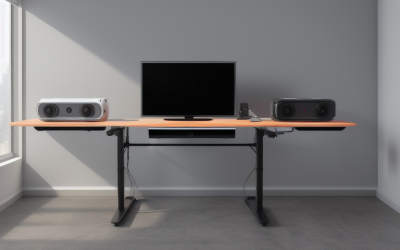
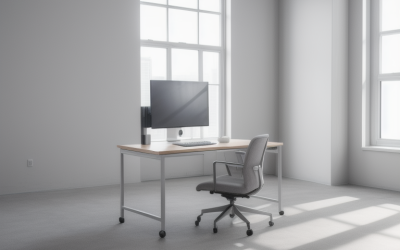
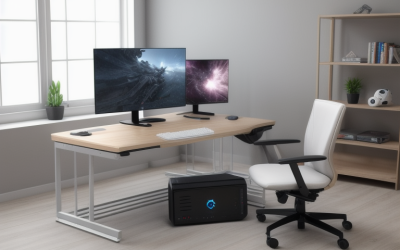
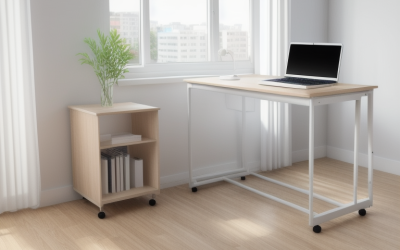
- Top Pick: DUMOS 31.5 Inch Small Computer Desk, Home Office Desks for Bedroom, Black | Modern Study Writing Work Table, Craft PC Gaming Desk Simple Workstation with Reinforcement Structure
- Best Value: Furinno Jaya 39.4" Wide Desk, Gaming Desk, Espresso | Drawer Bins, Computer Desk with Side Book Shelf, Writing Desk, Office Desk for Home Office, Study Room, Dorm, Bedroom
- Premium Choice: Ergonomic Office Chair, Mid-Back Mesh Desk Chair, Computer Chair, Black | Lumbar Support, Rocking Mode, Height Adjustable, Fixed Armrest, for Computer, Gaming, Conference, Meeting
A budget of under 300 dollars sounds generous until you start listing what a gaming or work desk has to carry: two monitors, a tower or a laptop dock, a keyboard and mouse, a headset stand, and a pile of cables. The cap does not force you into flimsy furniture, but it does force a choice between width, depth, built-in extras and frame material. A desk that is wide and sturdy usually skips the lighting strips and charging ports, while a feature-heavy desk tends to be narrower. Deciding which of those matters most is the real shopping task.
This guide is for people furnishing a bedroom setup, a spare-room office or a first apartment in 2026 who want a computer desk without spending into the premium tier. Seven desks are compared below using only the details in their listings: stated width, frame material, power outlets, drawers, shelves and monitor stands. Two chairs and one prebuilt tower that appeared in the original shortlist were left out, because none of them is a desk.
Quick Picks
As an Amazon Associate we earn from qualifying purchases at no extra cost to you.


| Product | Best for | Key spec from the title |
|---|---|---|
| DUMOS 31.5 Inch (Black) | Tight bedrooms and corners | 31.5 inch width, reinforcement structure |
| Furinno Jaya | Storage-minded students | 39.4 inch wide, drawer bins, side book shelf |
| DUMOS 31.5 Inch (Black & White) | Lighter-toned rooms | 31.5 inch width, two-tone finish |
| PRAISUN 47 x 24 Inch | Plugging in a full setup | 47 by 24 inch top, power outlets, metal frame |
| VASAGLE 55.1 Inch | Dual-monitor layouts | 55.1 inch width, steel frame |
| Lufeiya 40 Inch | RGB-style gaming corners | LED lights, power outlets, USB charging station |
| DurayLoly Gaming Desk | Small spaces needing drawers | 2 drawers, LED lights, monitor stand |
How to Choose
Width and depth first
Measure the wall, then subtract room for a chair to roll back. A 31 to 40 inch desk fits one monitor, a laptop or a compact tower. Two 27 inch monitors side by side need roughly 50 inches or more of usable top, so the 47 and 55 inch models belong in that conversation. Depth matters as much: 24 inches lets a monitor sit far enough back to be comfortable, while shallower tops push the screen close to your face.
Frame material and stability
Look for steel or metal frames, crossbars and reinforcement language in the listing. Gaming desks carry monitors that raise the center of gravity, and a wobbling top shows up quickly when you type or move a mouse. Budget models save money on thin panels and light hardware, so a stated steel frame or reinforced structure is a better sign than decorative features.
Built-in power and lighting
Power outlets and USB ports remove the need for a separate strip under the desk, which helps when a bedroom has only one wall socket nearby. LED lights are cosmetic, so treat them as a bonus and not a deciding factor. Check that the outlet cord is long enough to reach the wall, because the listing rarely makes that obvious.
Drawers, shelves and monitor stands
Storage and a raised monitor shelf help a small footprint, but each one eats surface area. If you already own a monitor arm, skip the integrated stand. If your gear is mostly cables and controllers, a pair of drawers is more useful than an extra shelf. Ignore marketing phrases like “ergonomic” unless a specific adjustment is described.
The 7 Best Options
DUMOS 31.5 Inch Small Computer Desk (Black)
This is the narrowest pick, aimed at bedrooms where floor space is the main limit. The title lists a 31.5 inch width and a reinforcement structure, which suggests the maker built the desk with stability in mind despite its small size. For a student with a laptop, a single external monitor and a keyboard, that is plenty of room, and the narrow profile means the desk can slide beside a dresser or a window without blocking a walkway.
- Strength: compact footprint fits beside a bed or in a nook.
- Strength: reinforcement structure is stated in the title.
- Trade-off: 31.5 inches leaves little room for dual monitors.
Skip it if your plan includes a tower plus two displays; choose a wider model instead. Anyone who likes a large desk mat under the keyboard and mouse should also look at wider options.
Furinno Jaya 39.4 Inch Wide Desk
The Jaya is for students or home workers who want storage built in. The listing names drawer bins and a side book shelf, and the 39.4 inch width gives more elbow room than the DUMOS pair. The espresso finish is a quieter choice for shared rooms, and the listing also mentions a writing-desk use, so it can double as a homework station when the gaming session ends.
- Strength: drawer bins and side shelf keep clutter off the top.
- Strength: listed as suitable for study room, dorm and bedroom.
- Trade-off: the side shelf takes space that a second monitor might need.
Skip it if you want a pure open desktop with legroom on both sides, or if you plan to mount a large monitor arm that needs clear edge space.
DUMOS 31.5 Inch Small Computer Desk (Black & White)
This is the same 31.5 inch design as the black version, finished in black and white. The title repeats the reinforcement structure and describes it as a workstation for study, writing and craft use, so it is a general-purpose small desk and not a dedicated gaming station. The black and white finish is the main difference from its sibling, which makes it a style decision more than a feature decision; read both titles side by side and choose the color that matches your walls and bedding.
- Strength: two-tone color helps in lighter rooms.
- Strength: small width suits laptops and single-monitor use.
- Trade-off: no power outlets, drawers or lighting are mentioned.
Skip it if you need integrated charging or any storage, since the title lists neither and you would be adding a power strip and a drawer unit yourself.
PRAISUN 47 x 24 Inch Deep Computer Desk
PRAISUN stands out for combining a 47 by 24 inch top with power outlets and a stable metal frame, according to the listing. That depth is useful for pushing monitors back, and the outlets reduce the cable tangle behind the desk. For someone running a monitor, a speaker set and a phone charger from one spot, that kind of layout keeps the floor clear and makes the whole setup easier to move when you rearrange the room.
- Strength: 24 inch depth gives monitors breathing room.
- Strength: built-in power outlets and a metal frame.
- Trade-off: the listing names no drawers or shelves, so storage is separate.
Skip it if the room cannot take a 47 inch width, or if you want drawers and a shelf attached to the desk itself.
VASAGLE 55.1 Inch Steel Frame Gaming Desk
The widest option here, with a 55.1 inch top and a steel frame. The listing places it in the bedroom, living room, study and gaming categories, so it works as a shared surface. This is the desk to consider for two monitors or a monitor plus a drawing tablet. Because the title names study, work, gaming and writing, buyers who split the day between a job and an evening session get one surface for everything, with room left for speakers and a notebook.
- Strength: 55.1 inch width handles multi-monitor layouts.
- Strength: steel frame is a durability signal.
- Trade-off: it needs the most wall space of the group.
Skip it if your room is small or you want built-in outlets, which the title does not list. A 55 inch desk also changes how a bedroom feels, so sketch the floor plan before ordering.
Lufeiya 40 Inch Black Gaming Desk with LED Lights
Lufeiya packs the most extras into a 40 inch desk: LED lights, power outlets, a monitor stand and a charging station with a USB port. It is aimed at teens and gamers who want a ready-made setup look, and the title also calls it a writing and study table, so homework fits in as well. Everything is described in black, which keeps the lighting as the only decorative element.
- Strength: outlets and USB charging cut down on extension cords.
- Strength: monitor stand and lighting included.
- Trade-off: a 40 inch top with a stand leaves less usable surface.
Skip it if you prefer a plain, understated office look, or if you already own a monitor arm and would rather keep the whole top free.
DurayLoly Gaming Desk with 2 Drawers and LED Lights
The DurayLoly is a space-saving desk with two drawers, LED lights, a monitor stand, a side pocket and a hook. That combination suits small bedrooms where a headset, controller and cables all need a home, and the rustic brown tone blends in better than a black gaming desk would. The listing frames it as a study and writing table for small spaces, so it also works for non-gaming days.
- Strength: two drawers plus side pocket and hook for storage.
- Strength: rustic brown finish with a built-in monitor stand.
- Trade-off: the listing gives no outlet information.
Skip it if you need integrated power or a wide top for several screens, since a desk built around drawers and a stand trades away open surface.
Which One Fits Your Situation
A dual-monitor home office
The VASAGLE 55.1 inch desk offers the most surface, and the PRAISUN 47 by 24 inch model is a close second if you also want outlets and a deeper top.
A cramped bedroom or dorm corner
Either DUMOS 31.5 inch desk keeps the footprint small. Pick the Furinno Jaya if you can spare 39.4 inches and want drawer bins.
A gamer who wants a finished look
The Lufeiya 40 inch desk bundles lighting, outlets and a charging port, so the setup looks complete without extra accessories.
Lots of small gear to hide away
The DurayLoly, with two drawers, a side pocket and a hook, is the better organizer for headsets, controllers and chargers.
Common Mistakes
- Buying on desktop width alone and forgetting that chair clearance behind the desk needs about three feet.
- Assuming LED lights or a monitor stand improve stability; they only add features.
- Ignoring depth, which decides how far monitors sit from your eyes.
- Skipping the frame material line in the listing and trusting product photos instead.
- Planning two monitors on a 31.5 inch desk and then needing a second purchase.
Frequently Asked Questions
How wide should a desk be for two monitors?
Aim for about 47 to 55 inches of top. Two 24 or 27 inch screens plus a keyboard fit comfortably there, while 40 inches is tight.
Is a steel frame better than a particleboard-only build?
A steel or metal frame generally resists wobble better, especially when monitors sit on a raised stand. Panel thickness still matters, so read the listing details.
Do I need built-in outlets?
Not strictly. A surge strip mounted under the desk does the same job. Built-in outlets mainly save time and tidy the cable path.
Are small 31.5 inch desks usable for gaming?
Yes for one monitor and a compact setup. They suit laptops, consoles and small towers, but they leave little room for a large mouse pad.