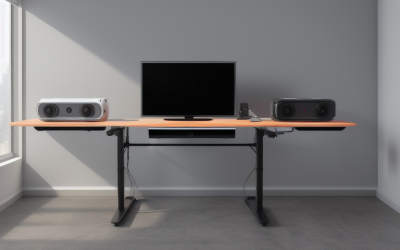
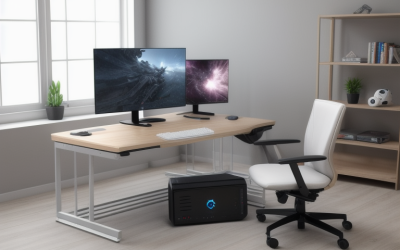
- Top Pick: FEZIBO Standing Desk 48 × 24 Inch Electric Height Adjustable, Maple | Sit and Stand Up Adjustable Desk, Home Office Computer Desk with 3 Customizable Memory Presets
- Best Value: Pamray 32 Inch Small Computer Desk with Monitor Stand, Simple Office Desk with Headphone Hook for Small Spaces, Kids Study Writing Table for Bedroom, Vintage
- Premium Choice: Lufeiya White Computer Desk with LED Lights and Power Outlets, 40 Inch Home Office Desks with Monitor Stand, Teen Writing Study Table Gaming Desk with Charging Station, White
An iMac asks different things of a desk than a tower PC does. There is no tower to hide, no bundle of cables to feed through a grommet, and the whole computer is the screen, so the desk surface has to supply the viewing distance. A shallow table forces the display close to your face, while a deep one lets the all-in-one sit back where your eyes can relax. In 2026 the real shopping question is depth, stability, and cable handling, not how many shelves are attached.
This guide is for people setting up a 24-inch all-in-one at home, in a dorm, or in a small studio, and for anyone who wants to know which desk styles pair well with a Mac that has a single cable and a built-in stand. The picks below range from a 32-inch table for tight corners to a corner L-shaped build and two electric standing desks. Each was judged only from the facts stated in its listing, so treat measurements as the starting point and confirm them against your own space.
Quick Picks
As an Amazon Associate we earn from qualifying purchases at no extra cost to you.


| Product | Best for | Key spec from the title |
|---|---|---|
| FEZIBO 48 x 24 Standing Desk | Sit-stand Mac workers | Electric height adjustment, 3 memory presets |
| Pamray 32-Inch Desk | Tight corners | 32″ width, monitor stand, headphone hook |
| Lufeiya White 40″ LED Desk | Gamers and students | 40″ width, LED lights, power outlets |
| BONTEC Mobile Standing Desk | Moving a laptop or Mac around | Wheels, keyboard tray, height adjustable, up to 33 lbs |
| YDN 40 x 24 Standing Desk | Small electric desk | 40 x 24 inches, cable management |
| Unikito Reversible L-Shaped Desk | Corner workstations | L-shape, reversible, USB charging ports |
| Lufeiya White 40″ Desk | Simple study desk | 40″ width, power outlet, storage pocket |
How to Choose
Depth beats width for a Mac
A 24-inch all-in-one is a single slab with a foot, and it needs surface depth to sit comfortably. Desks listed at 24 inches deep, such as the FEZIBO and YDN, give a workable viewing distance for most people. A 32-inch table is narrow and short, so compare that listing against the iMac’s stand footprint on the manufacturer’s spec sheet before committing. Leave space for a keyboard and a mouse in front of the base, and sit with your arm length roughly matching the distance to the display. A deeper top also lets you angle the screen slightly without it tipping toward the desk edge.
Cable handling is simpler, but not absent
An iMac uses one power cable, yet you still add a charger, a hub, a drive, and a phone. Built-in outlets, USB ports, and cable management channels reduce the clutter. Look for a pass-through at the back or a tray beneath the surface. Desks with LED strips and outlets, like the Lufeiya LED model, simplify a gaming or student setup.
Standing desks need stable motors and a good base
Electric height adjustment adds ergonomic range, and presets let you recall a seated and a standing position. Check the listed desktop size, and confirm that the base does not wobble with a heavy all-in-one on top. The BONTEC mobile desk lists a weight limit of 33 lbs, so compare it with your total load, which includes any accessories on the surface.
Ignore decorative extras and focus on the surface
Colors, hooks, and LED lights are nice, but a stable, flat surface at the right depth matters more. Where budget models cut corners is typically leg stiffness and the thickness of the top panel, so an L-shaped or reversible build with a strong corner join is worth a closer look. Also ignore generic claims such as sturdy or easy to assemble unless the listing backs them with a stated size or capacity.
The 7 Best Options
FEZIBO 48 x 24 Electric Standing Desk
This maple desk lists a 48 by 24 inch top with electric height adjustment and three customizable memory presets. For an iMac owner, the 24-inch depth is the main selling point, because the screen can sit well back from the keyboard. It suits someone who wants to alternate between sitting and standing without rebuilding the setup each time. Because the listing names memory presets, a shared household can store two or three heights and switch with one press.
- Strength: Three memory presets recall favorite heights quickly.
- Strength: The 48-inch width leaves room beside the computer for notes.
- Trade-off: The listing does not mention outlets or storage, so you will add a power strip.
Skip it if you want built-in drawers or lighting.
Pamray 32-Inch Small Computer Desk
Pamray sells a 32-inch desk with a monitor stand and a headphone hook, aimed at small spaces and kids’ study tables. It is the narrowest option in this guide and fits a bedroom corner or a hallway nook. The vintage finish looks warmer than a typical office surface, and the headphone hook keeps a headset from landing on the keyboard. Think dorm, kids’ homework station, or a spare-room nook rather than a main workstation.
- Strength: Its small footprint fits places other desks cannot.
- Strength: The monitor stand raises a screen off the surface.
- Trade-off: At 32 inches, an all-in-one plus a keyboard may feel cramped.
Skip it if you want to place the iMac at a comfortable distance.
Lufeiya White 40-Inch Desk with LED Lights
Lufeiya’s white 40-inch desk includes LED lights, power outlets, a monitor stand, and a charging station. It targets teens and students, but the white finish suits a clean, Mac-friendly look. The built-in outlets reduce the need for extension cords behind the screen. Since an all-in-one hides its own ports at the back, having a charging station on the desk itself keeps a phone and a drive within easy reach.
- Strength: Power outlets and a charging station are built in.
- Strength: The 40-inch width fits mid-size rooms.
- Trade-off: LED strips may distract if you prefer a neutral desk.
Skip it if you want a deeper surface for a larger screen.
BONTEC Mobile Standing Desk with Keyboard Tray
BONTEC is a rolling podium-style workstation with a keyboard tray, wheels, and adjustable height, listed for up to 33 lbs in the title. It is made for laptops, and its portability suits a living room or a classroom. For an iMac, it only makes sense if the load stays under the listed limit. Check the iMac and every accessory against that figure, and treat the cart as a flexible companion rather than a primary workstation.
- Strength: Wheels let you move the workstation anywhere.
- Strength: Height adjustment supports sitting and standing.
- Trade-off: The 33 lb limit makes it a light-duty cart, not a full desk.
Skip it if you need a permanent, heavy-duty home for a desktop.
YDN 40 x 24 Inch Electric Standing Desk
The YDN white standing desk is listed at 40 by 24 inches, with adjustable height, sit-stand operation, cable management, and an ergonomic focus. It is a compact electric option for a Mac that does not need a huge surface. The white finish and the emphasis on ergonomics make it a quiet, clean companion for a bright apartment or a shared office room.
- Strength: The 24-inch depth gives the screen space to sit back.
- Strength: Cable management is called out in the listing.
- Trade-off: Forty inches is tight if you want speakers or a second monitor.
Skip it if you plan a multi-device layout.
Unikito Reversible L-Shaped Desk
Unikito offers a corner desk in pink with a reversible L-shape, magic power outlets, USB charging ports, and storage shelves. The corner layout lets you put the iMac on one wing and a laptop or sketchpad on the other. It is a fit for a creative room where the Mac sits beside a work area. Because it is reversible, the long wing can go left or right, which helps when a window or door decides the layout.
- Strength: The L-shape provides two work zones.
- Strength: Outlets and USB ports are built into the frame.
- Trade-off: It needs a corner and plenty of floor space.
Skip it if your room is small or you dislike a bold color.
Lufeiya White 40-Inch Desk with Power Outlet
This simpler Lufeiya lists a 40-inch white top, a built-in power outlet, charging station outlets, a USB port, and a storage pocket. It drops the LED strips of its sibling and keeps the useful hardware, which suits a quiet study corner. It is a sensible pick when you want the basics, a flat 40-inch top and power on the desk, without extra visual noise.
- Strength: Outlets and a USB port reduce loose cables.
- Strength: The storage pocket holds a phone or a small drive.
- Trade-off: Fixed height may not suit everyone for long sessions.
Skip it if you want sit-stand flexibility.
Which One Fits Your Situation
You want a sit-stand setup
The FEZIBO and YDN electric desks both list 24-inch depth. FEZIBO adds memory presets and the wider top, while YDN is the narrower pick.
You have a very small room
The Pamray 32-inch table fits where the others will not, though you should confirm the iMac’s footprint first. Pair it with a slim keyboard so the front edge stays usable.
You need outlets without extension cords
Choose the Lufeiya white desk with the power outlet for a clean look, or the LED version for a gaming flavor.
You want a corner workspace
The Unikito L-shaped desk gives the Mac one wing and a second zone for everything else.
Common Mistakes
- Buying a desk by width alone and ignoring depth, which sets the viewing distance for an all-in-one.
- Putting a heavy computer on a light mobile cart without checking the listed weight limit.
- Assuming a single cable means no cable management is needed.
- Choosing LED strips and outlets over a flat, stable top panel.
- Forgetting that corner desks need clear floor space on both wings.
Frequently Asked Questions
How deep should a desk be for a 24-inch iMac?
Listings at 24 inches deep, like the FEZIBO and YDN, are a safe starting point. Shallower tables put the screen close to your face.
Can an iMac go on a mobile standing desk?
Only if the total load stays under the stated limit. The BONTEC lists 33 lbs, so compare that with your setup.
Do I need a monitor stand with an iMac?
No, because the display has its own stand. Monitor stands on these desks are more useful for a second screen, a laptop, or for storing items beneath the raised platform, so treat them as a bonus rather than a requirement for the all-in-one itself.
Is a standing desk worth it for a Mac?
If you work long sessions at the screen, height adjustment helps posture. Memory presets make the switch quick, and a 24-inch-deep top keeps the display at a sensible distance in either position. Pair it with a supportive chair and a mat if you plan to stand for stretches.