

Hall-effect keyboards swap the metal contact leaf of a mechanical switch for a magnet and a sensor, so the board measures how far a key has travelled rather than waiting for two pieces of metal to touch. That one change unlocks adjustable actuation, Rapid Trigger and analogue input. The Wooting 60HE and the SteelSeries Apex Pro TKL are the two boards most people end up choosing between.
- What Hall-Effect Switches Actually Do Differently
- Adjustable Actuation and What 0.1-4.0mm Means in Practice
- Rapid Trigger and Why Competitive FPS Players Care
- SOCD, Snap Tap and the Tournament-Legality Question
- Analogue Input for Driving and Movement Games
- Wooting 60HE vs Apex Pro TKL: Specs Compared
- Layout: 60% vs TKL, and Who Each Suits
- Software, Firmware and Onboard Profiles
- Build Quality, Sound and Mod Potential
- Who Should Just Buy a Good Mechanical Instead
- Frequently Asked Questions
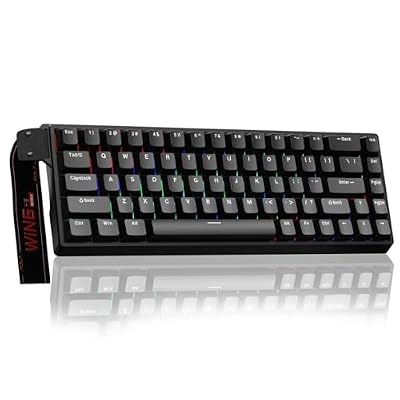


What Hall-Effect Switches Actually Do Differently
A conventional mechanical switch is binary. The stem pushes a metal leaf onto a contact and the controller registers a press at a fixed depth the factory chose. Because that contact bounces, firmware applies a debounce filter, typically 3-8ms, that ignores the signal until it settles.
A Hall-effect switch has no contact. A magnet sits in the stem and a sensor under the PCB reads the changing magnetic field as it moves closer, so the output is a continuous position value rather than an on/off state. Nothing touches, nothing bounces, no debounce delay is needed and nothing wears out electrically. Makers quote lifespans around 100 million presses against the 50-80 million typical of mechanical switches.
Each key is also sensed on its own analogue channel, which means genuine N-key rollover with no matrix ghosting to engineer around. If you have been shopping for an anti-ghosting keyboard because your current board drops inputs mid strafe-jump-crouch, Hall-effect hardware makes that structurally impossible. For context, see our guide to mechanical switch types.
Adjustable Actuation and What 0.1-4.0mm Means in Practice
Both boards let you set the actuation point anywhere from roughly 0.1mm to 4.0mm of travel, per key. That range sounds abstract until you map it onto real use.
At 0.1-0.5mm a key registers almost before you mean it to: excellent for WASD, awful everywhere else, because a resting finger fires it. At 1.5-2.0mm you are roughly where a standard linear switch actuates and typing feels normal. At 3.0-4.0mm you must bottom out deliberately, which is what you want on expensive misfires such as your ultimate, push-to-talk, or a grenade bind.
Most competitive players end up with a split profile: shallow on movement keys, near-default on the alphas, deep on anything destructive. Both boards do this per key and remember it. The Apex Pro adds dual actuation, where one key carries two bindings at two depths.
Rapid Trigger and Why Competitive FPS Players Care
Rapid Trigger is the feature that actually moved the market. Normally a key resets at a fixed depth, so after pressing D you must release it most of the way before D can fire again. Rapid Trigger instead resets the key the moment you start moving it upward, by a configurable amount, often 0.1mm.
In Counter-Strike or Valorant, counter-strafing separates an accurate shot from a spray into a wall: you press D, then A to kill momentum, and the shot lands only once the game reads you as stationary. Rapid Trigger cuts the mechanical dead time out of that transition, worth tens of milliseconds. At the level where players obsess over CS2 settings and frame pacing and pair a board with a 240Hz monitor, that matters. It will not make an average player good, though. It removes a delay; it does not fix crosshair placement.
SOCD, Snap Tap and the Tournament-Legality Question
SOCD means Simultaneous Opposing Cardinal Directions: what the board does when you hold A and D at once. Marketed as Snap Tap, Rappy Snappy or Null Bind, it makes the most recent direction win instantly, removing the momentary neutral state a game would otherwise see.
It is fast, and it drew a hard line from game developers. Valve banned SOCD handling in official Counter-Strike 2 matchmaking and tournaments, Riot took the same position for Valorant, and major tournament organisers followed. Keyboard makers, including SteelSeries, Wooting and Razer, responded with firmware updates that disable the behaviour for those specific titles rather than removing it outright.
The honest position in 2026: the hardware can still do it, it stays legitimate in single-player and in games that permit it, and using it in a ruled competitive title risks a ban. Neither board is banned; the setting is. Keep firmware current, since enforcement happens at the game and firmware level. Adjustable actuation and Rapid Trigger are unaffected and remain fully allowed.
Analogue Input for Driving and Movement Games
Because the board reads position continuously, it can output an axis instead of a keypress. The Wooting leans into this: it presents itself as an Xbox controller, so W becomes a progressive throttle and A/D a proportional steering axis. In racing games, flight sims and third-person titles with walk-jog-sprint gradients, that is a real advantage over any mechanical keyboard.
SteelSeries has kept the Apex Pro focused on adjustable actuation and dual bindings rather than gamepad emulation. If analogue axis output is the reason you are interested in Hall effect at all, that difference decides the purchase on its own.
Wooting 60HE vs Apex Pro TKL: Specs Compared
| Specification | Wooting 60HE | SteelSeries Apex Pro TKL (Gen 3) |
|---|---|---|
| Layout | 60% (61 keys) | Tenkeyless (87 keys) |
| Switch | Lekker (Gateron magnetic, linear) | OmniPoint 2.0 magnetic (linear) |
| Actuation range | ~0.1-4.0mm, per key | ~0.1-4.0mm, per key |
| Rapid Trigger | Yes, continuous, adjustable sensitivity | Yes, adjustable sensitivity |
| Analogue gamepad output | Yes (Xbox controller emulation) | No |
| Dual bindings per key | Via Mod Tap / DKS-style binds | Yes, 2-point actuation |
| Hot-swap | Yes | No |
| Onboard profiles | Multiple, stored on board | Multiple, stored on board |
| Software | Wootility (desktop and browser-based) | SteelSeries GG |
| Extras | Analogue SDK, open firmware culture | OLED display, magnetic wrist rest, media wheel |
| Case / plate | Plastic case, gasket-style mounting | Aircraft-grade aluminium top plate |
| Connection | Detachable USB-C | Detachable USB-C |
Layout: 60% vs TKL, and Who Each Suits
The 60HE deletes the function row, arrows, navigation cluster and numpad, freeing desk space for low-sensitivity mouse arcs, which is why it pairs naturally with a lightweight gaming mouse. The cost: F-keys, arrows, Delete and Print Screen live on a function layer. If you work in spreadsheets or an IDE, that friction is real and never fully disappears.
The Apex Pro TKL keeps the function row and arrows, drops only the numpad, and adds an OLED screen and volume wheel. It is the better single keyboard for a PC that works and games, and the magnetic wrist rest helps on long sessions. Need a numpad? Both brands sell full-size versions.
Software, Firmware and Onboard Profiles
Wootility runs in a browser, configures the board directly, and needs no background process or account. Profiles live on the keyboard, so your settings survive a move to a LAN machine or a locked-down work PC, and Wooting ships firmware quickly alongside a documented analogue SDK.
SteelSeries GG is a larger suite bundling capture, Sonar audio routing and RGB sync: a richer ecosystem with a heavier footprint. The Apex Pro also stores profiles onboard, and the OLED switches between them without opening software.
Build Quality, Sound and Mod Potential
The Apex Pro feels more premium out of the box thanks to its aluminium top plate, and it arrives essentially finished. It is also not hot-swappable, so what you buy is what you keep.
The 60HE is plastic, with a softer gasket-like feel and less ping. It is hot-swappable for Lekker-compatible magnetic switches, takes standard 60% keycap sets, and responds well to tape and foam mods. Neither sounds like a well-built custom, but the Wooting can be pushed that way.
Who Should Just Buy a Good Mechanical Instead
Most people. If you play single-player games, MOBAs, MMOs or strategy titles, Rapid Trigger never activates and you are paying a large premium for nothing. If you type more than you frag, a well-built mechanical with switches you actually like is more satisfying daily. And on a finite budget, that money moved into a better GPU in your gaming PC build buys more measurable performance than any keyboard.
Buy Hall effect if you play competitive FPS seriously and want the counter-strafe advantage, or if analogue axis input solves a real problem for you. Take the 60HE for analogue output, hot-swap and the smallest possible footprint; take the Apex Pro TKL for the arrow keys, the aluminium build and the all-round desk keyboard. Either way, cross-check the shortlist against our wider gaming keyboard buying guide before committing.
Frequently Asked Questions
Are Hall-effect keyboards banned in tournaments?
No, the keyboards themselves are legal. What organisers and developers have banned is SOCD or Snap Tap handling, where the board resolves opposing direction keys automatically. Valve and Riot outlawed that behaviour in Counter-Strike 2 and Valorant, and manufacturers pushed firmware that disables it in those titles. Adjustable actuation and Rapid Trigger remain permitted, so keep firmware updated and leave SOCD off.
Is the Wooting 60HE or Apex Pro TKL better for competitive FPS?
Both deliver the same core advantage, and the performance gap between them is small enough that layout preference should decide it. The 60HE clears more desk space for low-sensitivity aiming and offers analogue output; the Apex Pro TKL keeps arrow keys and the function row, which matters if the same board handles work. Choose on ergonomics and workflow, not on milliseconds.
Do Hall-effect switches feel different from mechanical ones to type on?
They feel like smooth linear switches, because that is essentially what they are mechanically. There is no tactile bump or click available in the mainstream magnetic options, so if you love tactile or clicky switches you will miss them. The difference you notice most is not the feel but the behaviour: keys register earlier and reset faster than you expect for the first week.
What actuation point should I set for gaming?
Start around 1.0-1.5mm across the board rather than diving straight to the minimum, because ultra-shallow settings cause accidental inputs from resting fingers. Then lower WASD to roughly 0.3-0.6mm with Rapid Trigger enabled, and raise anything destructive such as ability keys or push-to-talk to 2.5mm or more. Adjust over a few sessions instead of all at once.
Can Hall-effect keyboards suffer from ghosting or missed inputs?
No. Each switch is read by its own dedicated analogue sensor rather than sharing a scanning matrix, so every key is tracked independently and full N-key rollover is inherent to the design. Ghosting and blocking, which come from matrix limitations on cheaper boards, cannot occur. The only missed inputs you are likely to see come from actuation set too deep, not from the hardware.
















