

- Top Pick: Skytech Gaming Crystal Gaming PC, AMD Ryzen 7 7700 3.8GHz, NVIDIA RTX 5060 Ti 8GB VRAM, 1TB NVMe SSD, 32GB DDR5 RAM 5600, 650W Gold PSU, Wi-Fi, Win 11, Desktop
- Best Value: Skytech Gaming Archangel 5 Gaming PC, AMD Ryzen 7 7700 3.8GHz, NVIDIA RTX 5060, 1TB NVMe SSD, 32GB DDR5 RAM 6000, 750W Gold PSU, Wi-Fi, Win 11, Desktop
- Premium Choice: Skytech Gaming Archangel 5 Gaming PC, AMD Ryzen 7 7800X3D 4.2GHz, NVIDIA RTX 5060 Ti 16GB, 1TB NVMe SSD, 32GB DDR5 RAM 6000, 750W Gold PSU, 360 ARGB AIO, Wi-Fi, Win 11, Desktop
If you bought an 8GB graphics card a few years ago and it has served you well, you might be wondering whether that memory buffer will keep up with modern titles. It is a fair question. Texture sizes have grown, open worlds have gotten denser, and some recent releases will happily consume more than 12GB of VRAM on a whim. The short answer is that 8GB VRAM is still workable for most people, but the margin for comfort has narrowed considerably. Whether you need to upgrade depends on your resolution, your willingness to adjust settings, and which games you play most often.
The Short Answer
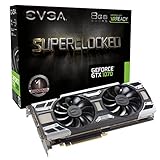
Yes, 8GB VRAM is enough for gaming at 1080p with high or ultra texture settings in most current titles, provided you are not also running demanding ray tracing or ultra-resolution texture packs. The single condition that changes this answer is your target resolution. Once you push past 1080p, 8GB becomes a genuine bottleneck in many AAA releases, and at 4K it is simply not viable without severe compromises.
As an Amazon Associate we earn from qualifying purchases at no extra cost to you.




Check Price on Amazon →


How to Tell
Before you panic or upgrade, run a few concrete checks on your own system. Here is what to look for.
Check VRAM usage in real time. On Windows 10 and 11, open Task Manager, navigate to the Performance tab, and select your GPU. The “Dedicated GPU memory” field shows how much VRAM is currently allocated. During demanding scenes in games like Starfield or The Last of Us Part I, watch whether this number sits at or near your 8GB ceiling.
Use in-game overlays. Both NVIDIA and AMD expose performance overlays that can display VRAM utilization. Press Alt+R (NVIDIA) or Ctrl+Shift+O (AMD Adrenalin) to enable them. If VRAM usage reads 100% while your GPU utilization stays moderate and your frame rate dips or stutters, you are hitting a memory wall.
Watch frame times, not just FPS. VRAM exhaustion does not always tank your average framerate. It more commonly produces irregular frame pacing — sudden hitches when the card begins swapping texture data to system RAM. Use the same overlays to monitor frame time graphs. Jagged spikes above 30ms that do not correlate with CPU usage point to VRAM limitations.
Rule out other bottlenecks. If your GPU utilization is low and VRAM is not maxed out, your stutter likely comes from CPU load, storage bandwidth, or shader compilation rather than a memory shortage.
By Resolution
1080p
At 1080p, 8GB remains comfortable in the vast majority of titles. Even graphically demanding games like Hogwarts Legacy, Alan Wake 2, and Microsoft Flight Simulator run well on high or ultra textures without saturating the buffer. The only exceptions tend to be games that bundle optional ultra-resolution texture packs or enable heavy ray-traced reflections by default. If you stick to high textures and moderate ray tracing, you will rarely hit the wall.
1440p
At 1440p, the picture becomes considerably tighter. Launch-time testing from Hardware Unboxed and TechSpot on cards like the RX 6600 and RTX 3060 showed VRAM usage frequently exceeding 7.5GB in titles such as Hogwarts Legacy and The Last of Us Part I, with measurable frame-time degradation when the buffer filled completely. In practice, this means 8GB is borderline at 1440p: you can play, but you will need to dial texture quality to medium or high (not ultra) in the most demanding releases, and you may notice hitching in open-world games that stream assets aggressively.
4K
At 4K, 8GB is not sufficient for modern AAA gaming. Texture resolutions, shadow caches, and geometry buffers scale sharply with pixel count. Testing cited by Tom’s Hardware and TechPowerUp consistently showed VRAM usage well past 10GB in titles like Cyberpunk 2077 and Starfield at 4K with high textures. Even if you drop settings, the memory overhead of the higher resolution alone pushes you past the 8GB line. If you want to game at 4K in current titles, you need at least 12GB and ideally 16GB.
| Scenario | Expected Outcome | Typical VRAM Demand (approx.) |
|---|---|---|
| 1080p / High textures / no or light RT | Comfortable, no issues | 4-7 GB |
| 1080p / Ultra textures / heavy RT | Workable but occasional spikes | 6-8 GB |
| 1440p / High textures / no RT | Borderline in demanding titles | 7-8.5 GB |
| 1440p / Ultra textures / heavy RT | Stuttering and frame-time spikes | 9-12 GB |
| 4K / Any reasonable settings | Not viable without severe cuts | 10-14+ GB |
Ranges above reflect aggregated launch-time and retrospective testing data as reported by Hardware Unboxed, TechSpot, Tom’s Hardware, and TechPowerUp across multiple recent releases.
What to Do About It
If you find yourself hitting the VRAM ceiling at your current resolution, several adjustments can pull you back under the limit without sacrificing the entire visual experience.
Lower texture quality first. Textures are the single largest VRAM consumer. Dropping from Ultra to High or from High to Medium typically frees 1-3GB of memory with a relatively modest visual difference on most monitors.
Reduce ray-traced effects selectively. Full ray tracing (reflections, global illumination, shadows) carries a significant memory tax. If you want to keep RT enabled, limit it to reflections only and reduce the resolution of ray-traced effects.
Use upscaling with care. DLSS and FSR render at a lower internal resolution, which slightly reduces the memory footprint of some buffers. However, the texture cache is largely independent of render resolution, so upscaling alone will not solve a VRAM shortage. Pair it with texture adjustments.
Disable ultra-resolution texture packs. Some games ship optional 8K or 4K texture downloads that are designed for 16GB+ cards. These are not needed at 1080p and should be avoided on 8GB hardware.
Recommendation by User Type
Competitive and esports gamers (CS2, Valorant, Apex Legends, Fortnite at low settings): 8GB is more than enough. These titles rarely demand more than 4-5GB, and you likely cap at 1080p or 1440p anyway. No upgrade needed.
Single-player AAA enthusiasts at 1080p: 8GB remains sufficient in 2026 for the majority of releases, though you will occasionally need to set textures to high rather than ultra in the most demanding titles. Upgrade only if you find the compromises annoying.
Players targeting 1440p high-refresh AAA experiences: 8GB is a liability. You will be forced into frequent settings compromises, and upcoming titles will only make this worse. If you can budget for it, a 12GB or 16GB card eliminates the headache.
4K gamers: 8GB is not a realistic option for modern titles. Aim for 16GB minimum to maintain long-term viability.
Content creators who game casually: If your primary workload is editing or 3D rendering, VRAM requirements are dictated by your creative software, not your games. Many editors and renderers benefit from 12GB or more regardless of resolution.
FAQ
Will future games make 8GB unusable at 1080p?
It is unlikely that 1080p becomes entirely unplayable on 8GB in the near term. Unreal Engine 5 and its successors do raise baseline demands, but developers still target a broad hardware spectrum. You will probably see more forced compromises in texture quality rather than outright rejection at 1080p.
Does VRAM amount affect gaming performance when you are under the limit?
No. If your game uses 6GB of VRAM on an 8GB card, having 12GB or 16GB would produce no measurable frame rate difference. Extra memory only matters when your working set exceeds the installed capacity.
Is an RTX 3060 12GB a better long-term buy than an RTX 4060 8GB?
The answer depends on your resolution target. At 1080p, the RTX 4060’s higher raw throughput and DLSS Frame Generation make it the stronger performer today. At 1440p in VRAM-heavy titles, the 3060’s 12GB buffer can produce smoother frame times despite lower average FPS. Testing from Gamers Nexus and Tom’s Hardware has illustrated this trade-off clearly.
Can Windows or background apps eat enough VRAM to matter?
Absolutely. Hardware-accelerated browsers, Discord, and certain productivity applications can consume 1-2GB of VRAM. Close unnecessary GPU-accelerated apps before gaming, especially at 1440p where every megabyte counts.
Sources and Methodology
All performance ranges and VRAM utilization observations cited in this article are synthesized from launch-time and retrospective benchmarking published by Hardware Unboxed, TechSpot, Tom’s Hardware, TechPowerUp, and Gamers Nexus. These outlets collectively test the most widely reviewed current-generation titles across multiple GPU tiers. No figures in this article represent measurements taken by this site; all data is attributed to the named sources whose published results reflect the approximate ranges discussed.
















