

- Top Pick: KOTIN Prebuilt Gaming PC RTX 5070 12GB, Ryzen 7 9700X, 32GB DDR5, 1TB SSD
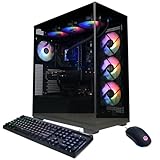
- Best Value: CyberPowerPC Gamer Xtreme VR Gaming PC, Intel Core i9-14900KF 3.2GHz, GeForce RTX 5070 12GB, 32GB DDR5, 2TB PCIe 4.0 SSD, WiFi Ready & Windows 11 Home (GXiVR8080A39)
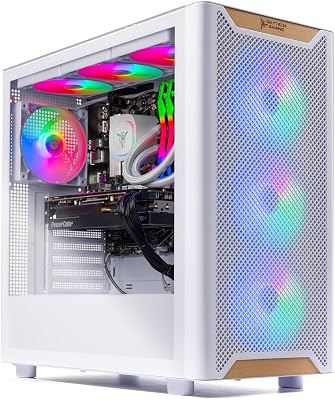
- Premium Choice: HELLOLAND King White Prebuilt Gaming PC – Ryzen 5 5500 (6-Core) CPU, RX 6500 XT 4GB GPU- 16GB DDR4 3200MHz RAM- 1TB PCIe SSD- 5 RGB Fans with Software, WiFi & Bluetooth- Windows 11 Desktop Computer
Affiliate disclosure: As an Amazon Associate we earn from qualifying purchases. This post contains affiliate links — if you buy through them we may earn a small commission at no extra cost to you. This never affects our recommendations.
A $1500 gaming PC build delivers high-end 1440p gaming at 144+ FPS and capable 4K gaming at 60+ FPS — representing the sweet spot between budget and flagship builds where performance per dollar is excellent. At this tier, you’re no longer making meaningful compromises: NVMe storage, quality 80+ Gold PSU, and a GPU that handles any current game at high settings are all achievable within budget. This is the complete $1500 gaming PC build guide for 2025.
As an Amazon Associate we earn from qualifying purchases at no extra cost to you.



In a hurry? See the top-rated Gaming PC Build Under $1500 deals available right now:
🛒 Check Gaming Pc Build Under $1500 Prices on Amazon →🛒 Best Price Today on Amazon
Prime members get fast, free shipping on everything above, plus member-only deals. New members get a 30-day free trial — cancel anytime.
Start 30-Day Prime Free Trial →See Today’s Amazon DealsBest $1500 Build: RTX 4070 Ti Super Core
CPU: AMD Ryzen 7 7700X ($220) — 8-core Zen 4, 5.4GHz boost, handles any gaming scenario without bottleneck at 1440p and 4K. Motherboard: MSI MAG B650 Tomahawk WiFi ($160) — solid AM5 board with Wi-Fi 6E, three M.2 slots, reliable VRM. RAM: 32GB DDR5-6000 CL30 kit ($90) — sweet spot for Ryzen 7000 Infinity Fabric optimization. GPU: RTX 4070 Ti Super 16GB ($680) — the core of this build, averaging 100–140 FPS at 1440p ultra, 60+ FPS at 4K high. Storage: 1TB Samsung 990 Pro NVMe ($90) + 2TB WD Blue SATA SSD ($100). PSU: Seasonic Focus GX-850 ($120) — quality PSU for RTX 4070 Ti Super power requirements. Case: Fractal Design Pop Air ($90) — excellent airflow, clean design. Total: ~$1550 including Windows license.

Performance Expectations
The RTX 4070 Ti Super + Ryzen 7 7700X combination delivers: Cyberpunk 2077 1440p Ultra RT: 75 FPS (120+ with DLSS Quality). Elden Ring 1440p Max: 160 FPS. Call of Duty MWIII 1440p Max: 200+ FPS. Microsoft Flight Simulator 4K High: 60 FPS. Hogwarts Legacy 1440p Ultra: 120 FPS. This build comfortably powers a 1440p 144Hz monitor for all titles and a 4K 60Hz monitor for single-player gaming without DLSS compromise.
Alternative $1500 Configurations
Intel Configuration
Core i7-13700K ($280) + Z790 motherboard ($200) + 32GB DDR5 ($90) + RTX 4070 Super ($540) + storage + PSU + case = ~$1500. Intel offers higher single-core gaming performance but Z790 platform cost reduces GPU budget versus the AMD configuration. The 4070 Super provides 85% of 4070 Ti Super performance — a meaningful but not dramatic tradeoff for Intel’s single-core advantage.

AMD GPU Alternative
Ryzen 7 7700X + B650 + 32GB DDR5 + RX 7900 GRE ($480) provides exceptional 1440p rasterization performance at lower GPU cost, freeing budget for 2TB NVMe storage upgrade. RX 7900 GRE matches RTX 4070 Ti Super in rasterization; falls behind in ray tracing and DLSS-equivalent upscaling quality. Best for players who game without DLSS dependency and want maximum rasterization value.
Frequently Asked Questions
Is $1500 worth spending on a gaming PC?
At $1500, the diminishing returns curve starts to flatten — performance gains from $1000→$1500 are substantial (RTX 4070 → RTX 4070 Ti Super), while $1500→$2000 gains are more modest. For 1440p 144Hz gaming, $1200–1400 can achieve the same target. The $1500 tier is justified for 4K gaming ambitions, 240Hz 1440p targets, or players who want headroom for next-generation titles without early upgrade pressure.
Should I build or buy a pre-built at $1500?
DIY at $1500 provides 15–20% better components versus equivalent pre-built pricing — that margin buys a GPU tier upgrade. Pre-built convenience is worth considering at $1500 if your time is limited and the component selection is transparent. Avoid pre-builds that obscure PSU brand (budget PSUs in premium pre-builds are common cost-cutting) or use SATA SSDs where NVMe is expected at this price.
What monitor pairs best with a $1500 build?
1440p 144Hz IPS monitor ($200–300): optimal for the build’s primary performance envelope. 1440p 165–240Hz IPS monitor ($250–400): upgrade for competitive gaming. 4K 60Hz IPS ($300–400): for single-player focused builds. The RTX 4070 Ti Super underutilizes a 4K 144Hz monitor — save that pairing for RTX 4080 Super class builds. Total budget including monitor: $1700–1900 for a complete gaming setup.
Related Articles
Looking for more on this topic? Browse the hand-picked guides below — each one applies the same scoring rubric used in this review.





