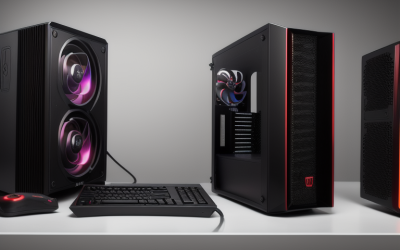
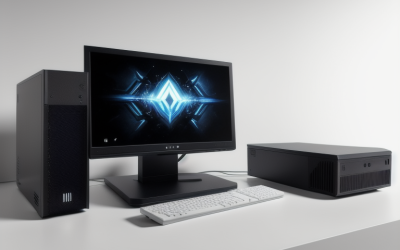
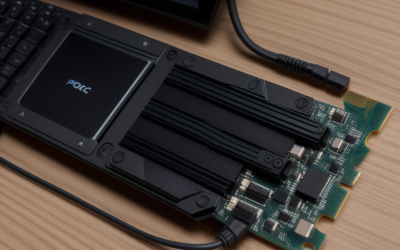
- Top Pick: KOTIN Gaming PC, Ryzen 7 9700X, RX 9070 XT 16GB, 32GB DDR5, 1TB SSD | Prebuilt Gaming Computer, 11.3In Smart Display, 360mm Liquid Cooler, WiFi 7, 850W Gold PSU, Windows 11, ARGB, 1440p 4K
- Best Value: LXZ Prebuilt Gaming PC Ryzen 7 8700F RTX 5060 16GB DDR5 1TB SSD | Gaming Desktop 6 RGB fans, 650W PSU, 7x USB 2.0 + 3x USB 3.0
- Premium Choice: Customized CyberPowerPC Gamer Master Desktop, Ryzen5, 8GB|240GB SSD+2TB HDD | Windows 11|RAM Upgradable to 64GB | Storage Upgradable to 2TB SSD+2TB HDD|AMD Radeon RX 580, Prebuilt Gaming Desktop Computer
Prebuilt gaming PCs have a reputation problem: some are assembled around a proprietary motherboard or a barely adequate power supply, so the machine is effectively sealed the day it ships. Buyers who ask for an upgradable prebuilt want the opposite. They want a tower they can grow, with a graphics card swap in two years, more memory when games demand it, and a second drive when the first fills up.
This list is written around that goal. Upgrade potential comes from a few things you can read in a listing: power supply wattage and tier, the memory generation (DDR5 leaves a longer runway than DDR4), cooling that does not crowd the case, and whether the maker states a path such as RAM expansion. Nine prebuilts are compared for 2026, and where the title is silent on upgrade details, the guide says so rather than guessing.
Quick Picks
As an Amazon Associate we earn from qualifying purchases at no extra cost to you.




| Product | Best for | Key spec from the title |
|---|---|---|
| KOTIN Ryzen 7 9700X | High-end 1440p and 4K | RX 9070 XT 16GB, 850W Gold |
| LXZ Ryzen 7 8700F | Current GPU and DDR5 | RTX 5060, 16GB DDR5, 650W |
| CyberPowerPC Gamer Master | Stated upgrade path | RAM upgradable to 64GB |
| WIWB Ryzen 7 RX 6500XT | Small 1080p tower | RX 6500XT 4GB, 16GB DDR4 |
| Skytech Blaze 5 | Long-term performance headroom | 9800X3D, RTX 5070, 850W Gold ATX 3 |
| Olialia RTX 3060 Ti | Mid-range panoramic tower | RTX 3060 Ti, 600W |
| XIDAX White Ryzen 7 9800X3D | Top-tier white build | RTX 5080 16GB, 850W Gold |
| ZYNEEX Ryzen 5 5500 | Entry 1080p with a full SSD | RTX 3050 6GB, 1TB NVMe |
| HOENGAGER Panorama | Memory-rich white build | RTX 5060, 32GB DDR4, 240mm AIO |
How to Choose
Power supply headroom
A graphics upgrade is limited by the power supply. Look for 750W or above with an 80 Plus Gold tier, and an ATX 3 label if you may later fit a card with the newer power connector. A 600W or 650W unit runs the current parts but leaves little room for a larger GPU.
Memory generation and capacity
DDR5 platforms have a longer runway than DDR4, because new CPU generations target DDR5. A machine with 16GB can still reach 32GB or 64GB if the motherboard has free slots. Dual-channel kits matter, so a single stick of 8GB leaves performance on the table.
Storage and cooling space
Look for NVMe storage of 1TB or more, and a case with room for extra drives. Large 360mm liquid coolers give strong CPU cooling but occupy the top of the case, while smaller 240mm radiators and air coolers leave more flexibility. Ignore ARGB fans as an upgrade factor; they are decoration.
Standard parts and what budget builds skip
Standard ATX parts can be swapped later, while proprietary power supplies or slim cases lock you in. Budget machines may cut corners on the power supply, using a basic 600W unit, and on the motherboard’s slot count. Ask the maker which model of motherboard and power supply is used, because titles seldom name them.
The 9 Best Options
KOTIN Ryzen 7 9700X RX 9070 XT Gaming PC
For buyers who want a strong graphics card now and the power capacity to change it later. The title lists a Ryzen 7 9700X, an RX 9070 XT with 16GB, 32GB of DDR5, a 1TB SSD, a 360mm liquid cooler, WiFi 7, and an 850W Gold PSU.
- An 850W Gold power supply leaves headroom for GPU changes down the road.
- 32GB of DDR5 is a good starting point on the newer memory platform, and WiFi 7 is listed for future routers.
- Trade-off: an 11.3-inch smart display and a 360mm radiator are extra components that add complexity if you ever open the case.
Skip it if you want a plain case without extra components, or a lower tier of hardware.
LXZ Ryzen 7 8700F RTX 5060 Prebuilt
For entry gamers who want a modern GPU on a DDR5 platform. The title lists a Ryzen 7 8700F, an RTX 5060, 16GB of DDR5, a 1TB SSD, six RGB fans, and a 650W power supply.
- DDR5 memory gives a longer upgrade runway than DDR4 rivals, and the 16GB can be doubled later if slots allow.
- Ten USB ports are listed, seven USB 2.0 and three USB 3.0, handy for peripherals and external drives.
- Trade-off: a 650W supply limits how large a graphics card you can add later.
Skip it if you plan a major GPU upgrade within a few years or want faster USB across the board.
Customized CyberPowerPC Gamer Master Desktop
The only title that spells out upgrade paths: RAM upgradable to 64GB and storage upgradable to 2TB SSD plus 2TB HDD. It lists a Ryzen 5, 8GB of memory, 240GB SSD plus 2TB HDD, a Radeon RX 580, and Windows 11.
- Explicit RAM and storage expansion limits are stated, rare for a prebuilt title.
- Includes both an SSD for the system and a 2TB hard drive for bulk files.
- Trade-off: the RX 580 and 8GB of RAM are dated and low for newer games, so the first upgrade is likely memory and graphics.
Skip it if you want strong gaming performance on day one without touching the hardware.
WIWB Ryzen 7 RX 6500XT Gaming PC
Best for small desks, light gaming, and users who may add parts later. The title lists a Ryzen 7 4700LE, Radeon RX 6500XT 4GB, 512GB SSD, 16GB DDR4, WiFi 6, and a white tower.
- 16GB of DDR4 and WiFi 6 are included in the listing.
- Aimed at 1080p gaming, streaming, esports, school, and home use, so it doubles as a family machine.
- Trade-off: DDR4 and 4GB of video memory limit future usefulness, and 512GB of storage will need adding early.
Skip it if long-term headroom is your main goal and you want a stronger base.
Skytech Blaze 5 Ryzen 7 9800X3D RTX 5070
For buyers who want a powerful machine with a power supply built for later changes. The title lists a Ryzen 7 9800X3D, an RTX 5070, 32GB of memory, a 2TB SSD, DDR5 6000, an 850W Gold ATX 3 PSU, and a 360 ARGB AIO.
- 850W Gold ATX 3 PSU is the clearest upgrade enabler in this group.
- 2TB Gen4 NVMe storage and 32GB DDR5 give a roomy base before any change.
- Trade-off: Wi-Fi 5 is the older wireless standard, though a wired connection avoids the issue.
Skip it if you want the newest wireless standard or a step up to the RTX 5080 tier.
Olialia RTX 3060 Ti Gaming PC
For mid-range buyers who want a panoramic tower with an older but capable GPU. The title lists an RTX 3060 Ti, Ryzen 5 5500, 16GB of RAM, a 512GB SSD, RGB lighting, WiFi 6, and a 600W power supply.
- RTX 3060 Ti is a capable mid-range card for 1080p and some 1440p play.
- Panoramic tower with RGB lighting and WiFi 6 is listed.
- Trade-off: a 600W PSU and 512GB drive limit expansion, and the Ryzen 5 5500 sits on an older platform.
Skip it if you plan to add a larger graphics card or want a DDR5 base.
XIDAX White Ryzen 7 9800X3D RTX 5080
The top-end white build for buyers who want maximum parts and room to keep them. The title lists a Ryzen 7 9800X3D, an RTX 5080 16GB, 32GB of DDR5, a 2TB SSD, Windows 11 Home, Wi-Fi, an 850W Gold PSU, and 360mm liquid cooling.
- The most powerful graphics card in this group, paired with an 850W Gold supply.
- 32GB of DDR5 and 2TB of storage are included, with a white finish named in the title.
- Trade-off: it sits at the premium tier, which will be excessive for a buyer who plays at 1080p.
Skip it if you game at 1080p and do not need this tier, or if you want 64GB of memory straight away.
ZYNEEX Ryzen 5 5500 RTX 3050 Gaming PC
For 1080p gamers who want a full terabyte of storage on an entry machine. The title lists a Ryzen 5 5500, a GeForce RTX 3050 6GB, 16GB of DDR4 3200MHz, a 1TB NVMe SSD, ARGB air cooling, and Wi-Fi.
- 1TB NVMe is generous for an entry machine, and the title names streaming and editing as uses.
- Air cooling leaves case space free for extra drives or a longer graphics card.
- Trade-off: DDR4 and the RTX 3050 6GB limit the future, and the title says nothing about the power supply.
Skip it if you want a DDR5 platform or confirmed power supply headroom.
HOENGAGER Panorama Ryzen 7 5700X RTX 5060
For buyers who want a white tower with a lot of memory. The title lists a Ryzen 7 5700X, an RTX 5060, 32GB of DDR4, a 1TB NVMe SSD, a 240mm AIO, and software-controlled ARGB fans.
- 32GB of memory from day one, which postpones the first RAM upgrade.
- A 240mm AIO takes less space than a 360mm unit, and software-controlled ARGB fans are listed.
- Trade-off: DDR4 is the older standard, and the title omits power supply details, so ask before planning a big GPU swap.
Skip it if the PSU wattage is a deciding factor, or if you want a DDR5 base.
Which One Fits Your Situation
You want to swap the GPU in a few years
The Skytech Blaze 5, KOTIN, and XIDAX all list 850W Gold power supplies, the clearest sign of headroom for a future card. The Blaze 5 adds the ATX 3 label, which matters if the next graphics card uses the newer power connector.
You want to add RAM and drives over time
The CyberPowerPC Gamer Master states its RAM and storage ceilings, while the ZYNEEX already ships with 1TB of NVMe. Either one lets you begin small and add memory or drives as files and games pile up, which suits a first-time builder learning the ropes.
You want a modern GPU on a mid-range tier
The LXZ and HOENGAGER both pair an RTX 5060 with a modern CPU, though their power supply choices differ.
You want a white tower
The XIDAX and HOENGAGER are the strongest white builds, while the WIWB covers the entry tier. A white case does not change upgradability, so judge the power supply and memory first and treat the finish as a bonus.
Common Mistakes
- Choosing a machine with a 600W power supply and later buying a high-end GPU.
- Assuming 16GB of RAM can be expanded without checking the slot count.
- Buying a DDR4 build when a DDR5 option is close in specification.
- Counting RGB fans or a display as an upgrade feature.
- Skipping the question of whether parts are standard sizes.
Related guides
- Battery Operated Smoke And Carbon Monoxide Detectors
- Combination Smoke And Carbon Monoxide Detectors
- Aio Liquid Coolers For High Performance Gaming
Frequently Asked Questions
What makes a prebuilt upgradable?
Standard parts, a power supply with headroom, free memory slots, and extra drive bays. A proprietary power supply or case limits all of these.
Is DDR5 important for upgradability?
It helps, since newer processors target DDR5 and memory capacity can be increased later. DDR4 systems still work but have less runway.
How much power supply do you need?
A good rule is at least 750W for a mid-range GPU with room to grow. High-end cards benefit from 850W and an ATX 3 unit.
Can storage be added to any prebuilt?
Most towers have extra drive bays or M.2 slots, but confirm with the maker. Entry builds may have only one slot.