

- Top Pick: XPPen Deco 640 Drawing Tablet with 16384 Pressure Levels Sensitivity Battery-Free Stylus 6*4 Inch OSU Drawing Pad Graphic Tablet for Digital Drawing Teaching Designing Editing Work for PC Mac Android
- Best Value: XPPen 6 * 4 inch Drawing Tablet with 16384 Pressure Levels IT640 Digital Graphic Art Tablet Battery-Free Stylus 60° Tilt Support OSU Drawing Pad for Beginner Compatible with Android Windows macOS
- Premium Choice: XPPen Deco 640 Purple Drawing Tablet with 16384 Pressure Levels Sensitivity
The XPPen Deco 640 is the modern small-format upgrade to XPPen’s StarG640 line — same compact footprint, same battery-free pen, but with the latest X3 Pro chip and a full 16,384 levels of pressure sensitivity. At around $49 it is one of the most generously specified ultra-budget tablets on the market. This XPPen Deco 640 review covers what is new, what is the same, and who should buy it.

XPPen Deco 640 Drawing Tablet with 16384 Pressure Levels Sensitivity Battery-Free Stylus 6*4 Inch OSU Drawing Pad Graphic Tablet for Digital Drawing Teaching Designing Editing Work for PC Mac Android


As an Amazon Associate we earn from qualifying purchases. Product prices and availability are accurate as of the date/time indicated.
🛒 Best Price Today on Amazon
Prime members get fast, free shipping on everything above, plus member-only deals. New members get a 30-day free trial — cancel anytime.
As an Amazon Associate we earn from qualifying purchases.





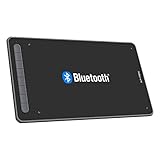

XPPen Deco 640 at a Glance
| Component | Specification |
|---|---|
| Active area | 6.0 x 4.0 inches (152 x 102 mm) |
| Pressure levels | 16,384 (16K) |
| Stylus type | Battery-free X3 Pro Smart Chip Stylus |
| Resolution | 5,080 lpi |
| Report rate | approx 220 pps |
| Tilt support | Yes (60 degrees) |
| Express keys | None (gesture pad on tablet face) |
| Connection | USB-C (wired) |
| Approx price | around $49 |
Pen Performance & Pressure
The pen is the Deco 640’s headline feature, and it really does punch above its price tier. The X3 Pro Smart Chip Stylus is battery-free — power is drawn wirelessly from the tablet, so there is nothing to charge — and resolves 16,384 (16K) pressure levels with low initial activation force. Tilt is now included up to 60 degrees, which is a genuine generational change over the older StarG640 series. The combination of 16K pressure, tilt and a battery-free pen at this price was almost unheard of a few years ago; today, the Deco 640 makes it routine. The pen feel is light, balanced and confidently smooth in lineart and shading work.
Report rate of around 220 pps is the same as on the pricier Deco 01 V3, and tracking accuracy across the 6×4-inch active area is excellent — easy to expect, as smaller active areas magnify tracking errors less than larger ones. The pen’s two side buttons are remappable in the driver, and the X3 Pro chip’s lower initial activation force is genuinely useful: it makes the kind of feathery, near-weightless line that pencil-style brush presets in Clip Studio Paint and Procreate-class apps want, but which older battery-free pens struggled with. Pressure-curve adjustment in the XPPen driver lets you tune the response to your touch, which is particularly useful for transitioning from heavier or older styluses.
Build & Materials
The Deco 640 keeps the ultra-thin form factor that made the StarG640 famous — only a few millimetres thick, easy to slip into a laptop bag and unobtrusive on the desk. The matte work surface has a subtle texture that gives the pen tip a small but useful amount of resistance. The Deco 640 does not have traditional ExpressKeys; instead, XPPen has placed a small gesture pad on the tablet face, which can be configured in the driver. USB-C connection is a useful modernisation, and the cable is detachable. The active-area boundary is engraved cleanly on the surface, which helps with screen-to-tablet mapping muscle memory. Four small rubber feet keep the tablet stable, and the chassis edges are bevelled gently so your wrist can rest comfortably near the boundary during long sessions. The pen rests in a small case that doubles as nib storage — a clean design that does not leave the pen rolling around the desk. The overall industrial design is a quiet step up from the older StarG series; the Deco 640 looks and feels like a more grown-up product, despite the very similar price point.
Worth knowing too: while the tablet does not have physical ExpressKeys, the gesture pad on the tablet face can be configured to a useful set of common actions — undo, redo, brush size up/down, switch tool — which goes a long way toward replacing dedicated keys for casual use. Heavier shortcut-driven workflows are better served by tablets like the GAOMON M10K or HUION HS610, but most beginners and travel-focused users will be perfectly happy with the gesture-pad approach.
Software Compatibility & Drivers
The Deco 640 is supported on Windows, macOS, ChromeOS, Linux and Android. Pressure and tilt are recognised in Photoshop, Clip Studio Paint, Krita, Affinity Photo, SAI, MediBang and a long list of others, including Android creative apps via OTG. For OSU players, the drivers behave well in OSU’s tablet handling and the high report rate keeps tracking tight. The drivers are stable, and per-application key mapping covers the gesture pad and pen buttons.
Use Cases — Art, 3D and Note Taking
This is a tablet defined by its portability. For digital artists travelling with a laptop, the Deco 640 is one of the easiest tablets to live with — slim, light and ready in seconds. For OSU players, the form factor and high report rate keep it competitive with much pricier rivals. For students, the work surface is large enough for diagrams and notes, and small enough to share a desk with a textbook and a laptop. For 3D work, the small area limits long sculpting sessions, but for quick texture or weight-paint passes it is fine. For full-time studio illustration you will outgrow it — the lack of ExpressKeys is more of a workflow miss than the size is. Worth knowing too: the Deco 640’s combination of features makes it one of the best Wacom Intuos Small alternatives on the market for users who specifically want tilt support and a more generous pressure-level count at a similar physical footprint.
What’s in the Box
The box contains the Deco 640 tablet, the X3 Pro Smart Chip Stylus, a pen case that stores replacement nibs, a USB-C-to-USB-A cable, an OTG adapter for Android use, a small set of replacement nibs and a Quick Start guide. There is no Bluetooth and no software bundle, so factor in any commercial software you may want separately. The bundled pen-case-and-nib-storage is small but thoughtfully designed, keeping spare nibs and the included nib-removal tool together in a single pocket-friendly accessory.
Verdict — Is the XPPen Deco 640 Worth It?
At around $49 the XPPen Deco 640 is one of the best ultra-budget drawing tablets on the market right now. The X3 Pro pen with 16K pressure and tilt, the slim form factor and the Android compatibility are a remarkable feature set for the price. The compromises are real but reasonable: no ExpressKeys, no Bluetooth, no tilt-rich painting glove. For students, OSU players, hobbyists, travel-first users and anyone wanting a quietly excellent small tablet, the Deco 640 is the obvious recommendation. The combination of the X3 Pro pen, ultra-thin chassis and modern USB-C connectivity makes it the best small XPPen drawing tablet in the company’s lineup right now. For more drawing-PC ideas, see our best gaming laptops under $1,200 guide.
Frequently Asked Questions
How many pressure levels does the XPPen Deco 640 have?
It supports 16,384 (16K) levels of pressure sensitivity, which is unusual at this price.
Does the XPPen Deco 640 support tilt?
Yes. The X3 Pro Smart Chip Stylus supports up to 60 degrees of tilt — a notable upgrade over the older StarG640 series.
Is the XPPen Deco 640 good for OSU?
Yes. The 6×4-inch active area, slim form factor and high report rate make it a natural fit for OSU as well as drawing.
Does the XPPen Deco 640 pen need charging?
No. The X3 Pro stylus is battery-free and draws power wirelessly from the tablet — no cables, no batteries.
More Drawing Tablet Reviews
- GAOMON M10K Review: 10×6 Drawing Tablet with Touch Ring
- GAOMON S620 Review: 6.5×4 Battery-Free Drawing Tablet
- HUION HS610 Review: Battery-Free Stylus, Tilt, and 8192 Pressure
- HUION Inspiroy 2 Large Review: 10×6 Scroll Wheel Drawing Tablet
- GAOMON PD1161 Review: 11.6″ FHD Pen Display for Hobbyists
- Wacom Intuos Small Bluetooth Review: Beginner-Friendly Drawing Tablet
- Wacom One by Wacom Medium Review: Larger Beginner Pen Tablet
- XPPen StarG640 Review: Ultra-Slim 6×4 Drawing Tablet for OSU and Sketching
Affiliate Disclosure: As an Amazon Associate, we earn from qualifying purchases. If you click a link and make a purchase, we may earn a small commission at no extra cost to you. Prices and availability are accurate as of publication and may change.
Related Articles
Looking for more on this topic? Browse the hand-picked guides below — each one applies the same scoring rubric used in this review.










