

- Top Pick: Drawing Tablet XPPen StarG640 Digital Graphic Tablet 6×4 Inch Art Tablet & XP-PEN Professional Artist Glove for Graphics Drawing Tablet
- Best Value: XPPen 6 * 4 inch Drawing Tablet with 16384 Pressure Levels IT640 Digital Graphic Art Tablet Battery-Free Stylus 60° Tilt Support OSU Drawing Pad for Beginner Compatible with Android Windows macOS
- Premium Choice: XPPen Updated Deco Mini7 V2 Drawing Tablet-16384 Levels of Pressure Battery-Free Stylus, 7 x 4 OSU Drawing Pad, 8 Hotkeys for Digital Art, Teaching, Gaming Graphic Tablet for Chrome, PC, Mac, Android
The XPPen StarG640 is one of the cheapest properly featured drawing tablets you can buy, and that combination of price and capability is exactly why it has earned a long-running following among OSU players, online students and artists testing the waters of digital drawing. For around $39 you get a battery-free pen with 8,192 pressure levels, an ultra-thin tablet body and broad OS compatibility. This XPPen StarG640 review walks through the active area, pen feel, drivers and use cases so you can see exactly where it lands against pricier rivals.

Drawing Tablet XPPen StarG640 Digital Graphic Tablet 6x4 Inch Art Tablet with Battery-Free Stylus Pen Tablet for Mac, Windows and Chromebook (Drawing/E-Learning/Remote-Working)


As an Amazon Associate we earn from qualifying purchases. Product prices and availability are accurate as of the date/time indicated.
🛒 Best Price Today on Amazon
Prime members get fast, free shipping on everything above, plus member-only deals. New members get a 30-day free trial — cancel anytime.
As an Amazon Associate we earn from qualifying purchases.


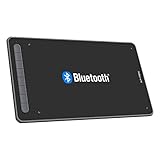
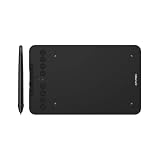


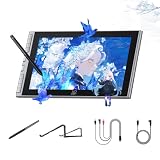
XPPen StarG640 at a Glance
| Component | Specification |
|---|---|
| Active area | 6.0 x 3.75 inches (152 x 95 mm) |
| Pressure levels | 8,192 |
| Stylus type | Battery-free passive pen (XPPen P01) |
| Resolution | 5,080 lpi |
| Report rate | 266 pps |
| Tilt support | No |
| Express keys | None |
| Connection | USB (wired) |
| Approx price | around $39 |
Pen Performance & Pressure
The pen is the StarG640’s biggest selling point on paper. The included P01 stylus is battery-free — it draws power wirelessly from the tablet, with no batteries to change and no charging cable to remember — and it delivers 8,192 pressure levels, twice as many as the Wacom Intuos Small at this price tier. In practice, 8,192 levels is more than the human eye can resolve as discrete steps, so the practical advantage over 4,096 is mostly marketing reassurance; what matters is that pen tracking, initial activation force (IAF) and line smoothness all feel competent for the price. The pen is light but balanced, with two configurable side buttons. There is no tilt support, which is a real omission if you paint with brushes that depend on tilt for naturalistic strokes, but for line art, OSU and notes it is not missed.
Reporting rate sits at a comfortable 266 reports per second over USB, which is plenty for the kind of cursor-tracking demands OSU players place on a tablet, and for the smooth, jitter-free strokes that line work needs. Nib wear is reasonable on the matte surface; expect one nib to last several weeks of heavy daily use before you notice a tip-flatness change, and replacement nibs come included in the supplied stand-case. The P01 is comfortable for long sessions in the hand — its weight balance does not concentrate stress on the thumb the way some heavier styluses can. If you have used a Wacom Pen 4K before, the P01 feels distinctly lighter and slimmer; if you are coming in fresh, you will adapt within an afternoon. For the price, it is hard to fault the pen experience.
Build & Materials
The StarG640 is genuinely thin — under 2 mm in places — which is the headline design feature. That makes it easy to slip into a laptop bag or a textbook, and it sits flush with desks and keyboards. The work surface has a subtle, smooth texture; some users add a screen protector or a sheet of paper on top to add bite, which is a common modification in the OSU community. There are no ExpressKeys, which keeps the form factor minimal but means you will rely on the keyboard for shortcuts. Build quality is plasticky but not cheap-feeling, and the pen has a comfortable rubberised grip. At this price, the build is well judged. The active area is delineated by a clean engraved border on the work surface, which helps establish muscle memory for screen-to-tablet mapping — a small but practical design choice. Underneath, four small rubber feet keep the tablet stable on a desk without sliding around mid-stroke. The supplied USB cable is reasonably long and detachable, which means a damaged cable does not mean a dead tablet — a quietly important feature on a budget product. Overall, the StarG640 is one of the most travel-ready drawing tablets you can buy.
Software Compatibility & Drivers
XPPen’s drivers have matured significantly in recent years and cover Windows, macOS, ChromeOS and several Linux distributions. The drivers are recognised in Photoshop, Krita, Clip Studio Paint, MediBang, GIMP, Inkscape and most other creative applications, with pressure sensitivity working immediately after install. For OSU players, the tablet is broadly recognised in OSU’s built-in tablet handling without driver issues, which is part of why it remains a community favourite. The drivers are not quite as polished as Wacom’s — occasional reinstalls are needed after major OS updates — but the gap is much smaller than it once was.
Use Cases — Art, OSU and Note Taking
The StarG640 is genuinely versatile for its price. For OSU players it has a long-running reputation as a budget-friendly competition tablet, partly because of the high report rate and low pen weight. For students and online learners, the slim form factor makes it ideal for live whiteboarding or PDF annotation. For artists, the 6×3.75-inch active area is well matched to laptop screens and is enough room for sketching, line art and digital painting at a hobbyist level. The lack of ExpressKeys, tilt and a screen means it is not the right choice for serious illustration work, but for casual creative use it punches well above its weight.
What’s in the Box
XPPen includes the StarG640 tablet, the P01 battery-free pen, a USB cable, a black pen stand-and-nib-storage case (it doubles as a holder) and an extra set of replacement nibs. There is also a Quick Start guide pointing you to the driver download. There is no Bluetooth — connection is USB-only — and no software bundle to speak of, so factor in the cost of any commercial software you may want.
Verdict — Is the XPPen StarG640 Worth It?
At around $39 the XPPen StarG640 is the standout budget pick for anyone who wants 8,192 pressure levels and a battery-free pen for less than the price of a meal out. You give up tilt, ExpressKeys, Bluetooth and the polish of Wacom’s drivers, but for OSU players, online students and hobbyist sketchers, those compromises are easy to accept. The slim form factor is a meaningful bonus for travel and small workspaces. If you are not sure whether you want to commit to a more expensive tablet, the StarG640 is one of the best ways to find out cheaply. The combination of a long product life and a broad community of users also means tutorials, presets and troubleshooting threads are easy to find online. Pair it with a capable system from our best gaming laptops under $1,200 roundup.
Frequently Asked Questions
How many pressure levels does the XPPen StarG640 have?
It supports 8,192 levels of pressure sensitivity, which is generous for a tablet at this price.
Does the XPPen StarG640 work with OSU?
Yes. It is one of the most popular budget drawing tablets in the OSU community, with broad compatibility and a high report rate.
Does the XPPen StarG640 pen need charging?
No. The P01 stylus is battery-free and draws power wirelessly from the tablet, so it never needs charging.
Does the XPPen StarG640 support tilt?
No. Tilt sensitivity is not included on this model. If you need tilt for naturalistic brushwork, consider a step-up tablet such as the XPPen Deco 01 V3.
More Drawing Tablet Reviews
- XPPen Deco 01 V3 Review: 10×6 Drawing Tablet with Tilt and Battery-Free Pen
- XP-PEN Artist 12 Review: 11.6″ FHD Pen Display for Beginners
- XPPen Artist 15.6 Pro V2 Review: 16K Pressure Pen Display
- XPPen Deco 640 Review: 6×4 Drawing Tablet with 16K Pressure
- GAOMON M10K Review: 10×6 Drawing Tablet with Touch Ring
- GAOMON S620 Review: 6.5×4 Battery-Free Drawing Tablet
- HUION HS610 Review: Battery-Free Stylus, Tilt, and 8192 Pressure
- HUION Inspiroy 2 Large Review: 10×6 Scroll Wheel Drawing Tablet
Affiliate Disclosure: As an Amazon Associate, we earn from qualifying purchases. If you click a link and make a purchase, we may earn a small commission at no extra cost to you. Prices and availability are accurate as of publication and may change.
Related Articles
Looking for more on this topic? Browse the hand-picked guides below — each one applies the same scoring rubric used in this review.










