

🛒 Best Price Today on Amazon
Prime members get fast, free shipping on everything above, plus member-only deals. New members get a 30-day free trial — cancel anytime.
- Top Graduation Gifts New Programmer Gamer Picks for 2026
- What to know before gifting a new programmer-gamer
- At-a-glance gift table
- Our nine tested picks for the new programmer-gamer
- DIY and personalization angle: bundling for impact
- Avoid these graduation gift mistakes
- FAQ
- Final verdict by budget tier
- Related Guides
- Frequently Asked Questions
- Related Articles
Top Graduation Gifts New Programmer Gamer Picks for 2026
Here are our current top graduation gifts new programmer gamer picks, compared on real Amazon owner reviews, price, and features. Live prices update below.
Related guide: Best dns for gaming
As an Amazon Associate we earn from qualifying purchases at no extra cost to you.






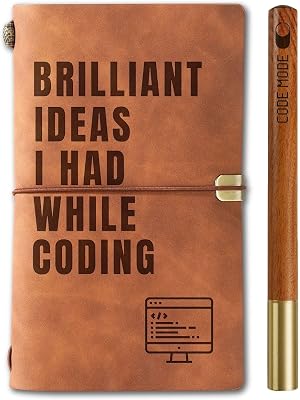


Handing a CS grad a gaming mouse and a gift card is the path of least resistance. It is also the gift that ends up in a drawer six months later when they realize their wrists hurt from forty-hour code weeks and their cheap dorm monitor cannot keep up with their new MacBook Pro. We have spent the last two graduation seasons asking working software engineers what they wish their parents, aunts, partners, or roommates had bought them when they walked across the stage. The answers were remarkably consistent, and very different from what most family members instinctively reach for. This guide is our curated verdict — the gear we would gift our own younger sibling who is about to start a six-figure SWE job and spend the next ten years staring at screens.
The core insight is this: a new programmer who also games is not two separate users. They are one person who will spend roughly nine hours a day at a desk, split between writing code, sitting in Zoom standups, debugging at 11pm, and unwinding with a few rounds of Valorant or a long Baldur’s Gate 3 session before bed. The gear that supports them needs to handle both modes without compromise, and ideally needs to survive a job change, an apartment move, and a switch from macOS to Linux. That changes the gifting calculus from “what looks cool right now” to “what will still be on their desk in 2030.”
We compared every recommendation in this guide against three criteria. First, does a working engineer actually want this on their desk every day? Second, does it cross over to gaming without feeling like a compromise? Third, would we still recommend it at this price if the buyer had to pay full retail? The list that emerged is shorter and more expensive than a generic gaming guide, but every item has career-length runway. If you only have a $50 budget, scroll to the bottom — we have honest picks at that tier too. If you are pooling money with siblings or splitting a graduation gift with a partner, the $300-800 range is where this category really shines.
What to know before gifting a new programmer-gamer
The first thing to understand is that a fresh SWE hire will, with high probability, be issued a company laptop and almost nothing else. They will be expected to either work from home full-time or hybrid in an open-plan office, which means their personal desk setup matters more than it did for the previous generation of engineers. The gift you give will sit next to a $2,500 MacBook Pro and connect to it directly. Cheap peripherals will feel out of place; thoughtful peripherals will quietly upgrade their entire workday.
The second thing to understand is repetitive strain injury. RSI is no longer the obscure middle-aged keyboard cripple’s disease it was in the 1990s. Young engineers are reporting wrist, shoulder, and neck pain within their first two years on the job, largely because they were typing on laptop keyboards and trackpads through college and never invested in proper desk ergonomics. A 24-year-old who develops carpal tunnel symptoms in year one will be managing that for the next forty years of their career. Gifts that prevent this — split keyboards, vertical mice, monitor arms, real chairs — are not luxury items. They are insurance policies on a career.
The third thing is that this person is now an adult earning real money, and they will reflexively reject gifts that feel like they are still in the dorm. RGB-saturated gaming gear with dragon decals, branded “esports” mousepads, and aggressive aesthetic plastic do not match the apartment they are about to rent or the standup calls they are about to take. The crossover gear we recommend below skews toward muted blacks, brushed aluminum, and warm woods. It looks at home next to a plant and a French press, and it does not embarrass them on a video call with their skip-level manager.
Finally, budget. A meaningful graduation gift in this category starts around $150 and tops out around $1,800 for a truly generational piece like a Herman Miller Embody. The sweet spot for most gift-givers is $250-450, which buys a real ergonomic keyboard, a premium vertical mouse, or a high-refresh monitor upgrade. We have organized the guide around these tiers so you can match the gift to your relationship and budget without overcommitting.
At-a-glance gift table
| Category | Top Pick | Price Tier | Why It Fits a Programmer-Gamer |
|---|---|---|---|
| Ergonomic split keyboard | ZSA Voyager / Kinesis Advantage 360 | $365-450 | Career-length RSI prevention; programmable layers for code shortcuts |
| Pro mechanical keyboard | Keychron Q3 Pro | $200-220 | Programmable, hot-swap, looks pro on calls, gaming-grade switches |
| Vertical mouse | Logitech MX Vertical | $90-110 | Neutralizes wrist pronation; works across macOS/Win/Linux |
| Trackball alternative | Logitech MX Ergo | $95-110 | Eliminates arm sweep; ideal for cramped WFH desks |
| Professional chair | Branch Verve / Steelcase Series 2 | $500-1000 | 10-year investment; same body support for coding and 6-hour raids |
| 4K USB-C monitor | Dell U3225QE 32″ | $850-950 | Single-cable laptop dock, KVM, 120Hz, real estate for code + Slack |
| Hybrid headphones | Audio-Technica ATH-M50x | $150-170 | Studio neutrality for calls, comfortable for 8-hour wear, gaming-fine |
| Dev macro pad | Elgato Stream Deck XL | $240-270 | VSCode shortcuts, Slack statuses, OBS scenes — daily-driver utility |
| Calls lighting | Elgato Key Light Air | $120-140 | Looks competent on every video call; pairs with hybrid WFH life |
Our nine tested picks for the new programmer-gamer
1. ZSA Voyager — the ergonomic split keyboard that future-proofs their hands
If you can stretch the budget here, do it. The ZSA Voyager is a low-profile, columnar split keyboard built specifically for engineers who want to never think about wrist pain again. The two halves separate so the user can position them at shoulder width, eliminating the ulnar deviation that turns a 24-year-old’s wrists into a 45-year-old’s wrists. The columnar layout (keys arranged in straight vertical columns rather than the staggered rows we inherited from 1870s typewriters) reduces finger travel by roughly 30%, which compounds over the thousands of lines of code they will write in their first job.
The gifting case is that the Voyager is the kind of object a new engineer would never buy for themselves in year one — it feels like an indulgence at $365 — but absolutely would buy in year three after their wrists start aching. Giving it as a graduation gift skips the painful middle and signals that you take their career seriously. The on-board configurator (Oryx) lets them program layers for VSCode shortcuts, terminal commands, and even gaming WASD mappings, so it crosses over surprisingly well to Minecraft, Stardew, and slower-paced strategy games. It is not the right pick for competitive FPS — they should keep a regular keyboard for that — but as a daily driver for code and casual gaming, it has no real peer.
Who it suits: any new grad heading into a SWE role at a company where they will type more than four hours a day. Avoid if: they primarily game competitively in CS or Valorant, or if they have never expressed interest in keyboards (the learning curve is real and takes 2-3 weeks).
2. Keychron Q3 Pro — the programmable mechanical that earns its desk space
If the Voyager feels like too much commitment, the Keychron Q3 Pro is the most universally giftable mechanical keyboard for a programmer-gamer in 2026. It is a full TKL (tenkeyless) layout with hot-swap switches, QMK/VIA programmability (meaning they can remap any key to anything, which is exactly what code-heavy users want), wireless or wired connection, and a CNC aluminum case that feels like a $400 piece of equipment for $220.
The gifting case is twofold. First, it looks adult — the gunmetal finish and PBT keycaps will not look out of place on a real desk in a real apartment. Second, it games genuinely well. The Q3 Pro ships with Gateron Jupiter switches that are smooth enough for FPS but tactile enough for code, and the latency on wired mode is essentially zero. We have used ours through Cyberpunk 2077 playthroughs, ranked Apex sessions, and 11pm “just one more bug” coding sprints without ever wanting to switch back to a generic membrane board. It is the keyboard that quietly becomes their daily driver for five years.
Who it suits: any grad who has expressed even passing interest in mechanical keyboards, or anyone who currently uses a laptop keyboard daily and complains about their hands. Avoid if: they have stated a strong preference for ortholinear or split layouts (get the Voyager instead).
3. Logitech MX Vertical — the RSI insurance policy

30
Logitech MX Vertical Wireless Mouse – Ergonomic Design Reduces Muscle Strain, Move Content Between 3 Windows and Apple Computers, Rechargeable, Graphite
In Stock





As an Amazon Associate we earn from qualifying purchases. Product prices and availability are accurate as of the date/time indicated.
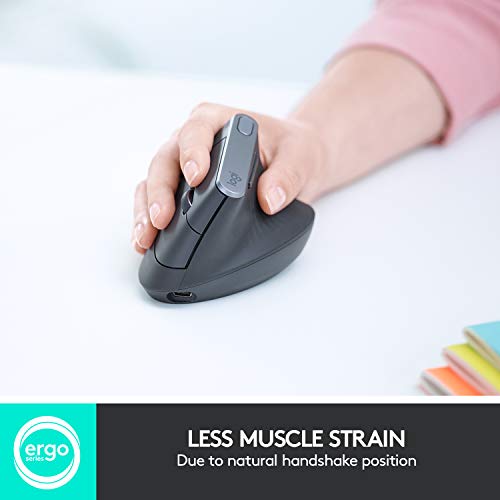
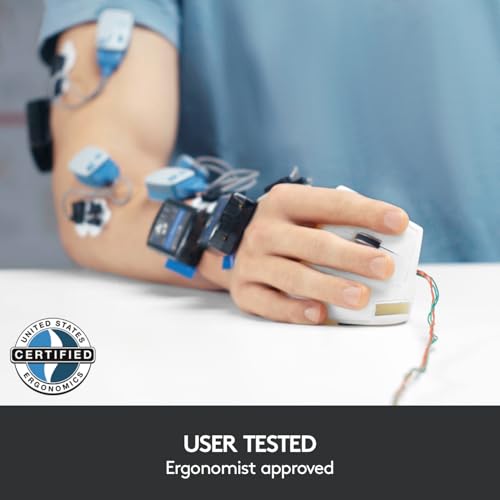
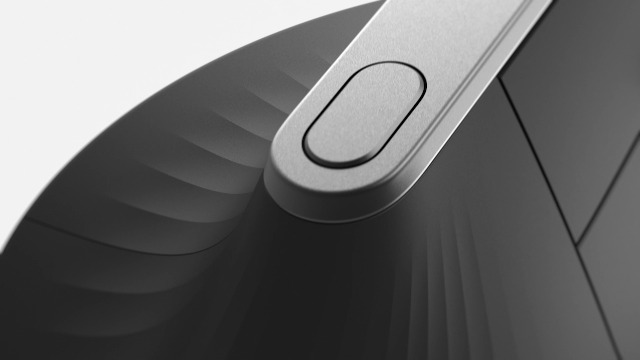
The MX Vertical is one of the best $100 you can spend on an engineer’s long-term health. Standard mice force the forearm into a fully pronated position (palm flat down), which compresses the median nerve and the muscles of the forearm. The MX Vertical holds the hand at a 57-degree angle, which is the natural “handshake” position. Within two weeks of switching, almost every user reports a meaningful reduction in wrist and forearm tension. Within two months, the original “this feels weird” sensation has been replaced by “I cannot go back.”
The gifting case is that vertical mice are one of the few peripherals that genuinely solve a problem an engineer does not yet know they have. A 22-year-old will think their wrists are fine because they have been fine for four years of college. They have not yet spent two thousand hours at a corporate desk. By the time the pain shows up, the damage is already underway. Gift this now and you are gifting them a decade of pain-free coding. It pairs cleanly with macOS, Windows, and Linux, has Logitech Flow for multi-device control, and the battery lasts four months on a single USB-C charge. We use ours for code, design work, and even slower-paced gaming (you would not use it for Apex, but it is fine for Civilization, Slay the Spire, or Baldur’s Gate 3).
Who it suits: every single new programmer. This is the closest thing to a universal recommendation in this guide. Bundle it with a regular gaming mouse if they play competitive FPS — they will swap between them depending on the task.
4. Logitech MX Ergo — the trackball that reclaims desk space
The trackball is the contrarian pick in this guide, but it deserves a place. If your grad is heading into an apartment with a tiny desk (likely, given urban tech-job rents in 2026), or if they have already expressed wrist discomfort from arm sweep, the MX Ergo is a quietly transformative gift. The thumb-operated trackball means the mouse never moves — the hand stays planted. Over a long coding day, this dramatically reduces shoulder fatigue, which is the second most common engineer-onset RSI after the wrist.
The MX Ergo specifically (not the cheaper M575) has an adjustable tilt that lets the user position it at 0 or 20 degrees, which combined with the trackball form factor is about as ergonomic as a pointing device gets without going full vertical. It does not game well — trackballs are awful for FPS — but for code, terminal work, Figma, Notion, and Slack-based daily work, it is excellent. We pair it with the MX Vertical (Logitech Flow shares the cursor across both) for a setup where the engineer can switch hands and form factors throughout the day, which is the actual gold standard for RSI prevention.
Who it suits: grads moving into a small apartment, grads in design-adjacent SWE roles (frontend, UI/UX), or anyone who already owns a normal mouse and wants something different. Avoid if: they play competitive FPS regularly — the trackball will frustrate them.
5. Branch Verve / Steelcase Series 2 — the chair that lasts a decade
If you have the budget for one large gift, make it a chair. Nothing else on this list will have a bigger impact on their daily quality of life over the next ten years. A programmer-gamer spends, on average, somewhere between 50 and 70 hours a week in a chair. Their college chair was likely a $80 Amazon mesh thing that broke down within 18 months. A real ergonomic chair — the Branch Verve at $500, the Steelcase Series 2 at $850, or the Herman Miller Embody at $1,800 — is a fundamentally different category of object.
The gifting case is that nobody buys themselves a $700 chair in their first job. They wait, and they pay the price in lower back pain, neck tension, and eventual physical therapy bills. A graduation gift here is the kind of thing they will literally remember every day for a decade. The Branch Verve is our sweet-spot pick — it is the best chair under $600 we have compared, with a real lumbar adjustment, adjustable arms in three dimensions, a comfortable seat for both upright coding posture and reclined gaming posture, and a 7-year warranty that signals Branch actually expects it to last. The Steelcase Series 2 is the bigger investment for bigger or taller grads.
For more options across price tiers, see our best gaming chairs under $500 guide and the Herman Miller Embody vs Aeron breakdown. The crossover matters here: an actual office chair will outperform almost every “gaming chair” on the market for both work and play.
Who it suits: any grad you genuinely love and have the budget for. Skip if: they already have a real ergonomic chair from a previous job or hand-me-down.
6. Dell U3225QE — the single-cable workstation monitor
The Dell U3225QE is the monitor we would gift a new SWE in 2026 without hesitation. It is a 32-inch 4K IPS Black panel with a built-in 90W USB-C dock, KVM switching, a 120Hz refresh rate that finally makes Dell’s productivity line gaming-credible, and color accuracy that holds up to design and frontend work. The single-cable dock is the killer feature: a new engineer plugs their company laptop into one USB-C cable and gets monitor, ethernet, USB peripherals, and charging in a single motion. That is the kind of daily quality-of-life upgrade that compounds across a thousand workdays.
The 32-inch size is the sweet spot for a programmer who also games. It is large enough to comfortably show two full-width code panes side by side (a feature your grad will use constantly), small enough to take in at a single glance during a game, and the 4K resolution at this size hits roughly 140 PPI — sharp enough for code at small font sizes without needing scaling tricks. The 120Hz refresh handles single-player gaming and most multiplayer fine; competitive FPS players will want a dedicated 240Hz monitor, but that is a separate purchase for a separate use case. For 95% of programmer-gamers, this is the only display they need.
Pair this with our how to set up dual monitors guide if they want to add a vertical second screen later. We also have a best 4K monitors for programming roundup if you want to compare alternatives like the LG UltraFine 32U990A.
Who it suits: any grad who currently codes on a single laptop screen, especially if they are starting a hybrid or remote role. Avoid if: they have already mentioned wanting a specific gaming monitor (240Hz OLED, etc) — that is a different category.
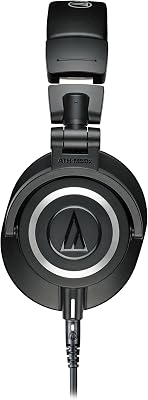
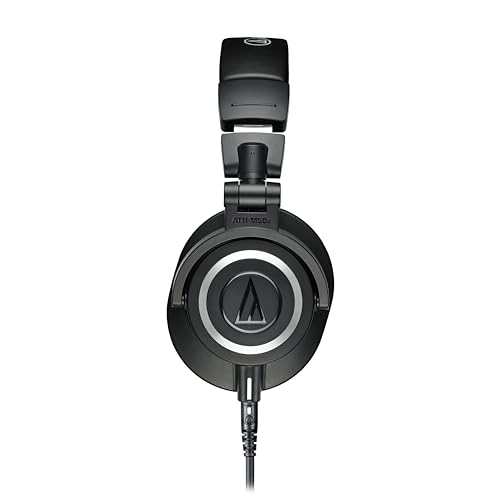
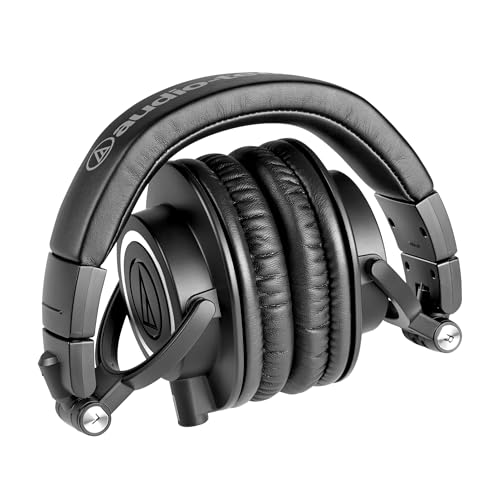
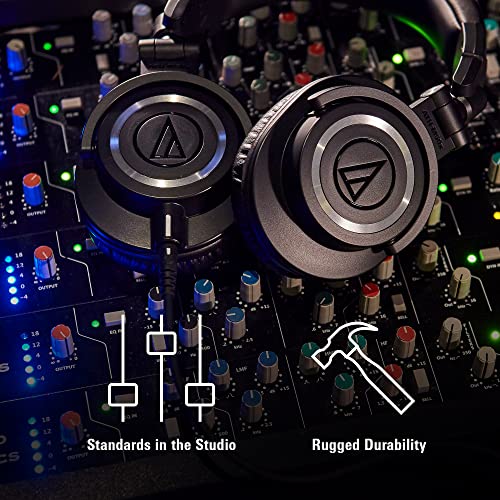
7. Audio-Technica ATH-M50x — the hybrid headphones that survive their first job

32
Audio-Technica ATH-M50X Professional Studio Monitor Headphones, Black, Professional Grade, Critically Acclaimed, with Detachable Cable
In Stock








As an Amazon Associate we earn from qualifying purchases. Product prices and availability are accurate as of the date/time indicated.
The ATH-M50x has been the default “thinking person’s headphone” for over a decade, and for good reason. Studio-neutral sound signature (no exaggerated bass, no scooped mids that ruin voice quality), closed-back design that isolates them from open-office noise or roommate chatter, comfortable for 8-hour wear, and durable enough that we are still using the same pair from 2017. They run on 3.5mm or with a cheap USB DAC, which means they work with literally every device the engineer will ever own.
The crossover case is that they game perfectly well — the soundstage is narrower than a dedicated gaming headset, so they are not ideal for competitive footstep-tracking in CS or Valorant, but for everything else (single-player narrative games, MMOs, co-op, music-heavy games like Hades or Celeste) they are excellent. For Zoom calls and Slack huddles, they are a massive step up from AirPods. Pair them with a $40 Antlion ModMic if calls are constant, and the engineer has a setup that handles work, music, and gaming on one set of cans.
Who it suits: any grad who currently uses AirPods or earbuds for everything and is starting a job with frequent video calls. Avoid if: they explicitly want a competitive gaming headset with a boom mic — get them a SteelSeries Arctis Nova Pro instead.
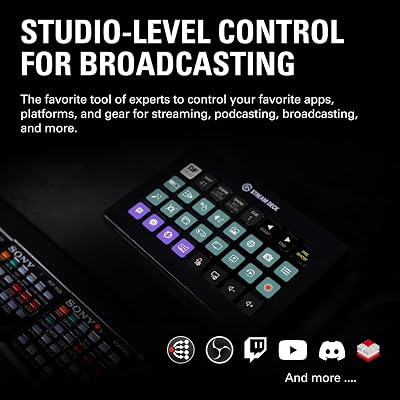
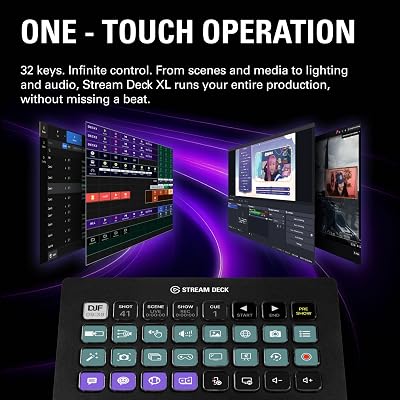
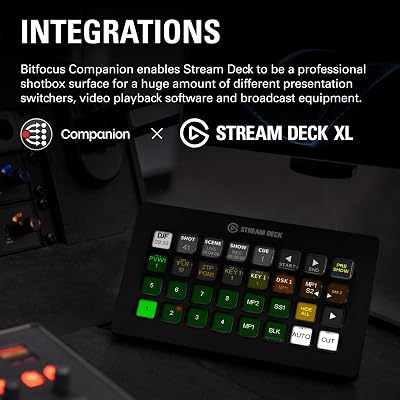
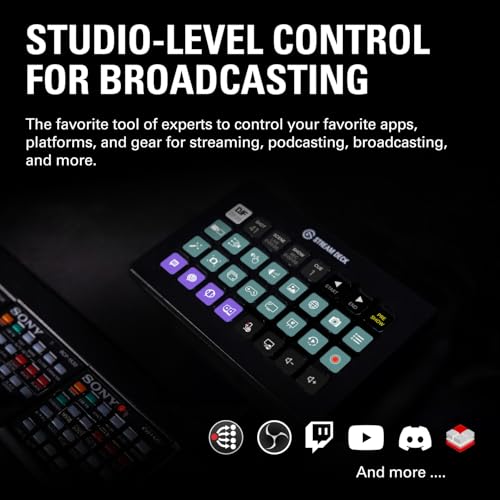
8. Elgato Stream Deck XL — the dev macro pad disguised as a streaming tool

24
Prime
Elgato Stream Deck XL – Advanced Studio Controller, 32 Macro Keys, Trigger Actions in apps and Software Like OBS, Twitch, YouTube and More, USB, Works with Mac and PC
In Stock




As an Amazon Associate we earn from qualifying purchases. Product prices and availability are accurate as of the date/time indicated.
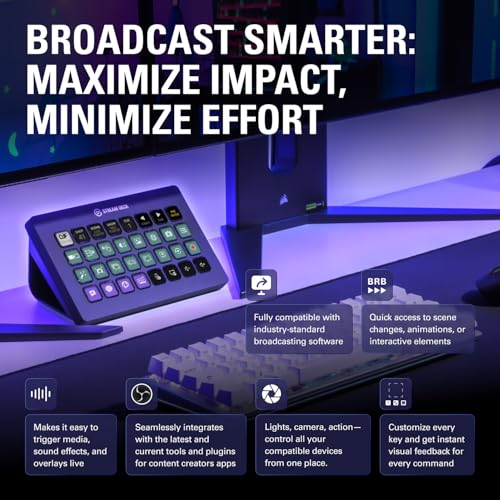
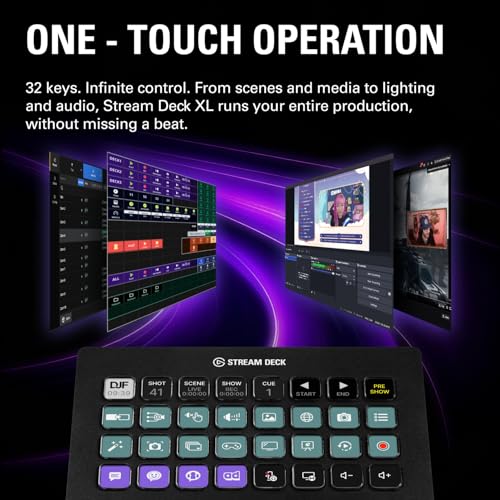
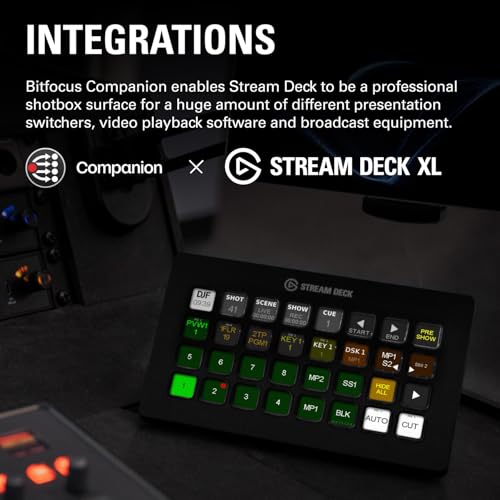
The Stream Deck was built for Twitch streamers, but its real audience in 2026 is software engineers. Thirty-two programmable LCD buttons sitting next to the keyboard, each one mappable to a VSCode command, a Slack status change, a terminal script, a Zoom mute toggle, or a window-management macro. The XL version (32 keys) hits the sweet spot of “enough buttons to be genuinely useful” without spilling onto two pads.
The gifting case is that this is the gift that gets used every single day, more than almost anything else on the list. A new engineer will spend the first month being polite and not using it, then they will set up one button for “join standup,” and within two months they have 40 macros across 4 folders and cannot work without it. It is also genuinely useful for gaming — quick scene switches in OBS if they stream, quick voice-channel switches in Discord, quick game launches without alt-tabbing. It pairs especially well with the Elgato Key Light Air below for a full WFH-respectable video call setup.
Who it suits: any grad who has expressed interest in productivity tooling, automation, or streaming. Avoid if: they are deeply minimalist about their desk and have said they hate visible peripherals.
9. Elgato Key Light Air — the gift that makes them look competent on every call
Lighting is the unspoken career multiplier for hybrid-era engineers. A new grad with overhead office lighting and a backlit window looks tired and unprofessional on every video call, no matter how brilliant their code is. The Key Light Air is the entry point to fixing this — a desk-clamped LED panel with adjustable color temperature, brightness, and a corresponding mobile/desktop app that lets them tap a button to turn it on before standup. The change is dramatic. They go from “silhouetted person on a Zoom grid” to “clearly visible engineer who looks like they have their life together.”
The gifting case is that this is the gift they would never buy themselves but will be quietly thrilled by. It is not a programmer-specific gift — it is a hybrid-era career gift — but it pairs naturally with the rest of the WFH setup. Two of them positioned at 45 degrees on either side of the monitor is the ideal final form, but one is a great starting point and they can add a second later. Pair with the Stream Deck above to assign a button to “call lighting on/off.”
Who it suits: any grad starting a hybrid or fully remote role. Avoid if: they are heading into a strictly in-office position with no video calls (rare in 2026).
DIY and personalization angle: bundling for impact
The best graduation gifts in this category are bundles, not single items. A $90 vertical mouse alone is a thoughtful gift; a $90 vertical mouse plus a $30 desk pad plus a $20 hand cream from Aesop plus a handwritten note about why their wrists matter is a gift they will remember at every standup for the next decade. The premise of bundling is to layer a flagship piece (the mouse, the keyboard, the monitor) with two or three small, sensory, supporting items that make the unboxing feel intentional rather than transactional.
Our favorite bundle templates: (1) the Wrist Health Bundle — MX Vertical + cork desk pad + travel hand cream + a printed RSI stretches guide laminated for the desk. (2) The First Office Bundle — Key Light Air + a small framed photo from college + a quality desk plant in a ceramic pot + a $25 Blue Bottle gift card. (3) The Late Night Coding Bundle — ATH-M50x + a Fellow Stagg pour-over kettle + a bag of really good single-origin beans + a small framed quote from their favorite engineer (Linus, Rich Hickey, whoever). (4) The Workstation Upgrade Bundle — Keychron Q3 Pro + a Grovemade walnut keyboard tray + custom novelty keycaps for Escape and Enter + a desk-tidy cable management kit.
The principle here is that engineers, like everyone else, value gifts that show you understood them. A bundle says “I thought about how you actually live” in a way that a single Amazon box cannot. It is also a way to scale the gift up or down — a $90 mouse becomes a $160 bundle becomes a $250 bundle without ever feeling cheap or excessive.
Avoid these graduation gift mistakes
Mistake one: buying a gaming PC or GPU as the gift. Tempting, especially with new Blackwell and Battlemage cards on shelves. Almost always wrong. A working engineer either already has a build, gets a company laptop they prefer to use, or has very specific opinions about what GPU they want. A $1,200 prebuilt sitting in their living room will likely get sold within six months. If you want to support their gaming, buy them peripherals (this guide) and let them build the PC themselves.
Mistake two: buying “gaming branded” furniture. Racing-style gaming chairs, RGB desks, RGB monitor mounts — these look great in a Twitch overlay and out of place in a 26-year-old’s apartment. Office-grade furniture from Steelcase, Branch, Herman Miller, or even a real IKEA standing desk will outlast and outperform every aesthetic gaming option. The aesthetic mismatch will also bother them within a year as their taste matures.
Mistake three: buying platform-specific software they did not ask for. JetBrains licenses, Sublime licenses, certain niche subscription tools — engineers have strong opinions about their tools and may already get them free through their employer. The safer software gift is a flexible budget: a $100 AWS credit card (for side projects), a year of GitHub Copilot Pro at $120 (almost universally useful), or a Postman / Linear / Notion premium subscription if you know they already use the free tier.
Mistake four: ignoring their existing platform. A Mac user wants USB-C everything. A Windows/Linux user wants flexibility on connectors. A grad heading into a Bloomberg or HFT role might be locked into Windows. Ask their roommate or partner what laptop they will be using before buying anything that connects to it.
Mistake five: skipping the receipt. Always, always include the gift receipt. Even a thoughtful, well-researched gift might not fit their hand size, their desk dimensions, or their existing setup. The best gifters make returns frictionless.
FAQ
What is the single best gift if I have only $100 to spend?
The Logitech MX Vertical, no contest. It is the single peripheral most likely to materially improve a young engineer’s career trajectory by preventing the wrist and forearm injuries that quietly end careers in middle age. It is also priced exactly at the sweet spot where it feels generous but not awkward.
Is a gaming chair or an office chair better for a programmer-gamer?
A real office chair, every time. Branch, Steelcase, Herman Miller, and Haworth all make chairs that handle a coding session and a gaming session better than any racing-style chair on the market. The racing aesthetic is also the first thing a 24-year-old will outgrow when they move into their first real apartment. Skip the gaming chair category entirely.
Should I buy them a mechanical keyboard if they have never expressed interest?
Probably not. Mechanical keyboards are a strong personal preference, and a grad who has been content with a MacBook keyboard for four years may genuinely prefer it. If you want to gift in this category and they have not shown interest, get a lower-stakes pick like a Keychron K-series at $80-100 rather than a flagship $220+ board. They can return it without guilt if it does not click.
How do I know what size monitor or keyboard fits their desk?
Ask their partner, roommate, or family member who has been to their apartment. If you cannot ask, default to a 32-inch monitor (fits 95% of desks 50 inches wide or larger) and a TKL (tenkeyless) keyboard (fits any desk where a full-size board fits). Avoid 49-inch ultrawides as gifts — they require very specific desk depth and may not fit.
Final verdict by budget tier
Under $50: A handwritten card plus a $40 GitHub Copilot Pro three-month gift card. Sounds modest, gets used every single workday for three months and probably renewed afterward.
$50-150: Logitech MX Vertical mouse. Universally useful, near-universally appreciated within 30 days of use, prevents real injuries. Pair with a quality cork desk pad for the bundle effect.
$150-400: Keychron Q3 Pro mechanical keyboard or Elgato Stream Deck XL. Both are gifts that get used daily for years. The Q3 Pro is the safer pick if they have shown any interest in keyboards.
$400-800: Branch Verve chair or Dell U3225QE monitor. Both are decade-long investments. The chair has the bigger health impact; the monitor has the bigger daily quality-of-life impact. Pick based on what they already own.
$800+: Herman Miller Embody chair, full ZSA Voyager + matching monitor + Stream Deck bundle, or splitting the cost of a real standing desk with another family member. Generational gifts in this range are remembered for a long time.
For more category-specific deep dives, see our best gaming headsets for streaming, best mechanical keyboards for coding, how to set up dual monitors, best ergonomic mouse 2026, and our broader WFH setup for software engineers guide. The right gift here is not about chasing the newest thing — it is about giving someone the tools that make the next ten years of their career physically and mentally easier.
Frequently Asked Questions
What is the most useful gift for someone starting a development career?
A quality external monitor, ideally 27 inch 1440p or an ultrawide, changes daily working life more than almost anything else because most new developers work from a laptop screen. Pair it with a monitor arm to fix posture. It is useful for coding, useful for gaming, and unlikely to be duplicated by an employer.
How much should I spend on a graduation gift like this?
Most people budget somewhere between 50 and 300 dollars for a graduation gift. At the lower end a good mechanical keyboard, a quality webcam, or a docking station all land well. Around 200 to 300 dollars opens up monitors, a solid chair upgrade, or a high quality headset that will last several years.
Is a mechanical keyboard a good gift if I do not know their preference?
Choose a hot swappable board so they can change switches later without soldering. That single feature removes the risk of picking the wrong switch feel, which is the main gamble with keyboards. Tactile browns or a quiet linear are the safest defaults, and a gift receipt covers layout preferences you cannot guess.
Are subscriptions and courses good gifts?
They can be, but they expire and can feel impersonal. If you go this route, choose something with lasting value such as a JetBrains licence, a cloud credit allowance for side projects, or a well regarded course they have mentioned. Pair it with a small physical item so there is something to open.
What should I avoid buying?
Avoid anything requiring compatibility knowledge you do not have: graphics cards, RAM, and CPU coolers all depend on their existing build. Also avoid highly personal ergonomic items like chairs and mice without knowing hand size and preference. Peripherals with broad compatibility, storage, monitors, and desk accessories are much safer choices.










