

Machine learning is, more than almost any other desktop workload, hungry for memory. Loading a dataset into a pandas DataFrame, holding a feature matrix in RAM, running a Jupyter notebook with several large objects alive at once, or preprocessing data before it ever reaches the GPU all live in system memory — and when you run out, the machine spills to disk and grinds to a crawl. For an ML workstation, the single most useful upgrade is usually more capacity, so your data fits comfortably with room left over for the OS, the IDE, and a browser full of documentation. This guide rounds up the best RAM for machine learning in 2026, focused on high-capacity DDR4 kits that keep your work resident in memory.
We should be honest about what RAM does and does not do for ML. It is not a dedicated accelerator — your GPU and its VRAM handle the heavy training math, and no amount of system memory replaces that. What good RAM gives you is headroom: the ability to hold larger datasets, run more processes, and avoid the disk-swapping that murders productivity. Our picks were chosen on capacity first, then frequency and timing, dual-channel configuration, and value, with prices from around $119 up to around $259. We have led with the largest, fastest kits because that is what an ML rig wants, then included smaller kits for entry builds and second-stage upgrades. Below is an at-a-glance comparison of all six, then a closer look at each and a buyer’s guide built around capacity, speed, and configuration.
As an Amazon Associate we earn from qualifying purchases at no extra cost to you.



🛒 Best Price Today on Amazon
Prime members get fast, free shipping on everything above, plus member-only deals. New members get a 30-day free trial — cancel anytime.
Best RAM for Machine Learning at a Glance
| Memory Kit | Best For | Standout Spec | Approx Price |
|---|---|---|---|
| Corsair Vengeance RGB PRO SL 32GB 3600 CL18 | Top ML workstation pick | 2x16GB, 3600MHz, slim RGB | around $259 |
| Corsair Vengeance RGB PRO 32GB 3600 CL18 | 32GB performance + RGB | 2x16GB, 3600MHz, RGB | around $242 |
| Corsair Vengeance LPX 32GB 3200 CL16 | Low-profile 32GB datasets | 2x16GB, CL16, low profile | around $243 |
| Corsair Vengeance RGB Pro 32GB 3200 CL16 | Value 32GB capacity | 2x16GB, 3200MHz, RGB | competitive |
| Corsair Vengeance RGB PRO 16GB 3600 CL18 | Starter ML build | 2x8GB, 3600MHz, RGB | around $150 |
| Corsair Vengeance LPX 16GB 3200 CL16 | Budget entry / expansion | 2x8GB, CL16, low profile | around $119 |
1. CORSAIR Vengeance RGB PRO SL DDR4 32GB (2x16GB) 3600MHz CL18

CORSAIR Vengeance DDR5 64GB (2x32GB) DDR5 6000MHz CL30 AMD EXPO Intel XMP iCUE Compatible Computer Memory – Gray (CMK64GX5M2B6000Z30)


As an Amazon Associate we earn from qualifying purchases. Product prices and availability are accurate as of the date/time indicated.
The Corsair Vengeance RGB PRO SL 32GB kit is our top pick for a machine learning workstation, and it leads the list because it combines the two things an ML rig values most: a generous 32GB capacity and a high 3600MHz data rate. Split across two 16GB modules with a CL18 timing, it gives you enough room to hold sizeable datasets and several notebooks in memory while the higher frequency speeds the constant data shuffling that preprocessing and feature engineering involve. At around $259 it is the premium choice here, and the slim ‘SL’ RGB heat spreaders clear tall coolers in a packed workstation.
For ML specifically, 32GB is the comfortable working capacity for most practitioners: it lets pandas load a multi-gigabyte CSV, keeps a feature matrix resident, and leaves headroom for the OS, an IDE, and background tools without spilling to disk. The 3600MHz speed helps when you are repeatedly transforming and copying arrays in memory, and the dual-channel layout delivers the bandwidth those operations want. If you are building a serious single-machine ML setup and want capacity, speed, and clean looks together, this is the kit to anchor it.
Pros: Generous 32GB capacity for datasets, fast 3600MHz, slim RGB clears coolers.
Cons: Highest price here; CL18 is looser than CL16 at lower speeds.
2. CORSAIR Vengeance RGB PRO DDR4 32GB (2x16GB) 3600MHz CL18

As an Amazon Associate we earn from qualifying purchases. Product prices and availability are accurate as of the date/time indicated.
The Corsair Vengeance RGB PRO 32GB kit offers nearly the same recipe as our top pick — 32GB across two 16GB modules at 3600MHz with a CL18 timing — in the original, taller RGB PRO heat spreader. For an ML workstation it delivers the same valuable combination of high capacity and high frequency, at a slightly lower price of around $242. If your case and CPU cooler leave room for standard-height RGB modules, it is an excellent, slightly cheaper route to a 32GB 3600MHz build.
This kit suits the ML practitioner who wants the full 32GB-at-3600MHz experience and likes the bolder look of the original RGB PRO. The capacity keeps large DataFrames and multiple notebook kernels comfortably in memory, the frequency accelerates the in-memory data wrangling that dominates a lot of ML prep work, and iCUE-controlled lighting ties it into a coordinated build. It is, in practical terms, the same performance tier as the SL kit with taller modules — a strong, well-priced choice for a capable workstation.
Pros: Full 32GB at 3600MHz for ML headroom, vivid RGB, slightly lower price than SL.
Cons: Taller heat spreaders may clash with some large air coolers.
3. CORSAIR Vengeance LPX DDR4 32GB (2x16GB) up to 3200MHz CL16

CORSAIR Vengeance LPX DDR4 RAM 32GB (2x16GB) Up to 3200MHz CL16-20-20-38 1.35V Intel XMP AMD EXPO Computer Memory – Black (CMK32GX4M2E3200C16)


As an Amazon Associate we earn from qualifying purchases. Product prices and availability are accurate as of the date/time indicated.
The Corsair Vengeance LPX 32GB kit is the low-profile capacity pick for an ML build. It delivers a full 32GB across two 16GB modules at up to 3200MHz with a tight CL16 timing, all in Corsair’s famously slim LPX heat spreaders that clear tall coolers and cramped cases. At around $243 it is a proven, no-nonsense kit for a workstation where capacity and reliability matter more than lighting.
For machine learning, this kit prioritises exactly the right thing: 32GB of resident memory so datasets, notebooks, and feature pipelines stay in RAM rather than swapping to disk. The CL16 timing at 3200MHz keeps it responsive for the constant array copies and transforms of data prep, and the low-profile design is a genuine practical advantage in a dense workstation packed with a large GPU and big cooler. For a dependable, clearance-friendly 32GB DDR4 kit to build an ML rig around, the Vengeance LPX is a long-standing favorite.
Pros: 32GB capacity at tight CL16 3200MHz, low-profile design clears big coolers.
Cons: No RGB; styling is plain and functional.
4. Corsair Vengeance RGB Pro 32GB (2x16GB) DDR4 3200MHz C16

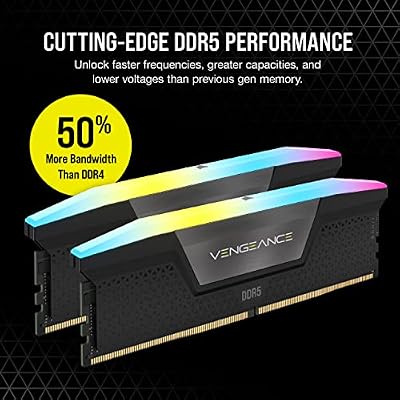
CORSAIR Vengeance RGB DDR5 RAM 32GB (2x16GB) Up to 6000MHz CL30-36-36-76 1.40V AMD EXPO Intel XMP Desktop Computer Memory - Gray (CMH32GX5M2B6000Z30K)


As an Amazon Associate we earn from qualifying purchases. Product prices and availability are accurate as of the date/time indicated.
The Corsair Vengeance RGB Pro 32GB 3200MHz kit is the value capacity pick. It pairs the all-important 32GB capacity with a balanced 3200MHz speed and a CL16 timing across two 16GB modules, and adds Corsair’s well-regarded RGB. It frequently sits at a competitive price for a 32GB RGB kit, making it an appealing way to get serious ML capacity without paying for the 3600MHz tier.
This is the kit for the ML practitioner who wants the headroom of 32GB and likes RGB, but views 3600MHz as more than they need. For most preprocessing, notebook, and DataFrame work, the difference between 3200MHz and 3600MHz is modest compared with the leap from 16GB to 32GB of capacity — and capacity is what stops the disk-swapping that wrecks ML productivity. The CL16 timing keeps it responsive, the dual-channel layout supplies good bandwidth, and iCUE lighting ties into the build. For sensible, well-priced 32GB capacity, it is a smart choice.
Pros: Value 32GB capacity at CL16 3200MHz, attractive RGB, strong price-per-gigabyte.
Cons: 3200MHz is a step below the 3600MHz performance kits.
5. CORSAIR Vengeance RGB PRO DDR4 16GB (2x8GB) 3600MHz CL18
CORSAIR Vengeance LPX DDR4 RAM 32GB (2x16GB) Up to 3200MHz CL16-20-20-38 1.35V Intel XMP AMD EXPO Computer Memory – Black (CMK32GX4M2E3200C16)
As an Amazon Associate we earn from qualifying purchases. Product prices and availability are accurate as of the date/time indicated.
The Corsair Vengeance RGB PRO 16GB 3600MHz kit is the starter pick for someone getting into machine learning on a budget. It is a 2x8GB dual-channel kit running at a fast 3600MHz with a CL18 timing, topped with Corsair’s RGB. At around $150 it gives you a quick, good-looking 16GB foundation, with the important caveat that 16GB is an entry capacity for ML rather than a comfortable one.
Be honest with yourself about capacity here: 16GB will run smaller datasets, tutorials, and lighter notebooks fine, but it fills up fast once a DataFrame grows or several kernels stay alive, and that is when ML work slows to disk speed. The fast 3600MHz frequency makes this a snappy starter kit, and the RGB looks the part — but plan to add a second matched kit or move to 32GB as your datasets grow. As a first step into an ML build, or for genuinely light experimentation, it is a capable, attractive starting point.
Pros: Fast 3600MHz starter kit, attractive RGB, a good first step into ML builds.
Cons: 16GB is an entry capacity for ML; you will likely want more.
6. CORSAIR Vengeance LPX DDR4 16GB (2x8GB) 3200MHz CL16

CORSAIR Vengeance DDR5 32GB (2 x 16GB) Up to 6000MHz AMD Intel RAM | Desktop Gaming Memory, AMD EXPO & Intel XMP 3.0 Compatible, CL30, Grey, CMK32GX5M2B6000Z30


As an Amazon Associate we earn from qualifying purchases. Product prices and availability are accurate as of the date/time indicated.
Rounding out the list is the Corsair Vengeance LPX 16GB 3200MHz kit, the budget entry and expansion pick. It is a 2x8GB dual-channel kit at 3200MHz with a tight CL16 timing in the slim, reliable LPX heat spreader. At around $119 it is the cheapest kit here and a sensible way to start an ML-capable build or to expand an existing low-profile setup toward more capacity.
This kit makes the most sense as a foundation you intend to grow, or as a second matched pair to push a 16GB system toward 32GB if your board and slots allow it. For ML, the priority is still capacity — 16GB alone is tight — but the LPX is dependable, runs cool, and its CL16 3200MHz timing is responsive for the price. The low-profile design also keeps clearance easy under a big cooler. As an affordable building block toward a higher-capacity ML rig, it is a practical, no-fuss choice.
Pros: Affordable 16GB at CL16 3200MHz, low-profile, a sensible building block.
Cons: 16GB alone is tight for ML; best as a foundation to expand.
How to Choose RAM for Machine Learning
For machine learning, capacity is the first and most important decision — far more so than for gaming. ML workloads routinely load entire datasets into memory, hold large feature matrices and intermediate arrays, and keep several notebook kernels or processes alive at once. When you exhaust physical RAM, the system swaps to disk and everything slows dramatically. For that reason 32GB, as on the four larger kits here, is the comfortable working capacity for most practitioners; 16GB is an entry point for tutorials and small datasets but fills quickly. If your data is large, prioritise getting to 32GB or beyond before anything else.
Frequency and timing come second, and their role in ML is real but secondary to capacity. A higher data rate — 3600MHz on the RGB PRO and RGB PRO SL kits versus 3200MHz on the LPX and value kits — speeds up the constant in-memory data shuffling that preprocessing and feature engineering involve, while a tight CAS latency (the CL number) helps responsiveness. But the jump from 16GB to 32GB of capacity will transform an ML workflow far more than the difference between 3200 and 3600MHz. Treat speed as a worthwhile bonus once you have enough capacity, not a substitute for it.
Always buy RAM as a matched dual-channel kit. Two modules running in dual channel deliver markedly more memory bandwidth than a single stick of the same total capacity, and ML’s heavy array operations genuinely benefit from that bandwidth. Every kit here is a matched 2-module pair tested to run together at its rated speed and timing. If you plan to expand later, buying a single matched 32GB kit now is usually cleaner than mixing two different 16GB kits, which can introduce compatibility headaches.
Finally, keep RAM’s role in perspective and confirm compatibility. System memory is not a dedicated accelerator: your GPU and its VRAM do the heavy training math, and abundant RAM cannot replace a capable graphics card. What it does is keep your data and tools resident so you are not bottlenecked by disk. Match the kit to your platform — these are DDR4 kits for DDR4 boards — check your motherboard’s supported speeds, and remember to enable the XMP profile in the BIOS so the kit runs at its rated frequency rather than a slower default. Set your capacity target first, then pick the kit on this list that hits it.
Frequently Asked Questions
How much RAM do I need for machine learning?
For most practitioners, 32GB is the comfortable working capacity, which is why the four larger kits here are 32GB. It lets you load multi-gigabyte datasets into a DataFrame, keep a feature matrix resident, and run several notebook kernels plus the OS and an IDE without spilling to disk. 16GB works for tutorials and small datasets but fills quickly; if your data is large, prioritise reaching 32GB or more.
Does RAM speed matter for machine learning, or just capacity?
Capacity matters most by a wide margin — running out of RAM forces slow disk swapping. Speed helps too: a higher frequency like 3600MHz accelerates the constant in-memory array copies of data preprocessing and feature engineering, and a tight CAS latency aids responsiveness. But the leap from 16GB to 32GB transforms an ML workflow far more than the gap between 3200 and 3600MHz. Get enough capacity first, then enjoy the speed.
Can adding RAM replace a better GPU for machine learning?
No. RAM and a GPU do different jobs. The heavy training math runs on the GPU and its dedicated VRAM, and no amount of system memory substitutes for that. What system RAM does is keep your datasets, notebooks, and preprocessing resident so you are not bottlenecked by disk. Both matter: enough RAM to hold your data, plus a capable GPU to train on it.
Should I buy one large kit or two smaller kits for an ML build?
Buy a single matched dual-channel kit sized for your target capacity — a 32GB (2x16GB) kit like the Vengeance LPX or RGB PRO here is ideal. Matched kits are tested to run together at their rated speed and timing, whereas mixing two different 16GB kits can cause compatibility or stability issues. If you must expand later, add an identical kit, but a single 32GB purchase now is the cleaner path.
Related Guides
- Best RAM for Gaming
- Best DDR4 RAM Kits
- Best GPUs for Your Build
- Best NVMe SSDs
- Best Workstation PCs
- Best Gaming PCs
Affiliate Disclosure: As an Amazon Associate, we earn from qualifying purchases. If you click a link and make a purchase, we may earn a small commission at no extra cost to you. Prices and availability are accurate as of publication and may change.













