

- Top Pick: Thermalright Assassin X120 Refined SE CPU Air Cooler, 4 Heat Pipes, TL-C12C PWM Fan, Aluminium Heatsink Cover, AGHP Technology, for AMD AM4/AM5/Intel LGA 1150/1151/1155/1200/1700/1851(AX120 R SE)
- Best Value: Cooler Master Hyper 212 Black CPU Air Cooler, 4 Heat Pipes, PWM Fan
- Premium Choice: ID-COOLING FROZN A620 PRO SE Dual-Tower CPU Cooler, Low Noise, 157mm, 260W
🛒 Best Price Today on Amazon
Prime members get fast, free shipping on everything above, plus member-only deals. New members get a 30-day free trial — cancel anytime.
- Top Cpu Coolers Low Noise Picks for 2026
- Best CPU Coolers for Low Noise at a Glance
- 1. Noctua NH-D15 chromax.Black, Dual-Tower CPU Cooler (140mm, Black)
- 2. Thermalright Peerless Assassin 120 SE CPU Cooler, 6 Heat Pipes, Dual 120mm
- 3. CORSAIR Nautilus 360 RS ARGB Liquid CPU Cooler, 360mm AIO, Low-Noise
- 4. Cooler Master Hyper 212 Black CPU Air Cooler, 120mm PWM Fan, 4 Heat Pipes
- 5. Thermaltake Gravity i2 95W Intel CPU Cooler, 92mm Fan
- 6. AMD Wraith Stealth Socket AM4 CPU Cooler with Aluminum Heatsink
- How to Choose a Low-Noise CPU Cooler
- Related Guides
- Frequently Asked Questions
- Related Guides
- Related Articles
- Related Guides
Top Cpu Coolers Low Noise Picks for 2026
Here are our current top cpu coolers low noise picks, compared on real Amazon owner reviews, price, and features. Live prices update below.
As an Amazon Associate we earn from qualifying purchases at no extra cost to you.







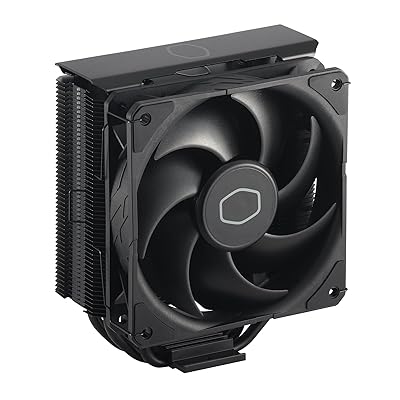


A quiet PC starts at the CPU cooler, because that fan is usually the one spinning up first and loudest when the chip heats. The secret to low noise is not running fans fast — it is moving heat so effectively that the fans never have to. Large dual-tower and six-heatpipe air coolers with big, slow-spinning 120mm or 140mm fans, and well-tuned all-in-one liquid coolers with generous radiator area, both achieve this: lots of cooling surface means the fans loaf along at low RPM instead of screaming. Small heatsinks and stock coolers do the opposite, leaning on high fan speeds that you hear. This guide rounds up the best CPU coolers for low noise in 2026, leading with the genuinely quiet performers.
Our picks were chosen on what actually drives quiet operation: heatsink mass and surface area, fan size and how slowly it can spin while still cooling, radiator area for the liquid options, and overall acoustics under load. We have led with the units that run quietest — big heatpipe towers and a low-noise AIO — and we are honest about the picks that trade silence for size or price, including a small tower and a stock cooler that lean on faster, louder fans. Prices run from around $11 to around $125. Below is an at-a-glance comparison of all six, then a closer look at each and a buyer’s guide built around fan size and RPM, heatsink mass, radiator area and acoustics.
Best CPU Coolers for Low Noise at a Glance
| Cooler | Best For | Standout Spec | Approx Price |
|---|---|---|---|
| Noctua NH-D15 chromax.Black | Quietest premium air cooling | Dual 140mm tower, near-silent | around $125 |
| Thermalright Peerless Assassin 120 SE | Best quiet value air tower | 6 heatpipes, dual 120mm, value | around $35 |
| CORSAIR Nautilus 360 RS ARGB | Low-noise 360mm AIO | 360mm radiator, low-noise fans | around $100 |
| Cooler Master Hyper 212 Black | Quiet mainstream single tower | 120mm PWM, 4 heatpipes | around $26 |
| Thermaltake Gravity i2 92mm | Compact low-profile fit | 92mm fan, 95W class | around $17 |
| AMD Wraith Stealth (AM4) | Stock low-load only | Bundled stock cooler | around $11 |
1. Noctua NH-D15 chromax.Black, Dual-Tower CPU Cooler (140mm, Black)

25



As an Amazon Associate we earn from qualifying purchases. Product prices and availability are accurate as of the date/time indicated.
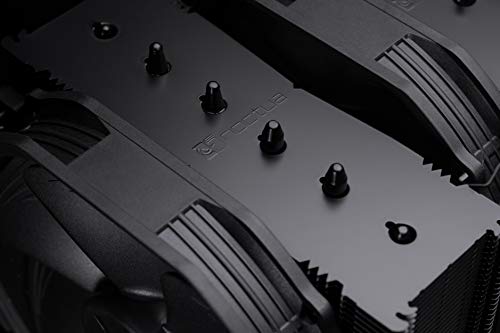
The Noctua NH-D15 chromax.Black is the gold standard for quiet air cooling, and it leads this list on merit. It is a massive dual-tower heatsink paired with two of Noctua’s renowned 140mm fans, and that combination of enormous surface area and large, slow-spinning fans is precisely what produces near-silent operation: the cooler dissipates so much heat that the fans rarely need to speed up. The chromax.Black finish drops Noctua’s usual beige for an all-black look. At around $125 it is the premium pick, and the acoustics justify it.
This is the cooler for anyone whose top priority is a quiet, even silent, high-performance PC. The dual-tower mass cools strong CPUs comfortably while letting the 140mm fans run at low RPM, where they are barely audible, and Noctua’s fan engineering is famous for smooth, whine-free acoustics. As a big air cooler there is no pump to hum and nothing to leak. If you want the quietest serious cooler here and have the case clearance for a large dual-tower, the NH-D15 chromax.Black is the standout.
Pros: Near-silent under load, huge dual-tower heatsink, two quiet 140mm fans, no pump noise.
Cons: Tall and wide — check RAM and case clearance; highest price here.
2. Thermalright Peerless Assassin 120 SE CPU Cooler, 6 Heat Pipes, Dual 120mm

25
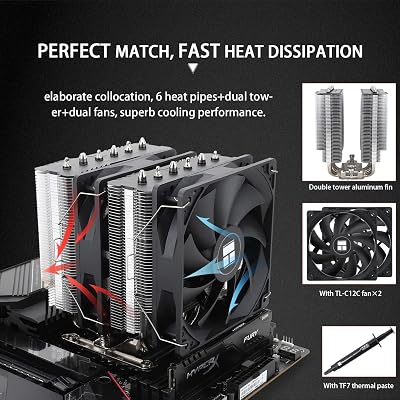
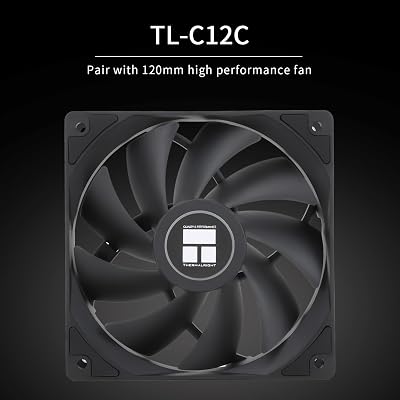
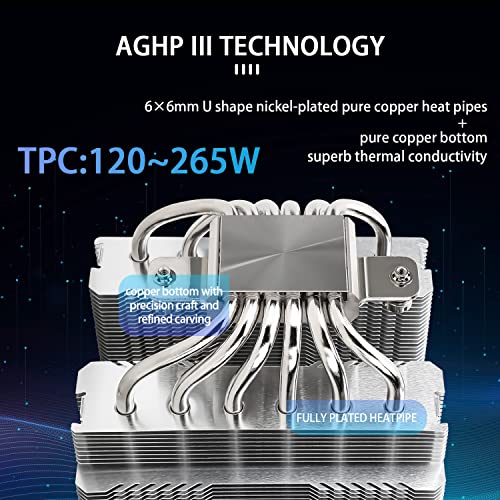
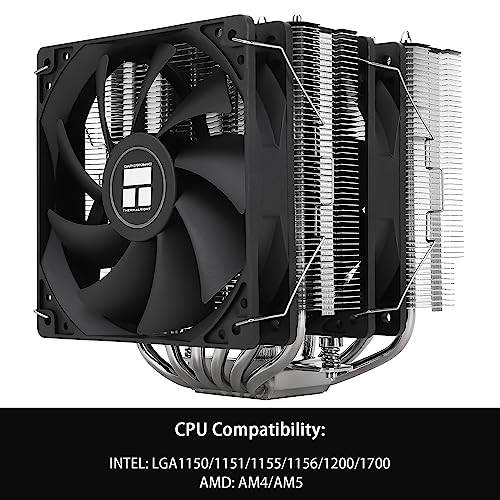
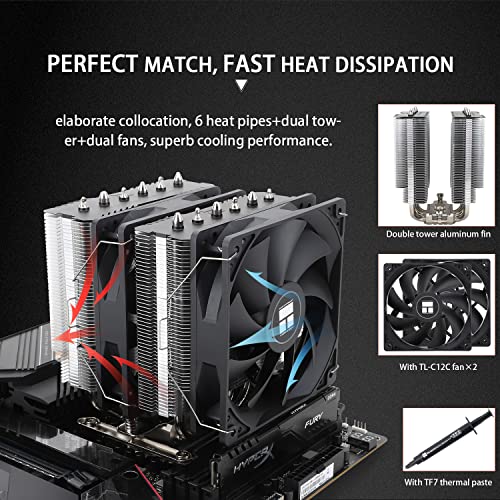
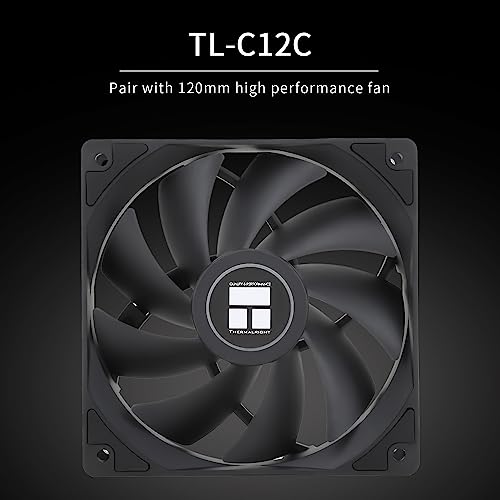
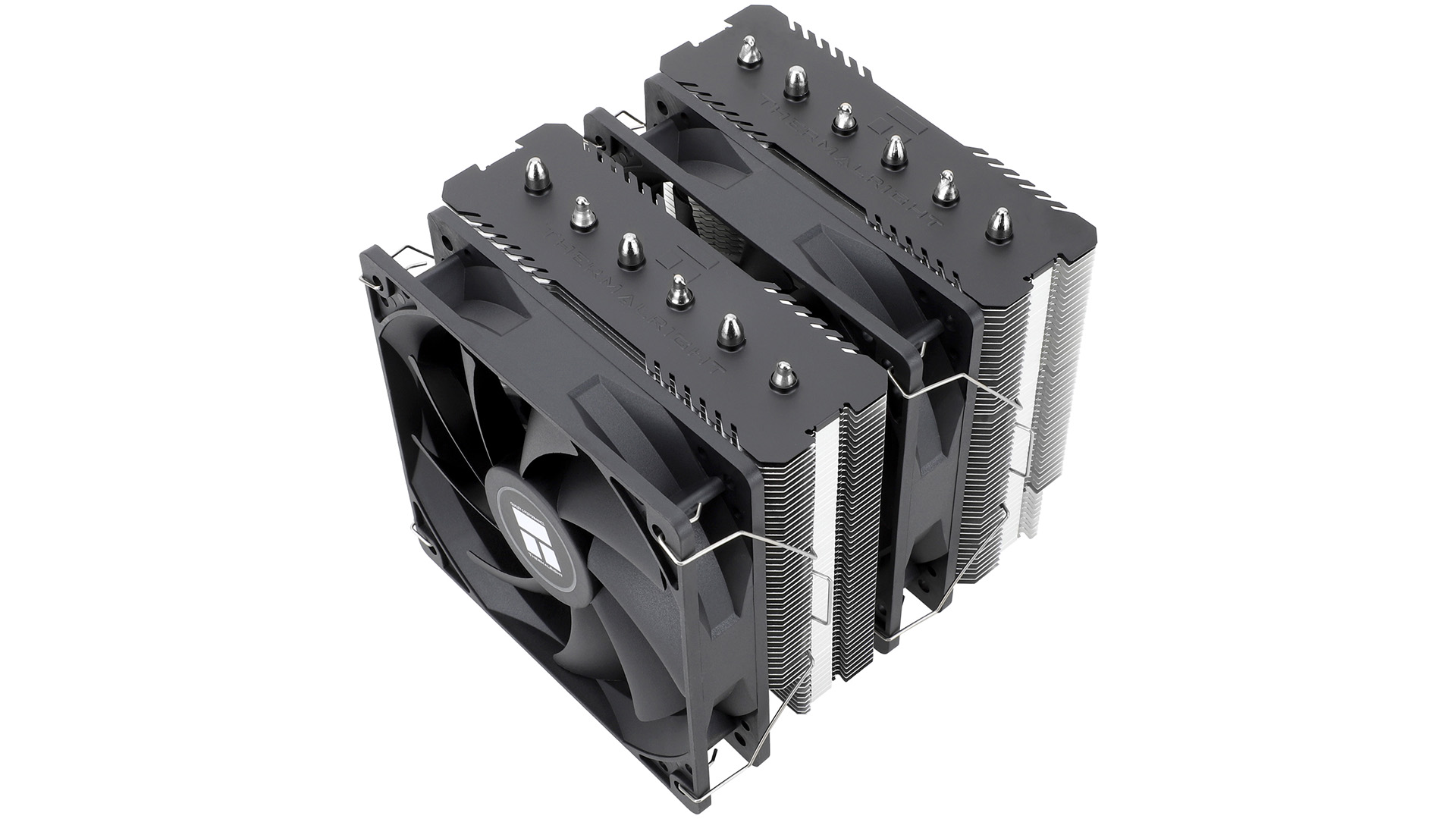
Thermalright Peerless Assassin 120 SE CPU Cooler, 6 Heat Pipes AGHP Technology, Dual 120mm PWM Fans, 1550RPM Speed, for AMD:AM4 AM5/Intel LGA 1700/1150/1151/1200/1851,PC Cooler
In Stock




As an Amazon Associate we earn from qualifying purchases. Product prices and availability are accurate as of the date/time indicated.
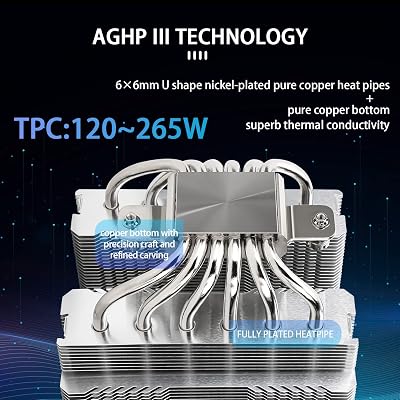
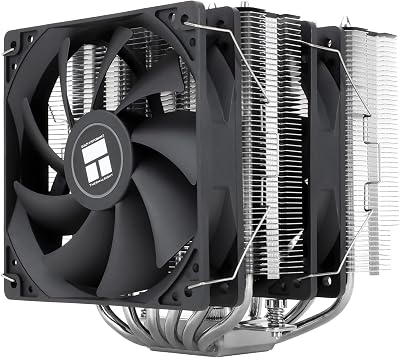
The Thermalright Peerless Assassin 120 SE is the quiet-value champion, and it is remarkable for the money. It is a dual-tower air cooler with six heatpipes and two 120mm fans — the same large-heatsink, twin-fan formula that keeps noise low by spreading heat across plenty of surface so the fans can stay slow. At around $35 it delivers a big slice of premium-tower quietness at a budget price, which is why it is so widely recommended.
This is the cooler for the builder who wants genuinely low noise without paying flagship money. The six-heatpipe dual-tower design cools strong mainstream CPUs while letting its 120mm fans run at modest, quiet speeds, and it is far quieter than any small heatsink or stock cooler under the same load. It is a touch more compact than the NH-D15 but still substantial, so check clearance. For the best balance of low noise, real cooling and price on this list, the Peerless Assassin 120 SE is the value standout.
Pros: Excellent low-noise performance for the price, six-heatpipe dual tower, twin quiet 120mm fans, no pump.
Cons: Still a large dual-tower — verify RAM and case clearance before buying.
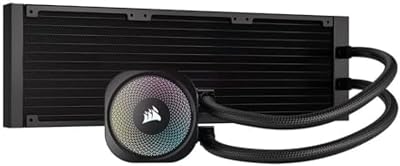
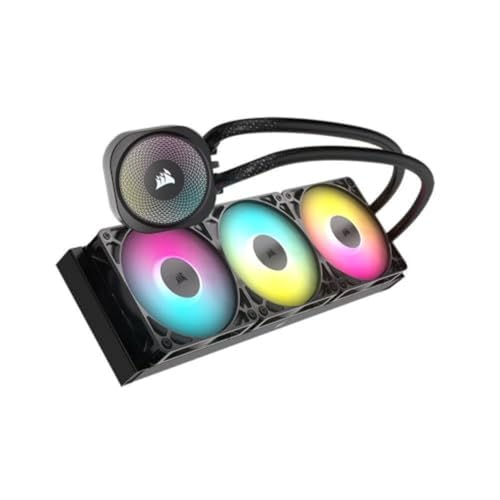
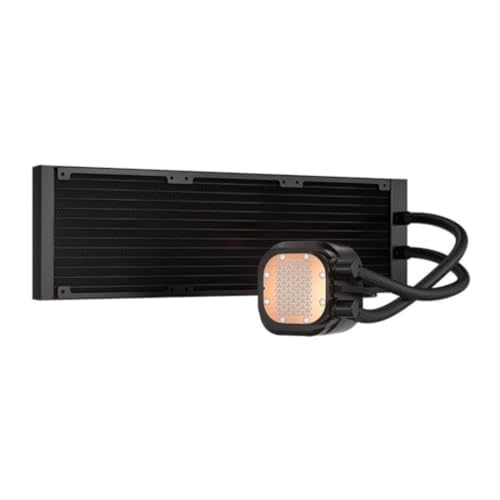
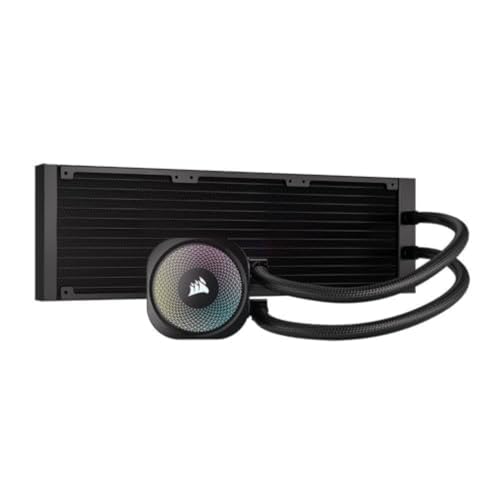
3. CORSAIR Nautilus 360 RS ARGB Liquid CPU Cooler, 360mm AIO, Low-Noise

20
Prime
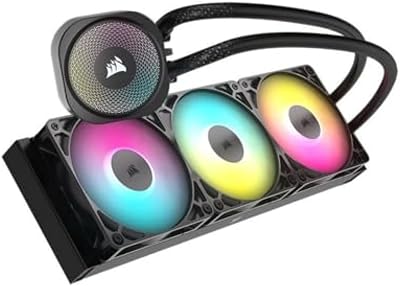
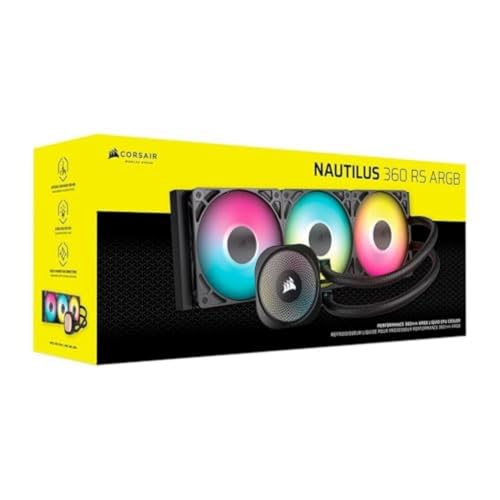
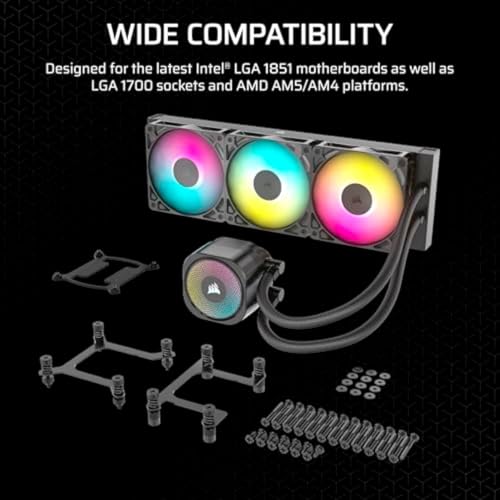
CORSAIR Nautilus 360 RS ARGB Liquid CPU Cooler – 360mm AIO – Low-Noise – Direct Motherboard Connection – Daisy-Chain – Intel LGA 1851/1700, AMD AM5/AM4 – 3X RS120 ARGB Fans Included – Black
In Stock



As an Amazon Associate we earn from qualifying purchases. Product prices and availability are accurate as of the date/time indicated.
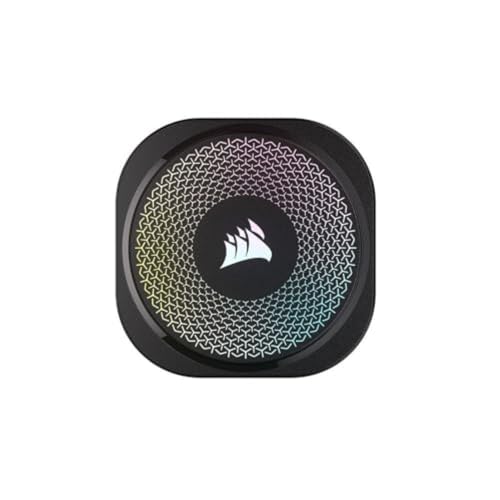
The Corsair Nautilus 360 RS ARGB is the low-noise liquid pick. It is a 360mm all-in-one cooler — three 120mm fans on a large radiator — explicitly tuned for low-noise operation, with ARGB lighting on top. The generous 360mm radiator area is the key to its quietness: lots of surface lets the fans and pump run gently rather than ramping up, so a hot CPU stays cool without the system getting loud. At around $100 it is the quiet-AIO choice for a clean, modern build.
This is the cooler for the builder who prefers liquid cooling — for the look, the cleared space around the socket, or the ability to cool a hot chip in a case that suits a front or top radiator — and wants it quiet. The 360mm radiator and low-noise fans keep acoustics in check under sustained load, the ARGB suits a showcase build, and a large AIO like this pairs naturally with the 360mm-capable cases elsewhere in our guides. For low-noise 360mm liquid cooling with style, the Nautilus 360 RS is a strong pick.
Pros: Low-noise-tuned 360mm AIO, large radiator keeps fans gentle under load, ARGB looks, frees space around the socket.
Cons: Has a pump (a faint hum some hear); needs a case with confirmed 360mm radiator support.
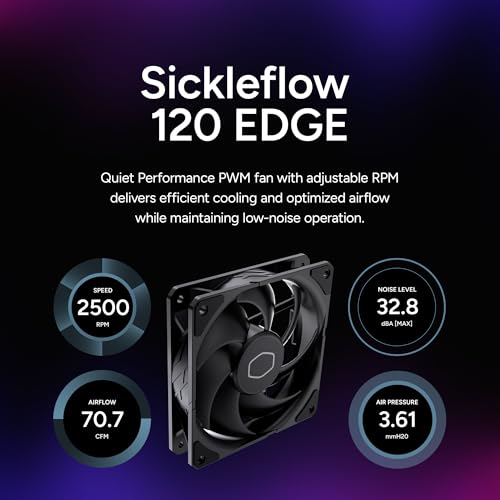
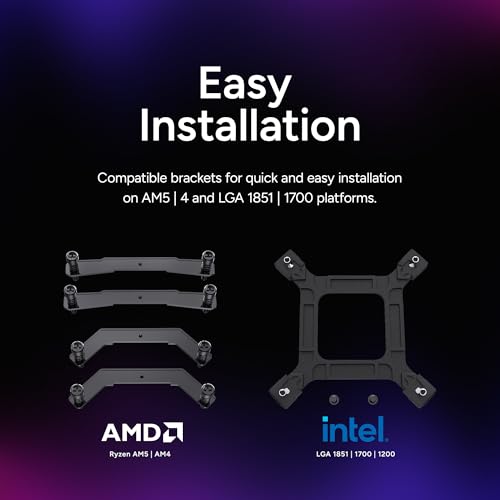
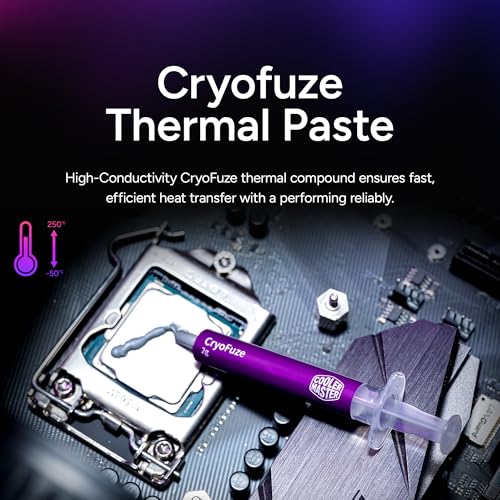
4. Cooler Master Hyper 212 Black CPU Air Cooler, 120mm PWM Fan, 4 Heat Pipes
21
Prime
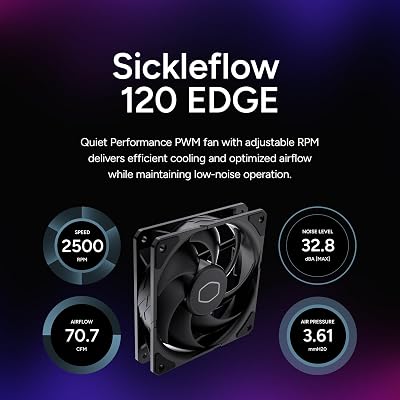
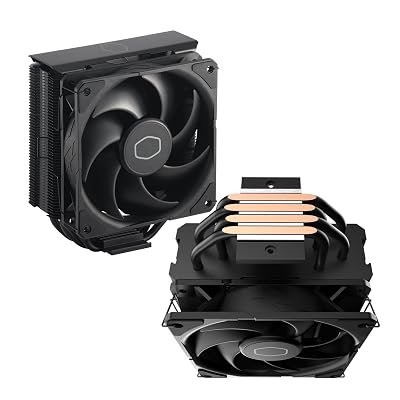
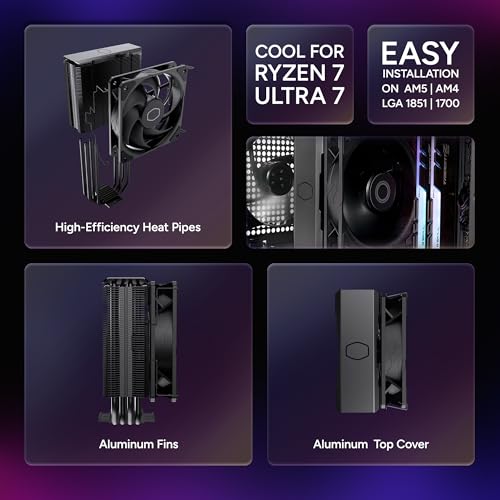
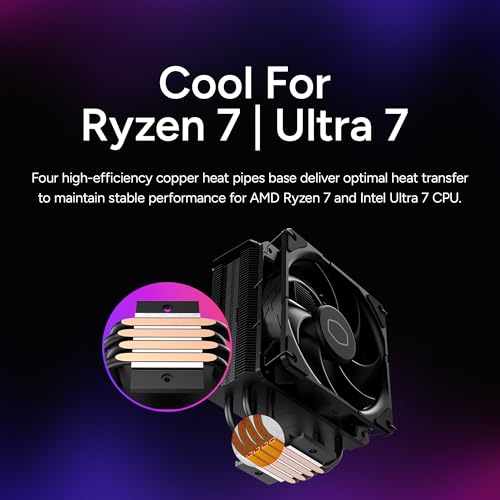
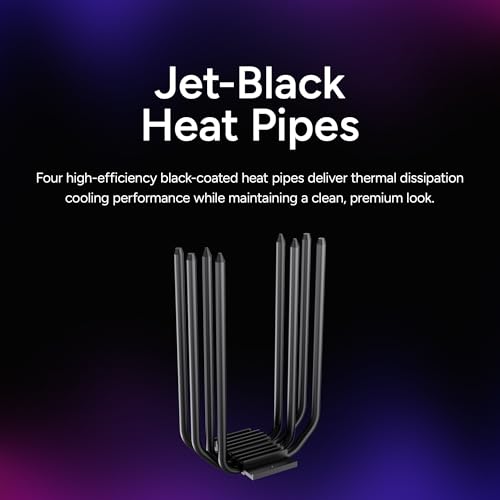
Cooler Master Hyper 212 Black CPU Air Cooler – 120mm High Performance PWM Fan, 4 Copper Heat Pipes, Aluminum Top Cover, Low Noise & Easy Installation, AMD AM5/AM4 & Intel LGA 1851/1700/1200, Black
In Stock





As an Amazon Associate we earn from qualifying purchases. Product prices and availability are accurate as of the date/time indicated.
The Cooler Master Hyper 212 Black is the quiet-enough mainstream single-tower pick. A long-running staple, it is a single-tower heatsink with four heatpipes and one 120mm PWM fan, finished in all black. While it is not in the silent league of the big dual-tower coolers, its decent heatsink and PWM fan control let it run reasonably quietly for mainstream CPUs at sensible loads. At around $26 it is an affordable, tidy upgrade over a stock cooler.
This is the cooler for the builder on a budget who wants a clear acoustic and thermal improvement over a bundled cooler without the size of a dual tower. The PWM fan ramps with temperature, so it stays calm during light use and only speeds up under heavier load, and the single-tower footprint fits more cases and clears more RAM than the larger towers. It is honestly a step quieter and cooler than stock rather than truly silent, but for a quiet-enough mainstream build at low cost, the Hyper 212 Black is a sensible, popular choice.
Pros: Affordable, PWM fan for calm light-load running, single-tower fits more cases, clear upgrade over stock.
Cons: Single 120mm tower is not as quiet as the dual-tower picks under heavy, sustained load.
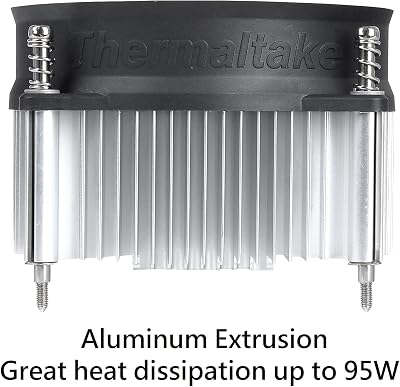
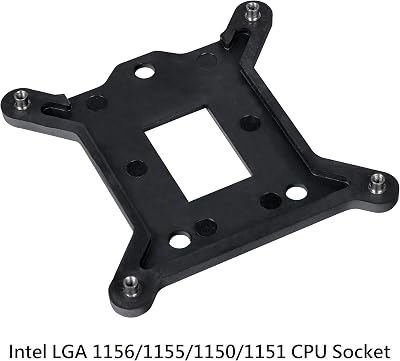
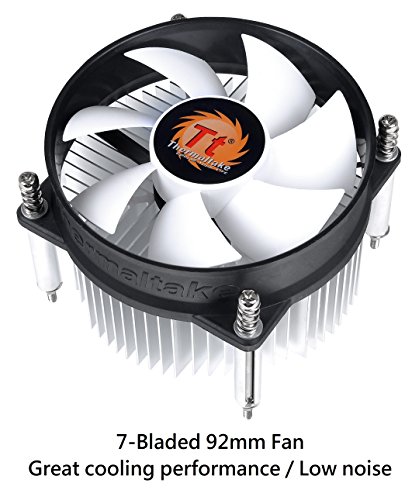
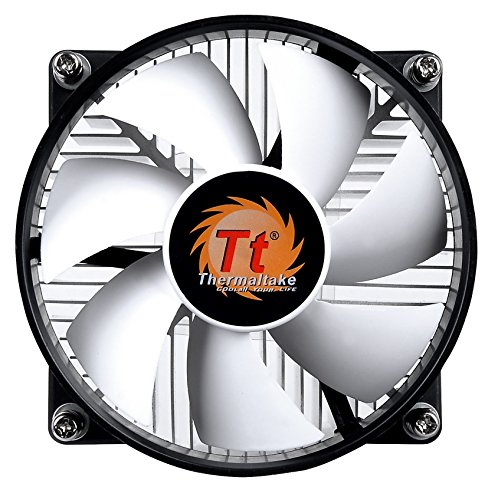
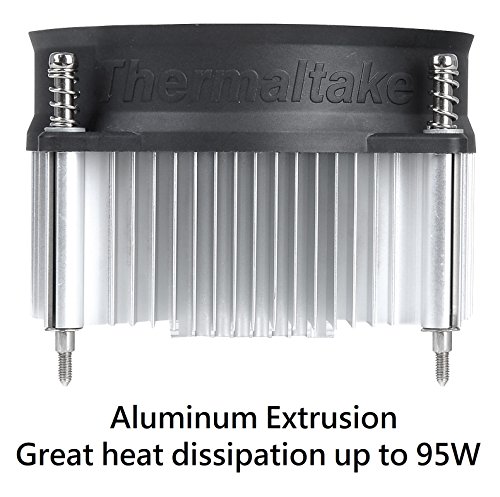
5. Thermaltake Gravity i2 95W Intel CPU Cooler, 92mm Fan
14
Prime
Thermaltake Gravity i2 95W Intel LGA 1200/1156/1155/1150/1151 92mm CPU Cooler CLP0556-D, Compatible with Desktop
In Stock






As an Amazon Associate we earn from qualifying purchases. Product prices and availability are accurate as of the date/time indicated.
The Thermaltake Gravity i2 is the compact, low-profile-fit pick, and it is where we are candid about noise. It is a small 95W-class cooler with a single 92mm fan, designed to fit tight spaces and cool lower-power Intel CPUs. At around $17 it is inexpensive and physically small, but for a low-noise guide it carries a clear caveat: a small 92mm fan on a modest heatsink has to spin faster to move enough air, and faster fans are louder.
Here is the honest framing. The Gravity i2 is best seen as a compact, budget replacement cooler for a low-power or office-class Intel system in a small case where a big tower simply will not fit — not as a quiet cooler for a warm gaming or workstation CPU. Its 92mm fan and limited heatsink mass mean it tends to run at higher, more audible RPM under load than the large towers and the 360mm AIO on this list. If your priority is genuine low noise, choose one of those instead; pick the Gravity i2 only when small physical size and low cost outweigh acoustics.
Pros: Very affordable, compact 92mm-fan design fits tight low-profile builds, fine for low-power CPUs.
Cons: Small 92mm fan and modest heatsink run faster and louder under load — flag as one of the noisier picks here, not for quiet high-thermal CPUs.
6. AMD Wraith Stealth Socket AM4 CPU Cooler with Aluminum Heatsink

Prime
AMD Wraith Stealth Socket AM4 4-Pin Connector CPU Cooler with Aluminum Heatsink & 3.93-Inch Fan (Slim)
In Stock
As an Amazon Associate we earn from qualifying purchases. Product prices and availability are accurate as of the date/time indicated.
Rounding out the list is the AMD Wraith Stealth, the bundled stock cooler that ships with many AM4 Ryzen CPUs — and the most honest entry on a low-noise list, because it is the one to be most cautious about. It is a small, low-profile aluminum heatsink with an integrated fan, and at around $11 it is the cheapest item here. It is genuinely fine at idle and light load, but as a compact stock cooler it is not built for quiet operation under sustained stress.
The candid framing matters. The Wraith Stealth’s small heatsink and fan mean it spins up quickly and audibly when the CPU works hard, so while it is acceptably quiet for office tasks, web browsing and light gaming on a lower-power Ryzen, it can become noticeably loud under a heavy, sustained load. For a low-noise PC it is best regarded as a stopgap or a low-load-only solution: if you game seriously, render, or simply want a quiet machine, replacing it with one of the large air towers or the 360mm AIO above is the single most effective quiet-PC upgrade you can make.
Pros: Free with many Ryzen CPUs, compact, perfectly quiet at idle and light load.
Cons: Small stock heatsink spins up loud under sustained load — flag as a low-load-only cooler, not a genuine low-noise solution.
How to Choose a Low-Noise CPU Cooler
The counter-intuitive key to a quiet cooler is cooling capacity, not fan restraint. A cooler with a large heatsink or a big radiator removes heat so efficiently that its fans can spin slowly and stay near-silent, whereas a small cooler has to run its fan fast — and audibly — to keep up. That is why the large dual-tower air coolers, the Noctua NH-D15 and Thermalright Peerless Assassin, lead this list, and why the small 92mm Gravity i2 and the stock Wraith Stealth, despite being inexpensive, get loud under load. Prioritise thermal headroom and the noise will largely take care of itself.
Fan size and RPM are the acoustic heart of the matter. A large 140mm or 120mm fan moves the same amount of air as a small one while turning far more slowly, and slower fans are quieter — both less whine and less air rush. Look for big fans with PWM control so they idle down when the CPU is cool, as on the dual-tower coolers and the Hyper 212 Black, and be wary of small high-RPM fans like the 92mm unit on the Gravity i2. For the quietest result, the more fan area and the lower the working RPM, the better.
Decide between a big air tower and a low-noise AIO based on fit and preference, because both can be quiet. A large air cooler like the NH-D15 has no pump to hum and nothing to leak, making it the simplest path to silence if your case and RAM clear its size. A low-noise 360mm AIO like the Corsair Nautilus uses a big radiator to keep its fans gentle and frees up space around the socket, at the cost of a faint pump and the need for a case with confirmed 360mm support. Choose the form factor that fits your build and your tolerance for a pump.
Finally, match the cooler to your CPU’s heat output and your case, then set budget. A hot, high-core-count or overclocked chip needs a large tower or a 360mm AIO to stay both cool and quiet; a cooler, lower-power CPU can be quiet on a more modest cooler like the Hyper 212 Black. Always confirm clearance — tall towers can foul memory and case panels — and remember the most effective quiet upgrade for many PCs is simply replacing the small stock cooler. Prioritise cooling capacity, favour large slow fans, confirm the fit, and pick the cooler on this list that keeps your CPU both cold and quiet.
Frequently Asked Questions
Why do large CPU coolers run more quietly than small ones?
Because a bigger heatsink or radiator removes heat more efficiently, so its fans can spin slowly and stay near-silent instead of ramping up. The large dual-tower coolers here, the Noctua NH-D15 and Thermalright Peerless Assassin, have so much surface area that their fans loaf along quietly under load. A small cooler like the 92mm Gravity i2 has to spin its fan faster to keep up, and faster fans are louder.
Are air coolers or AIO liquid coolers quieter?
Both can be very quiet when sized correctly. A large air cooler like the NH-D15 has no pump, so there is nothing to hum or leak, which makes it the simplest route to silence if it fits your case and RAM. A low-noise 360mm AIO like the Corsair Nautilus uses a big radiator to keep its fans gentle and frees space around the socket, but adds a pump and needs a case with 360mm support. Choose by fit and preference.
Is a stock cooler like the AMD Wraith Stealth quiet enough?
Only at light loads. The Wraith Stealth is genuinely quiet at idle and during office work or light gaming, but its small heatsink and fan mean it spins up loudly under sustained, heavy load. For a quiet PC it is best treated as a low-load-only or stopgap cooler — swapping it for a large air tower or a 360mm AIO is one of the most effective quiet-PC upgrades you can make.
Do I need a large tower cooler, or will a single-tower cooler be quiet?
It depends on your CPU’s heat output. A cooler, lower-power chip can run quietly on a single-tower cooler like the Hyper 212 Black, whose PWM fan stays calm at light loads. A hotter, high-core-count or overclocked CPU needs a large dual-tower cooler or a 360mm AIO to stay both cool and quiet under sustained load — push a small cooler hard and its fan gets loud.
Related Guides
- Best CPU Coolers
- Best PC Cases for Large Radiators
- Best Case Fans for Airflow
- Best CPUs for Gaming
- Best Power Supplies
- Best PSUs for Video Production
Affiliate Disclosure: As an Amazon Associate, we earn from qualifying purchases. If you click a link and make a purchase, we may earn a small commission at no extra cost to you. Prices and availability are accurate as of publication and may change.










