Lost Ark MMORPG Performance Tweaks and Settings
Lost Ark is a large MMORPG where dozens of players, effects and monsters can share one screen during a raid or a busy city hub. Those crowded scenes stress the processor and memory more than a single-player game of similar graphics. This guide covers the settings and hardware checks that keep frame times steady in those moments, from in-game options to the memory and processor choices that set the ceiling.
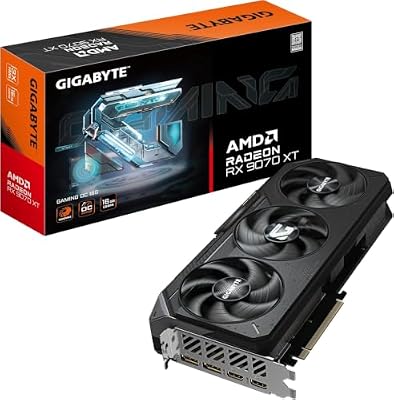
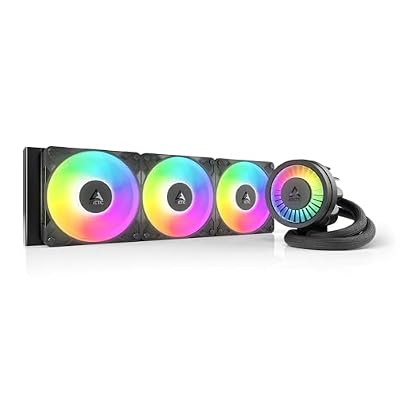
The hero listing above is a processor or memory class part, chosen to match the CPU and RAM side of this guide. The listing is the closest match, not a guaranteed exact part for your build. Open the card and confirm the exact model, capacity, speed and current price before buying. The alternatives in the same listing cover the same role at other price points, so compare them on core count, memory speed and compatibility with your board.

Why MMORPGs Stress the Processor
A graphics card draws the picture, but a processor prepares every scene: it tracks players, animations, physics, network updates and effects before the card can render them. In open areas with many characters on screen, that preparation can become the limit. A high-end card will sit partly idle while the processor works through the crowd. That is why the frame drops in a busy city often have little to do with the graphics settings, and why a faster processor or more memory can help more than a stronger card.
Our gaming CPU guide explains which processors keep frame times steady in heavy scenes. For a tighter budget, the budget gaming CPU guide covers options with fewer cores and lower cost.
Memory: Capacity, Speed and Dual Channel
How Much RAM Lost Ark Needs
Sixteen gigabytes is a common baseline for modern gaming systems, and it is enough for many players if nothing else runs in the background. Thirty-two gigabytes gives more room for the game, browser tabs, voice chat and recording software at the same time. If the system pages to disk during a long session, the stutter is usually visible, so extra capacity can pay off more than a small speed increase. Our guide to gaming RAM amounts explains the trade-off in more detail.
Speed and Dual Channel Setup
Memory speed and channel setup affect processor performance in CPU-bound games. Install matched modules in the channel pairs the motherboard manual recommends, so the system runs in dual channel. Enable the memory profile in the BIOS if your board supports it, then confirm the speed in the operating system. If the system is unstable after a memory profile change, revert to the default speed and test again. Our guide to safe DDR5 tuning covers the careful route.
Choosing between memory generations matters on older boards. The DDR4 versus DDR5 comparison shows which platform suits a new build and which suits an upgrade.


As an Amazon Associate we earn from qualifying purchases. Product prices and availability are accurate as of the date/time indicated.
In-Game Settings That Protect Frame Times
Lower the Crowd-Heavy Options
Lost Ark’s options include effects, character detail and scene complexity. In crowded areas, the settings that add the most visual work are usually character and effect density. Reduce those first. Keep the resolution at native and avoid heavy post-processing, which adds cost without helping you see enemies. Test the change in a busy hub before you assume it helped, because the gain only shows in crowds.
Frame Rate Cap and Display Mode
A frame rate cap set slightly below your sustained average reduces large swings in frame time. Borderless or fullscreen can both work, so test each in a real session. Close overlays and recording tools that compete for processor time, since they add the spikes you are trying to remove. Set a cap that holds in the busiest scene, not only in the quiet login area.
Graphics Card Headroom
Once the processor and memory are sound, the graphics card decides whether the picture stays sharp at your chosen resolution. Our Lost Ark graphics card guide covers the card tiers that suit this game, and the general GPU guide helps if you are comparing several cards.

Intel® Core™ Ultra 9 Desktop Processor 285K, 24 Cores (8P + 16E), up to 5.7 GHz


As an Amazon Associate we earn from qualifying purchases. Product prices and availability are accurate as of the date/time indicated.
Cooling, Background Load and Storage
Heat is a common hidden cause of stutter. A processor that reaches its thermal limit during a long raid will lower its clock speed and drop frames. Check temperatures during a full session, and clean dust from the cooler and filters if the readings climb. Storage matters less than the processor and memory for frame times, but a slow drive can cause stutter when the game loads new zones. Keep the game on a fast drive with free space, and close background downloads during play.
Our temperature checking guide explains how to log both chips during a session, and the gaming SSD guide covers storage options.
Comparison: Which Change Helps Most
| Change | Best for | Likely effect | Price guidance |
|---|---|---|---|
| Lower crowd-heavy effects | Players with drops in hubs | Smoother frame times in busy areas | No cost |
| Frame rate cap at a sustained value | Players with spikes | Fewer large swings in frame time | No cost |
| 16GB to 32GB memory | Players who multitask or see paging | More headroom for game and background apps | Check current price |
| Faster or more capable processor | Players CPU-bound in crowds | Higher ceiling in heavy scenes | Varies, check current price |
| Graphics card upgrade | Players GPU-bound at chosen resolution | Higher frame rate at higher detail | Varies, check current price |
Do the free changes first, then the memory check, then the processor. A graphics card upgrade helps only when the card is the limit, so confirm that with a temperature and load check before spending.
Frequently Asked Questions
Is a faster graphics card the best upgrade for Lost Ark?
Not always. Busy areas often limit on the processor and memory, so a stronger card may not change the frame drops you see. Check load on the graphics card during a crowded scene before you upgrade it.
Is 16GB of RAM enough for Lost Ark?
Many players run it well with 16GB when background software is light. If you stream, record or keep many tabs open, 32GB gives more room and fewer paging stutters.
Why does Lost Ark stutter in cities but not in the field?
Cities have more characters, effects and network updates on screen at once. That extra work lands on the processor and memory, so crowded hubs reveal limits that open areas hide.
Should I turn on a memory overclock for Lost Ark?
Only if the system stays stable. Enable a supported memory profile, test a full session, and revert to the default speed if you see crashes or errors.