Cyberpunk Phantom Liberty 2.x DLSS 4 Multi-Frame Guide
Cyberpunk 2077 with the Phantom Liberty expansion is one of the most demanding ways to test a graphics card, and NVIDIA’s DLSS 4 adds a set of options that change how you tune it. Upscaling, the newer frame generation modes and ray tracing all compete for the same budget. This guide explains how to set the game for a smooth result on RTX hardware, how multi-frame generation differs from standard frame generation, and where the trade-offs sit when you want more frames without losing image quality.
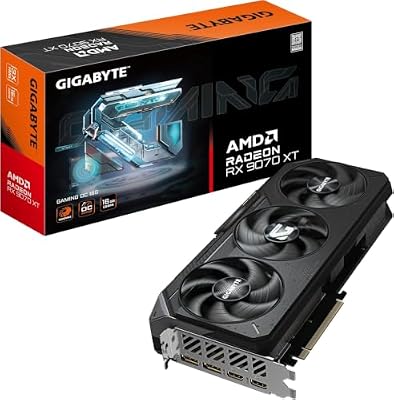
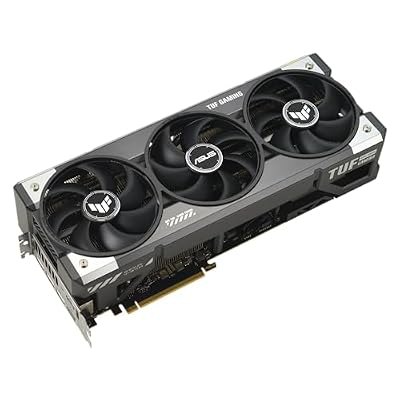
This is a settings guide and a buying guide, not a benchmark report. We have not published measured frame rates for any card or preset in this article. Options and their names depend on the game version and the driver, so check the menu in your build before you follow the steps. The hero listing above is the closest match to the graphics hardware discussed here. Confirm the model, power needs and price on the card before you buy, because the listing may be a substitute for the part you searched for.


What DLSS 4 Changes in Cyberpunk
DLSS 4 brings two main ideas to the table. The first is upscaling, where the game renders at a lower internal resolution and a neural network rebuilds the final image. The second is frame generation, where the card creates extra frames between the rendered ones. Multi-frame generation extends that idea by producing more than one generated frame for each rendered frame, on supported hardware. Each step raises the displayed frame rate, but each also adds a cost in image detail, latency or both, so the right balance depends on how you play.
Start with upscaling. It is usually the first setting to change, because it reduces the rendering load most directly. Frame generation comes next, and it is most useful when you already have a stable base frame rate. Frame generation on a low base can feel less responsive than the number suggests, because the input you feel still follows the rendered frames.
Multi-Frame Generation: When It Helps
Multi-frame generation is the most aggressive option. It can make a fast scene look very smooth, and it can help a flagship card drive a high refresh display. The cost is latency and, in some scenes, visible artefacts around fast motion or thin edges. For a slow exploration session through the city, the smoother image is often worth it. For a fast fight or a driving sequence where timing matters, a lighter setting may feel better even at a lower frame rate.
Test the option in a fixed area with heavy effects, such as a crowded street at night, and then in a quieter interior. Note the image in motion, not only the counter. If you see shimmering or smearing that you cannot ignore, step back to a lower generation setting. Our guide on the best GPU for Cyberpunk 2077 covers which cards suit each level of ray tracing and upscaling.

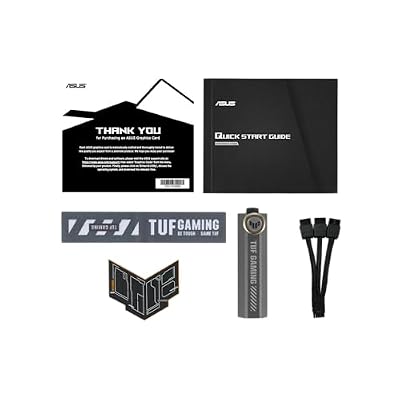
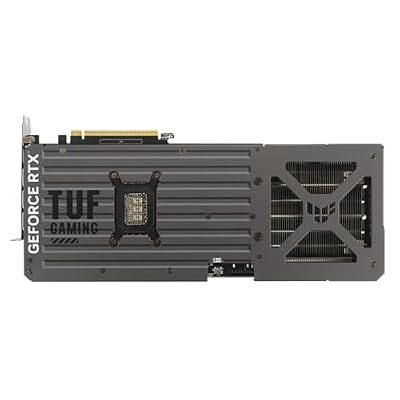
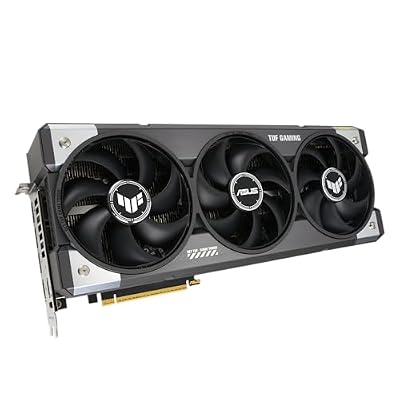
ASUS TUF Gaming GeForce RTX™ 5080 16GB GDDR7 OC Edition Graphics Card | PCIe 5.0, HDMI/DP 2.1, 3.6-slot, Military-grade Components, Protective PCB Coating, Axial-tech Fans









As an Amazon Associate we earn from qualifying purchases. Product prices and availability are accurate as of the date/time indicated.
Ray Tracing and Where the Cost Goes
Ray tracing is the most expensive setting in this game. Reflections, lighting and shadows each have a cost, and turning all of them to the maximum at native resolution is rarely needed. Choose the effects that show clearly in the scenes you play most. Reflections in wet streets and lighting in interiors are often the most visible. Other effects can drop a step with little loss in the overall picture. Pair ray tracing with upscaling, because the combination usually gives a better result than native rendering at a lower preset.
Video memory is the second constraint. Ray tracing and high texture settings both raise memory use, and running out causes hitching. Check the memory figure in your overlay during long sessions, and lower textures before anything else if you see spikes. A card with more video memory tends to stay steadier in heavy scenes, so check the memory size on the listing before you buy. Our best GPU for gaming list compares memory sizes across price tiers.
Cyberpunk Settings Comparison Table
The table below compares the hero listing with the four alternatives by use case. It is a shortlist aid, not a ranking, and it does not predict frame rates with any specific preset.
| Option | Role in this guide | Best for | What to confirm | Price range |
|---|---|---|---|---|
| Hero listing | Closest match to the card discussed | Ray tracing with upscaling at 1440p or higher | Exact model, memory size and power connectors | Check current price |
| Alternative 1 | Second listing in the same set | Players who want a similar class at a lower spend | Driver support for the current DLSS features | Check current price |
| Alternative 2 | Third listing in the same set | Balanced 1440p play with frame generation | Video memory and warranty terms | Check current price |
| Alternative 3 | Fourth listing in the same set | Quieter, cooler operation in a mid-size case | Fan design and case clearance | Check current price |
| Alternative 4 | Fifth listing in the same set | Compact builds with a smaller power supply | Card length and required wattage | Check current price |
Read each row as a question to answer before buying: does the memory suit your textures, and does the card fit your case and power supply.
A Sensible Order for Tuning Cyberpunk
Work through the settings in a fixed order so that you can see the effect of each change. Set the display mode and the resolution first. Choose an upscaling preset next and compare it in motion. Add frame generation only after the base result is stable. Then adjust ray tracing one effect at a time, and finish with textures and memory checks. Keep a short note of the settings that work, because game updates and driver changes can reset options.
Frequently Asked Questions
Is DLSS 4 multi-frame generation worth using in Cyberpunk?
It can be, especially for slower exploration or a high refresh display. It adds latency and can show artefacts in fast motion, so judge it by how the game feels in the scenes you actually play.
Should I use ray tracing or higher frame rates?
That depends on your priorities. Ray tracing changes lighting and reflections in a visible way. If you care most about smoothness in fast play, lower the ray tracing effects that matter least to you and keep upscaling on.
Does a faster card make upscaling unnecessary?
Not usually. Upscaling is still a useful way to buy frames and keep the image sharp at high resolutions, even on a fast card.
Why does my frame rate drop in some areas?
Dense streets, busy crowds and heavy effects all add load. Check whether the graphics card or the processor is at its limit during the drop, then lower the setting that affects that part.
Next Steps
If you are picking a card for this game, the RTX 5070 review and the RTX 5070 Ti review explain how the mid-range cards compare in this class. The RTX 5070 vs 5070 Ti comparison covers the step between them. For a card from the other side of the market, the RTX 5070 vs RX 9070 comparison sets out the trade-offs. If you plan to tune heat and power, the RTX 5070 undervolting guide is a practical next step. For a full build around this game, see the best build for Cyberpunk 2077, the best CPU for Cyberpunk 2077 and the best GPU for 1440p gaming.