Minecraft Bedrock RTX Performance & Settings Guide
Ray tracing transforms Minecraft Bedrock Edition. Light bounces, reflections and soft shadows make a block world look like a different game, but the same effects are the reason many PCs slow down when the feature is switched on. This guide explains what the ray-tracing options cost, which settings to adjust first, how render distance affects the load and what kind of graphics card suits a ray-traced build. It is a performance and buying guide. We have not benchmarked the cards below in Minecraft, so the advice describes what each setting does and how to check it on your own system rather than quoting frame-rate numbers.
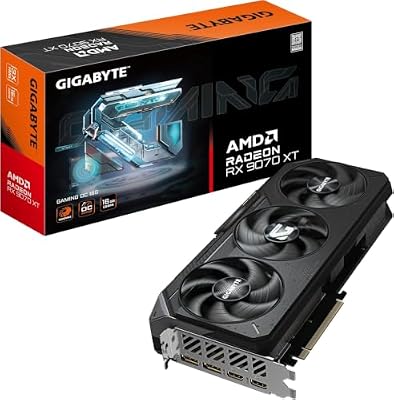
The hero listing is an RTX-class graphics card, and the four alternatives cover other RTX cards at different tiers. Treat it as a closest-match listing for the kind of card this guide describes. Check the product card for memory size, power connector, cooler design and the price at checkout, because memory and cooling make a noticeable difference in a ray-traced world with a large render distance.


What Ray Tracing Costs in Minecraft
Ray tracing works by tracing light paths through the scene, so it adds work for every visible surface. Reflections on water, glass and polished blocks are the most obvious examples, and global illumination adds a broader cost across the whole view. The graphics card carries most of that load, which is why a ray-traced world can drop the frame rate sharply on a card that runs the standard version well. Check the requirements on Mojang’s current support page before you buy, because the supported hardware list can change between releases.
Reflections and Light Bounces
Reflections and light bounces are usually the costliest parts of the ray-tracing stack. Lowering the number of bounces or the reflection quality reduces the load while keeping most of the visual change. Test each step in a busy area with water and glass, because those scenes show the difference most clearly.
Upscaling and Resolution
Upscaling can recover a large share of the frame rate lost to ray tracing, if your build offers an upscaling option. Render at a lower internal resolution and let the upscaler produce the final image, then check edges, leaves and fine detail for smearing. A sharp image at a higher frame rate is usually the better trade.
Render Distance and Chunk Load
Render distance is the most underrated setting in a ray-traced world. Each extra chunk adds geometry, lights and reflections for the engine to process, so the cost rises faster than most players expect. Start with a moderate distance and increase it only if the frame rate holds in a busy area. If the frame rate drops when you move through new terrain, the chunk loading may be the cause rather than the lighting.
Choosing a Graphics Card for Ray-Traced Minecraft
A ray-traced build depends heavily on the graphics card. Memory size matters more as render distance and texture resolution rise, and a card with strong ray-tracing performance keeps the frame rate steadier when the scene is busy. If you play at 1080p, a mid-range RTX card may be enough for a comfortable experience with moderate settings. At 1440p or higher, a higher tier gives you room to keep the lighting detail that makes the feature worthwhile. Our guide to the best GPU for Minecraft RTX explains the choice in more depth.
Budget and Mid-Range Options
Budget RTX cards can run ray tracing at lower settings with upscaling enabled. They suit players who value the visual change but do not need the highest detail. Our guide to the best budget GPUs for gaming covers the lower tiers, and our RTX 5060 review gives context on one current entry point.
Higher-Tier Options
Higher tiers give you more headroom for long render distances and full lighting detail. They also need a case and power supply that can handle the load. Our guide to the best GPU for 1440p gaming explains how resolution changes the tier you need.

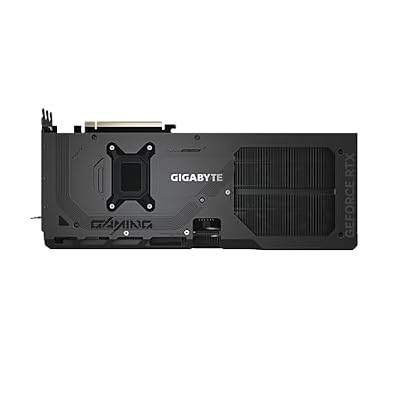
GIGABYTE GeForce RTX 5080 Gaming OC 16G Graphics Card, WINDFORCE Cooling System, 16GB 256-bit GDDR7, GV-N5080GAMING OC-16GD Video Card




As an Amazon Associate we earn from qualifying purchases. Product prices and availability are accurate as of the date/time indicated.
| Option | Role in this guide | Best for | What to confirm | Price |
|---|---|---|---|---|
| Hero listing | Primary RTX card pick | Ray-traced play at 1080p or 1440p | Memory size, power connector, cooler size | Check current price |
| Alternative 1 | Same family, different tier | Players who want more lighting headroom | Memory and sustained clock speed | Check current price |
| Alternative 2 | Higher tier | Long render distance at 1440p | Power supply size and case clearance | Check current price |
| Alternative 3 | Entry RTX tier | Ray tracing with upscaling at 1080p | Whether the frame rate meets your target | Check current price |
| Alternative 4 | Compact option | Small cases with limited space | Length, height and airflow | Check current price |
The table is a shortlist rather than a ranking. Two cards in the same tier can differ in cooling and sustained performance, and a ray-traced scene keeps the card under load for a long time.
Keeping the Frame Rate Steady
Ray-traced scenes are long, heavy sessions, so temperature and background load matter. Watch the card’s temperature during a long build session, and make sure the case has airflow. If the card throttles, the frame rate can drop after the first hour even when it looked fine at the start. Our guide to how to check GPU and CPU temperature shows the steps. For a card that runs hot, undervolting an RTX 5070 is one example of reducing heat without a large loss of speed.
Processor load can also limit a busy world, especially with many entities and a large render distance. If the card has spare capacity while the frame rate falls, look at the processor. Our guide to the best CPU for Minecraft covers that side, and how much RAM a gaming PC needs helps you judge whether memory is limiting the world.
Frequently Asked Questions
Do I need an RTX card to use ray tracing in Minecraft Bedrock?
Ray tracing in Bedrock depends on supported NVIDIA RTX hardware. Check Mojang’s current support page for the list of supported cards before you buy, because the requirements can change between releases.
What setting gives the biggest frame-rate gain?
Upscaling and render distance usually have the largest effect on frame rate. Reflection and light-bounce settings come next. Test each change in a busy area, since a quiet spawn area will not show the cost.
Is 1080p enough for ray-traced Minecraft?
For many players 1080p with upscaling and moderate settings gives a good experience. A higher resolution adds detail but also needs a higher tier of card to hold the same frame rate.
Does memory size matter for Minecraft RTX?
It can. Larger render distances and higher texture resolutions use more memory, so a card with more memory gives more room before the frame rate suffers.
Ray-traced Minecraft is a balance between lighting detail, render distance and what your card can hold steady over a long session. Start with upscaling and render distance, check the processor and temperatures when the frame rate falls, and choose a card tier that matches the resolution and detail you want.