Roblox High FPS Settings for Ryzen & Intel CPUs
Roblox runs on a wide range of hardware, from older laptops to desktops with flagship graphics cards. Many frame rate complaints people post about it have little to do with the graphics card. The platform is often held back by the processor, by how many experiences are loaded at once, and by settings that quietly cap the frame rate. This guide covers the settings that matter on AMD Ryzen and Intel Core systems, and the hardware checks that decide how far you can push them.
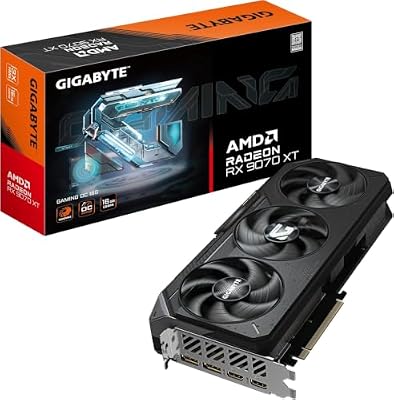
This is a configuration and buying guide, not a test report. We have not benchmarked every Roblox experience on every chip, so no frame rate figures below are measured results. The hero listing above is the closest match to the kind of processor and memory setup this page covers. Check the card for the exact model, generation and price before you buy, because the listing may be a substitute for the component you searched for.


Why Roblox Frame Rate Is Usually a CPU Question
Roblox experiences are scripted by their creators, and the engine spends much of its time on game logic, physics and network updates. That work runs mainly on the processor. The graphics card handles rendering, but in a crowded server the frame time often rises because the CPU is busy, not because the GPU is full. A faster graphics card alone does not always fix a stutter in a busy lobby. The useful questions are how many cores and how much cache your processor has, and how quickly memory can feed it.
If you are deciding what to build or upgrade, our best CPU for Roblox guide covers the processor side in more depth. The short version is that a modern six-core or eight-core chip covers most Roblox play. Extra cores start to matter when you also run a browser, voice chat or a stream next to the game.
Roblox High FPS Settings Inside the Client
Start in the in-game settings menu. Roblox exposes a graphics quality control and a frame rate limit. The labels and their location have changed between client versions, so look for the current names instead of a fixed menu path. Pick a graphics level where the game looks acceptable and stays steady. Pushing it past the point where the frame rate starts to drop rarely adds much in simpler experiences, and it can make a CPU-bound scene feel worse, not better.
Frame Rate Cap and Vertical Sync
A capped frame rate that matches your monitor refresh rate often feels smoother than an uncapped one that swings between very high and very low values. Uncapped play can look impressive on a counter but produce uneven frame pacing, which the eye notices more than the average number. Match the cap to your display. Turn on vertical sync only if you see tearing and can accept the small extra input delay it can add.
Shadows, Textures and Post Processing
Shadows and post processing effects are usually the first things to lower on weaker hardware. Textures matter more for memory than for raw speed. Keep them high if your graphics card has spare video memory, and lower them if the game hitches when you move between areas. Effects such as reflections and particles are cheap to drop, and the visual difference in busy experiences is small.
Background Apps and Power Mode
Close the browser tabs and launchers you do not need while you play. Set the Windows power plan to a balanced or high performance mode that does not throttle the processor aggressively. On laptops, plug into mains power. Battery modes often cap the CPU clock, and the result shows up as stutter that looks like a Roblox problem but is really a power setting. Our guide on setting up Windows for gaming covers the system side in more detail.
Ryzen vs Intel for Roblox
Both platforms run Roblox smoothly, and the differences show up mostly at the margins. AMD Ryzen chips with large cache tend to handle the game logic side well, which helps in busy scenes. Recent Intel Core chips offer strong single-core speed and a good number of performance cores, which helps when the game and background tasks compete for the processor. Neither vendor is a clear winner for this game alone, so choose by budget, motherboard options and what else you run.
The platform also shapes memory decisions. Both sides benefit from fast dual-channel DDR5, and the sweet spot depends on the motherboard and processor you pick. Our DDR5 RAM guide explains which kit speeds are worth paying for and where the returns start to fall off. For a general view of the two platforms, see Intel vs AMD for gaming in 2026.
Roblox Comparison Table: CPU and Memory Options
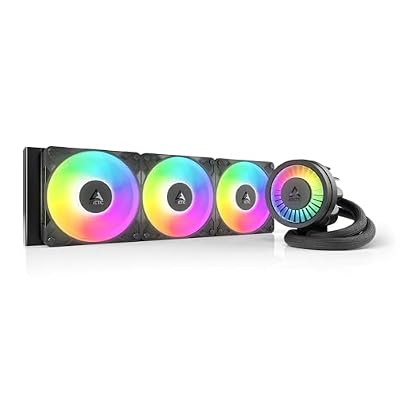
The table compares the hero listing with the four alternatives by use case, not by a measured ranking. Prices and ratings change often, so check the live listing for those numbers.
| Option | Role in this guide | Best for | What to confirm | Price range |
|---|---|---|---|---|
| Hero listing | Closest match to this guide’s setup | Most Roblox players who want high, steady frame rates | Exact model, generation and memory kit | Check current price |
| Alternative 1 | Second listing in the same set | Players who run streams or many background apps | Core count and cooler compatibility | Check current price |
| Alternative 2 | Third listing in the same set | Budget-conscious players on light sessions | Memory capacity, 16GB or more | Check current price |
| Alternative 3 | Fourth listing in the same set | Balanced general play | Socket type and BIOS support | Check current price |
| Alternative 4 | Fifth listing in the same set | Crowded experiences and heavy multitasking | Kit speed and motherboard memory list | Check current price |
Read the table as a checklist. Two parts with similar labels can still differ in cooler fit, memory compatibility and warranty, and those details decide whether a part works in your case.
When a High-End Build Is Not Needed for Roblox
Roblox is a broad platform, and many of its most visited experiences are simple. A high-end processor will not help much on a laptop with a weak integrated graphics chip and a low refresh display. In that case, the fastest gains come from closing background apps, lowering the graphics level, and setting a sensible frame cap. An upgrade makes sense when you already have a capable system and still see frequent drops in the busy experiences you play most. Measure first with the built-in performance statistics, then spend money on the part that holds the frame rate back.
Frequently Asked Questions
Does a faster graphics card fix Roblox stutter?
Sometimes, but not always. Roblox often stutters because the processor is busy with game logic in crowded servers. A stronger graphics card helps when the rendering load is the real limit, so check which part is at its maximum before you buy anything.
Should I cap the frame rate in Roblox?
In most cases, yes. A cap that matches your monitor refresh rate gives steadier frame pacing than an uncapped setting that jumps around. The exact option names change between client versions, so look for the current frame rate setting in the menu.
How much RAM do I need for smooth Roblox play?
Sixteen gigabytes is a practical minimum for a system that also runs a browser and voice chat. Roblox itself does not need a large amount, but background apps and open tabs quickly use the rest. More capacity helps most when you stream or record at the same time.
Is Ryzen or Intel better for Roblox?
Both handle the game well. Choose based on budget, motherboard availability and the other software you run. Neither platform is a clear winner for this title alone.
Related Reading and Next Steps
Start with the in-game settings and the power plan, since they cost nothing. If the stutter remains, use the best gaming CPU for 2026 list to compare processors by tier, and read our guide to how much RAM you need before you buy memory. If you are planning a full build around a light game like this one, the budget gaming PC build guide shows how to keep the spend balanced across parts.
For high refresh play that favours steady frame times over peak numbers, the FPS gaming guide explains how to read frame time graphs and why a locked cap often feels better than an open one. Finally, the Ryzen 7 9800X3D review shows how a large-cache processor behaves in demanding titles, which helps when you judge whether Roblox needs that kind of chip.