Fortnite GPU Settings for 1080p 240 FPS Gaming
Fortnite can look very different from one PC to the next, and the graphics settings are where most of that difference comes from. Reaching 240 frames per second at 1080p is a demanding target that depends on the processor, the graphics card and a set of options that change with each update. This guide explains which Fortnite settings cost the most GPU time, which ones you can lower without hurting visibility, and how to choose a graphics card for a high refresh target. We have not run controlled frame-rate tests on the hardware below, so the guidance describes mechanisms and checks rather than promising a fixed number.
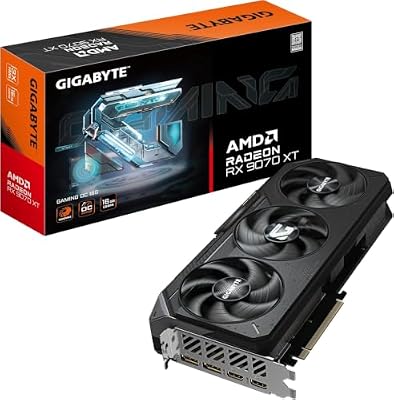
The hero listing is a current-generation RTX 5070-class graphics card, and the four alternatives sit in the same general performance tier. It is a closest-match listing, not a guarantee of the exact model you read about elsewhere. Check the product card for memory size, power connector, cooler size and the price shown at checkout. Cards in the same family can differ in clock speed and cooling, which changes sustained performance over a long session.

What Limits Frame Rate in Fortnite
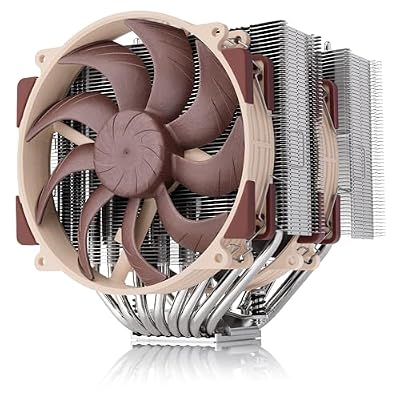
Fortnite is a demanding engine, and a 240 FPS target at 1080p is more about the whole system than about the graphics card alone. A high-refresh panel needs the processor to prepare frames quickly, and it needs the graphics card to render them within the time budget. When the frame rate sits well below your target, check which part is at full load before you change settings. For the processor side of that check, see the best CPU for Fortnite, and for the graphics side, the best GPU for Fortnite.
Why 1080p Is the Usual Target
At 1080p the pixel count is lowest, which leaves more of the frame budget for the processor and the engine. Many players choose it for a competitive 240Hz setup because the image stays sharp and the system can hold a high rate more easily. Higher resolutions add detail but also add a heavier GPU load, so the choice depends on your frame rate target.

MSI NVIDIA GeForce RTX 5070 Ti 16G Gaming Trio OC Plus Graphics Card - 16 GB GDDR7 (28 GB/s, 256-bit), PCIe 5.0 - TRI FROZR 4 (3 x STORMFORCE Fans) - RGB - HDMI 2.1b, DisplayPort 2.1b


As an Amazon Associate we earn from qualifying purchases. Product prices and availability are accurate as of the date/time indicated.
The Fortnite Settings That Cost the Most
Fortnite’s video menu changes between releases, so use the labels you see in your build. The options that usually weigh most on the graphics card are the ones related to view distance, shadows, post-processing and the advanced lighting and geometry features. Lowering these first gives you the largest return. Keep the options that make enemies and edges easy to read, even if they cost a little performance.
View Distance, Shadows and Effects
View distance decides how far the engine draws detail, and shadows and effects add extra work every frame. Reducing them gives you more frames while keeping the central fight readable. Test changes in a practice range so you can compare what you see at distance before and after each adjustment.
Performance Modes and Upscaling
If your build offers a performance mode or an upscaling option, it can help a mid-range card hold a higher rate. Check the sharpness at range after you enable it, because some upscaling methods soften distant players. A performance option that keeps edges clean is worth more than a slightly higher number that makes the battlefield harder to read.
Choosing a Graphics Card for a 240 Hz Target
The card sets how much detail you can keep while holding a high rate. A current-generation card in the RTX 5070 class gives room to run high settings at 1080p and still meet a demanding target in many cases. If your monitor is 240Hz and your processor is modest, the card may not be the limit, and a processor upgrade could matter more. Our review of the RTX 5070 and the comparison with the RX 9070 give context for that tier.
| Option | Role in this guide | Best for | What to confirm | Price |
|---|---|---|---|---|
| Hero listing | Primary 1080p high-refresh pick | Players targeting 240 FPS at 1080p | Memory size, power connector, cooler | Check current price |
| Alternative 1 | Same tier, different partner design | Buyers comparing noise and cooling | Card length and fan configuration | Check current price |
| Alternative 2 | Same tier, different memory option | Players running high texture detail | Memory size as stated on the listing | Check current price |
| Alternative 3 | Step up for margin | Players who want headroom for future updates | Power supply size and airflow | Check current price |
| Alternative 4 | Compact option | Small cases with limited clearance | Length and height against your case | Check current price |
Read the table as a checklist for the card, not as a ranking of speed. Two cards with the same name can run at different clock speeds and temperatures, and that affects how steady the frame rate stays after an hour of play.
Keeping the Frame Rate Steady
A steady frame rate matters more than a peak figure. Watch the frame times during a full match, not only at the start of a session. If the graphics card reaches its thermal limit, the frame rate can drop in the second half of a session even though it looked fine at the beginning. Our guide to checking GPU and CPU temperature explains how to watch those numbers, and undervolting an RTX 5070 shows one way to reduce heat without losing much speed.
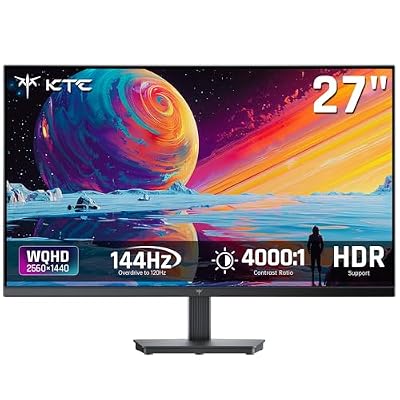
For the display, match the refresh rate in the operating system and in Fortnite. A 240Hz panel will not deliver its benefit if the system falls back to a lower rate after a restart. If you are still choosing a screen, our monitor guide covers the options by refresh rate and panel type. Our list of the best gaming mice for Fortnite rounds out the setup.
Frequently Asked Questions
Can I reach 240 FPS in Fortnite at 1080p with a mid-range card?
It depends on the card, the processor and the settings you choose. A mid-range card with lowered view distance, shadows and effects may reach a high rate in some areas of the map. Check your frame-time graph during a match, because the lowest moments matter more than the average.
Is Performance Mode worth using?
It can increase frame rate on a card with limited headroom. Check that distant players and edges stay readable before you keep it, and compare a short practice session with and without the mode.
Should I turn off V-Sync?
V-Sync can add input delay, so many competitive players turn it off. If you see tearing, consider a variable refresh option if your monitor supports one, and test it on your own system.
Do I need a new processor for 240 FPS?
Not always, but a modest processor can limit a high-refresh target even with a strong card. If the processor is at full load while the card has spare capacity, a processor upgrade is the more useful change.
Fortnite at 1080p and 240 FPS is a balance between the card, the processor and the settings you can live with. Lower the expensive options first, check which part is the limit, keep the frame times steady and match the display to the rate you want to hold.