

- Top Pick: UGREEN USB C to Ethernet Adapter, Plug and Play 1Gbps Aluminum Adapter | (Thunderbolt 4/3 Compatible) to RJ45 Network Dongle, Compatible for MacBook Pro/Air, iPhone 18 Pro/Max, iPad, XPS
- Best Value: Anker USB C to Ethernet Adapter, Portable 1 Gbps Network Hub | Aluminum, Compact, 10/100/1000Mbps, for MacBook Pro, iPad Pro, ChromeBook, XPS, Galaxy and More
- Premium Choice: BENFEI USB-C to Ethernet Adapter, USB Type-C (Thunderbolt 3/4) to RJ45 Gigabit Ethernet LAN Network Adapter Compatible with iPhone 15 Pro/Max, MacBook Pro/Air 2023, iPad Pro,iMac, S23, XPS 17 and More
Thin laptops and handheld PCs dropped the Ethernet jack years ago, yet a wired link is still the cleanest fix for lag spikes in online matches, dropped video calls, and slow game downloads. A USB-C to Ethernet adapter gives that port back. The keyword sounds simple, but the specs split into two real choices: a one-job dongle versus a hub that also carries HDMI, power, and USB-A ports, and a standard gigabit link versus a 2.5G one.
This guide is for gamers with a USB-C laptop, handheld, or tablet; remote workers on a dock-free desk; and buyers who want a travel spare in the bag. In 2026 most routers and wall jacks still run at gigabit, which is why eight of the ten picks below list gigabit speed. All comparisons come from the spec text in each listing, including the compatibility lists and size notes.
Quick Picks
As an Amazon Associate we earn from qualifying purchases at no extra cost to you.



| Product | Best for | Key spec from the title |
|---|---|---|
| UGREEN 1Gbps Adapter | Plug-and-play laptop use | 1Gbps, aluminum, Thunderbolt 4/3 compatible |
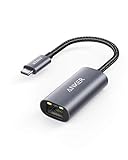
| Anker USB C to Ethernet | Compact travel dongle | 10/100/1000Mbps, aluminum |
| BENFEI USB-C to Ethernet | Thunderbolt 3/4 laptops | Gigabit RJ45, Type-C |
| uni USB C to Ethernet | Driver-free setup | 1Gbps, driver free |
| TP-Link UE300C | Network-brand dongle | 1Gbps, USB-C 3.0 |
| Basics Aluminum Adapter | Pocket-size spare | 2.07 x 0.81 x 0.6 inches |
| Anker 6-in-1 USB-C Hub | One-cable desk dock | 4K HDMI, 65W PD, Ethernet |
| 4-in-1 USB A/C Hub | Adding wired ports for peripherals | 3 USB 3.0 ports plus 1000M RJ45 |
| BENFEI USB 3.0 Adapter | Windows and Mac coverage | 1000Mbps, nylon cable |
| UGREEN 2.5G Adapter | Faster home network or NAS | 2.5G, Thunderbolt 4/3 compatible |
How to Choose
Decide between 1 Gbps and 2.5G
A gigabit adapter is enough for most internet plans and for game downloads, and it is the safest default if you are unsure what your router supports. Choose 2.5G only if your router, switch, or NAS also supports 2.5G, because the link runs at the slowest device in the chain. Use at least a Cat5e cable for 2.5G and Cat6 if you want margin. Paying extra for a faster adapter on a gigabit network buys you nothing.
Confirm the port and host compatibility
Check the USB-C port on your device and the compatibility list in the title. Thunderbolt 3 and 4 ports accept USB-C devices, and most listings say so. A device-specific line such as “Windows 11/10” or “MacBook Pro” signals what the seller supports. A plain USB-C adapter should work on a phone or tablet only if the system includes a driver for the chipset.
Dongle or hub
A dongle does one job and fits in a pocket. A hub bundles Ethernet with HDMI, USB-A, and power delivery, which saves ports on a one-port ultrabook but adds bulk and heat. Hubs that list power delivery, such as 65W max, can charge the laptop while you game wired. Check that the hub’s passthrough wattage matches your laptop charger.
Build quality details worth reading
Aluminum shells dissipate heat better than plastic, and a nylon cable resists the kinks that kill budget dongles. Adapters sit on a short tether all day, so the cable joint is the part that fails first. Driver-free operation avoids install steps on a handheld. Budget models cut corners on cable strain relief and heat management, so prioritize an established brand if the adapter will live in a bag.
The 10 Best Options
UGREEN 1Gbps Adapter
A plug-and-play gigabit adapter in an aluminum body, listed as compatible with Thunderbolt 4 and 3 ports and with MacBook Pro and Air, iPad, and Dell XPS. It suits a general-purpose bag, where one adapter has to serve a work laptop, a tablet, and the occasional borrowed machine without fuss.
- Strength: Wide compatibility list across laptops and tablets.
- Strength: Aluminum build and plug-and-play operation.
- Trade-off: It carries one connection only, with no extra ports.
Skip it if you also need HDMI or charging through the same device.
Anker USB C to Ethernet
A portable 1 Gbps network adapter in compact aluminum, with 10/100/1000Mbps speed negotiation. The compatibility list covers MacBook Pro, iPad Pro, Chromebook, XPS, and Galaxy, which makes it a sensible default for households with mixed devices.
- Strength: Familiar accessory brand with a broad device list.
- Strength: Slim aluminum shape travels well.
- Trade-off: No power passthrough or extra ports.
Skip it if you want a multi-port hub. People who already own a dock at their desk gain little from a second Ethernet path and can stay with a basic dongle.
BENFEI USB-C to Ethernet
A Type-C to RJ45 gigabit adapter listed for Thunderbolt 3 and 4, with a long compatibility list that includes recent MacBooks, iPad Pro, iMac, and XPS 17. It is a value dongle for a Mac or Windows laptop, and the long compatibility list helps if you are unsure whether a given port will accept it.
- Strength: Thunderbolt 3/4 compatible gigabit connection.
- Strength: Broad device list that includes tablets and phones.
- Trade-off: The title says nothing of body material or driver behavior.
Skip it if you want a stated aluminum build.
uni USB C to Ethernet
A driver-free 1 Gbps adapter that converts USB-C to RJ45, aimed at laptops, MacBook Pro and Air, and Dell XPS, with Galaxy S8 through S24 phones in the list. That range is unusually specific, which helps anyone planning to plug a phone into a wired network.
- Strength: Driver free means nothing to install on supported systems.
- Strength: Phone compatibility is spelled out.
- Trade-off: The title lists no build material.
Skip it if you want proven brand support from a network maker.
TP-Link UE300C
A compact plug-and-play 1 Gbps USB-C 3.0 adapter from a networking company, listed as Thunderbolt 3/4 compatible. It suits buyers who trust a router brand with their wired link and like a model number that makes support pages and driver downloads easy to find.
- Strength: Made by a network hardware maker, with a model number for easy lookup.
- Strength: Portable and compact for everyday carry.
- Trade-off: No extra ports or power passthrough.
Skip it if you need more than one connection.
Basics Aluminum Adapter
A grey aluminum USB-C to RJ45 gigabit adapter that measures 2.07 x 0.81 x 0.6 inches. The retailer brand and tiny size appeal to buyers who want a no-fuss spare, such as a travel kit adapter that stays in a laptop sleeve until a hotel desk needs it.
- Strength: Stated dimensions make it a clear pocket-size pick.
- Strength: Aluminum shell on a simple design.
- Trade-off: The title does not list a compatibility list or driver detail.
Skip it if you need explicit device support lists, since the title leaves the supported models for the product page to confirm.
Anker 6-in-1 USB-C Hub
A hub with Ethernet, 4K HDMI, 65W max power delivery, a USB-C port, and two USB-A data ports. It is aimed at one-port laptops that need a mini desk setup: a monitor on HDMI, a charger through the hub, and a wired network line, all from one cable.
- Strength: HDMI, Ethernet, and charging in one cable.
- Strength: 65W max PD keeps the laptop powered.
- Trade-off: Larger and less pocketable than a plain dongle.
Skip it if you only need a wired network link.
4-in-1 USB A/C Hub
A compact hub with three USB 3.0 ports and a 1000M RJ45 port, plug and play, for laptops and USB-C phones. The A/C wording means it can connect through either connector, which helps if you move between a new laptop and an older machine with only USB-A.
- Strength: Adds three USB-A ports for mouse, keyboard, and a fan.
- Strength: Works with both USB-A and USB-C hosts.
- Trade-off: No video output or power delivery listed.
Skip it if you need HDMI or laptop charging.
BENFEI USB 3.0 Adapter
A 1000Mbps adapter described as USB 3.0 to Ethernet with a USB-C connection, an aluminium shell, and a nylon cable. The compatibility line covers MacBook, Surface Pro, Windows 11 through 7, and Mac OS. That breadth makes it a cautious choice for an older Windows machine that still needs a wired link.
- Strength: Nylon cable and aluminium shell are both stated.
- Strength: Lists older Windows versions as well as Windows 11.
- Trade-off: The title mixes USB 3.0 and USB-C wording, so confirm the connector.
Skip it if you want a clean USB-C-only description.
UGREEN 2.5G Adapter
An aluminum 2.5G adapter in the Type-C family, Thunderbolt 4/3 compatible, with NAS listed among the supported uses. It makes sense when the rest of the network can follow, for instance a 2.5G switch in a home office with a NAS on the same shelf.
- Strength: 2.5G speed for NAS transfers over a matching network.
- Strength: Aluminum body and Thunderbolt compatibility.
- Trade-off: Gains nothing on a gigabit router or switch.
Skip it if your network is gigabit-only.
Which One Fits Your Situation
A gaming laptop with a single USB-C port
The Anker 6-in-1 hub adds HDMI, Ethernet, and charging in one cable, so a single port serves the whole desk. When you leave, you unplug one cable and the laptop is free again.
A handheld or tablet used on hotel networks
The Basics Aluminum adapter or the TP-Link UE300C are small and simple, and both slip into a pocket. Neither adds bulk to a bag that already carries a charger and a mouse.
A NAS transfer setup on a 2.5G switch
The UGREEN 2.5G is the only 2.5G pick, so it is the obvious choice if your hardware matches.
A budget-minded Windows laptop
The BENFEI USB 3.0 adapter lists Windows versions explicitly, which makes it a safe bet for older machines. The 4-in-1 hub is the alternative when the same laptop is short on USB-A ports as well.
Common Mistakes
- Buying a 2.5G adapter for a gigabit network.
- Assuming every USB-C port supports every adapter without checking the compatibility list.
- Choosing a hub when only a dongle is needed, and carrying the extra bulk.
- Using a damaged or low-grade network cable and blaming the adapter for slow speeds; a worn patch lead is a common culprit.
- Ignoring the hub’s power delivery wattage relative to the laptop charger.
Related guides
- Aio Liquid Coolers For High Performance Gaming
- How To Lower Input Delay In Competitive Shooters
- Wireless Gaming Headsets Under 100 For Pc
Frequently Asked Questions
Will a wired adapter lower my ping?
A wired link usually delivers steadier latency than Wi-Fi because it avoids interference. The adapter does not change your internet speed, but it can remove spikes.
Do I need to install drivers?
Many listings say plug and play or driver free. Windows and macOS often include the common chipset drivers, but check the listing for your operating system, and keep your system updates current so the built-in driver is available.
Can I use these with a phone or tablet?
Some titles list iPad, Galaxy, or iPhone models. Support depends on the device operating system, so confirm your model appears in the compatibility text.
Is a hub slower than a dongle?
Not by the specs listed, and for online games the difference would be invisible. Most of these are gigabit adapters, and a hub shares the USB-C connection with other ports, which matters only under heavy simultaneous use.















