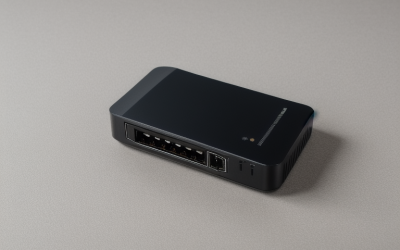
Shopping for a Cisco router is really shopping for two different worlds under one logo. On one side sit the old Cisco-Linksys home boxes; on the other sit the Integrated Services Routers that run branch offices, plus the small-business RV line. For a gamer or home-lab builder, the keyword “best Cisco routers” usually means one of three things: a study rig for certification practice, a wired VPN gateway for a serious home network, or a brand-name box for a dorm or spare room. Each goal points at a different corner of this lineup.
This guide ranks nothing by hype. It sorts nine Cisco-branded models by what their listings actually say: port counts, WAN options, VPN support, wireless standard, and whether the unit is sold renewed. If you want plug-and-play Wi-Fi for a streaming setup, the list narrows quickly. If you want a router you can configure from a console cable, it widens. Read the table, then the buying notes, then match your goal to a model for 2026.
Quick Picks
As an Amazon Associate we earn from qualifying purchases at no extra cost to you.




| Product | Best for | Key spec from the title |
|---|---|---|
| Cisco ISR 4331 | Branch-office style home lab | ISR4331/K9 integrated service router, renewed |
| Cisco C1111-8P | Wired network with a second internet line | 8 ports, dual WAN, renewed |
| Cisco-Linksys E1000 | Basic wireless for a spare room | Wireless-N router |
| Cisco 1921/K9 | Certification practice | 1921 integrated services router, renewed |
| Cisco RVS4000 | Small wired VPN gateway | 4 gigabit ports, security router with VPN |
| Cisco C1111-4P | Compact wired gateway | 4-port integrated services router, renewed |
| Cisco RV340 | Small office with failover | 4 gigabit Ethernet ports, dual WAN, VPN, limited lifetime protection |
| Cisco 2911/K9 | Heavier routing lab | 2900 series integrated services router |
| Cisco 1941/K9 | Mid-level lab or branch gear | 1941 integrated services router, renewed |
How to Choose
Decide whether you need Wi-Fi at all
Most Cisco models here are routers with no radio. Only the Cisco-Linksys E1000 lists wireless, and it is Wireless-N, an older standard than Wi-Fi 5 or Wi-Fi 6. If you want Wi-Fi from a router with wired-only ports, plan on pairing it with a separate access point. Gamers who play over Ethernet lose nothing by skipping built-in wireless, and they often gain a cleaner, more controllable network.
Count ports and WAN connections
Look at the number of LAN ports against your device count: consoles, a PC, a NAS, and a switch uplink can fill four ports fast. A dual WAN listing, as on the C1111-8P and RV340, means two internet connections can be attached for failover or load sharing. Anything with four ports works if you already own a switch; eight ports suits a desk with no extra gear. Confirm gigabit ports if you have a fast fiber or cable plan, since older units may be limited to slower speeds.
Understand renewed gear and software access
Six of these routers are sold renewed. That can suit a lab, but check that the seller states the condition, includes a power cable, and that you can reach the console. Enterprise Cisco routers often rely on licensed software images and support contracts for updates, so ask what comes preinstalled. Do not assume a renewed ISR gets security updates. For a router facing the open internet, the RV340 listing mentions limited lifetime protection, which is a point in its favor.
Match the platform to your skills
An ISR runs the full command-line interface, which is excellent for learning and tedious for anyone who just wants a web page and a Wi-Fi password. The small-business RV and RVS lines lean on a browser interface. Budget buyers tend to end up with older generations; mid-range buyers should look at the C1111 pair; premium buyers can chase the ISR 4331. Ignore the form factor and fan noise claims you cannot verify, and expect rack-style units to be louder than a desktop router.
The 9 Best Options
Cisco ISR 4331
The ISR4331/K9 is the newest-generation chassis in this group and the one most likely to appeal to someone building a serious home lab. The title identifies it as an integrated service router and notes it is renewed. That points to a branch-office design rather than a living-room box.
- Integrated services router platform with a full command-line workflow
- A good teaching tool for routing concepts used in real offices, and a clear step up from the older 1900 series
- Trade-off: no wireless and no consumer-style setup page, and renewed status means you should confirm software access
Skip it if you only want better Wi-Fi for gaming; a router like this adds complexity without helping your ping.
Cisco C1111-8P
This 1100 series unit pairs eight Ethernet ports with dual WAN support, which makes it the most connection-rich small router on the list. It is sold renewed, so it fits buyers who value ports over a warranty.
- Eight ports can serve a desk full of wired gear without a separate switch
- Dual WAN allows a backup internet line to be attached
- Trade-off: no built-in wireless, so you need an access point for phones and laptops
Skip it if you only have one internet line and four wired devices; the C1111-4P covers that with less hardware and a smaller footprint.
Cisco-Linksys E1000
The E1000 is the one true home router here. It is listed as a Wireless-N router, which means it uses an older Wi-Fi generation, but it will give a bedroom or garage some coverage without any command-line work.
- Built-in wireless means one box does everything
- Familiar web-based setup for beginners, with no console cable or command syntax to learn first
- Trade-off: Wireless-N is dated, so it will struggle to keep up with modern devices and fast plans
Skip it if you have a fast internet plan or many connected devices; a current Wi-Fi 6 router is a better primary unit.
Cisco 1921/K9
The CISCO1921/k9 belongs to the integrated services family and is sold renewed. It is the sort of router certification students pick up to practice interface setup, static routes, and basic security policy.
- Uses the same style of configuration as larger Cisco gear
- A sensible stepping stone before a bigger ISR, useful for learning interfaces, static routes, and basic access rules
- Trade-off: it is an older design, and the listing says nothing about wireless or modern Ethernet speeds
Skip it if you want a router you can set up in ten minutes without reading a manual.
Cisco RVS4000
The RVS4000 is a four-port gigabit security router with VPN support, according to its title. It sits in the small-business tier, meaning a browser-based setup and a focus on secure remote access.
- Four gigabit ports suit a wired desk plus a switch uplink
- VPN capability helps with remote access to a home server or a shared project folder while you travel
- Trade-off: it lacks wireless and the title shows no dual WAN
Skip it if you need failover or several access points managed from one dashboard; the RV340 is the more flexible pick for that.
Cisco C1111-4P
This is the smaller sibling of the 8-port C1111 model. The listing calls it a four-port integrated services router and flags it as renewed. It keeps the Cisco IOS-style experience in a compact form.
- Four ports are enough when you already own a switch
- Same family as the 8-port version, so skills and configuration habits carry over if you upgrade later
- Trade-off: the title does not list dual WAN or wireless
Skip it if you plan to plug in many wired devices directly, or if you want a built-in access point to cover the rest of the house.
Cisco RV340
The RV340 is the easiest to live with. Its title lists four gigabit Ethernet ports, dual WAN, VPN capability, and limited lifetime protection, a mix that targets small offices and serious home networks.
- Dual WAN adds a fallback internet line for streamers who cannot tolerate drops
- Limited lifetime protection gives peace of mind that renewed gear lacks
- Trade-off: no wireless in the listing, so you need to add an access point
Skip it if you are studying for a Cisco certification and want the full command-line environment; the ISR models serve that goal far better than a small-business router does.
Cisco 2911/K9
The 2911 is part of the 2900 series, one step above the 1900 family. The listing does not mark it as renewed, and the title simply identifies it as an integrated services router.
- A heavier platform for building multi-network lab scenarios with several routed segments
- Not marked renewed in the title, which may matter to cautious buyers
- Trade-off: this is a larger piece of gear, and the listing gives no port or wireless details
Skip it if your desk is small or your needs are limited to gaming traffic; it is more router than a household requires.
Cisco 1941/K9
The 1941 sits in the middle of the integrated services lineup in this guide. It is renewed and offers the same command-line learning path as the 1921, aimed at buyers who want a little more headroom for lab work.
- Proper enterprise-style routing platform for home labs
- Good fit for practicing routing protocols and access lists
- Trade-off: renewed condition, and no wireless or port details appear in the title
Skip it if you want a modern router with an app, guest networks, and automatic updates handled for you.
The Cisco SPA122, an analog telephone adapter with a router function, was left out because it is a voice product first and a router second.
Which One Fits Your Situation
You are studying for a networking certification
Pick the Cisco 1921/K9 or the 1941/K9. Both give you the command-line interface used on real branch routers, and both sit in the budget-to-mid tier for renewed gear.
You run a wired home network with a backup line
The Cisco RV340 is the natural choice because it lists dual WAN, four gigabit ports, and VPN support together. Add a Wi-Fi access point and you have a stable setup for gaming and streaming.
You need many wired ports and a second internet link
Go for the Cisco C1111-8P. Eight ports cover a desk, a console, and a NAS without extra switching hardware.
You want something simple for a spare room
The Cisco-Linksys E1000 gives you wireless in a single device. Treat it as a secondary network for light use.
Common Mistakes
- Assuming every Cisco router has Wi-Fi; most models here have none.
- Buying a renewed enterprise unit without checking what software image and console access come with it.
- Choosing the biggest chassis when a four-port unit would do the job quietly.
- Expecting a branch-office router to improve game latency; routing hardware rarely fixes a slow provider connection.
- Forgetting that older Wireless-N hardware will limit modern devices.
Related guides
- Battery Operated Smoke And Carbon Monoxide Detectors
- Combination Smoke And Carbon Monoxide Detectors
- Aio Liquid Coolers For High Performance Gaming
Frequently Asked Questions
Do Cisco routers help with gaming?
Not by themselves. Latency depends on your provider and your connection, though a wired router with a clean configuration removes Wi-Fi as a variable.
Is a renewed Cisco router safe to use?
It can be, provided it is wiped to factory settings and you can obtain current software. Units without update access should sit behind another firewall rather than face the internet directly.
Which model suits a beginner?
The Cisco RV340 and the Cisco-Linksys E1000 use browser-style setup, so they are friendlier than the ISR models that rely on a console cable and typed commands.
Do I need a separate access point?
Yes for every model except the E1000. A router with only wired ports needs a Wi-Fi access point if you want wireless devices on the network.