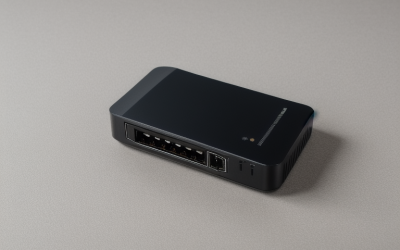
- Top Pick: Wall – Mount WiFi Extender Covers Up to 12880 Sq.ft and 105 Devices | 1200Mbps Dual Band 5GHz/2.4GHz WiFi Extender Signal Booster Suitable for Home and Outdoor Use
- Best Value: NETGEAR WiFi Extender EX5000, up to 1,500 sq ft, 1.2 Gbps | Signal Booster for Home, Easy Set Up, 25 devices, Works with any Router, Compact Design, WiFi 5, AC1200
- Premium Choice: 2026 WiFi Extender Signal Booster, New Gen Internet Booster for Home, 4X Faster, Covers up to 16,899 sq.ft, Wi-Fi Repeater with Ethernet Port, Wireless Long Range Amplifier, Easy Setup (Black)
Thick walls change the extender question completely. Plaster over lath, brick, concrete block and walls with metal mesh absorb a lot of radio signal, so the headline coverage number on a box tells you very little. What matters more is where the extender sits, which band it uses, and whether it can connect back to your router in a way that survives the obstruction.
This guide is for people with a dead zone behind a masonry wall, a basement office, or a detached garage studio. As of 2026 the shelf is split between big-name extenders, unbranded repeaters with enormous coverage claims, and one mesh add-on that only works with its own system. Coverage figures in square feet are the sellers’ claims from the listings; they describe open-space best cases, not what you will see through concrete.
Quick Picks
As an Amazon Associate we earn from qualifying purchases at no extra cost to you.




| Product | Best for | Key spec from the title |
|---|---|---|
| Wall-Mount 1200Mbps Extender | Outdoor-capable placement | Dual band, 105 devices, wall mount |
| NETGEAR EX5000 | Named-brand extender for any router | AC1200, WiFi 5, 25 devices |
| Long-Range Extender (16,899 sq ft) | Wired device via Ethernet | Ethernet port, repeater |
| eero 6 Mesh Add-On | Existing eero owners | WiFi 6, 1,500 sq ft, requires eero system |
| Whole-Home Extender (8,470 sq ft) | Mid-size homes | 8,470 sq ft claim |
| TP-Link RE105 | 2.4GHz penetration, simple setup | N300, 2.4GHz only, access point mode |
| Long-Range Extender (15,000 sq ft) | Ethernet port plus 1-tap setup | Ethernet port, 99% router compatibility |
| Dual Band Extender (5,000 sq ft) | Smaller homes | 1200Mbps, 35 devices |
| 4-Antenna 1200Mbps Extender | High-gain antenna fans | 4 antennas, WPS setup |
How to Choose
Band choice matters more than the speed label
Lower frequencies pass through walls better, which is why a 2.4GHz-only model like the TP-Link RE105 can be a sensible fit for a concrete or brick barrier even though its N300 speed looks modest. The 5GHz band is faster but fades quickly through masonry. Dual-band extenders give you both, so look for a model that lets the 2.4GHz link bridge the thick wall.
Placement beats coverage claims
Plug the extender where the router signal is still strong, usually before the thickest wall, rather than inside the dead zone itself. A repeater placed in a weak area simply repeats a weak signal. Square foot claims such as 16,899 or 12,880 are open-space marketing figures; for a house with masonry, treat anything above a couple of thousand feet as headroom, not a promise.
Ethernet ports and access point mode
A wired Ethernet port lets you link a console, PC or TV directly, and some listings here include one. Access point mode, named on the TP-Link, lets the device connect to your network over cable instead of repeating wirelessly, which is the best fix for thick walls when a cable can be run. Wi-Fi 6 and mesh systems, such as the eero add-on, work only inside their own ecosystem.
What to ignore and where budget models cut corners
Ignore device count claims such as 105; they say little about real throughput. Be wary of 4X or 6X faster wording and unusual brand names, which often have scant documentation. Extenders that repeat on one radio halve throughput, so dual-band models that separate backhaul from client traffic usually do better. Budget units also tend to skip firmware updates.
The 9 Best Options
Wall-Mount 1200Mbps Extender (12,880 sq ft)
A dual-band 5GHz/2.4GHz extender with a wall-mount design, a 12,880 square foot coverage claim and support for 105 devices, positioned for home and outdoor use.
- Strength: dual band lets the 2.4GHz link handle the wall.
- Strength: wall-mount placement can raise the unit toward a stronger signal.
- Trade-off: the coverage claim is far beyond what masonry allows.
Skip it if you need a recognized brand with documented support. It suits those who want a fixed, mounted unit and are ready to place it carefully on the strong side of the wall, and who understand that the outdoor mention in the title is not a promise of weatherproofing.
NETGEAR EX5000
A WiFi 5 AC1200 extender with a 1.2 Gbps label, a 1,500 square foot claim, support for 25 devices and a compact design that works with any router.
- Strength: a well-known brand with a modest coverage claim.
- Strength: it works with any router and has easy setup.
- Trade-off: WiFi 5 is older, and the title lists no Ethernet port.
Skip it if you need a wired port or Wi-Fi 6. It is the sensible pick for a small area, such as one room behind a wall, from a brand that documents its products, and its modest square-foot claim is easier to believe than the giant figures on unbranded rivals.
Long-Range Extender (16,899 sq ft)
A black repeater listing a 16,899 square foot coverage claim, an Ethernet port, wireless long range amplification and easy setup. The title also claims 4X faster speeds.
- Strength: an Ethernet port allows a wired device.
- Strength: easy setup suits first-time buyers.
- Trade-off: the brand is unnamed, and the claims are the least conservative in this guide.
Skip it if you want specifics on bands or standards. Treat the numbers as marketing; the Ethernet port is the practical feature here, since it lets a console or desktop in the dead zone skip the wireless hop altogether.
eero 6 Mesh Add-On
A WiFi 6 mesh add-on that adds up to 1,500 square feet of coverage. The title states plainly that an eero mesh system is required and not included.
- Strength: it is a Wi-Fi 6 mesh node, not a generic repeater.
- Strength: it is built to join an existing eero network rather than start a separate one.
- Trade-off: it does nothing without an eero base system.
Skip it if you do not already own eero hardware. For current eero owners with a thick-wall dead zone, it is the natural add-on, ideally placed before the barrier so that the node still receives a strong link from the base unit.
Whole-Home Extender (8,470 sq ft)
A signal booster with an 8,470 square foot whole-home claim, described as an internet repeater with long-range coverage.
- Strength: a mid-range coverage claim that is less extreme than others.
- Strength: simple repeater function for general use.
- Trade-off: the title lists no band, speed or port details.
Skip it if you need to know the bands before you buy. Check the full listing for dual-band support, since a single-band unit would limit speed through walls. It suits shoppers who want a generic repeater and will read the fine print first.
TP-Link RE105
An N300 single-band extender, 2.4GHz only, in a wall plug design that also supports access point mode.
- Strength: 2.4GHz travels through walls better than 5GHz.
- Strength: access point mode lets you use an Ethernet run if you can lay one.
- Trade-off: single band and N300 speeds are modest for streaming.
Skip it if you need fast speeds in the far room. It suits email, browsing, smart devices and cameras where reach matters more than raw speed, and it is the simplest model here to understand because the title states its limits plainly.
Long-Range Extender (15,000 sq ft)
A booster listing 15,000 square feet, an Ethernet port, a 6X faster speed claim, 1-tap setup and compatibility with 99% of routers.
- Strength: Ethernet port plus simple setup.
- Strength: broad router compatibility is claimed.
- Trade-off: the brand and band details are missing from the title.
Skip it if the speed claim matters to your decision, since it cannot be verified from a title. It suits low-demand rooms where an Ethernet port helps, such as a spare bedroom desk or a workshop with a single wired device.
Dual Band Extender (5,000 sq ft)
A 5G 1200Mbps dual-band booster with a 5,000 square foot claim, support for 35 devices and an Ethernet port, billed as a signal repeater.
- Strength: dual band with an Ethernet port.
- Strength: a more modest coverage figure than rivals.
- Trade-off: unnamed brand, with few other details.
Skip it if your wall is the main problem and you want proven penetration. It is a fit for small homes with one or two weak rooms, where the more restrained coverage figure and the Ethernet port are worth more than a giant number.
4-Antenna 1200Mbps Extender
A dual-band 1200Mbps repeater with four high-gain antennas, a 12,880 square foot claim, support for 105 devices and quick WPS setup.
- Strength: four external antennas may help directional reach.
- Strength: WPS makes pairing quick.
- Trade-off: the claims match the other 12,880 sq ft unit, so differences are small.
Skip it if you dislike protruding antennas. Compare it with the wall-mount model, which shares the same headline numbers, and decide on form factor, since WPS pairing and the antenna layout are the main practical differences between them.
Which One Fits Your Situation
You live in a brick or concrete house with one dead room
The TP-Link RE105 uses 2.4GHz, which travels through walls better, and its access point mode lets you add a cable if you can run one. Plug it in on the router side of the wall, then confirm the far room connects to the extender rather than the weak router signal.
You want a trusted brand
The NETGEAR EX5000 offers a named brand, AC1200 speeds and a modest coverage claim. It suits a single area.
You already own an eero system
The eero 6 Mesh Add-On is built for that network and expands coverage with Wi-Fi 6. Place it where the base unit still delivers a strong signal, not in the dead zone itself.
You need a wired connection in the far room
The 16,899 sq ft, 15,000 sq ft and 5,000 sq ft models list Ethernet ports. Pick the 5,000 sq ft dual-band unit if you want the least extreme claims.
Common Mistakes
- Placing the extender inside the dead zone instead of before the thick wall.
- Trusting square-foot claims that describe open space.
- Buying an eero add-on without an eero base system.
- Choosing a 5GHz-only device for a concrete barrier.
- Ignoring access point mode or Ethernet backhaul when a cable could be run, even a short one through a doorway or attic.
Related guides
- Battery Operated Smoke And Carbon Monoxide Detectors
- Combination Smoke And Carbon Monoxide Detectors
- Aio Liquid Coolers For High Performance Gaming
Frequently Asked Questions
Do extenders work through concrete?
Poorly. Wireless signals lose much of their strength in concrete, so placing the unit on the router side of the wall helps more than choosing a more powerful model.
Is 2.4GHz or 5GHz better for thick walls?
2.4GHz generally penetrates better, while 5GHz is faster over short distances. Dual-band models give you both, so one band can bridge the wall while the other serves nearby devices.
Is a mesh system better than an extender?
Mesh nodes usually manage traffic more cleanly, but they must belong to the same system, as the eero listing states.
Is an Ethernet cable an option instead?
Yes, where possible. A wired link or access point mode avoids the wall problem entirely and is the strongest fix, even if the cable has to run along a baseboard or through a conduit.