

- Top Pick: TP-Link AC1200 WiFi Extender Dual Band 5GHz/2.4GHz (RE315) | 1.2Gbps Home Signal Booster, Up to 1600 Sq.ft and 32 Devices, EasyMesh Compatible, One Ethernet Port
- Best Value: TP-Link AX3000 WiFi 6 Dual-Band Range Extender PCMag Editor's Choice | Wireless Repeater w/Ethernet Port | Up to 2400 Sq. Ft., 64 Devices | Internet Signal Booster | APP Setup | EasyMesh (RE715X)
- Premium Choice: 2026 New WiFi Extender Signal Booster, 12880 Sq.Ft Long Range, 105-Device | Dual Band 5GHz/2.4GHz 1200Mbps, Simple Installation for Home & Outdoor
Every home has a dead zone: the bedroom at the far end of the hall, the garage workshop, the back porch where the signal fades to nothing. A long range extender promises to push the router’s signal further, but the phrase “long range” is slippery. Some listings claim coverage numbers that no single device can deliver in a real house, while others are honest about modest figures. The decision here is less “which one is strongest” and more “which one matches the size of the gap, the number of devices, and the router I already have.”
This guide is for people who already own a working router and want to extend it, whether the target is a second floor, a detached garage, or an outdoor yard. Nine extenders are compared using only the details in their listings: Wi-Fi standard, stated coverage, device count, wired ports, and mesh compatibility. Coverage figures are maker claims, so treat them as ceilings rather than promises and read each entry with your floor plan in mind for 2026.
Quick Picks
As an Amazon Associate we earn from qualifying purchases at no extra cost to you.




| Product | Best for | Key spec from the title |
|---|---|---|
| TP-Link RE315 AC1200 | Mid-size homes | Dual band, up to 1600 sq ft, 32 devices |
| TP-Link RE715X AX3000 | Wi-Fi 6 speed | Up to 2400 sq ft, 64 devices, Ethernet |
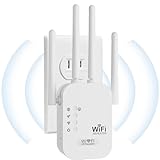
| Long-range 1200Mbps booster | Large claimed coverage | 12880 sq ft claim, 105 devices |
| Wired-port extender, 15000 sq ft claim | One-tap setup | Ethernet port, works with most routers |
| TP-Link RE550 AC1900 | Wired devices nearby | Gigabit Ethernet, up to 2200 sq ft |
| WAVLINK AX1800 Outdoor | Yards, RVs, garages | IP67, PoE, 4x8dBi antennas |
| White repeater, 9800 sq ft claim | Quick setup indoors | Ethernet port, simple setup |
| TP-Link RE500X AX1500 | Small Wi-Fi 6 gap | Up to 1500 sq ft, 25 devices, AP mode |
| 5000 sq ft dual-band booster | Apartment and house mix | 1200Mbps, 35 devices, Ethernet |
How to Choose
Wi-Fi standard and speed class
Match the extender to your router. A Wi-Fi 6 router, labeled AX, benefits from a Wi-Fi 6 extender like the RE715X, RE500X, or WAVLINK AX1800; an older AC router gains nothing from a faster extender. Numbers such as AC1200 or AX3000 add the maximum speeds of all bands together, so they overstate what a single phone receives. Dual-band support, with 2.4GHz and 5GHz together, is the minimum you should accept.
Coverage claims and device counts
Coverage in square feet depends on walls, floors, and interference, so use it only for ranking. The TP-Link entries list 1500 to 2400 square feet, while unbranded listings reach 5000, 9800, 12880, and 15000. That jump is a signal to be skeptical, not an advantage. A reliable approach is to place an extender halfway between the router and the dead zone, where it still gets a strong signal to rebroadcast.
Wired ports and flexibility
An Ethernet port lets you plug in a console, a TV, or a desktop for a steadier link than wireless. Gigabit ports, listed on the RE550 and RE500X, avoid the speed cap of older fast Ethernet. Access point mode, named on the RE500X, lets you turn the unit into a wired-backhaul device. If you want a single network name across the house, look for EasyMesh or OneMesh mentions in the title.
Placement, weather, and setup
For outdoor use, an IP67 weatherproof body and PoE power matter, and the WAVLINK is the only listing to name both. Indoor extenders belong near an outlet, away from microwaves and thick masonry. App-guided setup is common on the TP-Link entries, while some budget models rely on a one-tap button. Where budget extenders cut corners is in firmware updates and support, so expect fewer security patches from unlabeled brands.
The 9 Best Options
TP-Link RE315 AC1200
A dual-band extender for 5GHz and 2.4GHz, claiming up to 1600 square feet and 32 devices. It offers one Ethernet port and EasyMesh compatibility. For a typical two-story home with one weak spot upstairs, the listed coverage and device count are a sensible match.
- Strength: a named brand with a clear feature set.
- Strength: EasyMesh compatibility helps keep one network name.
- Trade-off: AC1200 is an older standard than Wi-Fi 6.
Skip it if your router is Wi-Fi 6 and you want matching speed, or if you expect to connect dozens of devices.
TP-Link RE715X AX3000
This dual-band Wi-Fi 6 range extender lists up to 2400 square feet and 64 devices. An Ethernet port, app setup, and EasyMesh compatibility are all named. It targets households where phones, streaming boxes, and smart devices all compete for the same signal.
- Strength: the highest Wi-Fi 6 speed class among the TP-Link listings.
- Strength: 64-device capacity suits busy households.
- Trade-off: it is the premium tier of the group, so overkill for a small gap.
Skip it if you only need to cover a single room, where a smaller unit will do the same job.
Long-range 1200Mbps booster
An unbranded dual-band booster claiming 12880 square feet, 1200Mbps, and 105 devices. The title mentions simple installation for home and outdoor use, but it names no Wi-Fi generation and no weatherproofing level, so the outdoor mention should be read loosely.
- Strength: a very high device count is listed.
- Strength: dual-band 1200Mbps is a reasonable baseline.
- Trade-off: the coverage figure is far above any single-extender norm and should be treated cautiously.
Skip it if you want a recognizable brand or documented support, or any proof of the claimed coverage.
Wired-port extender, 15000 sq ft claim
This unbranded unit claims the longest range of the group, includes an Ethernet port, and promises a six-times speed improvement. It advertises one-tap setup and compatibility with most routers, which suits someone who dislikes app-based configuration.
- Strength: Ethernet port and one-tap setup keep installation simple.
- Strength: broad router compatibility is claimed.
- Trade-off: the speed and range claims are big and unverifiable from the title.
Skip it if you want a cautious, brand-backed choice with a stated Wi-Fi standard.
TP-Link RE550 AC1900
A dual-band repeater with a gigabit Ethernet port, up to 2200 square feet, and 32 devices. App setup and EasyMesh are named. It suits a household with a streaming box or console that is better wired than wireless.
- Strength: gigabit Ethernet for a wired console or desktop.
- Strength: AC1900 class speed on an established brand.
- Trade-off: it is Wi-Fi 5, not Wi-Fi 6.
Skip it if your router already runs Wi-Fi 6 and you want to match it, since the extender then becomes the older link in the chain.
WAVLINK AX1800 Outdoor
A Wi-Fi 6 outdoor access point and repeater with IP67 weatherproofing, PoE, and four 8dBi antennas. It supports up to 256 devices and is named for use with Starlink, plus farm, yard, RV, and garage settings. The weather protection makes it unlike every other listing here.
- Strength: weatherproof IP67 body for yards, farms, and RVs.
- Strength: four high-gain antennas and a large device limit.
- Trade-off: it needs PoE power and a mounting plan, so setup is more involved.
Skip it if your dead zone is indoors, because an outdoor access point with PoE adds complexity you will not need.
White repeater, 9800 sq ft claim
An unbranded white repeater with an Ethernet port, quick setup, and a 9800 square foot claim. It is marketed as a long range signal booster for homes, with the emphasis on convenience over specifications.
- Strength: simple, quick setup.
- Strength: Ethernet port allows one wired device.
- Trade-off: the title lists no Wi-Fi standard or device count.
Skip it if you need to know exactly what standard it supports, or want mesh compatibility and a device count.
TP-Link RE500X AX1500
A Wi-Fi 6 extender covering up to 1500 square feet and 25 devices, with dual band, AP mode, a gigabit port, app setup, and OneMesh compatibility. That mix suits a smaller apartment or a single upstairs bedroom that sits just past the router’s reach.
- Strength: Wi-Fi 6 in a smaller, simpler package.
- Strength: AP mode and a gigabit port add flexibility.
- Trade-off: the 25-device and 1500 square foot figures suit smaller homes only.
Skip it if you have a large house or many connected devices, since the listed limits are the lowest among the TP-Link models.
5000 sq ft dual-band booster
This unbranded booster lists 5GHz and 2.4GHz at 1200Mbps, covering up to 5000 square feet and 35 devices. An Ethernet port is included, so one wired device can ride along with the wireless coverage.
- Strength: a moderate coverage claim that sits closer to realistic.
- Strength: dual-band 1200Mbps with a wired port.
- Trade-off: no mesh compatibility is mentioned.
Skip it if you want a single network name through mesh support, because nothing in the title promises it.
Which One Fits Your Situation
You have a Wi-Fi 6 router and a busy household
The TP-Link RE715X AX3000 matches your router’s standard and handles up to 64 devices. Pair it with a router placed centrally and the extender midway along the longest hallway.
You need coverage in a detached garage or on a farm
The WAVLINK AX1800 Outdoor is built for the job, with IP67 weatherproofing and PoE. Plan the cable run and the mounting spot before you order, since outdoor placement decides the result.
You want a wired console in the spare room
The TP-Link RE550 AC1900 offers a gigabit Ethernet port and established setup tools. It is also the pick when a family member games on a wired connection near the edge of the house.
The gap is small and the router is new
The TP-Link RE500X AX1500 gives Wi-Fi 6 for a modest area without extra capability you will not use, and its access point mode leaves room to grow if you later run a cable.
Common Mistakes
- Placing the extender in the dead zone itself, where it has no signal to repeat.
- Believing a coverage claim of ten thousand square feet or more.
- Mixing a fast extender with an old router and expecting speed gains.
- Ignoring the Ethernet port, which often gives a steadier link than wireless for fixed devices.
- Choosing an indoor model for an outdoor dead zone.
Related guides
- Combination Smoke And Carbon Monoxide Detectors
- Aio Liquid Coolers For High Performance Gaming
- Graphics Cards For Low Wattage Power Supplies
Frequently Asked Questions
Will an extender slow my connection?
Some extenders halve throughput because they use the same radio to receive and send. Dual-band models and wired ports lessen that effect, and a unit placed too far from the router makes the slowdown worse. A mesh-compatible extender that talks to the router on a dedicated band can avoid much of the loss.
What is the difference between EasyMesh and OneMesh?
EasyMesh is an industry standard that lets devices from different makers share one network name, while OneMesh is a TP-Link system that works with matching TP-Link routers. Check that your router supports the same system before counting on seamless roaming.
Where should I put the extender?
Halfway between the router and the weak area, with a clear line and an outlet. Avoid corners, kitchens, and spots beside large metal appliances, which reflect and weaken the signal. Move the unit a few feet if the indicator light shows a poor link.
Are unbranded extenders safe?
They can work, but check for firmware support and a clear return policy. A known brand tends to provide clearer updates and documentation, and that matters because a network device sits between your gear and the internet. If a listing cannot name its Wi-Fi standard, treat it with extra caution.














