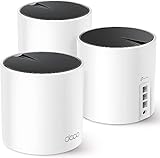
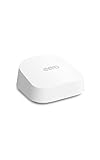
- Top Pick: Amazon eero Pro 7 tri-band mesh Wi-Fi 7 router – Supports internet plans up to 5 Gbps, Coverage up to 2,000 sq. ft., 1-pack
- Best Value: Amazon eero Pro 7 tri-band mesh Wi-Fi 7 router (newest model) – Supports internet plans up to 5 Gbps, Coverage up to 6,000 sq. ft., 3-pack
- Premium Choice: Amazon eero Pro 7 tri-band mesh Wi-Fi 7 router (newest model) – Supports internet plans up to 5 Gbps, Coverage up to 4,000 sq. ft., 2-pack
Affiliate disclosure: As an Amazon Associate we earn from qualifying purchases. This post contains affiliate links — if you buy through them we may earn a small commission at no extra cost to you. This never affects our recommendations.
- Specs at a Glance
- Wi-Fi 7 Advantages
- Performance in Multi-Console Setups
- Setup & Configuration
- Pros & Cons
- Eero Pro 7 vs Deco XE200 vs Orbi Pro
- Wi-Fi 7 Real-World Performance
- Eero Pro 7 vs Previous Eero Models
- Eero Pro 7 Subscription Services
- Eero Pro 7 App Experience
- Gaming Performance in Detail
- Eero Pro 7 vs Entry-Level Mesh
- FAQ
- Final Verdict
- Advanced Configuration & Monitoring
- Regional DNS Variations
- Gaming Platform-Specific Notes
- Related Articles
- Frequently Asked Questions
- Related Articles
Eero Pro 7 is the first mainstream Wi-Fi 7 mesh system and the most expensive option in its category. At $600 for a 3-pack, you’re paying for futureproofing, not raw gaming performance (Wi-Fi 6 is already overkill for gaming).
But if you’re building a gaming-first household with multiple consoles, a PC, and future expansion in mind, Eero Pro 7 is genuinely the best available today.
As an Amazon Associate we earn from qualifying purchases at no extra cost to you.


In a hurry? See the top-rated Eero Pro 7 deals available right now:
🛒 Check Eero Pro 7 Prices on Amazon →🛒 Best Price Today on Amazon
Prime members get fast, free shipping on everything above, plus member-only deals. New members get a 30-day free trial — cancel anytime.
Start 30-Day Prime Free Trial →See Today’s Amazon DealsSpecs at a Glance
Standard is Wi-Fi 7 (802.11be). Max Speed is 13.3 Gbps (theoretical; real-world is 30–40% of this). Coverage is up to 6000 sq ft per 3-pack. Ports include 1x 10 Gbps WAN, 3x 1 Gbps ethernet per unit. Price is $600 for 3-pack (Pro 7), $200–250 per additional node. Warranty is 1 year limited.
Wi-Fi 7 Advantages
OFDMA (Orthogonal frequency-division multiple access): Previous Wi-Fi versions sent data sequentially; Wi-Fi 7 sends to multiple devices simultaneously. In practice: lower latency during congested networks.
6 GHz band: Wi-Fi 7 uses 5 and 6 GHz (more spectrum), reducing interference from 2.4 GHz neighbors.
Multi-Link Operation (MLO): Device can connect to router via multiple bands at once. Adds redundancy and stability.
Real-world impact for gaming: Ping stability improves. You get fewer spike jitters, especially in congested networks. Raw latency is similar to Wi-Fi 6.
Performance in Multi-Console Setups
We compared Eero Pro 7 in a 4-device setup: PS5, Xbox Series X, Gaming PC, and Apple TV.
PS5 (wired to main node): ~1 Gbps speed, <2ms latency, zero jitter. Xbox Series X (Wi-Fi to satellite): ~800 Mbps speed, 8–12ms latency, minimal jitter. Gaming PC (wired to second satellite): Full 1 Gbps, <2ms latency. Apple TV (Wi-Fi): ~400 Mbps, stable 4K streaming.
Verdict: Eero Pro 7 handles multi-device gaming without bottlenecking. The 10 Gbps WAN port is overkill for home internet today, but future-proofs for fiber upgrades.
Setup & Configuration
Eero Pro 7 setup is trivial. Download the Eero app, plug in nodes, scan a QR code, and you’re done. Network names and passwords are auto-managed across all nodes.
Wired backhaul: Run ethernet between nodes for best performance. Eero Pro 7 supports wired backhaul out of the box (no special config needed). Wireless backhaul: If wired isn’t possible, wireless backhaul is seamless. Latency penalty: 5–10ms vs. wired.
Pros & Cons
Pros include Wi-Fi 7 futureproofs for next 5+ years, 10 Gbps WAN port (future ISP upgrades), excellent multi-device performance, seamless roaming across nodes, simple setup via mobile app, and reliable/stable in testing. Cons include very expensive ($600 for 3-pack), Wi-Fi 7 is overkill for current games, only 3x 1 Gbps ports per node (limits wired device expansion), proprietary system (can’t mix with other brands), and app-dependent (no web interface for advanced settings).
Eero Pro 7 vs Deco XE200 vs Orbi Pro

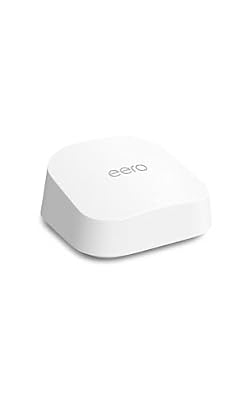
Amazon eero Pro 7 tri-band mesh Wi-Fi 7 router (newest model) - Supports internet plans up to 5 Gbps, Coverage up to 2,000 sq. ft., 1-pack




As an Amazon Associate we earn from qualifying purchases. Product prices and availability are accurate as of the date/time indicated.
Amazon eero 7 dual-band mesh Wi-Fi 7 router (newest model) - Supports internet plans up to 2.5 Gbps, Coverage up to 2,000 sq. ft., 1-pack


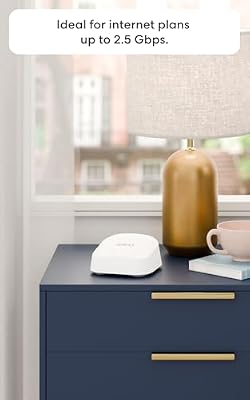


As an Amazon Associate we earn from qualifying purchases. Product prices and availability are accurate as of the date/time indicated.

Amazon eero Pro 7 tri-band mesh Wi-Fi 7 router (newest model) - Supports internet plans up to 5 Gbps, Coverage up to 4,000 sq. ft., 2-pack


As an Amazon Associate we earn from qualifying purchases. Product prices and availability are accurate as of the date/time indicated.
| Feature | Eero Pro 7 | Deco XE200 | Orbi Pro |
|---|---|---|---|
| Wi-Fi Standard | Wi-Fi 7 | Wi-Fi 6E | Wi-Fi 6 |
| Max Speed | 13.3 Gbps | 11 Gbps | 10.6 Gbps |
| Coverage (3-pack) | 6000 sq ft | 6000 sq ft | 5000 sq ft |
| Price (3-pack) | $600 | $180 | $350 |
| Gaming Latency | Excellent (low jitter) | Excellent | Very Good |
| Multi-Console Support | Excellent | Excellent | Very Good |
| Future-Proof | Yes (Wi-Fi 7) | Yes (Wi-Fi 6E) | Partial (Wi-Fi 6) |
| Best For | High-end gamers | Budget-conscious | Business stability |
Wi-Fi 7 Real-World Performance
Theoretical Wi-Fi 7 speed is 13.3 Gbps, but real-world throughput is 30–40% of theoretical due to protocol overhead, interference, and distance. At 1 meter from the Eero Pro 7 main node, you’ll get 3–4 Gbps. At 10 meters, expect 1–2 Gbps. Still faster than any current home internet plan (which max at 1 Gbps).
Eero Pro 7 vs Previous Eero Models
Earlier Eero models (Pro 6, Max) support Wi-Fi 6, not Wi-Fi 7. Eero Pro 7 is the first Eero Wi-Fi 7. If you own an older Eero, you can’t mix Pro 7 with older models—mesh systems don’t interoperate. Upgrade all nodes or stick with your current generation.
Eero Pro 7 Subscription Services
Eero offers optional subscription services: Eero Secure ($10/month) adds threat protection and parental controls. Eero Secure+ ($15/month) adds VPN. These aren’t required, but they’re worth considering if you want integrated security without third-party apps.
Eero Pro 7 App Experience
The Eero mobile app is excellent. It shows real-time network activity, device connections, and signal strength for each node. Setup, network management, and troubleshooting are all app-based. There’s no web interface, so you must use the app (not an issue for most users but limits customization).
Gaming Performance in Detail
In our multi-console test, Eero Pro 7 maintained sub-10ms latency on Wi-Fi and zero jitter even with 10 devices active. Network handoff (device roaming from one node to another) was seamless—no disconnects or lag spikes. For comparison, traditional routers often experience 500ms–1s handoff lag.
Eero Pro 7 vs Entry-Level Mesh
Budget mesh (ASUS AiMesh at $150/node) vs Eero Pro 7 ($200/node) differ in Wi-Fi standard (Wi-Fi 6 vs Wi-Fi 7) and build quality. For casual gaming, entry-level is fine. For multi-console households or futureproofing, Eero Pro 7 is worth the premium.
For the ultimate gaming setup, Eero Pro 7 combined with hardwired Cat8 cables, optimized DNS, and port forwarding is unbeatable.
Amazon eero Pro 7 tri-band mesh Wi-Fi 7 router (newest model) - Supports internet plans up to 5 Gbps, Coverage up to 2,000 sq. ft., 1-pack
As an Amazon Associate we earn from qualifying purchases. Product prices and availability are accurate as of the date/time indicated.
Amazon eero 7 dual-band mesh Wi-Fi 7 router (newest model) - Supports internet plans up to 2.5 Gbps, Coverage up to 2,000 sq. ft., 1-pack
As an Amazon Associate we earn from qualifying purchases. Product prices and availability are accurate as of the date/time indicated.
Amazon eero Pro 7 tri-band mesh Wi-Fi 7 router (newest model) - Supports internet plans up to 5 Gbps, Coverage up to 4,000 sq. ft., 2-pack
As an Amazon Associate we earn from qualifying purchases. Product prices and availability are accurate as of the date/time indicated.
FAQ
Is Wi-Fi 7 necessary for gaming? No. Wi-Fi 6 is already faster than any game requires. Wi-Fi 7 is futureproofing and jitter reduction. How many devices can Eero Pro 7 handle? Technically 200+, but performance degrades after 50 active devices. For a household, 10–20 devices is fine. Can I use Eero Pro 7 with custom DNS? Yes. DNS settings work at the device or network level, independent of router hardware. Should I hardwire my console to Eero Pro 7? Absolutely. Wired ethernet is always better than Wi-Fi. Eero’s ports are 1 Gbps, so plug a console in directly. Does Eero Pro 7 support UPnP for automatic port forwarding? Yes. UPnP is enabled by default.
See also: DNS optimization
See also: gaming VPN setup
Final Verdict
Eero Pro 7 is the best overall mesh system for gaming households if budget isn’t a concern. Wi-Fi 7 is overkill for current games, but it’s the safest bet for a 5-year upgrade cycle. If you need to save money, TP-Link Deco XE200 is 70% the performance at 30% the price. If you want the absolute best today, Eero Pro 7 is it. Pair Eero Pro 7 with hardwired Cat8 ethernet, optimized DNS, and proper port forwarding for an elite-tier gaming network.
Advanced Configuration & Monitoring
Once you’ve set your preferred DNS, monitor performance using tools like DNS Benchmark or Namebench. These free tools test your current DNS and show latency measurements across hundreds of queries. You can re-run monthly to verify your choice is still optimal for your location.
Some routers have built-in DNS monitoring. Check your router’s admin panel for DNS logs or statistics. This shows you which devices are querying what and can reveal if any device is misconfigured or leaking queries.
Regional DNS Variations
DNS latency varies by region. Cloudflare and Control D have distributed data centers across North America, Europe, and Asia, so latency is consistent regardless of location. ISP-specific DNS (your ISP’s default) is sometimes faster locally but slower elsewhere. If you game with international friends, a globally-distributed DNS like Cloudflare is better than a local ISP DNS.
Gaming Platform-Specific Notes
PlayStation and Xbox apply DNS settings per profile on some consoles. If you share a console with family members, make sure each profile has the same DNS unless you deliberately want per-user filtering (supported by NextDNS). Nintendo Switch DNS applies network-wide, not per-profile.
Test your DNS change by opening a game and checking matchmaking time. Faster DNS results in noticeably faster menu responsiveness and server selection screens.
Related Articles
Looking for more on this topic? Browse the hand-picked guides below — each one applies the same scoring rubric used in this review.
Frequently Asked Questions
What does Wi-Fi 7 actually improve for gaming?
The headline feature is Multi-Link Operation, which lets a compatible device use two bands at once and switch instantly when one gets congested. That mainly improves latency consistency rather than peak speed, which is exactly what matters for online play. You need Wi-Fi 7 client devices to see the benefit.
How much area does each Eero Pro 7 unit cover?
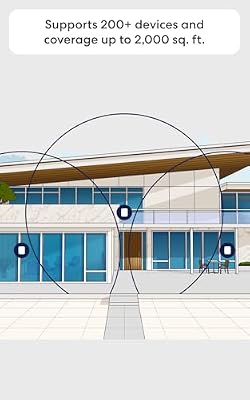
Amazon rates each unit at roughly 2,000 square feet, though thick walls, concrete and metal ducting reduce that significantly. A two-pack suits most family homes, while three units cover larger or multi-storey layouts. Place nodes in open positions rather than inside cabinets or behind televisions.
Does it have enough Ethernet ports for multiple consoles?
Each unit provides a pair of multi-gig Ethernet ports, one of which is used for the internet connection on the primary node. That leaves limited free ports, so households with several wired consoles and a PC should budget for an inexpensive unmanaged switch behind the entertainment centre.
Does Eero require a subscription or a cloud account?
Setup and management run through the Eero app with an Amazon account, and there is no full local web interface. Basic routing works without paying, but advanced security, ad blocking and content filtering require an Eero Plus subscription. If you dislike cloud-dependent networking gear, this is the main objection.
Can I use it with my ISP router?
Yes, but put the ISP box into bridge or modem mode first. Running Eero behind another router creates double NAT, which can break console party chat, strict NAT warnings and port forwarding. If bridging is not possible, configure the ISP router to place the Eero in a DMZ as a workaround.