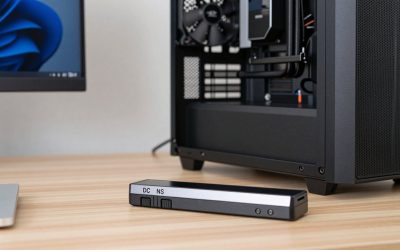
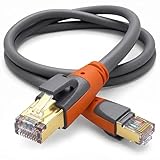
- Top Pick: UGREEN Cat 8 Ethernet Cable 15FT, High Speed Braided 40Gbps 2000Mhz Network Cord Cat8 RJ45 Shielded Indoor Heavy Duty LAN Cables Compatible with Gaming PC PS5 PS4 PS3 Xbox Modem Router 15FT
- Best Value: UGREEN Cat 8 Ethernet Cable 25FT, High Speed Braided 40Gbps 2000Mhz Network Cord Cat8 RJ45 Shielded Indoor Heavy Duty LAN Cables Compatible with Gaming PC PS5 PS4 PS3 Xbox Modem Router 25FT
- Premium Choice: Cat 8 Ethernet Cable 10ft, High Speed LAN Cables 40Gbps 2000MHz Shielded, Heavy Duty 26AWG Outdoor Indoor Cat8 RJ45 Internet Cord Compatible with Gaming PC PS5 Xbox Router Modem Office Industrial
Affiliate disclosure: As an Amazon Associate we earn from qualifying purchases. This post contains affiliate links — if you buy through them we may earn a small commission at no extra cost to you. This never affects our recommendations.
- Why Wired > Wi-Fi for Gaming
- Cat8 vs Cat6A vs Cat7: What’s the Difference?
- Best Cat8 Cables for Gaming
- Cable Specs Matter
- Installation Tips
- Gaming Setup: Wired + Router Placement
- Cat8 Cable Durability & Lifespan
- Gaming-Specific Cable Routing
- Future-Proofing Your Network
- Testing Your Cable
- Warranty & Returns
- FAQ
- Final Verdict
- Advanced Configuration & Monitoring
- Regional DNS Variations
- Gaming Platform-Specific Notes
- Related Articles
- Frequently Asked Questions
- Related Articles
Marketing loves Cat8 cables: “Up to 40 Gbps!” they scream. But for gaming, Cat8 is overkill. You’ll never saturate a 2.5 Gbps connection at home, and even then, wired is wired—latency is near-zero whether it’s Cat5e or Cat8.
As an Amazon Associate we earn from qualifying purchases.



So why this roundup? Because a quality Cat8 cable costs $15–25, lasts 5+ years, and future-proofs your setup if you ever upgrade to 2.5Gbps routers or 10Gbps infrastructure. Plus, they’re more durable than Cat6 in gaming rigs where cables get yanked around constantly.
In a hurry? See the top-rated Cat8 Ethernet Cables for Gaming deals available right now:
🛒 Check Cat8 Ethernet Cables For Gaming Prices on Amazon →🛒 Best Price Today on Amazon
Prime members get fast, free shipping on everything above, plus member-only deals. New members get a 30-day free trial — cancel anytime.
Start 30-Day Prime Free Trial →See Today’s Amazon DealsWhy Wired > Wi-Fi for Gaming
Latency from wired Ethernet is ~1ms overhead from port to port. Wi-Fi is 5–50ms depending on distance, interference, and router quality. Consistency shows Ethernet latency doesn’t fluctuate, while Wi-Fi latency spikes with microwave ovens, 2.4GHz cordless phones, and neighbors’ networks. Bandwidth means even 100 Mbps wired is sufficient for 4K streaming + gaming. Most home ISPs are 500 Mbps to 1 Gbps anyway, so you won’t benefit from Cat8’s 40 Gbps in real life. The real win of wired is consistency—your ping never spikes.
Cat8 vs Cat6A vs Cat7: What’s the Difference?
Cat5e supports 1 Gbps, is cheap, and fine for casual gaming. Most old home runs are Cat5e. Cat6 also does 1 Gbps same as Cat5e, but has slightly less crosstalk—a marginal upgrade. Cat6A supports 10 Gbps over short distances (up to 100 feet before degradation) with better shielding than Cat6. Cat7 supports 10 Gbps, heavily shielded, harder to install (requires special connectors on some variants). Cat8 supports 40 Gbps over very short distances (up to 30 feet), maximum shielding, and is overkill for gaming but durable and future-proof.
For gaming, Cat6A is genuinely sufficient. Cat8 is future-proofing and durability.
Best Cat8 Cables for Gaming
StarTech Cat8 Shielded (25 ft) offers industrial-grade shielding, gold-plated connectors, and supports 40 Gbps with zero noise interference. Vandesail Cat8 (100 ft) is a long run option at $30 for 100 feet. Mediabridge Cat8 (50 ft) is certified by Fluke at $40 for 50 feet—top-tier reliability. AmazonBasics Cat8 (25 ft) is a budget option at $12. LSZH Cat8 (custom lengths) is fire-rated outer sheath, best if your cables run in walls or near heat sources.

Orbram Cat8 Ethernet Cable 200FT, High Speed Braided 40Gbps 2000MHz Network | Bare Copper Shielded SFTP Internet Cable, Heavy Duty Flat RJ45 LAN Patch Cord-Indoor for Gaming PC Modem Router PS5


As an Amazon Associate we earn from qualifying purchases. Product prices and availability are accurate as of the date/time indicated.
Cable Specs Matter
| Cable Type | Max Speed | Typical Price (25 ft) | Best For Gaming? | Shielding |
|---|---|---|---|---|
| Cat5e | 1 Gbps | $5 | Yes, if you have it | Minimal |
| Cat6A | 10 Gbps | $12 | Yes, sufficient | Good |
| Cat8 | 40 Gbps | $20 | Yes, future-proof | Excellent |
Installation Tips
Length matters: shorter cables = less signal loss. If possible, keep runs under 100 feet. Avoid coiling your cable around itself tightly; use cable clips or sleeves to keep it organized. Separate from power cables: run your ethernet cable separately from power cords to avoid EMI (electromagnetic interference). For wall runs, use in-wall rated cable (CL3/CL2) or conduit.
Gaming Setup: Wired + Router Placement
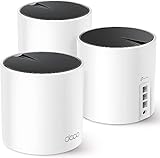
The best gaming setup: wired ethernet from a Wi-Fi 7 mesh router to your primary gaming PC or console. Backup devices (phone, tablet) use Wi-Fi. For mesh systems, some have wired nodes (ethernet backhaul). Connect your main gaming device wired; it’ll be on the fastest node.
Cat8 Cable Durability & Lifespan
Cat8 cables are built to last. Heavy shielding and quality connectors mean they survive 5–10 years of daily use without degradation. Budget Cat5e cables often fail within 2–3 years (connectors loosen, wire frays). Paying $20 for a Cat8 cable that lasts 7 years is better economics than buying three $5 cables that each last 2 years.
Cat8 cables also handle bending better. If your gaming setup requires the cable to route through tight spaces or around sharp corners, Cat8’s thicker jacket resists damage. Gaming rigs often suffer cable damage from desk movement or accidental yanking; Cat8’s durability saves replacement hassle.
Gaming-Specific Cable Routing
Run your Cat8 cable from the wall ethernet jack (or router) directly to your gaming PC or console. Avoid coiling the cable around itself, which increases crosstalk. Use cable clips or channels to keep the cable organized. Avoid running ethernet parallel to power cables—EMI (electromagnetic interference) from power can degrade signal.
In larger homes, you might run ethernet through walls to avoid visible cables. Use in-wall rated Cat8 cable (marked CL3 or CL2 on the jacket) for fire safety. Standard Cat8 is fine for above-ground runs.
Future-Proofing Your Network
Gigabit home internet (1 Gbps) is standard today, but 2.5 Gbps and 10 Gbps home plans are rolling out in fiber-served areas. If you buy Cat6A today and fiber becomes available, you’ll need to upgrade cables. Cat8 is ready for 40 Gbps, so you’re future-proof for decades. The $5–10 extra cost is worth the peace of mind.
Testing Your Cable
Most consumer devices can’t saturate Cat8, so you can’t really “test” if your Cat8 cable works at 40 Gbps at home. But you can test if it works at gigabit speeds: connect to your router via the Cat8 cable, run a speed test, and verify you get close to your ISP’s rated speed. If you’re getting only 50% of expected speed, the cable or connection is degraded.
Warranty & Returns
Quality Cat8 cables (StarTech, Mediabridge) come with lifetime warranties. If the cable fails, you can return it free. Budget cables often have 30-day warranties. The lifetime warranty is worth it alone—you’ll never pay for a replacement.
Combine a high-quality Cat8 cable with mesh routers and optimized DNS for a rock-solid gaming network.
Orbram Cat8 Ethernet Cable 200FT, High Speed Braided 40Gbps 2000MHz Network | Bare Copper Shielded SFTP Internet Cable, Heavy Duty Flat RJ45 LAN Patch Cord-Indoor for Gaming PC Modem Router PS5
As an Amazon Associate we earn from qualifying purchases. Product prices and availability are accurate as of the date/time indicated.
FAQ
Will a Cat8 cable reduce my ping? No. Ping is determined by your ISP connection and game server distance. Wired vs Wi-Fi might save 5–30ms, but Cat8 vs Cat6 saves maybe 0–1ms (imperceptible). Do I need Cat8 if my router is only 1 Gbps? No, but future-proofing is cheap at $20. If you upgrade to a 2.5 Gbps router in 2 years, the Cat8 cable is ready. Can I use a 300-foot run of Cat8? Not recommended. Ethernet degrades over distance. Keep runs under 100 feet for 10+ Gbps, under 328 feet for 1 Gbps. Should I pair Cat8 with optimized DNS settings? Absolutely. Wired + good DNS = minimal network latency. Add port forwarding for peer-to-peer games.
See also: gaming DNS optimization
See also: Control D DNS filtering
Final Verdict
For gaming, Cat6A or Cat8 are both solid. Cat8 is the safe bet if you want future-proofing and maximum durability for $20. Go wired to your primary gaming device; Wi-Fi for everything else. Pair your cable with a low-latency mesh router and optimized DNS for the full effect.
Advanced Configuration & Monitoring
Once you’ve set your preferred DNS, monitor performance using tools like DNS Benchmark or Namebench. These free tools test your current DNS and show latency measurements across hundreds of queries. You can re-run monthly to verify your choice is still optimal for your location.
Some routers have built-in DNS monitoring. Check your router’s admin panel for DNS logs or statistics. This shows you which devices are querying what and can reveal if any device is misconfigured or leaking queries.
Regional DNS Variations
DNS latency varies by region. Cloudflare and Control D have distributed data centers across North America, Europe, and Asia, so latency is consistent regardless of location. ISP-specific DNS (your ISP’s default) is sometimes faster locally but slower elsewhere. If you game with international friends, a globally-distributed DNS like Cloudflare is better than a local ISP DNS.
Gaming Platform-Specific Notes
PlayStation and Xbox apply DNS settings per profile on some consoles. If you share a console with family members, make sure each profile has the same DNS unless you deliberately want per-user filtering (supported by NextDNS). Nintendo Switch DNS applies network-wide, not per-profile.
Test your DNS change by opening a game and checking matchmaking time. Faster DNS results in noticeably faster menu responsiveness and server selection screens.
Related Articles
Looking for more on this topic? Browse the hand-picked guides below — each one applies the same scoring rubric used in this review.
Frequently Asked Questions
Does Cat8 actually improve gaming performance over Cat6?
For a normal home connection, no. Cat6 already carries a gigabit comfortably over any household run, and games use a tiny fraction of that. Cat8 exists for 25 and 40 gigabit data centre links. Buying it for gaming buys headroom you will not use, not lower ping.
What cable should I buy for a gaming PC then?
Cat6 or Cat6a covers everything a home network will do for years, including multi-gigabit internet. Spend the difference on a well-made cable with solid copper conductors and proper strain relief rather than on a higher category number, since build quality causes far more real-world faults than bandwidth class.
Is copper-clad aluminium acceptable?
Avoid it. CCA cable is cheaper but has higher resistance, is brittle at the terminations, and fails Power over Ethernet loads. Look for cable explicitly marked as bare or solid copper. This single specification matters more than the Cat rating printed on the jacket.
Do I need shielded cable at home?
Only if the run passes close to mains wiring, fluorescent lighting, or motors. Shielded cable also requires properly grounded ports at both ends to work as intended, and an ungrounded shield can act as an antenna. Unshielded cable is the safer default in a typical house.
Does cable length affect latency?
Signal travels through copper at roughly two-thirds the speed of light, so a thirty metre run adds well under a microsecond. That is thousands of times smaller than any effect you could perceive. Buy the length that reaches without strain and stay under the hundred metre standard limit.