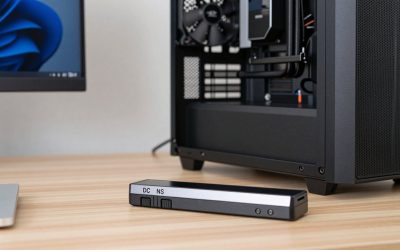
- Top Pick: ARRIS Surfboard G34 DOCSIS 3.1 Cable Modem & Wi-Fi 6 Router | AX3000
- Best Value: NETGEAR Nighthawk Modem Router Combo (CAX30) DOCSIS 3.1 Cable Modem and WiFi 6 Router – AX2700 2.7 Gbps – Compatible with Xfinity, Spectrum, Cox, and More – Gigabit Wireless Internet
- Premium Choice: NETGEAR Nighthawk Cable Modem and WiFi 5 Router Combo (C7000) – Compatible with Major Cable Providers incl. Xfinity & Cox – Cable Plans up to 800Mbps – AC1900 (Up to 1.9Gbps) – DOCSIS 3.0 (Renewed)
Affiliate disclosure: As an Amazon Associate we earn from qualifying purchases. This post contains affiliate links — if you buy through them we may earn a small commission at no extra cost to you. This never affects our recommendations.
Quick Answer
A modem connects your home to your ISP’s network. A router distributes that internet connection to your devices via WiFi or Ethernet. Most homes need both. Cable internet users often rent a combo unit from their ISP — but buying your own modem and a separate gaming router almost always delivers better performance and saves money long-term.
If you’ve ever stared at the devices next to your TV wondering which box does what, you’re not alone. The terms “modem” and “router” get used interchangeably, but they serve completely different functions — and understanding the difference helps you make smarter buying decisions, troubleshoot faster, and build a better network for gaming.
This guide explains exactly what each device does, when you need one or both, and which combinations make the most sense for gamers in 2026.
In a hurry? See the top-rated Modem vs Router deals available right now:
🛒 Check Modem Vs Router Prices on Amazon →🛒 Best Price Today on Amazon
Prime members get fast, free shipping on everything above, plus member-only deals. New members get a 30-day free trial — cancel anytime.
Start 30-Day Prime Free Trial →See Today’s Amazon DealsWhat Is a Modem?
A modem (short for modulator-demodulator) is the device that translates your ISP’s signal into a format your home network can use. Your ISP sends data over cable lines, fiber optics, DSL phone lines, or satellite connections. The modem receives that signal and converts it into standard Ethernet data your devices understand.
Without a modem, there is no internet connection — full stop. Plug a laptop directly into a modem via Ethernet and you get one device online. That’s it. The modem doesn’t share or distribute the connection; it just creates it.
Types of Modems
- DOCSIS modems — used for cable internet (Xfinity, Cox, Spectrum). DOCSIS 3.1 is the current standard in 2026, supporting gigabit speeds.
- DSL modems — used for phone-line internet. Less common in 2026 but still present in rural areas.
- Fiber ONT — fiber internet (AT&T Fiber, Google Fiber) uses an Optical Network Terminal rather than a traditional modem. The ONT is usually installed by the ISP and rarely purchased separately.
What Is a Router?
A router takes the single internet connection from your modem and distributes it to multiple devices — via WiFi and/or Ethernet ports. It manages local network traffic, assigns IP addresses to your devices (DHCP), and handles network security via its built-in firewall.
A router without a modem has no internet access — it can only create a local network between your devices. Plug a laptop directly into a router without a modem connected and you get no internet, just a local network.
What Makes a Gaming Router Different?
Gaming routers add features like QoS (prioritizing game traffic over downloads), port aggregation, advanced firmware controls, and sometimes dedicated gaming acceleration features. They’re still routers — they just have more tools for managing low-latency use cases.
Key Differences: Modem vs Router
| Feature | Modem | Router |
|---|---|---|
| Connects to ISP | Yes | No |
| Distributes WiFi | No | Yes |
| Multiple device support | No (1 device) | Yes (unlimited) |
| Assigns local IP addresses | No | Yes (DHCP) |
| Firewall / security | Minimal | Yes |
| QoS / traffic prioritization | No | Yes (on gaming routers) |
When Do You Need Both?
If you have cable internet (Xfinity, Cox, Spectrum, etc.), you need both a modem and a router. Your ISP provides a cable signal; the modem converts it; the router distributes it. Using the ISP’s rental modem/router combo costs $10–$20/month — over $240/year. Buying your own modem ($80–$120) and a quality gaming router ($150–$300) pays for itself within 12–18 months and performs better.
When Might You Need Only One?
Fiber internet users often receive an ONT from their ISP that handles the modem function. In this case, you connect your router directly to the ONT — no separate modem purchase needed. Apartment or dorm residents with building-wide internet may also plug directly into a wall Ethernet port, requiring only a router (or even just a WiFi access point).
Combo Units — Gateway Routers
Many ISPs rent “gateway” devices that combine a modem and router in one unit. These are convenient but typically offer mediocre router performance — especially for gaming. The QoS features, WiFi speeds, and LAN port quality rarely match dedicated devices. If gaming performance matters, replace the rental gateway with your own modem + a dedicated gaming router. Your ISP’s support line may push back, but it’s your right as a customer.
Recommended Products for Gamers
Whether you need a standalone gaming router to pair with your existing modem, or you’re building out a complete networking setup from scratch, these are the devices we recommend in 2026:
As an Amazon Associate we earn from qualifying purchases at no extra cost to you.




Our Networking Picks Explained
- ASUS RT-AX88U Pro — Our top standalone gaming router recommendation. Pair it with a DOCSIS 3.1 modem for cable internet setups. Eight LAN ports, WiFi 6, and excellent QoS features.
- TP-Link RE700X — If you need to extend coverage to your gaming room and can’t run a cable, the RE700X is the best WiFi 6 extender available. Always use the Ethernet port to hardwire your gaming device.
- Netgear Nighthawk RAX80 — Strong WiFi 6 router for larger homes. Pair with a compatible DOCSIS 3.1 modem if you’re on cable internet.
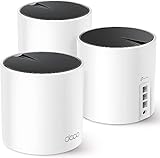
- TP-Link Deco XE75 — If your home is large and dead zones are widespread, this WiFi 6E mesh system replaces both your router and any extenders. Each node has a 2.5G port.
- TP-Link Archer AX6000 — Best value gaming router. Budget-friendly WiFi 6 performance that outperforms ISP-provided equipment by a wide margin.
FAQ
Can I use a router without a modem?
Yes, but you won’t have internet access — only a local network between connected devices. The only exception is if your internet comes through a different device (like a fiber ONT or a building’s Ethernet port), in which case you connect your router directly to that instead of a modem.
Can I use a modem without a router?
Yes — you can plug one device directly into a modem via Ethernet. This works for a single computer. But you can’t share the connection with other devices and have no WiFi. Not practical for a gaming household with multiple devices.
Is a modem/router combo unit good enough for gaming?
ISP-provided combo units are rarely good for gaming. They typically lack proper QoS, have limited WiFi range, and use older chipsets. Buying a dedicated gaming router and pairing it with your own DOCSIS 3.1 modem almost always improves ping consistency and throughput. The modem rental fee you save ($10–$20/month) helps offset the upfront cost.
What DOCSIS version modem should I buy in 2026?
DOCSIS 3.1 is the right choice for cable internet in 2026. It supports gigabit speeds and is compatible with all major cable ISPs. Avoid DOCSIS 3.0 modems — they cap out at lower speeds and are being phased out. Check your ISP’s approved modem list before purchasing to confirm compatibility.
Do fiber internet customers need a modem?
Typically no. Fiber ISPs (AT&T Fiber, Google Fiber, Verizon Fios) install an ONT (Optical Network Terminal) that acts as the modem equivalent. You connect your own router to the ONT’s Ethernet port. You own the router; the ISP owns and maintains the ONT. Check with your specific provider as setups vary.
Final Verdict
The bottom line: your modem gets you online; your router shares that connection. For gaming, invest in a quality dedicated gaming router and pair it with a DOCSIS 3.1 modem if you’re on cable internet. Skip the ISP’s rental unit — you’ll get better performance and pay less over time. If you’re on fiber, just grab a solid gaming router and plug it into your provider’s ONT. The networking recommendations above cover every budget and home size.
Related Articles
Looking for more on this topic? Browse the hand-picked guides below — each one applies the same scoring rubric used in this review.
Frequently Asked Questions
What is the actual difference between a modem and a router?
A modem translates the signal from your internet provider, whether cable, DSL or fibre, into standard Ethernet. A router takes that single connection and shares it among your devices, assigns local addresses, runs the firewall and broadcasts WiFi. The modem connects you to the internet; the router builds and manages your home network.
Do I need both devices?
You need both functions, though they are often combined in one box. If your provider supplies a gateway that includes both, a separate router is optional. Connecting a single computer directly to a modem works but leaves you without WiFi, without a proper firewall and unable to add a second device.
Should I buy my own equipment or rent from the provider?
Rental fees of $10 to $15 a month add up to well over $300 across two years, so buying usually pays for itself within about a year. Buying also gets you better WiFi hardware and faster security updates. Check your provider approved device list first, and confirm you can still get support after switching.
Does fibre internet need a modem?
Fibre uses an optical network terminal supplied by the provider, which performs the same translation role a modem does for cable. You still need a router behind it, and many providers supply a combined ONT and router unit. In some deployments you can put that unit into bridge mode and use your own router.
Will a better router increase my internet speed?
It cannot exceed the speed your provider delivers, but it can remove bottlenecks. If your old router only has 100Mbps ports or older WiFi standards, upgrading unlocks the full plan speed over wireless. A better router also improves coverage, handles more simultaneous devices and reduces latency spikes through modern queue management.