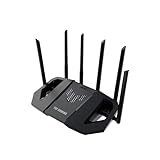
- Top Pick: ASUS TUF Gaming BE6500 WiFi 7 Router – Dual-Band, Up to 6.5 Gbps Wireless, Game Accelerator, Multi-Link Operation (MLO), (x4) 2.5GbE Ports, Mesh + VPN Compatible, & Subscription-Free Network Security
- Best Value: TP-Link BE6500 Dual-Band WiFi 7 Router (BE400)
- Premium Choice: TP-Link AXE5400 Tri-Band WiFi 6E Router, 2025 PCMag Editors' Choice
Affiliate disclosure: As an Amazon Associate we earn from qualifying purchases. This post contains affiliate links — if you buy through them we may earn a small commission at no extra cost to you. This never affects our recommendations.
Quick Answer
The ASUS ROG Rapture GT-AX6000 is our top pick for serious gamers — it delivers class-leading speeds, dedicated gaming features like Adaptive QoS and VPN Fusion, and rock-solid stability. If you want a mesh system, the TP-Link Deco XE75 covers large homes without sacrificing speed.
A sluggish router is one of the most frustrating bottlenecks in a gaming setup. Dropped packets, inconsistent ping, and weak signal from the other room all kill your competitive edge. The right gaming router prioritizes your game traffic, delivers fast throughput on both bands, and holds a stable signal under heavy network load. We compared and researched the best options on the market in 2026 to save you the headache.
Whether you play competitive shooters where every millisecond counts or open-world MMOs that demand sustained throughput, there’s a router on this list that fits your setup and budget.
In a hurry? See the top-rated WiFi Routers for Gaming deals available right now:
🛒 Check Wifi Routers For Gaming Prices on Amazon →🛒 Best Price Today on Amazon
Prime members get fast, free shipping on everything above, plus member-only deals. New members get a 30-day free trial — cancel anytime.
Start 30-Day Prime Free Trial →See Today’s Amazon DealsTop Picks at a Glance
| Router | Standard | Max Speed | Best For |
|---|---|---|---|
| ASUS ROG Rapture GT-AX6000 | WiFi 6 | 6000 Mbps | Serious/competitive gamers |
| ASUS RT-AX88U Pro | WiFi 6 | 6000 Mbps | Power users on a budget |
| TP-Link Archer AX6000 | WiFi 6 | 6000 Mbps | Value pick with great range |
| Netgear Nighthawk RAX80 | WiFi 6 | 6000 Mbps | Large homes, multi-device |
| TP-Link Deco XE75 | WiFi 6E | 5400 Mbps | Whole-home mesh coverage |
As an Amazon Associate we earn from qualifying purchases at no extra cost to you.


ASUS ROG Rapture GT-AX6000 — Best Overall Gaming Router
- Dual 2.5G ports plus 8 Gigabit LAN ports give you maximum wired flexibility for consoles, PCs, and switches
- Game Acceleration powered by ASUS Adaptive QoS automatically prioritizes game traffic over streaming and downloads
- VPN Fusion lets you run a VPN and normal internet connection simultaneously — great for privacy without sacrificing gaming performance
- 160 MHz channel support on the 5 GHz band delivers real-world speeds well above entry-level WiFi 6 routers
- AURA RGB lighting is a bonus for matching your gaming battlestation aesthetic
ASUS RT-AX88U Pro — Best Value High-Performance Router
- 8 Gigabit LAN ports make it one of the most port-rich routers in its class — ideal if you wire multiple devices
- ASUS AiProtection Pro (powered by Trend Micro) provides network-level security at no subscription cost
- Adaptive QoS ensures game packets are prioritized even when other household members are streaming 4K video
- 2.5G WAN port future-proofs you for multi-gig ISP plans becoming mainstream in 2026
- Solid build quality and ASUS’s consistently reliable firmware with regular security updates
TP-Link Archer AX6000 — Best Budget WiFi 6 Gaming Router
- Eight external antennas and beamforming technology deliver strong signal throughout medium to large homes
- 1.8 GHz quad-core processor handles heavy network loads without slowdowns during peak hours
- HomeShield security suite offers basic protection on the free tier — good enough for most gaming households
- USB 3.0 and USB 2.0 ports for network-attached storage or printer sharing
- Consistent real-world speeds at competitive pricing make this the go-to value pick
Netgear Nighthawk RAX80 — Best for Large Homes
- Eight high-performance antennas deliver reliable coverage up to 2,500 sq ft — excellent for two-story homes
- Dedicated 5 GHz band keeps gaming traffic isolated from congested 2.4 GHz IoT devices
- Nighthawk app makes setup and parental controls straightforward even for non-technical users
- MU-MIMO and OFDMA handle multiple simultaneous gaming sessions without noticeable degradation
- Compatible with Netgear Armor (Bitdefender-powered) for additional network security
TP-Link Deco XE75 — Best Mesh System for Gaming
- WiFi 6E tri-band system uses the uncongested 6 GHz band as a dedicated backhaul — eliminates the speed penalty common in older mesh systems
- Whole-home coverage up to 5,700 sq ft (3-pack) ensures full-speed gaming anywhere in the house
- Each node includes 2.5G WAN/LAN ports for fast wired backhaul or direct console connections
- TP-Link HomeCare offers built-in antivirus, QoS, and parental controls with no additional subscription
- Seamless roaming means no drop in connection as you move between rooms — ideal for mobile gaming on laptops
Buying Guide: How to Choose the Best Gaming Router
WiFi 6 vs WiFi 6E — Do You Actually Need 6E?
WiFi 6 (802.11ax) is the sweet spot for most gamers in 2026. It delivers low latency, high throughput, and broad device compatibility. WiFi 6E adds access to the 6 GHz spectrum, which is almost completely free of interference — a real advantage in dense apartment buildings. If you live in a crowded wireless environment or are building a mesh system, 6E is worth the premium. For most single-family homes, WiFi 6 performs excellently and costs less.
QoS and Game Traffic Prioritization
Quality of Service (QoS) settings let your router prioritize game packets over background downloads, video calls, and streaming. Look for routers with Adaptive QoS or dedicated gaming modes that detect game traffic automatically rather than requiring manual port configuration. ASUS routers handle this especially well with their built-in game acceleration features.
Wired vs Wireless — Always Prefer Ethernet for Competitive Gaming
No WiFi router eliminates the slight variability introduced by wireless transmission. If your gaming PC or console is near your router, run an Ethernet cable. Reserve WiFi for devices where cabling isn’t practical. When you do need WiFi for gaming, 5 GHz always beats 2.4 GHz for latency and throughput — ensure your router supports band steering or manually connect to 5 GHz.
Mesh vs Single Router — Which Setup Is Right for You?
A single high-performance router covers most apartments and smaller homes. If you game in a room far from your router or your home exceeds 2,000 sq ft, dead zones become a real problem. A mesh system like the TP-Link Deco XE75 places multiple nodes throughout your home and uses a dedicated backhaul band so your gaming traffic isn’t competing with the mesh’s own communication. For large homes, a quality mesh system consistently outperforms a single powerful router with range extenders.

FAQ
Does a gaming router actually reduce ping?
A gaming router cannot reduce ping caused by distance to game servers — that’s determined by your ISP and server location. What gaming routers do is reduce local network latency and prioritize game traffic so your ping stays consistent rather than spiking during heavy household network use. If your ping spikes when someone else starts streaming Netflix, a router with solid QoS will fix that.
How much should I spend on a gaming router?
In 2026, a solid gaming router runs $150–$350. Routers below $100 rarely offer reliable QoS or consistent performance under load. Above $350, you’re mostly paying for extreme max speeds (useful only with multi-gig ISP plans) and RGB aesthetics. The $200–$300 range hits the best performance-per-dollar sweet spot for most gamers.
Is WiFi 6 good enough for gaming in 2026?
Yes. WiFi 6 handles even the most demanding gaming use cases comfortably. Its OFDMA and MU-MIMO features reduce latency and improve performance when multiple devices are connected simultaneously. Unless you’re in a very congested RF environment, WiFi 6 is all you need.

Should I get a mesh system or a single powerful router?
Get a single router if your gaming space is within 60 feet of the router and your home is under 2,000 sq ft. Go mesh if you game in a far room, have thick walls, or need coverage across multiple floors. A WiFi 6E mesh with dedicated backhaul (like the Deco XE75) eliminates the performance penalty of older mesh systems.
Does it matter how many LAN ports a gaming router has?
Yes, if you wire multiple devices. A gaming router with 8 LAN ports lets you directly connect your PC, console, smart TV, and NAS without needing a separate network switch. If you only wire one or two devices, port count matters less. Check for 2.5G ports if your ISP delivers speeds above 1 Gbps.
Final Verdict
For competitive gamers who want the best performance available, the ASUS ROG Rapture GT-AX6000 is the clear winner — its game acceleration features, dual 2.5G ports, and rock-solid ASUS firmware make it the most complete gaming router in 2026. On a tighter budget, the ASUS RT-AX88U Pro delivers nearly identical performance and features for less. If you need whole-home coverage, skip the single router and go straight to the TP-Link Deco XE75 mesh system — it’s the cleanest solution for large spaces.

Related Articles
Looking for more on this topic? Browse the hand-picked guides below — each one applies the same scoring rubric used in this review.
Frequently Asked Questions
Do I need WiFi 6, 6E or 7?
WiFi 6 is sufficient for most homes and is the value choice. WiFi 6E adds the clean 6GHz band, which is genuinely useful in apartments where the 5GHz band is congested. WiFi 7 adds wider channels and multi-link operation that reduces latency spikes, but only helps if your device also supports it.
Does a gaming router actually reduce ping?
It cannot shorten the physical distance to the game server, so base ping is unchanged. What a good router does is reduce latency under load: quality of service and smart queue management stop a large download or a 4K stream from adding 100 milliseconds of buffer bloat to your game traffic. That is a real improvement.
Are gaming-branded features worth paying for?
Mixed. Effective QoS, per-device prioritisation and modern queue management such as fq_codel or CAKE are genuinely valuable. Marketing features like game-optimised VPN routing and geo-filtering rarely help and sometimes hurt by forcing traffic through distant servers. Prioritise hardware quality, radio count and firmware update record over the gaming label.
How important are the wired ports?
Very, if you game on a desktop or console. A 2.5Gbps WAN port matters only if your plan exceeds gigabit, but at least one 2.5Gbps LAN port is useful for a NAS or a fast PC. Confirm the router has enough gigabit ports, since some mesh units provide only one or two.
How do I get good coverage in a large house?
One powerful router placed centrally and elevated beats several poorly placed units. Beyond about 2000 square feet or across multiple floors, a two or three node mesh with wired or dedicated wireless backhaul is the better answer. Wherever possible, run Ethernet to each node, which turns mesh into effectively wired access points.