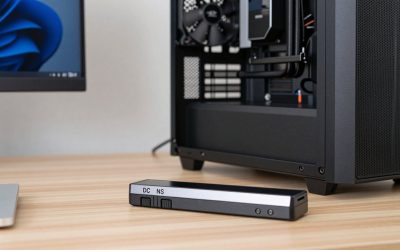
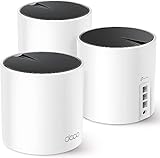
- Top Pick: GL.iNet GL-MT6000 Flint 2 Wi-Fi 6 Gaming Router Dual 2.5G Ports
- Best Value: TP-Link BE6500 Dual-Band WiFi 7 Router (BE400)
- Premium Choice: ASUS TUF Gaming BE6500 WiFi 7 Router – Dual-Band, Up to 6.5 Gbps Wireless, Game Accelerator, Multi-Link Operation (MLO), (x4) 2.5GbE Ports, Mesh + VPN Compatible, & Subscription-Free Network Security
Affiliate disclosure: As an Amazon Associate we earn from qualifying purchases. This post contains affiliate links — if you buy through them we may earn a small commission at no extra cost to you. This never affects our recommendations.
Online gaming is ruthlessly unforgiving of network latency. A ping spike from 20ms to 150ms in a competitive match is the difference between landing a shot and dying to an opponent whose connection was simply more stable. In 2025, the right gaming router isn’t about raw speed — most home connections don’t saturate even entry-level modern routers. What matters is latency consistency, QoS (Quality of Service) prioritization that keeps gaming traffic ahead of 4K streaming and smart home devices, and reliable signal stability across gaming sessions that run for hours.
WiFi 6 (802.11ax) has become the standard for gaming wireless connections in 2025. OFDMA and MU-MIMO technology dramatically reduce latency on congested networks — a critical advantage in apartments and dense neighborhoods where dozens of competing networks interfere with older WiFi standards. Whether you need a single gaming router, a travel solution for hotel gaming, or a mesh system that covers every room of your house, the picks below represent the best networking options for low-latency gaming this year.
In a hurry? See the top-rated Gaming Routers for Low Latency deals available right now:
🛒 Check Gaming Routers For Low Latency Prices on Amazon →🛒 Best Price Today on Amazon
Prime members get fast, free shipping on everything above, plus member-only deals. New members get a 30-day free trial — cancel anytime.
Start 30-Day Prime Free Trial →See Today’s Amazon DealsTop Picks at a Glance
| Router / Extender | Standard | Coverage | Best For |
|---|---|---|---|
| HYPEREV AX3000 Gaming Router | WiFi 6 | Single room–apartment | Best budget gaming router |
| GL.iNet GL-SFT1200 Travel Router | WiFi 5 | Hotel room / travel | Best travel gaming router |
| TP-Link AX1500 WiFi 6 Extender | WiFi 6 | Extends existing network | Best WiFi 6 range extender |
| TP-Link Deco WiFi 6 Mesh | WiFi 6 | Up to 4,000 sq ft | Best mesh for whole-home gaming |
| TP-Link RE615X AX1800 Extender | WiFi 6 | Extends existing network | Best mid-range WiFi 6 extender |
As an Amazon Associate we earn from qualifying purchases at no extra cost to you.


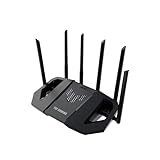





HYPEREV AX3000 Gaming Router — Best Budget Gaming Router for Low Latency
The HYPEREV AX3000 punches well above its around $39 price tag with dedicated gaming QoS, AX3000 dual-band WiFi 6, and a low-latency mode that deprioritizes background traffic during active gaming sessions. Setup is straightforward via a mobile app, and the router’s beamforming technology maintains stable signal to connected gaming devices. For apartment dwellers or single-room gaming setups, this is the most cost-effective path to genuine WiFi 6 gaming performance without complex configuration.
- Pros: Gaming QoS built-in, AX3000 WiFi 6, sub-$40 price, simple setup, low-latency mode
- Cons: Limited coverage for larger homes, no tri-band, basic parental controls
GL.iNet GL-SFT1200 Travel Router — Best Travel Gaming Router
The GL.iNet GL-SFT1200 is purpose-built for gamers on the move. It converts hotel Ethernet or captive portal WiFi into a private gaming network, dramatically reducing the latency and instability associated with shared hotel networks. OpenWrt-based firmware allows VPN tunneling for geo-unblocking game servers, and the compact form factor fits in any laptop bag. At around $39 it’s an essential accessory for any gamer who travels regularly and can’t tolerate hotel WiFi lag spikes during competitive play.
- Pros: Travel-sized, VPN support, hotel Ethernet/WiFi conversion, OpenWrt flexibility, private network
- Cons: WiFi 5 (not WiFi 6), limited range, not suitable as a primary home router
TP-Link AX1500 WiFi 6 Extender — Best Entry WiFi 6 Range Extender
If your existing router doesn’t reach your gaming room cleanly, the TP-Link AX1500 WiFi 6 extender solves the problem without replacing your entire network infrastructure. AX1500 speeds are sufficient for gaming at any broadband connection speed, and WiFi 6’s OFDMA reduces latency even when other household devices are streaming simultaneously. At around $49, it’s the lowest-cost entry into WiFi 6 extended coverage and meaningfully outperforms older WiFi 5 extenders in congested RF environments.

- Pros: WiFi 6 upgrade path, affordable, easy TP-Link app setup, reduces congestion vs. WiFi 5
- Cons: Extender introduces additional wireless hop, AX1500 is entry-level WiFi 6, not a router replacement
TP-Link Deco WiFi 6 Mesh System — Best Whole-Home Gaming Coverage
The TP-Link Deco WiFi 6 mesh system eliminates the dead zones and roaming handoff lag that plague traditional router-extender setups. Multiple Deco nodes create a unified network where your gaming device seamlessly transitions between access points without dropping connection. The system covers up to 4,000 sq ft — enough for most homes — and TP-Link’s HomeCare QoS keeps gaming traffic prioritized across every node. At around $69 for the base pack it’s an accessible entry into true mesh networking for gamers.
- Pros: Seamless whole-home coverage, gaming QoS, expandable with additional Deco nodes, easy app management
- Cons: Mesh adds minor latency vs. direct wired connection, base pack may need additional nodes for very large homes
TP-Link RE615X AX1800 WiFi 6 Extender — Best Mid-Range WiFi 6 Extender
The TP-Link RE615X steps up from the AX1500 with AX1800 speeds and a more robust internal antenna configuration that provides better wall penetration and range extension. Dual-band WiFi 6 handles simultaneous gaming and 4K streaming without the bandwidth contention that plagued older extenders. The OneMesh compatibility with TP-Link routers allows seamless roaming. At around $69 it’s the right extender for mid-to-large homes where the AX1500 might fall short.
- Pros: AX1800 WiFi 6, OneMesh support, strong wall penetration, handles simultaneous gaming and streaming
- Cons: Same wireless hop limitation as all extenders, requires existing TP-Link router for OneMesh
Buying Guide
Why WiFi 6 Matters for Gaming Latency
WiFi 6 (802.11ax) introduced OFDMA — Orthogonal Frequency Division Multiple Access — which allows a single router to communicate with multiple devices simultaneously on the same channel. For gaming, this means your router is no longer forced to “take turns” between your gaming PC, your roommate’s 4K Netflix stream, and your smart TV’s background updates. Each device gets its own sub-channel slice, and gaming packets are transmitted with minimal queue delay even when total network utilization is high.

The practical result: WiFi 6 gaming connections in busy households maintain consistently lower latency than WiFi 5 connections in the same environment. If you live alone with a single gaming device, the difference is smaller. In households with four or more connected devices actively in use, WiFi 6 makes a meaningful and measurable difference in ping stability.
Wired vs. Wireless: When to Plug In
Ethernet remains the gold standard for competitive gaming. A direct Cat6 connection to your router eliminates wireless interference, multipath fading, and the small but real latency added by WiFi radio processing. If you’re within cable distance of your router, plug in. The HYPEREV AX3000 and TP-Link Deco both provide Gigabit Ethernet ports specifically for gaming devices that benefit from wired priority even within a wireless network infrastructure.
QoS: The Real Gaming Differentiator
Quality of Service settings allow your router to prioritize game traffic over other household bandwidth consumption. Without QoS, a family member starting a 4K video download can spike your latency mid-match. Gaming-focused routers like the HYPEREV AX3000 implement automatic QoS that detects gaming traffic patterns and queues them ahead of bulk transfers. Even on routers without dedicated gaming QoS, manually configuring device priority for your gaming PC’s MAC address provides a significant stability improvement.

Mesh Systems vs. Single Routers
Single routers are optimal when your gaming setup is close to your modem. Mesh systems become necessary in homes over 2,000 sq ft, multi-story buildings, or any layout where thick walls create dead zones. The TP-Link Deco WiFi 6 system’s seamless roaming is particularly valuable for living room console gaming where you might carry a device from room to room — unlike traditional extender setups, mesh systems hand off connections without dropping and reconnecting.
Travel Gaming: Don’t Overlook the GL.iNet
Hotel and conference WiFi is among the worst networking environments for gaming: high user density, aggressive content filtering, captive portals that interrupt game clients, and massive shared latency. The GL.iNet GL-SFT1200’s ability to connect to hotel Ethernet, create a private SSID, and route traffic through a VPN resolves all of these issues simultaneously. It’s a around $39 solution to a problem that ruins gaming sessions for traveling professionals and esports competitors alike.
Frequently Asked Questions
Does a gaming router actually reduce ping?
A gaming router with QoS can reduce ping spikes caused by competing network traffic in your home, but it cannot reduce the base latency between you and the game server — that’s determined by your ISP and server location. In a household with multiple active users, a gaming router with proper QoS can meaningfully reduce mid-session lag spikes. In a single-user home with fast broadband, the improvement is smaller but still benefits from WiFi 6’s reduced wireless latency.
Is WiFi 6 or WiFi 6E better for gaming?
WiFi 6E adds a 6GHz band that offers lower congestion in dense environments, but requires WiFi 6E-compatible devices to take advantage of it. For most gaming setups in 2025, standard WiFi 6 on the 5GHz band delivers excellent performance at lower cost. WiFi 6E becomes worthwhile in extremely dense apartment buildings where the 5GHz band is heavily saturated by competing networks.
Can a WiFi extender cause gaming lag?
Yes — a poorly placed extender or one running older WiFi standards can add latency through the additional wireless hop between device, extender, and router. WiFi 6 extenders like the TP-Link AX1500 and RE615X minimize this overhead, and placing the extender with a strong signal from the main router (rather than at the very edge of coverage) reduces hop latency. Wired backhaul — connecting the extender to the router via Ethernet — eliminates the wireless hop entirely if cabling is possible.
What internet speed do I need for online gaming?
Online gaming itself requires very little bandwidth — typically 3–25 Mbps depending on the game and resolution of any game streaming. The real networking requirement for gaming is low, consistent latency (under 50ms to the game server) and jitter below 5ms. A fast 1Gbps connection with poor QoS and WiFi congestion will perform worse in gaming than a 100Mbps connection with proper router configuration and a stable wired or WiFi 6 connection.
Verdict
For most gamers on a budget, the HYPEREV AX3000 delivers genuine WiFi 6 gaming performance with QoS at around $39 — the strongest value on this list. Gamers in larger homes should invest in the TP-Link Deco WiFi 6 mesh system for seamless coverage without dead zones. Frequent travelers will find the GL.iNet GL-SFT1200 indispensable for reliable hotel gaming. Whatever your setup, upgrading to WiFi 6 networking in 2025 is one of the most cost-effective improvements you can make to competitive online gaming consistency.
Related Articles
Looking for more on this topic? Browse the hand-picked guides below — each one applies the same scoring rubric used in this review.