

Do Gaming VPNs Help Ping? When a VPN Fixes Routing and When It Makes Lag Worse
A gaming VPN rarely lowers ping, because it adds a stop between you and the...
We research everything we recommend. When you buy through our links, we may earn a commission. As an Amazon Associate we earn from qualifying purchases. Learn more ›
The best routers, mesh WiFi systems and extenders for low-latency gaming. Compare WiFi 6/6E/7, gaming QoS and value to get a fast, stable connection for online play and streaming.
A gaming VPN rarely lowers ping, because it adds a stop between you and the...

Ethernet is better for gaming because it delivers lower and, more importantly, steadier latency, but...

A good ping for gaming is under 50 ms for fast-paced online shooters and under...
The Best Network Attached Storage NAS for Home Offices The best network attached storage NAS...

Best High-End 16-Channel PoE Camera Systems With NVR: The Short Answer The best high-end 16-channel...
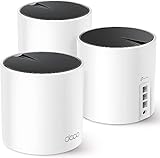
A single router simply can’t blanket a modern home in reliable Wi-Fi, which is why mesh systems have become the go-to solution for eliminating

Affiliate disclosure: As an Amazon Associate we earn from qualifying purchases. This post contains affiliate links — if you buy through them we

Affiliate disclosure: As an Amazon Associate we earn from qualifying purchases. This post contains affiliate links — if you buy through them we

Affiliate disclosure: As an Amazon Associate we earn from qualifying purchases. This post contains affiliate links — if you buy through them we

Affiliate disclosure: As an Amazon Associate we earn from qualifying purchases. This post contains affiliate links — if you buy through them we

Deco XE200: $180, Wi-Fi 6E. Orbi Pro: $350, Wi-Fi 6. Head-to-head gaming tests reveal which mesh wins for latency.

Eero Pro 7: Wi-Fi 7, 13.3 Gbps, 6000 sq ft coverage, $600. Best mesh for future gaming setups. Full testing inside.



