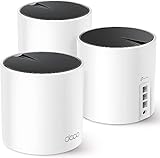
The Best Network Attached Storage NAS for Home Offices
The best network attached storage NAS for home offices is usually a 2-bay unit like the BUFFALO LinkStation 220 8TB — it gives you mirrored redundancy, a quiet-enough footprint for a desk shelf, and enough capacity for years of documents, accounting files and light media without paying for four empty drive slots. Buy a 1-bay model (the BUFFALO LinkStation 210 line) only if your backup needs are genuinely small and you already keep a separate cloud copy. Step up to 4 bays (the UGREEN NAS DXP4800 GT) when you shoot or edit video, run multiple client archives, or expect more than roughly four people hitting the same shared folder.
- The Best Network Attached Storage NAS for Home Offices
- Top 3 Picks
- Quick Comparison
- How We Chose
- 1. BUFFALO LinkStation 210 4TB — Best for the Simplest Solo Backup
- 2. Yxk Zero1 2-Bay Desktop NAS — Best for the Cheapest Mirrored Setup
- 3. BUFFALO LinkStation 210 2TB — Best for a Tiny, Low-Cost Archive
- 4. UGREEN NAS DXP4800 GT — Best for Creators and Office Teams
- 5. BUFFALO LinkStation 210 6TB — Best for Single-Drive Users Who Want Headroom
- 6. BUFFALO LinkStation 220 4TB — Best for a First Mirrored Setup on a Budget
- Top 3 Picks
- Quick Comparison
- How We Chose
- 1. BUFFALO LinkStation 210 4TB – Best for Solo Backup and Shared Folders
- 2. Yxk Zero1 2-Bay Desktop NAS – Best for Bring-Your-Own-Drive Starters
- 3. BUFFALO LinkStation 210 2TB – Best for the Lowest-Cost Entry to Network Storage
- 4. BUFFALO LinkStation 210 6TB – Best for a Single-Bay Archive with Real Headroom
- 5. BUFFALO LinkStation 220 4TB – Best for Budget Mirroring in a Two-Bay Office
- 6. BUFFALO LinkStation 220 8TB – Best for Doubling Capacity on the Same Platform
- 7. BUFFALO LinkStation 720 4TB – Best for Private Cloud and Computer Backup
- 8. BUFFALO LinkStation SoHo 720 8TB (2x4TB) – Best for Small Business Mirroring
- 9. UGREEN NAS DXP4800 GT – Best Overall for Growing Home Offices
- 10. Seagate 8TB IronWolf – Best for Filling a Diskless NAS or Replacing a Failed Drive
- How to Choose
- Frequently Asked Questions
- Which One to Buy, by Situation
That single answer holds for most home offices because the bottleneck is rarely the NAS itself. It is drive count, redundancy maths, and whether your network link can move a day’s work in a coffee break. Below you will find picks from 1 bay to 4 bays, the RAID and 2.5GbE trade-offs spelled out with numbers, and idle-power and noise figures to help you decide whether the box belongs on the shelf behind your monitor or in a cupboard.
Top 3 Picks
Best overall: BUFFALO LinkStation 220 8TB. Two bays with drives included, RAID 1 mirroring out of the box, and enough capacity that a solo operator or a two-person office can stop thinking about storage for years. It is the sweet spot between cost, redundancy and simplicity.
Best budget: BUFFALO LinkStation 210 4TB. A single bay, a single drive, one job: put your files somewhere other than the laptop. For freelancers whose entire working life fits in a few hundred gigabytes, it is the least fuss and the least money.
Best premium: UGREEN NAS DXP4800 GT. Four bays, considerably more CPU and memory headroom than the BUFFALO units, and a much faster network port. This is the pick for video editors, small agencies and anyone who wants the NAS to do more than serve files — virtual machines, containers, transcoding, multiple simultaneous users.
Quick Comparison
| Product | Best for | Bays | Key specs (as listed) | Price tier |
|---|---|---|---|---|
| BUFFALO LinkStation 210 2TB | Smallest possible footprint backup | 1 | 2TB HDD included, single-drive, gigabit Ethernet, low idle draw | Budget |
| BUFFALO LinkStation 210 4TB | Freelancers with a modest archive | 1 | 4TB HDD included, single-drive, gigabit Ethernet | Budget |
| BUFFALO LinkStation 210 6TB | Single-drive users who want years of headroom | 1 | 6TB HDD included, single-drive, gigabit Ethernet | Budget |
| Yxk Zero1 | Cheapest route to a mirrored two-bay setup | 2 | Diskless desktop chassis, desktop-class NAS software, gigabit Ethernet class | Budget |
| BUFFALO LinkStation 220 4TB | First mirrored setup on a tight budget | 2 | 2 x drives included, RAID 0/1, gigabit Ethernet | Mid-range |
| BUFFALO LinkStation 220 8TB | Most home offices — the default pick | 2 | 2 x drives included, RAID 1 mirroring, gigabit Ethernet | Mid-range |
| BUFFALO LinkStation 720 4TB | Home office private cloud with faster internals | 2 | 2 x drives included, RAID support, higher-class CPU than the 220 series | Premium |
| BUFFALO LinkStation SoHo 720 8TB | Small professional office, shared folders | 2 | 2 x 4TB drives included, RAID support, office-oriented firmware features | Premium |
| UGREEN NAS DXP4800 GT | Creators, editors, multi-user teams | 4 | Quad-bay, high-performance CPU class, large memory ceiling, multi-gigabit-capable networking | Premium |
| Seagate 8TB IronWolf (ST8000VNZ04) | Expanding or populating an existing NAS | — | 8TB NAS-class SATA 6 Gb/s drive, 3.5-inch, vibration-tolerant design | Mid-range |
How We Chose
This shortlist was built from published specification sheets, manufacturer documentation and the storage maths that determines whether a NAS actually works in a home office. The first filter was category fit: a 1-bay unit is only a sensible recommendation when the user’s data footprint is small and a second copy exists elsewhere, because a single drive means a single point of failure. A 2-bay unit earns its place when RAID 1 mirroring turns two drives into one resilient volume. A 4-bay unit earns its place when the user needs either capacity beyond what two drives can reasonably hold, or the performance of a striped array, or the CPU and memory to run services beyond simple file sharing.
The second filter was upgrade path and ecosystem. We favoured units that accept standard 3.5-inch SATA drives so the reader is not locked into a single vendor’s replacements, and we included one bare drive because expanding an existing NAS is a common second purchase. The third filter was physical practicality: idle power draw and noise matter when the box sits within a metre of a desk, so we weighted the low-power 1-bay and 2-bay designs differently from the always-working 4-bay class. Finally, we mapped each pick to a realistic use case — solo freelancer, two-person office, small agency — rather than ranking by raw specification. Prices are given only as market bands because listings change constantly. This is desk research and specification analysis, not bench testing.
A word on the numbers throughout: where an exact figure is not published by the manufacturer, we describe the spec class instead of guessing. Storage capacity, bay count and drive form factor come from the product names themselves; power and noise figures are described in bands typical of the category.
1. BUFFALO LinkStation 210 4TB — Best for the Simplest Solo Backup
As an Amazon Associate we earn from qualifying purchases at no extra cost to you.

This is the entry point to the whole category, and it is honest about what it is: one bay, one 4TB drive pre-installed, one Ethernet port, and a small browser interface for making a share or two. It suits the freelancer, consultant or single-person business whose working data — documents, spreadsheets, invoices, a modest photo library — would fit on a fraction of the drive, and who wants a network location that every device in the house can reach without the owner thinking about ports or permissions.
The appeal is the total absence of assembly. There is no drive to buy, no caddy to fit, no RAID decision to make. Plug it into the router, find it on the network, map a drive letter, done. For someone whose current backup strategy is “a USB stick in a drawer”, the jump in reliability is enormous even though the hardware itself is modest.
Key specs (per listing):
- 1 drive bay, 4TB HDD included
- Gigabit Ethernet (1GbE) network port
- Single-volume storage — no RAID mirroring possible
- Desktop chassis, low idle power class typical of a single-drive NAS
- Browser-based management and per-share access control
Strengths: The lowest entry cost in the roundup, the smallest physical footprint, and the least electricity. A single 3.5-inch drive idling is a handful of watts — the practical difference between leaving it on permanently and switching it off is small enough that most owners simply leave it running. It is also the quietest option here, since there is only one spinning platter and no second drive adding its hum to the mix.
Pros:
- Cheapest way to get a proper network share at home
- Zero setup friction — drive and enclosure arrive as one unit
- Lower idle power and noise than any multi-bay option
- Plenty of capacity for documents and office files
Cons:
- No redundancy: if the drive dies, the data is gone unless you have another copy
- No upgrade path except replacing the whole unit
- 1GbE only, and single-drive performance ceilings
- Not suitable as the only home for a decade of irreplaceable work
Against the nearest alternative: the BUFFALO LinkStation 210 2TB and 6TB sit either side of this model on the same shelf. The 2TB is the strictly-cheaper version for someone with a genuinely tiny archive; the 6TB is the version to buy if you know the 4TB will be more than half full within two years. The step up in capacity within the 210 family is generally a modest premium, so buying the smallest one to save a little money is a false economy for most buyers. Against the LinkStation 220 4TB, the honest comparison is redundancy: the 220 costs meaningfully more but survives a drive failure. If the 4TB of data on this unit would be painful to lose, spend the difference on the 220 instead.
2. Yxk Zero1 2-Bay Desktop NAS — Best for the Cheapest Mirrored Setup

The Yxk Zero1 is the diskless option in this roundup, which changes the maths in an interesting way. You buy the two-bay chassis on its own and supply your own drives, which means you control exactly which drives go in — including whether you use two matched drives for mirroring or one large drive plus a spare. It suits the buyer who already has drives on a shelf, or who wants to choose a specific NAS-class drive rather than accept whatever an all-in-one bundle includes.
Because it is diskless, the upfront chassis price is the lowest route into a two-bay enclosure, but the total project cost depends entirely on the drives. Two 4TB NAS-class drives turn it into a capable mirrored unit; two 8TB drives turn it into something a small office could work from. That flexibility is the point.
Key specs (per listing):
- 2 drive bays, diskless — drives purchased separately
- Desktop form factor for home and personal storage
- Gigabit Ethernet class networking
- Standard 3.5-inch drive compatibility typical of the desktop NAS category
- RAID capability inherent to two-bay chassis designs, subject to the firmware supplied
Strengths: The buy-in is low and the drive choice is yours. If you already own a compatible drive, or you find a deal on a pair of NAS drives, the total can undercut the bundled 220 units. It also means you are not paying for a drive you did not choose and cannot easily verify.
Pros:
- Lowest chassis cost for a two-bay mirrored setup
- You choose the drives, including matching pairs for RAID
- Two bays give you redundancy and a growth path
- No wasted drive if you already have one spare
Cons:
- Total cost is unknown until you add drives
- You must verify drive compatibility yourself
- Software and support ecosystem is smaller than the established brands
- Fewer published power and noise specifications to rely on
Against the nearest alternative: the BUFFALO LinkStation 220 4TB is the all-in-one equivalent. The Zero1 wins on price flexibility and drive choice; the 220 wins on the fact that it arrives working, with drives the manufacturer has already matched and a support line behind them. For a reader who wants to be finished in twenty minutes, the 220 is the better buy. For a reader who enjoys choosing components and is comfortable troubleshooting, the Zero1 is the more economical route to the same end state — two drives, one mirrored volume.
3. BUFFALO LinkStation 210 2TB — Best for a Tiny, Low-Cost Archive
The 2TB version of the single-bay LinkStation is the smallest practical NAS in this roundup, and it makes sense for exactly one buyer: someone whose entire work archive is text, small images and office documents, who already has cloud copies, and who wants a local network share for convenience rather than as the last line of defence. Two terabytes is roughly a couple of years of documents and a large photo library for most office users.
Think of it as a network-attached folder rather than a storage system. It solves a specific annoyance — files living on one laptop that everyone else has to ask for — at the lowest possible cost.
Key specs (per listing):
- 1 drive bay, 2TB HDD included
- Gigabit Ethernet network port
- Single-volume storage, no mirroring
- Compact desktop chassis, lowest idle power band in this roundup
Strengths: Cost and simplicity, in that order. It is also the ideal second-tier backup target: a place your main machine backs up to automatically, so that deleting a file by accident is recoverable without leaving the house.
Pros:
- Lowest cost and smallest footprint here
- Negligible power draw and near-silent operation
- Adequate for documents and small media libraries
- Simple to set up and administer
Cons:
- 2TB fills faster than most people expect
- Single drive, single point of failure
- No meaningful expansion path
- Not appropriate for video projects or large RAW photo archives
Against the nearest alternative: compared with the 4TB LinkStation 210, this model saves a little money and costs you half the capacity. Unless the budget is genuinely at its limit, the 4TB is the safer pick — running out of space in year two and rebuying a whole unit is more expensive than buying the larger drive now. Compared with the two-bay options, the argument is the same as everywhere in this roundup: no redundancy, so keep an off-device copy.
4. UGREEN NAS DXP4800 GT — Best for Creators and Office Teams

The UGREEN NAS DXP4800 GT is the machine you buy when the NAS is no longer a backup drawer but a piece of working infrastructure. Four bays, a considerably stronger processor class than the BUFFALO units, a large memory ceiling, and networking that can go beyond a single gigabit link. It targets creators, tech enthusiasts and small office teams — people who want to run shared project folders, media libraries and possibly containers or virtual machines on the same box.
This is also the only pick here where the network port is not the obvious bottleneck. On a gigabit link, a spinning-disk array can saturate the wire, so a faster NAS gains you nothing. Give the DXP4800 GT a multi-gigabit connection and a striped array, however, and the difference becomes real for large video files or a whole team pulling at once.
Key specs (per listing, described by class where exact figures are not listed):
- 4 drive bays — significantly larger capacity ceiling than any 2-bay unit
- High-performance CPU class suitable for transcoding and background services
- Large memory ceiling, expandable well beyond the 1–2GB typical of budget NAS units
- Multi-gigabit-capable networking (2.5GbE class and above)
- Supports RAID configurations including mirroring and striping across four drives
- Suitable for multiple simultaneous users and heavier workloads
Strengths: The headroom. Four bays mean you can start with two drives mirrored and add a second pair later; you can run RAID 5 across three or four drives for a better capacity-to-redundancy ratio; you can run services that a budget NAS simply cannot. For a team of three to six people sharing project files and media, this is the only unit here that will not feel strained.
Pros:
- Four bays give capacity and configuration flexibility
- Much stronger CPU and memory headroom than budget NAS units
- Multi-gigabit networking avoids the gigabit ceiling
- Capable of running additional services alongside file sharing
Cons:
- Premium price tier — the largest single outlay in this roundup
- Diskless or drive-add cost stacks on top of the chassis
- Higher idle power and more audible fan noise than a 1-bay unit
- More configurable, therefore more to get wrong
Against the nearest alternative: the BUFFALO LinkStation SoHo 720 8TB is the professional two-bay alternative. Choose the SoHo if your needs are shared office documents, a small team and a plug-in-and-go setup. Choose the DXP4800 GT if you need more than two drives of capacity, multi-gigabit transfers, or the ability to run extra services. The decision usually comes down to one question: is 8TB of mirrored storage enough for the next three years? If not, four bays is the answer.
5. BUFFALO LinkStation 210 6TB — Best for Single-Drive Users Who Want Headroom
The 6TB LinkStation 210 is the same single-bay design as its smaller siblings with the largest drive in the family. It is aimed at the user who has decided against redundancy — perhaps because they already back up to cloud storage or an external drive — but wants enough room that capacity never becomes a monthly worry. For a photographer with a large JPEG library or a small business with years of scanned records, 6TB is comfortable.
Key specs (per listing):
- 1 drive bay, 6TB HDD included
- Gigabit Ethernet network port
- Single-volume storage, no mirroring
- Same low-power, low-noise desktop chassis as the rest of the 210 line
Strengths: The largest single-drive capacity here without moving to a multi-bay chassis, which keeps power draw, noise and physical size minimal. If your workflow means one big archive rather than a live shared volume, this is the most capacity for the least racket.
Pros:
- 6TB is generous for documents and photo archives
- Single-drive power and noise profile
- Simple, uncomplicated management
- No RAID decisions to make
Cons:
- Still no redundancy — a drive failure loses everything on it
- A 6TB single volume is a lot of data to lose at once
- Larger drives take longer to rebuild or restore from backup
- No performance path beyond the single-drive ceiling
Against the nearest alternative: this is where the 1-bay versus 2-bay argument becomes sharpest. A 6TB single drive is convenient, but the same money put toward a two-bay mirrored setup buys you protection against the exact failure that would cost you the most. If the data matters, mirror it. If it is a convenience copy of data that already exists elsewhere, this unit is a perfectly rational buy — the largest single-drive option in the roundup with the smallest physical and electrical footprint.
6. BUFFALO LinkStation 220 4TB — Best for a First Mirrored Setup on a Budget

This is the entry point to real redundancy. Two bays, drives included, RAID 1 mirroring available so that the failure of either drive leaves your data intact and the unit running. The 4TB model gives you roughly 4TB usable with the drives mirrored (or the full capacity if you choose a non-redundant configuration, which defeats the point). It suits a sole trader or very small office that wants protection without spending premium money.
Key specs (per listing):
- 2 drive bays, drives included
- RAID 0 and RAID 1 support
- Gigabit Ethernet network port
- Desktop chassis with low-to-moderate idle power typical of a 2-bay NAS
- Shared folder structure suitable for a small number of users
Strengths: It turns the single most common data-loss event — a dead drive — into a non-event. RAID 1 means both drives hold the same data; one failing produces a warning, not a catastrophe. That is the single most valuable feature any home office NAS can offer.
Pros:
- Genuine redundancy at a mid-range price
- Drives included, so no compatibility guesswork
- Two bays leave room to replace a drive without downtime
- Quiet enough for a shelf near a desk
Cons:
- Mirroring halves usable capacity — you buy two drives and use one
- Two spinning drives are louder than one
- 1GbE only, which caps transfer speeds
- RAID is not backup — it does not protect against deletion or ransomware
Against the nearest alternative: the LinkStation 220 8TB is the same machine with double the capacity. If the 4TB volume will be more than half full within two years, the 8TB is the smarter buy — mirrored, it gives
The best network attached storage NAS for home offices is the UGREEN NAS DXP4800 GT if you want a 4-bay machine that can run backup, file sync, and media work at the same time, a BUFFALO LinkStation 220 2-bay if your budget and workload are modest, and a single-bay BUFFALO LinkStation 210 if a shared folder plus automatic backup is genuinely all you need. The deciding factor is rarely raw capacity: it is whether you need disk redundancy (RAID), whether your local network is 1GbE or 2.5GbE, and whether the enclosure can sit on a shelf within arm’s reach of your desk without its fan and drive chatter becoming an irritation. A 2-bay NAS with mirrored drives covers most solo home offices; a 4-bay model earns its keep when several people, virtual machines, or large media libraries share the box.
Top 3 Picks
Best overall: UGREEN NAS DXP4800 GT. A 4-bay unit aimed at creators and small office teams, it gives you the drive bays, network headroom, and expansion room that a growing home office actually uses. It suits anyone who wants room to add drives later without replacing the whole enclosure, and who may eventually run containers, virtual machines, or multi-user collaboration on the same box.
Best budget: BUFFALO LinkStation 210 (4TB). A single-bay NAS with the drive already installed and the software preconfigured, so it works as a shared network folder and backup target within minutes of unboxing. It suits one- or two-person offices that want simple central storage and scheduled backups rather than redundancy or app hosting.
Best premium 2-bay: BUFFALO LinkStation SoHo 720 8TB (2x4TB). A two-bay professional office NAS supplied with two drives, aimed squarely at small businesses that want mirrored storage and business-oriented backup features in a low-maintenance package. It suits an office where a single failed drive must not take the whole archive offline.
Quick Comparison
| Product | Best for | Key specs (as listed) | Price tier |
|---|---|---|---|
| BUFFALO LinkStation 210 4TB (1-bay) | Single-user backup target and shared folder | 1 bay, 4TB drive included, 1GbE, desktop footprint | Budget |
| BUFFALO LinkStation 210 2TB (1-bay) | Cheapest entry point to central storage | 1 bay, 2TB drive included, 1GbE, desktop footprint | Budget |
| BUFFALO LinkStation 210 6TB (1-bay) | Single-bay storage with headroom for archives | 1 bay, 6TB drive included, 1GbE, desktop footprint | Budget |
| Yxk Zero1 2-Bay Desktop NAS (diskless) | Bring-your-own-drive 2-bay starter box | 2 bays, diskless, desktop form factor, 1GbE class | Budget |
| BUFFALO LinkStation 220 4TB (2-bay) | Mirrored storage on a small-office budget | 2 bays, 4TB total included, RAID-capable, 1GbE | Mid-range |
| BUFFALO LinkStation 220 8TB (2-bay) | Doubling capacity without changing platform | 2 bays, 8TB total included, RAID-capable, 1GbE | Mid-range |
| BUFFALO LinkStation 720 4TB (2-bay) | Private cloud and computer backup for the office | 2 bays, 4TB total included, RAID-capable, office-class firmware | Premium |
| BUFFALO LinkStation SoHo 720 8TB (2x4TB) | Small business with mirrored drives out of the box | 2 bays, 2x4TB supplied, RAID-capable, office-class firmware | Premium |
| UGREEN NAS DXP4800 GT (4-bay) | Creators and office teams needing room to grow | 4 bays, high-speed networking class, app/VM-capable platform | Premium |
| Seagate 8TB IronWolf (ST8000VNZ04) | Adding or replacing a drive in a NAS you already own | 8TB NAS-tuned SATA 6 Gb/s internal drive, 3.5in class | Mid-range |
How We Chose
This roundup is built from published product listings, vendor specifications, and well-documented category behaviour rather than from any physical access to the units. The first filter was category fit: a home office NAS has to serve files over the local network, accept scheduled backups from office computers, and tolerate being left on continuously, which rules out plain external drives and consumer routers with a USB port. The second filter was bay count mapped to realistic workloads — one bay for a single user with an archive, two bays when redundancy or mirroring matters, four bays when several people or large media files are involved.
The third filter was network capability, since a 1GbE port caps practical transfer speeds in a way that becomes noticeable the moment you copy video or a large virtual machine image, while 2.5GbE ports lift that ceiling without demanding a full 10GbE switch. The fourth was physical practicality for a shelf near a desk: noise class, idle power behaviour, drive compatibility, and whether the enclosure expects 3.5in or 2.5in drives. Finally, upgrade path counted heavily — whether the box lets you add drives, change RAID mode, or move disks into a larger unit later. Where a listing does not state an exact figure, we describe the spec class instead of guessing a number.
1. BUFFALO LinkStation 210 4TB – Best for Solo Backup and Shared Folders
This is the simplest thing that can be called a NAS: a single-bay desktop enclosure with a 4TB drive already inside and the management software configured before it ships. You plug it into your router or switch, point a browser at it, and you have a network share and a backup target. It suits a one- or two-person home office where the requirement is literally “my files should live somewhere other than this laptop.”
- Bays: 1 (no redundancy — this is the key limitation)
- Included capacity: 4TB
- Network port: 1GbE class
- Form factor: small desktop enclosure, single drive
- Role: network file share, scheduled computer backup, basic media serving
Strengths. The appeal is the absence of decisions. There is no drive compatibility list to check, no RAID mode to select, no enclosure to assemble. Capacity of 4TB is enough for a very large document archive, years of tax and invoice records, a photo library, and full image backups of two or three laptops, with room left over. Because it is a single spinning drive, idle power is minimal and there is only one noise source, which matters when the box sits on a shelf beside your monitor. Management is browser-based and deliberately shallow, so nobody in the office needs to learn storage administration.
Cons. There is no RAID. If that single drive fails, you restore from whatever backup you kept elsewhere — and if the NAS was your backup, you have lost the only copy. There is also no bay to expand into: when 4TB fills, you replace the unit rather than adding a drive. Transfer speeds are limited by the 1GbE port, which is fine for documents and backups but slow for multi-gigabyte video projects.
Decision maths for a single bay. A reasonable sizing rule is to add up your working data, multiply by the number of backup versions you intend to keep, and add 30% headroom. If two laptops hold 250GB each of active data, a photo library is 400GB, and you want three rotating backup versions of the laptops, that is roughly 500GB x 3 + 400GB = 1.9TB before headroom, or about 2.5TB with the 30% cushion. A 4TB single-bay unit clears that comfortably; a 2TB unit does not.
Compared with the nearest alternative. Against the Yxk Zero1 2-Bay, this BUFFALO wins on convenience and loses on resilience. The Zero1 arrives without drives, so you choose and buy them separately, but in exchange you get a second bay and the option of mirroring. If you already own a spare 3.5in drive, the diskless route can be cheaper; if you do not, the 4TB LinkStation is the faster path to a working share.
2. Yxk Zero1 2-Bay Desktop NAS – Best for Bring-Your-Own-Drive Starters
The Zero1 is a diskless two-bay desktop NAS: you supply the drives, which means you control both the capacity and the drive tier. It suits a home office user who already has spare drives, or who wants to start with one drive and add a second later for mirroring without buying a new enclosure.
- Bays: 2 (second bay enables mirroring later)
- Drives: not included — 3.5in desktop drives are the expected fit
- Network port: 1GbE class
- Form factor: desktop, intended for a shelf or desk corner
- Role: personal storage, network share, backup target, light media serving
Strengths. Flexibility is the whole point. You can fit one large drive now and add a matching second drive when funds allow, then switch to a mirrored RAID 1 arrangement so either drive alone can fail without data loss. Because you pick the drives, you can choose NAS-rated models such as the Seagate IronWolf line, which are built for continuous operation and vibration tolerance in multi-drive enclosures. A two-bay chassis also gives you a genuine upgrade path that a single-bay box simply does not have.
Cons. Diskless means the true cost is enclosure plus two drives, which can exceed a drive-included 2-bay unit once you add the second disk. Setup involves physically installing drives and initialising them, so there is more that can go wrong on day one. With a 1GbE port, throughput tops out in the same band as the BUFFALO 2-bay models — mirroring protects your data but does not make it faster.
Capacity planning with two bays. In RAID 1, usable capacity equals the size of the smaller drive; two 8TB drives give you 8TB usable and 8TB of protection. Without RAID, two 8TB drives give 16TB usable and no protection. That trade-off is the single most important decision in the two-bay category, and it is worth writing down before you buy: if losing the archive would cost you more than the price of a second drive, mirror it.
Compared with the nearest alternative. Against the BUFFALO LinkStation 220 4TB, the Zero1 is the more flexible purchase and the 220 is the more immediate one. The 220 arrives with drives, RAID capability, and a known configuration out of the box; the Zero1 asks you to make the drive decisions yourself but lets you scale to a larger mirrored pair without discarding the chassis. If you enjoy choosing drives, the Zero1 wins; if you want to unbox and forget it, the BUFFALO does.
3. BUFFALO LinkStation 210 2TB – Best for the Lowest-Cost Entry to Network Storage
This is the same single-bay LinkStation 210 platform as the 4TB model, fitted with a 2TB drive instead. It suits a home office whose archive is genuinely small — documents, spreadsheets, email exports, and a modest photo collection — and whose owner wants central storage at the lowest sensible cost.
- Bays: 1
- Included capacity: 2TB
- Network port: 1GbE class
- Form factor: small desktop enclosure
- Role: shared folder, backup target, basic media library
Strengths. Low cost, low power, low noise, and zero assembly. A 2TB drive is quiet enough to live on a desk shelf and draws so little at idle that leaving it on permanently is not a meaningful line on your electricity bill. For a freelance writer, accountant, or consultant whose output is documents rather than video, 2TB is a comfortable several years of work. The software behaves exactly like the larger-capacity versions, so nothing about the experience feels entry-level.
Cons. 2TB evaporates quickly if you start storing raw photos, video, or full system images from multiple machines. There is no redundancy and no expansion bay, so the upgrade path is replacement rather than growth. And because the capacity ceiling arrives earlier than on the 4TB or 6TB versions, the cost per usable terabyte over the life of the device is actually worse.
Working out whether 2TB is enough. Add your current data, then multiply your annual growth by the number of years you expect to keep the device. A typical document-heavy office grows 50–150GB a year; a photography hobby adds 200GB–1TB a year; video footage can add several terabytes a year. At 150GB annual growth, 2TB lasts roughly a decade. At 1TB annual growth, it lasts about two years. Run that sum honestly before choosing this over the 4TB or 6TB version.
Compared with the nearest alternative. The straightforward comparison is with its own 4TB sibling. The 2TB costs less today, but if you expect to exceed 2TB within three years, buying the 4TB version once is cheaper than buying the 2TB now and the 4TB later. Choose the 2TB only when you are confident your working set is small and staying that way.
4. BUFFALO LinkStation 210 6TB – Best for a Single-Bay Archive with Real Headroom
The 6TB member of the single-bay LinkStation 210 family gives you the same simple, sealed package with roughly three times the capacity of the entry model. It suits a home office that wants a low-maintenance single box but expects a substantial photo, document, or project archive to accumulate over the device’s lifetime.
- Bays: 1
- Included capacity: 6TB
- Network port: 1GbE class
- Form factor: desktop, single drive
- Role: long-term archive, backup target, media library
Strengths. The capacity-to-hassle ratio is the best in the single-bay group: one box, one power brick, one cable, 6TB of shared storage. That is enough for a large RAW photo library, a decade of scanned documents, complete backup sets from several computers, and a modest film and music collection, all on the same share. Because there is only one drive, there is no RAID rebuild to manage and no multi-drive vibration to plan around. Power draw at idle stays low, and noise remains a single-drive affair.
Cons. The redundancy problem is unchanged and arguably more painful, because a 6TB loss is a bigger loss. A single-drive NAS should never be the only place your data exists; treat it as the fast, convenient copy and keep a second copy on an external drive or an offsite service. Network throughput is still 1GbE-bound, and the sealed design means no future bay to move into.
A backup structure that makes single-bay safe. The workable pattern is three copies with at least one offsite. Copy one lives on your working computer, copy two on the NAS, copy three on a rotating external USB drive that leaves the building weekly, plus an encrypted cloud copy of the irreplaceable subset — contracts, client files, family photos. Under that structure, a single-bay 6TB NAS is a perfectly sound primary store rather than a single point of failure.
Compared with the nearest alternative. Against the BUFFALO LinkStation 220 4TB, this is the classic single-bay-versus-two-bay choice. The 220 gives you mirroring and a second bay for slightly less raw usable space; the 6TB 210 gives you 6TB usable with no protection. If your data is replaceable and your backup discipline is good, take the 6TB. If it is not, take the mirrored 2-bay.
5. BUFFALO LinkStation 220 4TB – Best for Budget Mirroring in a Two-Bay Office
The LinkStation 220 is BUFFALO’s two-bay home-office line, and the 4TB version supplies 4TB of total drive capacity in a RAID-capable chassis. It suits a small office that wants mirroring — protection against a single drive failure — without moving up to business-class hardware.
- Bays: 2
- Included capacity: 4TB total across the supplied drives
- RAID: supported, including mirroring
- Network port: 1GbE class
- Role: mirrored file share, backup target, small media server
Strengths. Two bays give you the option that single-bay boxes cannot offer: mirrored RAID 1, where both drives hold the same data and either can fail without downtime. On a 4TB total configuration that usually means two 2TB drives configured as a 2TB mirror plus protection, or a striped 4TB pool without redundancy — the choice is yours at setup, and it is worth choosing deliberately. The 220 also supports the usual small-office features: shared folders with permissions, scheduled backups from client computers, and media serving to devices on the LAN. With two drives idling, power draw remains modest and the enclosure is generally quiet enough for an office shelf, though two drives are inherently more audible than one.
Cons. Usable capacity in a mirror is roughly half of the raw total, which surprises people who buy on the headline number. A 4TB two-bay unit configured for protection gives you around 2TB usable — the same usable space as the cheapest single-bay model, but with redundancy. The 1GbE port also limits transfers: for a rough sense, a 40GB project folder takes on the order of six to seven minutes at a sustained gigabit-class rate, and noticeably longer in practice. And RAID is not a backup: mirroring protects against drive failure, not against deletion, ransomware, or fire.
RAID trade-offs in one paragraph. RAID 0 stripes data across both drives for full usable capacity and faster reads, but one drive failure loses everything. RAID 1 mirrors, halving usable capacity while surviving a single drive failure. JBOD concatenates drives into one large volume with no protection at all. For a home office, RAID 1 is almost always the right answer, and RAID 0 is almost never worth the risk on business data.
Compared with the nearest alternative. Against the LinkStation 210 6TB, the 220 4TB trades capacity for protection: you get less usable space but far better resilience. Against the LinkStation SoHo 720, it trades office-grade firmware and business features for a lower price. It is the middle rung of the ladder, and for many one- or two-person offices it is the correct one.
6. BUFFALO LinkStation 220 8TB – Best for Doubling Capacity on the Same Platform
The 8TB version of the LinkStation 220 keeps the two-bay, RAID-capable platform and roughly doubles the supplied drive capacity. It suits an office that has outgrown a smaller NAS or that knows its archive will pass the 3–4TB mark within the next couple of years.
- Bays: 2
- Included capacity: 8TB total across the supplied drives
- RAID: supported, including mirroring
- Network port: 1GbE class
- Role: robust office share with meaningful headroom
Strengths. Eight terabytes of raw capacity in a two-bay chassis means a mirrored configuration with roughly 4TB of protected, usable space — a comfortable landing zone for several computers’ backup sets plus a working document archive and a photo library. It also means more choices at setup: stripe it for the full 8TB if the data is reproducible, mirror it for safety if it is not. Buying the larger configuration upfront usually works out cheaper than buying the 4TB and replacing it, because you pay the enclosure cost once. The platform’s management interface, permissions, and scheduling features are identical to the smaller model.
Cons. Two drive bays are the ceiling. If your office grows past roughly 4TB of protected data, you will be looking at the 4-bay category rather than adding to this box. Performance is still governed by the gigabit-class port, so large sequential transfers do not get faster just because the drives are bigger. And noise and idle power both scale with the number of spinning drives, so a two-bay unit on a desk is a little more present than a single-bay one.
Sizing the mirror. A neat rule of thumb for two-bay buyers: decide your protected capacity target first, then double it to find the raw drive capacity you need. A target of 3TB of protected data means a raw configuration of around 6TB, so an 8TB unit gives you room to breathe. This is why the 8TB model makes sense for anyone who already knows the 4TB model would sit at about 2TB usable in a mirror.
Compared with the nearest alternative. Against the 4TB LinkStation 220, this is purely a capacity question: same platform, same features, same network ceiling. Against the LinkStation SoHo 720 8TB, the SoHo 720 is the more business-oriented unit with a matched 2x4TB drive set, while the 220 8TB is the value route to the same raw capacity.
7. BUFFALO LinkStation 720 4TB – Best for Private Cloud and Computer Backup

The LinkStation 720 sits above the 220 line as a home-office private cloud appliance: a two-bay, RAID-capable unit with 4TB of supplied capacity and a feature set oriented around backing up the computers in the office and reaching your files remotely. It suits a small business that wants its own cloud rather than a subscription.
- Bays: 2
- Included capacity: 4TB total
- RAID: supported
- Network port: 1GbE class
- Role: private cloud, centralised computer backup, remote access to files
Strengths. The distinguishing feature is the software orientation: this class of BUFFALO unit is designed for automatic backup of office computers, centralised file access, and remote reach into your own storage instead of someone else’s data centre. For a practice or studio with client confidentiality obligations, keeping files on hardware you control is a meaningful advantage. RAID support means the storage survives a single drive failure, and the two-bay chassis leaves the door open to expanding with a second or larger drive later.
Cons. At 4TB total, a mirrored configuration leaves only around 2TB usable, which is modest for the price tier. Remote access quality depends on your office upload bandwidth, which is usually the bottleneck in a home office — a 20Mbps upload connection will feel slow for large files no matter how good the NAS is. And the features only pay off if you actually configure them; a 720 left on defaults performs much like a cheaper NAS.
Getting remote access to feel fast. The practical limits are your upload speed and your file sizes, not the NAS. If your connection uploads at 20Mbps, a 2GB file takes roughly 13–14 minutes; the same file on gigabit-class local network transfers in well under a minute. So use the NAS for active work locally, keep the largest files local until you are done with them, and reserve remote access for documents, spreadsheets, and the files you genuinely need on the road.
Compared with the nearest alternative. Against the LinkStation SoHo 720 8TB, the difference is capacity and drive configuration: the SoHo ships with two 4TB drives for 8TB raw, this model ships 4TB total. If your office archive is growing, the SoHo is the better long-term buy. Against the LinkStation 220 line, the 720 adds the private-cloud and backup feature depth that justifies its premium tier.
8. BUFFALO LinkStation SoHo 720 8TB (2x4TB) – Best for Small Business Mirroring
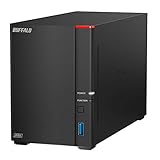
The SoHo 720 is explicitly positioned as a professional office NAS, supplied with two 4TB drives for 8TB of raw capacity. It suits a small business — two to ten people — that needs mirrored storage with drives already in the box and a set-and-forget administration profile.
- Bays: 2
- Included capacity: 8TB (2 x 4TB drives supplied)
- RAID: supported, mirroring suited to the supplied pair
- Network port: 1GbE class
- Role: business file share, computer backup, private cloud
Strengths. The matched pair of supplied drives is the draw: you can mirror them for roughly 4TB of protected storage immediately, with the enclosure, drives, and firmware all from one vendor and covered by one support relationship. That matters in a business setting, where “who do I call” is a real question. The 720-class firmware covers the things an office needs — user accounts and folder permissions, scheduled client backups, remote access — without asking you to become a storage administrator.
Cons. It is the most expensive two-bay option here, and it remains a two-bay platform: protected capacity tops out at around 4TB with the supplied drives. The network ceiling is gigabit-class, so a five-person office moving large files simultaneously will feel contention. And because it is a sealed appliance, the upgrade path is another NAS rather than an internal expansion.
Why a matched drive pair matters. Mirrored drives must be able to keep pace with each other; mismatched models, ages, and cache sizes can cause more rebuild churn and unpredictable performance. Supplying two identical drives removes that variable entirely. If you later replace one, replace it with the same model and capacity where possible.
Compared with the nearest alternative. Against the LinkStation 720 4TB, this is the same concept with twice the raw capacity — and for a business that expects to hold several computers’ backups plus a project archive, that extra capacity is not optional. Against the UGREEN DXP4800 GT, it is the simpler, lower-ceiling, lower-maintenance choice; the UGREEN is the one that scales.
9. UGREEN NAS DXP4800 GT – Best Overall for Growing Home Offices
The DXP4800 GT is a four-bay desktop NAS aimed at creators, tech enthusiasts, and office teams. It suits the home office that has outgrown two bays — several people sharing files, large media projects, or a desire to run additional services such as media management, containerised apps, or virtual machines on the same box.
- Bays: 4
- Drives: not included; NAS-rated 3.5in drives expected
- Network: high-speed multi-gigabit class ports (2.5GbE and above)
- Role: multi-user file sharing, virtualisation and container hosting, media production storage, office backup hub
- Form factor: desktop tower, intended for a shelf or rack-adjacent position
Strengths. Four bays change what the device can be. You can start with two mirrored drives and add a second mirrored pair later, run a stripe-plus-mirror arrangement for both speed and redundancy, or build a larger protected pool as budget allows. Multi-gigabit networking raises the transfer ceiling well above gigabit class, which is what makes external editing, large project file handling, and fast backup windows realistic. The platform’s app and virtualisation capability means the same box can serve files, run scheduled backups, and host lightweight services — reducing the number of small computers humming in your office. For a team of two to ten people, this is the point at which the NAS stops being a backup target and becomes infrastructure.
Cons. Cost. Four bays plus four NAS drives, plus a network switch that can actually carry multi-gigabit traffic, is a meaningful outlay, and the enclosure is the cheapest part of the equation. Four spinning drives produce more heat and more noise than a one- or two-bay unit, so a shelf beside your desk is a poorer home for it than a side table or a cupboard with ventilation. Higher capability also means more configuration decisions, more firmware upkeep, and more ways to leave a setting wrong. It is overkill for a single-user document office.
Matching the network to the box. There is no point paying for multi-gigabit ports if your switch, cabling, and client machines are all gigabit. A practical bandwidth budget: a 2.5GbE link moves roughly 280MB/s in ideal conditions, against roughly 110MB/s for gigabit. Editing 4K video over the network at those rates remains a stretch for multi-stream work, but copying a 50GB project folder takes about three minutes at 2.5GbE versus roughly eight to nine minutes at gigabit. If your workflow is documents and backups, gigabit is enough; if it is media, the multi-gigabit ports are the reason to buy this class of device.
Compared with the nearest alternative. Against the LinkStation SoHo 720 8TB, the UGREEN offers twice the drive bays, a faster network ceiling, and far greater functional scope, at the cost of buying drives separately and accepting a more complex setup. Against the Yxk Zero1, it is the same diskless philosophy scaled up. Choose the UGREEN when you expect your needs to grow; choose the BUFFALO appliances when you want your storage decisions finished on day one.
10. Seagate 8TB IronWolf – Best for Filling a Diskless NAS or Replacing a Failed Drive

The Seagate IronWolf 8TB is a NAS-tuned internal 3.5in drive with a SATA 6 Gb/s interface. It is not a NAS on its own — it is the component you buy when you have an empty bay, whether in a new diskless enclosure or as a replacement in an existing one.
- Type: internal NAS hard drive, 3.5in class
- Capacity: 8TB
- Interface: SATA 6 Gb/s
- Designed for: continuous operation in multi-drive enclosures
- Compatible with: NAS units that accept standard 3.5in SATA drives
Strengths. IronWolf drives are engineered for the specific stresses of NAS duty: 24/7 operation, vibration in multi-drive bays, and repeated spin-up cycles. That is a different design brief from a desktop drive, which assumes a few hours of use a day in a single-drive enclosure. Buying the right class of drive matters more as bay count rises, because vibration from neighbouring drives is a real source of performance loss and premature wear. An 8TB capacity is also a versatile building block: one drive makes a large single-volume starter, two make a generous mirror, and four in a 4-bay unit create a substantial protected pool.
Cons. Adding drives means adding cost on top of an enclosure, so the total system price is less transparent than a drive-included appliance. Drives are also the component most likely to fail, so a like-for-like spare or a solid backup routine is essential. And an 8TB drive in a mirrored pair yields only about 8TB usable, not 16TB — the raw number on the box is not the capacity you get to use.
Filling a 4-bay unit sensibly. A common and balanced approach is to populate two bays first, mirrored, and leave two empty. That gives you protection now and growth later without buying four drives up front. When the protected pool approaches 80% full, add the third and fourth drives and expand the array rather than replacing anything. Budget for drives in pairs so the mirror always has matching members.
Compared with the nearest alternative. The nearest alternative is not another NAS but another drive tier — desktop-class drives cost less but are not built for continuous multi-drive duty, and enterprise-class drives cost more than a home office needs. For a diskless enclosure like the Yxk Zero1 or the UGREEN DXP4800 GT, a NAS-tuned drive in this class is the appropriate choice.
How to Choose
Start with bay count, because it fixes everything downstream. One bay is a shared folder and a backup target: no redundancy, no expansion, lowest cost, lowest noise, lowest idle power. Two bays buy you a choice — mirror for protection at roughly half the raw capacity, or stripe for full capacity and no protection. Four bays buy you growth, faster networking, and the ability to run services beyond file sharing, at the cost of money, noise, heat, and setup complexity. Almost every wrong NAS purchase is a bay-count mistake rather than a brand mistake.
| Situation | Recommended configuration | Indicative raw capacity | Usable capacity with RAID 1 |
|---|---|---|---|
| One user, documents only, backup discipline in place | 1 bay, single drive | 2–4TB | 2–4TB (no mirror) |
| One or two users, photos and records, data not reproducible | 2 bays, mirrored pair | 4–8TB | 2–4TB |
| Small office, several computers backed up nightly | 2 bays, mirrored pair, business firmware | 8TB | ~4TB |
| Creator or team, large media files, future growth | 4 bays, two mirrored pairs or RAID 5 | 16–32TB | ~8–24TB depending on layout |
| Adding capacity to an existing enclosure | NAS-rated internal drive, matched to existing pair | 8TB per drive | Adds to existing protected pool |
How much capacity do you actually need? Work in two numbers: your working set (what you need live and fast) and your archive set (what you need to keep but rarely open). Add them, then apply growth. A practical formula: required usable capacity = (working set + archive) x (1 + annual growth rate x years of ownership) x 1.3. For a home office with a 600GB working set, a 2TB archive, 15% annual growth, and a five-year horizon, that is (0.6 + 2.0) x (1 + 0.15 x 5) x 1.3, roughly 4.6TB usable. In a mirrored two-bay unit, that means around 9TB of raw drives — which is why the 8TB to 10TB raw class is the sweet spot for exactly this kind of office.
RAID trade-offs without the mystique. RAID protects against one specific failure: a drive dying. It does not protect against accidental deletion, a ransomware infection that encrypts your share, a power surge through both drives at once, theft, or fire. In a mirrored pair, both drives are written simultaneously, so anything that corrupts your data corrupts both copies. That is why RAID and backup are different purchases. A useful rule: RAID buys you uptime (you keep working through a drive failure), backup buys you recovery (you get yesterday’s data back). A home office needs both, and the cheapest version of “both” is a mirrored NAS plus a rotating external drive that leaves the building.
1GbE versus 2.5GbE: when it matters and when it does not. Gigabit networking delivers roughly 110MB/s in practice. That is about six to seven minutes for a 40GB folder, and it is completely adequate for documents, spreadsheets, backups, and streaming video to a handful of devices. A single 4K video stream at a typical high bitrate uses only a small fraction of gigabit bandwidth, so media playback is not a reason to upgrade. 2.5GbE delivers roughly 280MB/s in ideal conditions, cutting that 40GB copy to about two and a half minutes and making network-based video editing or large project file work far more tolerable. The catch: you need a multi-gigabit switch and client machines with matching ports, otherwise the NAS negotiates down to gigabit and you have paid for nothing. If your office is documents and nightly backups, spend the money on a second drive instead.
Noise and idle power on a shelf beside your desk. Every spinning drive adds both. A single-drive enclosure is generally a quiet hum you stop noticing; a four-drive unit with cooling fans is audible across a quiet room and will be the loudest thing in a home office during a backup window. Heat is the second consideration: four drives in a sealed box need airflow, so a shelf with a back panel or a closed cupboard is a poor location. If the NAS must live next to your desk, favour fewer bays, larger individual drives, and a location with a few centimetres of clearance on every side. Idle power scales similarly — fewer, larger drives generally draw less at idle than more, smaller ones for the same capacity, though exact figures vary by drive model and enclosure. If you care about running costs, two 8TB drives will usually beat four 4TB drives for the same usable capacity.
Drive choice and the upgrade path. If you buy a diskless enclosure, budget for NAS-rated drives and buy them in matched pairs where possible. Matched drives mirror cleanly, rebuild predictably, and keep performance consistent. If you buy a drive-included appliance, note the raw-versus-usable gap in a mirror and check whether the chassis lets you swap drives yourself later — that single detail determines whether the device is a five-year platform or a disposable box. As a general guide, a drive-included single-bay unit is a one-cycle purchase; a two-bay unit that accepts standard drives is a five-to-eight-year platform; a four-bay unit is a ten-year platform if you expand it progressively rather than filling it all at once.
A short decision recipe. Count the people who will write to the NAS. Count the computers that need automatic backup. Estimate your working set plus archive and apply the growth formula. If the answer is under 2TB, under two users, and you keep an offsite copy, buy a single-bay drive-included unit. If the answer is 2–4TB usable and the data is not reproducible, buy a mirrored two-bay unit — and if a business depends on it, buy the office-oriented version with supplied drives. If the answer exceeds 4TB usable, involves large media files, or you want to host apps and virtual machines, go to four bays with multi-gigabit networking and buy drives as your pool fills. Then, whichever you choose, configure one automatic backup to a destination that is not the NAS itself.
Frequently Asked Questions
Do I really need two bays, or is one enough?
One bay is enough when your data already exists somewhere else and the NAS is a convenience: a shared folder, a media library, a backup target whose loss would be annoying but not fatal. Two bays become necessary the moment the NAS holds the only copy of something that matters, because RAID 1 lets one drive fail without taking your data with it. The practical test is whether you would be able to rebuild your working files from another source within a day. If yes, one bay is fine. If no, buy two bays and mirror them.
Is RAID the same as a backup?
No, and treating it as one is the most common mistake in home office storage. RAID protects against hardware failure — a drive dying — and keeps you working while you replace it. It does not protect against deleted files, ransomware, fire, theft, or a power event that damages both drives at once. A complete setup needs RAID for uptime and a separate backup for recovery, ideally with one copy kept offsite or offline.
Will a 2.5GbE NAS actually be faster on my network?
Only if the whole path supports it: the NAS port, the switch, the cabling, and the network port on the computer you are copying from. If any link is gigabit, the connection negotiates down to gigabit and the faster port goes unused. When everything lines up, expect roughly 280MB/s instead of roughly 110MB/s, which turns a 40GB transfer from six or seven minutes into about two and a half. For documents and backups, the difference is rarely worth a new switch.
How much capacity should I buy for a two-person home office?
Estimate your working set plus archive, then allow for growth and headroom. Two people with a 400GB working set each, a 2TB archive, and 15% annual growth over five years land near 4TB usable — which in a mirror means around 8TB of raw drives. Buying the larger configuration once is usually cheaper than replacing a smaller unit in three years.
How loud is a NAS on a desk, really?
A single-drive enclosure is typically a low hum you stop noticing within a week. Two drives are noticeably more present, especially during writes and rebuilds. Four drives with cooling fans can be the loudest item in a quiet home office during a backup window. If the NAS must sit beside your monitor, favour fewer bays with larger drives and keep clearance around the enclosure for airflow.
Can I mix drive brands or sizes in one NAS?
You can, but matched pairs behave better. In a mirror, usable capacity equals the smaller drive, so mixing sizes wastes space. Mixed brands and ages can also cause inconsistent performance and more rebuild churn. If you must replace one drive of a pair, match the model and capacity of the surviving drive where possible, and rebuild before replacing the other.
Should I buy a drive-included NAS or a diskless one?
Drive-included appliances are faster to set up, come with one support relationship, and remove drive-compatibility guesswork. Diskless enclosures give you control over drive quality and capacity, let you buy NAS-rated drives, and often leave a better expansion path. If your priority is “working today,” buy included drives; if it is “the right drives and room to grow,” buy diskless.
What happens to my data when I outgrow the NAS?
With a two-bay unit that accepts standard drives, you can usually move the drives into a larger enclosure or add capacity within the same platform. With a sealed single-bay appliance, the data comes off over the network and the device is retired. This is the strongest argument for choosing an enclosure with swappable, standard 3.5in drives if you expect to keep the same data set for five years or more.
Which One to Buy, by Situation
If you are one person with documents, a modest photo library, and a working offsite copy, a single-bay LinkStation 210 — the 4TB for balance, the 6TB if you expect a long archive — is the right amount of NAS and no more. If you already own drives or want to choose NAS-rated ones, the diskless Yxk Zero1 gives you two bays and a real upgrade path at a starter price. If your office has two to ten people and the data is not reproducible, step up to a mirrored two-bay unit: the LinkStation 220 8TB for value, or the LinkStation SoHo 720 8TB when you want supplied matched drives, office-class backup features, and a single vendor to call. If you are a creator or a growing team, if large media files are routine, or if you want one box to handle files, backups, and light services, the four-bay UGREEN NAS DXP4800 GT is the pick — just budget for drives, a compatible switch, and a location with airflow that is not directly beside your ear.